
The Megir digital analog watch blends classic design with modern functionality, offering wearers both visual elegance and practical features like stopwatch, alarm, and dual time display. Yet, many users struggle to unlock its full potential—especially when it comes to setting the time correctly. Misaligned hours, incorrect date displays, or improperly set alarms can undermine even the most stylish accessory. This guide provides a comprehensive walkthrough of how to set and maintain accurate time on your Megir digital analog watch, ensuring precision, reliability, and seamless daily use.
Understanding Your Watch’s Design and Functions
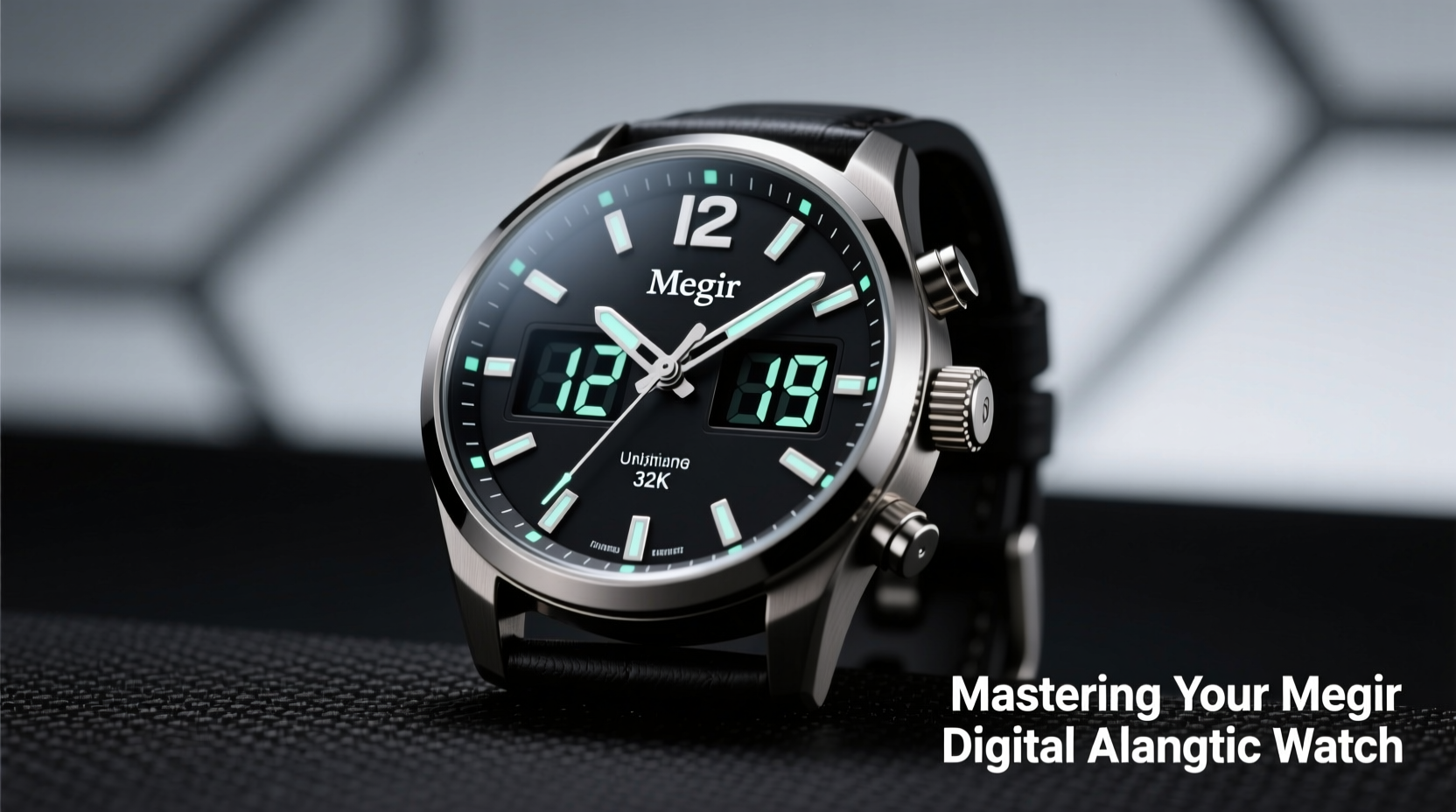
Megir digital analog watches combine traditional analog hands for hours and minutes with a digital sub-display that shows additional data such as seconds, date, day, stopwatch readings, and alarm status. Most models feature three primary buttons labeled “A,” “B,” and “C” (sometimes marked with symbols), along with a crown (the knob at the side). Each button has a specific role in navigating modes and adjusting settings.
Common functions include:
- Time and Date Mode: Displays current time, day, and date.
- Stopwatch: Measures elapsed time with start, stop, and reset options.
- Alarm: Sets one or more audible alerts.
- Hourly Chime: Optional beep on the hour.
- Backlight: Illuminates the face in low-light conditions.
Familiarity with these components is essential before attempting adjustments. Rushing into button combinations without understanding their purpose may result in accidental resets or incorrect configurations.
Step-by-Step Guide to Setting the Time Accurately
Setting the time on your Megir digital analog watch requires entering the correct mode and using precise button sequences. Follow this sequence carefully:
- Enter Time Adjustment Mode: Press and hold Button “A” for 3–5 seconds until the digital display begins flashing. The hour digits will blink, indicating you’re in setup mode.
- Select Hour Format: If your model supports 12/24-hour format, press Button “C” to toggle between them. Confirm your selection by pressing Button “A” again.
- Adjust Hours: Use Button “B” to increase the hour. Each press advances by one hour. When you reach the correct hour, press Button “A” to confirm and move to minutes.
- Adjust Minutes: Again, use Button “B” to increment the minute value. Once correct, press Button “A” to finalize.
- Set Seconds (if applicable): Some models allow resetting seconds to zero. Wait for the next full minute on a reference clock, then press Button “B” to sync.
- Exit Setup Mode: Press and hold Button “A” until the display stops flashing. The watch returns to normal operation with updated time.
During this process, the analog hands move automatically in response to digital input. If they fall out of sync—for example, the digital readout says 3:15 but the hands point to 3:10—you may need to calibrate them manually.
Calibrating Analog Hands for Perfect Synchronization
Slight misalignment between digital time and analog hands can occur due to battery changes or system resets. To correct this:
- Enter calibration mode by pressing and holding Buttons “A” and “B” simultaneously for 5 seconds.
- The second hand will jump to a reference position (usually 12 o’clock).
- Use Button “B” to advance the minute hand in small increments.
- Align the minute hand precisely with the 12-mark when the digital seconds read “00.”
- Press Button “A” to lock the position.
- Repeat for hour hand if necessary, depending on model capabilities.
This fine-tuning ensures both visual accuracy and functional consistency, especially important for professionals who rely on exact timekeeping.
“Even a 30-second discrepancy can affect time-sensitive routines. A well-calibrated watch isn’t just about precision—it reflects discipline.” — James Lin, Horology Instructor at Geneva Watch Academy
Dos and Don’ts When Setting Your Megir Watch
| Do | Don't |
|---|---|
| Hold buttons long enough to register (at least 3 seconds) | Press buttons rapidly without waiting for response |
| Use a known accurate time source (e.g., atomic clock online) for reference | Rely solely on memory or approximate time |
| Check daylight saving adjustments annually | Assume the watch auto-updates like a smartwatch |
| Keep the battery charged or replaced promptly | Wait until the watch stops completely before changing battery |
| Clean around buttons periodically to prevent debris buildup | Submerge the watch while adjusting settings unless rated waterproof |
Real-World Example: Traveler Adjusts Time Across Zones
Consider Sarah, a business consultant flying from New York to London. Upon landing, she needs to update her Megir watch to local time. She follows these steps:
- She waits until noon in London and references the time on her phone (12:00 BST).
- She presses and holds Button “A” until the hour flashes.
- Using Button “B”, she advances the hour from 7 (EST) to 12.
- She confirms with Button “A”, adjusts minutes if needed, then exits setup.
- The analog hands align perfectly with the new digital time.
Within two minutes, her watch reflects accurate local time, allowing her to attend meetings without confusion. This ease of adjustment makes the Megir ideal for frequent travelers.
Essential Maintenance Checklist
To keep your Megir digital analog watch running smoothly, follow this monthly maintenance checklist:
- ✅ Verify time accuracy against a trusted source (e.g., smartphone or atomic clock)
- ✅ Test alarm and chime functions
- ✅ Activate backlight to ensure visibility
- ✅ Clean case and band gently with a soft cloth
- ✅ Inspect buttons for responsiveness
- ✅ Check battery level (dim display or slow hand movement are warning signs)
- ✅ Reset stopwatch counter if used frequently
Regular attention prevents minor issues from becoming major inconveniences.
Frequently Asked Questions
Why do my analog hands not match the digital display?
This usually happens after a battery replacement or power reset. Enter calibration mode using Buttons “A” and “B” held together, then realign the hands using Button “B” while referencing the digital seconds.
Can I set the alarm independently of the main time?
Yes. Press Button “C” repeatedly until the digital display switches to alarm mode (often indicated by an “AL” icon). Then use Button “B” to set the desired alarm time and press “A” to save. You can toggle the alarm on or off in this mode.
Does my Megir watch update for daylight saving time automatically?
No. Unlike smartwatches, Megir digital analog models do not connect to networks for automatic updates. You must manually adjust the time twice a year when DST begins or ends.
Final Thoughts: Make Precision a Habit
A watch is more than a tool—it’s a reflection of punctuality, preparation, and personal standards. The Megir digital analog watch delivers style and functionality, but only reaches its full potential when properly maintained and accurately set. By mastering the steps outlined here, you gain not just technical control over your device, but also greater confidence in your daily routine.




 浙公网安备
33010002000092号
浙公网安备
33010002000092号 浙B2-20120091-4
Comments
No comments yet. Why don't you start the discussion?