
For anyone who spends hours at a keyboard—writers, coders, data entry professionals, or remote workers—the choice of mechanical switch can significantly impact comfort, speed, and even long-term hand health. Among the most debated topics in the mechanical keyboard community is the performance of linear versus tactile switches for extended typing sessions. While both have loyal followings, the answer isn’t universal. It depends on personal preference, typing style, and ergonomic needs.
Understanding the differences between linear and tactile switches—and how they affect your daily workflow—is essential for making an informed decision. This guide dives deep into the mechanics, user experience, and real-world performance of each type, helping you determine which is truly better for typing all day.
How Mechanical Switches Work: The Basics
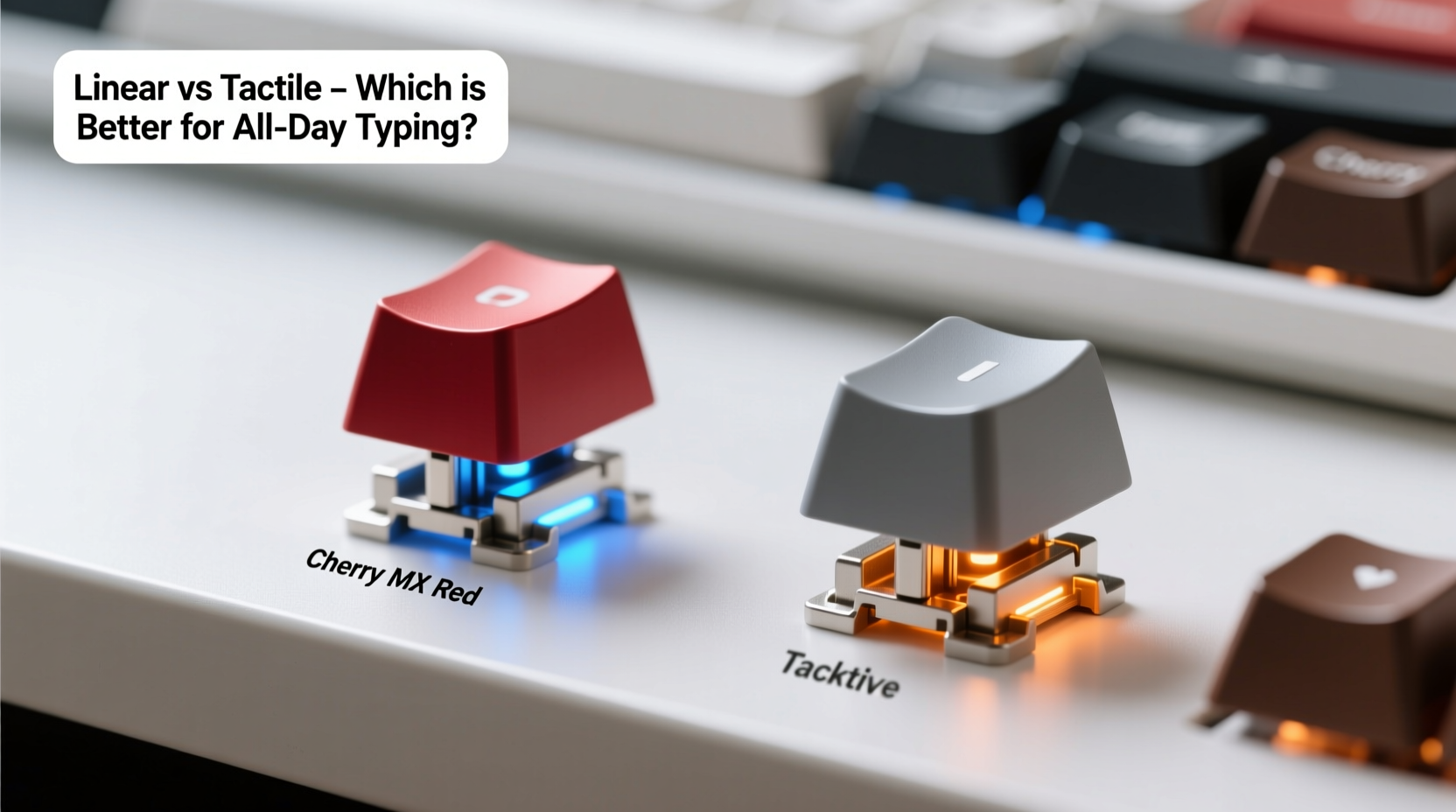
Mechanical keyboards use individual physical switches under each keycap, unlike membrane keyboards that rely on rubber domes. Each switch contains a spring and a stem mechanism that registers keystrokes when pressed. The design of this stem determines the switch’s behavior—how it feels, sounds, and responds to input.
The two primary categories relevant to typists are linear and tactile switches. These differ fundamentally in feedback:
- Linear switches offer a smooth, consistent press from top to bottom with no bump or resistance change.
- Tactile switches feature a noticeable bump mid-press, providing physical feedback when the actuation point is reached.
This distinction shapes everything from typing rhythm to finger fatigue over time.
Linear Switches: Smooth and Silent Performance
Linear switches are known for their seamless keystroke. As you press down, the resistance increases uniformly until the key actuates—typically around 2mm to 4mm—then continues to the bottom with no interruption. This makes them popular among gamers, but many typists also favor them for their predictability and quiet operation.
Common examples include:
- Cherry MX Red – 45 cN, lightweight, minimal noise
- Gateron Yellow – Slightly heavier than Reds, smoother glide
- Kailh Box Navy – Lubed linear variant with reduced wobble
Because there’s no tactile bump, users often develop a light touch, relying on muscle memory to avoid bottoming out. This can lead to faster typing speeds and less impact on the hands, especially when combined with proper ergonomics.
“Linear switches promote a floating technique where fingers hover above keys, reducing repetitive stress.” — David Lin, Ergonomic Keyboard Designer at TypeWell Labs
However, some typists report a lack of feedback leading to more typos or double-taps, especially when learning to type efficiently without visual confirmation. Without the bump, it’s harder to know exactly when a keystroke has registered, which may result in inconsistent timing.
Tactile Switches: Precision Through Feedback
Tactile switches introduce a physical bump near the actuation point, signaling to the user that the key has been registered. This feedback allows typists to release the key early, minimizing bottoming out and conserving energy over long periods.
Popular tactile models include:
- Cherry MX Brown – 45 cN, moderate bump, widely used
- Zilent V2 – Quiet, pronounced bump with soft finish
- Kailh PG Up – Designed specifically for typists seeking crisp feedback
The bump acts like a checkpoint: once felt, you know the input was captured. This can improve accuracy and reduce finger travel, potentially lowering fatigue. Many writers and editors prefer tactile switches because the feedback enhances rhythm and control, especially during dense text composition.
That said, the bump itself can be fatiguing if too sharp or inconsistent. Some users describe a “gritty” or “scratchy” sensation with lower-quality tactiles, which becomes distracting over eight hours. Additionally, the added complexity of the bump mechanism can increase wear over time compared to simpler linear designs.
Comparative Analysis: Linear vs Tactile for All-Day Typing
| Feature | Linear Switches | Tactile Switches |
|---|---|---|
| Typing Feedback | Smooth, no bump | Pronounced bump at actuation |
| Finger Fatigue | Lower due to consistent pressure | Can increase if bump is harsh |
| Typing Speed | High; ideal for fast typists | Moderate; rhythm-based |
| Noise Level | Generally quieter (especially lubed variants) | Slightly louder due to bump mechanics |
| Error Rate | Potentially higher without feedback | Lower due to clear actuation signal |
| Durability | High (simpler internal design) | High, but bump mechanism may degrade slightly faster |
| Best For | Gamers, fast typists, quiet environments | Writers, coders, precision typists |
This comparison shows that neither switch type dominates across all criteria. Instead, the best choice aligns with your priorities: raw speed and comfort (linear) versus accuracy and sensory feedback (tactile).
Real-World Example: A Copywriter’s Experience
Sophie Tran, a freelance copywriter logging 8–10 hours daily at her desk, switched from Cherry MX Browns to Gateron Yellows after experiencing wrist discomfort. Initially skeptical about losing the tactile bump, she adapted within two weeks. By focusing on a lighter touch and using a wrist rest, she reduced finger strain and increased her average typing speed from 72 WPM to 84 WPM.
“I used to bottom out constantly with the Browns,” she explained. “The bump made me press harder than necessary. With linears, I learned to stop right after actuation. My hands feel lighter at the end of the day.”
However, she noted an initial spike in typos—about 15% more during the first week—before her muscle memory adjusted. After three months, her error rate dropped below previous levels, suggesting that adaptation plays a critical role in success with either switch type.
Ergonomic Considerations for Long-Term Use
Beyond switch type, several ergonomic factors influence typing comfort throughout the day:
- Keyboard angle and height: A negative tilt (front slightly higher) reduces wrist extension.
- Actuation force: Switches between 45–55 cN are generally optimal for minimizing effort.
- Keycap profile: Low-profile keys like OEM or SA reduce finger travel.
- Wrist support: A padded rest prevents ulnar deviation and carpal tunnel strain.
Linear switches tend to pair well with low-force setups and floating techniques, while tactile switches complement structured typing rhythms. However, poor ergonomics can negate any advantage offered by superior switches.
Step-by-Step Guide to Choosing Your Ideal Switch
Follow this process to make a confident decision based on your specific needs:
- Assess your current pain points: Do your fingers ache? Are you making frequent errors? Is noise a concern?
- Determine your typing style: Are you a heavy bottomer or a light touch typist? Do you type rhythmically or in bursts?
- Test both types: Use a switch tester board to sample at least two linear and two tactile switches.
- Focus on actuation force: Prioritize switches rated between 45–55 cN for balanced responsiveness and comfort.
- Consider sound and environment: If you work in shared spaces, quieter linears (e.g., lubed Gaterons) may be preferable.
- Commit to an adjustment period: Allow 1–2 weeks to adapt before finalizing your choice.
- Monitor long-term comfort: Track hand fatigue and typing accuracy weekly for the first month.
This method ensures you’re not just choosing based on trends or marketing, but on measurable improvements in your daily experience.
Frequently Asked Questions
Are linear switches worse for typing accuracy?
Not inherently. While tactile switches provide physical feedback that helps prevent missed or repeated keystrokes, skilled typists can achieve high accuracy with linears by developing consistent muscle memory. The absence of a bump simply shifts reliance from tactile cues to timing and repetition.
Can tactile switches cause finger fatigue?
Yes, if the bump is too sharp or requires excessive force. Poorly designed tactiles may create a \"jarring\" sensation that accumulates over hours. Opt for smooth, medium-bump switches like Zilents or improved MX Clears to minimize this risk.
Do I need to lube my switches for all-day comfort?
Lubing isn’t required, but it enhances smoothness and reduces friction noise. For both linear and tactile switches, factory-lubed or hand-lubed variants often feel more refined and less abrasive during prolonged use. If you're sensitive to scratchiness, lubrication is highly recommended.
Final Recommendation: It Depends on You
There is no single “best” switch for all-day typing. The truth is nuanced: linear switches excel in speed, consistency, and reduced impact, making them ideal for fast typists and those prioritizing silence and fluidity. Tactile switches offer superior feedback and rhythm, appealing to writers, coders, and anyone who values precision and sensory confirmation.
The deciding factor isn’t technical superiority—it’s compatibility with your body, habits, and environment. Many professionals find success with either type once they optimize their setup and allow time for adaptation.
“The perfect switch doesn’t exist. But the perfect switch *for you* does—once you understand how you type, not just how fast.” — Lena Park, Human Factors Engineer at Keyflow Dynamics




 浙公网安备
33010002000092号
浙公网安备
33010002000092号 浙B2-20120091-4
Comments
No comments yet. Why don't you start the discussion?