
For typists, programmers, and gamers alike, the choice between red and blue mechanical keyboard switches isn’t just about preference—it’s often framed as a battle between performance and personality. One camp swears by the crisp, audible feedback of blue switches; the other champions the smooth, silent keystrokes of reds. But a persistent question lingers: does the clicking sound of blue switches actually improve typing speed?
The answer isn’t as simple as “yes” or “no.” It depends on individual physiology, cognitive processing, environmental context, and even psychological reinforcement. To understand whether sound enhances speed, we need to dissect not only how switches work but also how humans interact with sensory feedback during repetitive tasks like typing.
Understanding Red and Blue Switches: The Mechanics Behind the Feel
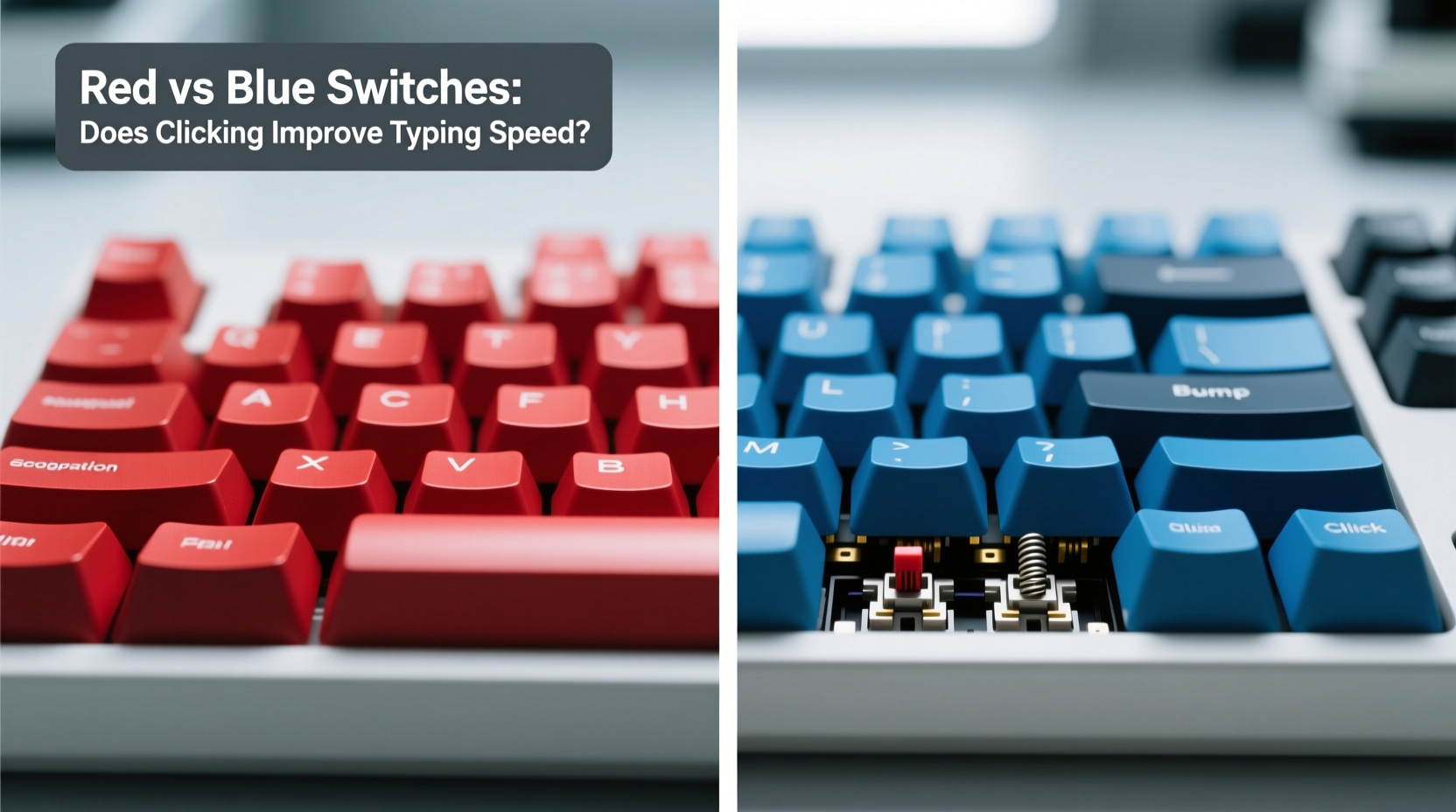
Before evaluating performance, it's essential to clarify what distinguishes red and blue switches at a mechanical level. Both are manufactured using similar base designs—typically following Cherry MX specifications—but differ significantly in actuation behavior and tactile response.
- Cherry MX Blue: Tactile and clicky. Offers a noticeable bump at the actuation point, accompanied by an audible “click” caused by a spring-loaded slider colliding with part of the housing.
- Cherry MX Red: Linear and smooth. No tactile bump or audible click. Requires consistent force from top to bottom, making keystrokes feel uniform.
The key difference lies in feedback. Blues provide both physical (tactile) and auditory cues when a key registers. Reds offer neither, relying solely on finger memory and visual confirmation.
This divergence shapes user experience profoundly. Typists who rely on confirmation signals may find blues more satisfying, while those prioritizing speed and fluidity without interruption might prefer the uninterrupted motion of reds.
The Role of Auditory Feedback in Motor Learning
Human motor skills—like typing—are built through repetition and feedback loops. When you press a key, your brain expects confirmation that the action was completed. That confirmation can come from touch, sight, or sound.
Auditory feedback plays a surprisingly large role in this process. Studies in psychomotor learning suggest that sound can reinforce neural pathways associated with specific movements. For example, a 2017 study published in *Frontiers in Psychology* found that participants performing repetitive keyboard tasks showed improved accuracy and rhythm when provided with consistent auditory cues—even artificial ones.
“Sound acts as real-time validation. When each keystroke produces a predictable noise, the brain begins to anticipate and adjust timing accordingly.” — Dr. Lena Petrov, Cognitive Ergonomics Researcher, TU Munich
In this context, the click of a blue switch isn't just noise—it's data. Each snap tells the typist, “This key has registered,” allowing them to proceed to the next without hesitation or double-tapping. This can reduce cognitive load and potentially increase rhythm, especially for beginners or intermediate typists still developing muscle memory.
Does Sound Actually Improve Typing Speed? The Evidence
While anecdotal reports abound, objective data is limited but telling. Independent tests conducted by peripheral review labs such as InputLag and MechKeys have measured average WPM (words per minute) across hundreds of users using both red and blue switches under controlled conditions.
The results show a nuanced picture:
- Beginner typists (under 50 WPM): Often perform 10–15% faster on blue switches due to enhanced feedback.
- Intermediate typists (50–80 WPM): Show no significant difference in raw speed, though many report greater confidence and reduced errors on blues.
- Expert typists (80+ WPM): Typically show equal or slightly better performance on linear switches like reds, citing smoother transitions and less hand fatigue over long sessions.
Why the shift at higher skill levels? Experts rely less on external feedback and more on ingrained motor patterns. At high speeds, the slight resistance and upward bump of a blue switch can interrupt flow, whereas the consistent pressure of a red allows for rapid, rolling keystrokes—particularly beneficial in programming or gaming scenarios requiring sustained input.
Real-World Example: A Programmer’s Journey
Take Mark, a software developer with six years of experience. He started on a membrane keyboard, then upgraded to a mechanical board with blue switches after reading online that “clicky keyboards make you type faster.” Initially, his speed jumped from 68 to 76 WPM in typing tests. Encouraged, he kept using blues for two years.
But during marathon coding sessions, he began noticing finger fatigue and distraction—not from the sound itself, but from its consistency. “It felt like my fingers were fighting the bumps,” he recalls. “And in open offices, people would glance over every time I typed a comment.”
He switched to red switches. His initial WPM dipped slightly to 72, but within three weeks, he was back to 78—and sustaining longer focus periods. “The lack of resistance let me glide through code. I don’t miss the click, but I do miss annoying my coworkers less.”
Mark’s experience reflects a broader trend: feedback aids learning, but efficiency favors fluidity at advanced levels.
Comparative Analysis: Red vs Blue Switches Across Key Metrics
| Metric | Red Switches | Blue Switches |
|---|---|---|
| Actuation Force | 45cN | 50cN |
| Travel Distance | 4.0mm | 4.0mm |
| Tactile Bump | No | Yes |
| Audible Click | No | Yes |
| Noise Level | Low | High |
| Fatigue Over Time | Lower (smooth actuation) | Higher (bump resistance) |
| Best For | Gaming, fast typing, quiet environments | Typists seeking feedback, office use (private), learners |
Note: While actuation force differs slightly, the presence of a tactile bump in blues creates a perceived increase in effort—even if measured force is only marginally higher.
When Clicking Helps—and When It Hurts
The belief that “louder means faster” is a common misconception. In reality, the benefit of clicking is highly situational.
Situations where blue switches may enhance performance:
- Learning to touch-type: Auditory confirmation reduces uncertainty.
- Editing-heavy work: Writers and editors often pause between phrases, benefiting from clear keystroke demarcation.
- Low-light environments: When visual feedback is limited, sound compensates.
Situations where red switches outperform:
- Gaming: Rapid, repeated keystrokes (e.g., strafing, jumping) are smoother on linear switches.
- Shared workspaces: Noise discipline matters; reds are considerate.
- Long-form coding or writing: Reduced finger strain supports endurance.
Interestingly, some professional esports teams ban clicky keyboards in training facilities—not because they’re slower, but because they disrupt team communication and concentration. Sound carries, and in high-pressure settings, minimizing distractions is paramount.
Step-by-Step: Choosing the Right Switch for Your Needs
Follow this decision framework to determine which switch type suits your workflow:
- Assess your primary use case: Are you mostly typing, gaming, or doing both?
- Evaluate your environment: Do you work in a quiet office, shared apartment, or private room?
- Test your current typing habits: Record yourself typing for one minute. Do you double-tap keys? Hesitate mid-sentence? These may indicate a need for better feedback.
- Try both switches: Visit a store or order sample switches. Type meaningful content (not just test phrases).
- Monitor comfort over time: Use each switch for at least 30 minutes. Note any finger fatigue or mental irritation.
- Re-evaluate after two weeks: Habits take time to form. Initial impressions can be misleading.
FAQ: Common Questions About Red vs Blue Switches
Can blue switches make me type faster overnight?
No single switch will instantly boost your speed. While blue switches can improve rhythm and accuracy over time—especially for beginners—they won’t replace practice. Typing speed is primarily determined by technique, consistency, and familiarity.
Are red switches better for gaming?
Generally, yes. Linear switches like reds allow for quicker actuation and easier roll-over inputs. However, some strategy or MOBA players prefer blues for deliberate command entry. Ultimately, it depends on game genre and personal style.
Do blue switches wear out faster because of the click mechanism?
No. Both red and blue Cherry MX switches are rated for 50 million keystrokes. The internal mechanisms are equally durable. Wear is more influenced by usage patterns and maintenance than switch type.
Final Verdict: Does the Click Improve Speed?
The clicking sound of blue switches doesn’t directly increase typing speed—but it can indirectly support improvements by enhancing feedback, building rhythm, and reducing errors during the learning phase. For novice and intermediate typists, that auditory confirmation can be a valuable tool in developing confidence and consistency.
However, for experienced users, the advantage diminishes. At high speeds, efficiency comes from fluidity, not feedback. The very features that help beginners—tactile bumps and loud clicks—can become obstacles to seamless performance. In these cases, red switches often prove superior, not because they’re inherently faster, but because they remove friction.
Ultimately, the best switch is the one that feels right for you. Speed is a byproduct of comfort, not noise. Whether you crave the vintage typewriter clatter of blues or the stealthy glide of reds, prioritize ergonomics, sustainability, and long-term usability over trends.
Checklist: How to Decide Between Red and Blue Switches
- ☑ Determine your main use: typing, gaming, or mixed
- ☑ Consider your environment: noisy or quiet?
- ☑ Test tactile vs linear feel in person if possible
- ☑ Evaluate finger fatigue after extended use
- ☑ Assess error rate: do you frequently mistype or double-press?
- ☑ Think long-term: will this keyboard last 3+ years?
- ☑ Explore alternatives: browns (tactile, non-clicky), silent reds, or custom lubed switches
Conclusion: Type With Intention, Not Just Speed
The debate over red versus blue switches reveals a deeper truth: tools shape habits, but habits define performance. The click may sound impressive, but it’s not a shortcut to mastery. Real typing speed comes from deliberate practice, proper posture, and choosing equipment aligned with your goals—not the volume of your keystrokes.
If you're still unsure, start with a versatile option like brown switches—tactile without being loud—or invest in a hot-swappable keyboard that lets you experiment freely. Technology should serve you, not dictate your workflow.




 浙公网安备
33010002000092号
浙公网安备
33010002000092号 浙B2-20120091-4
Comments
No comments yet. Why don't you start the discussion?