
For writers whose livelihoods depend on the rhythm of keystrokes, the choice between a mechanical and a membrane keyboard isn't just about preference—it's about endurance, accuracy, and physical well-being. Whether you're drafting novels, composing articles, or logging thousands of words daily, your keyboard becomes an extension of your thought process. A poor choice can lead to fatigue, distraction, and even repetitive strain injuries over time. This guide breaks down the real-world differences between mechanical and membrane keyboards, focusing specifically on the needs of full-time typists.
Understanding the Core Differences
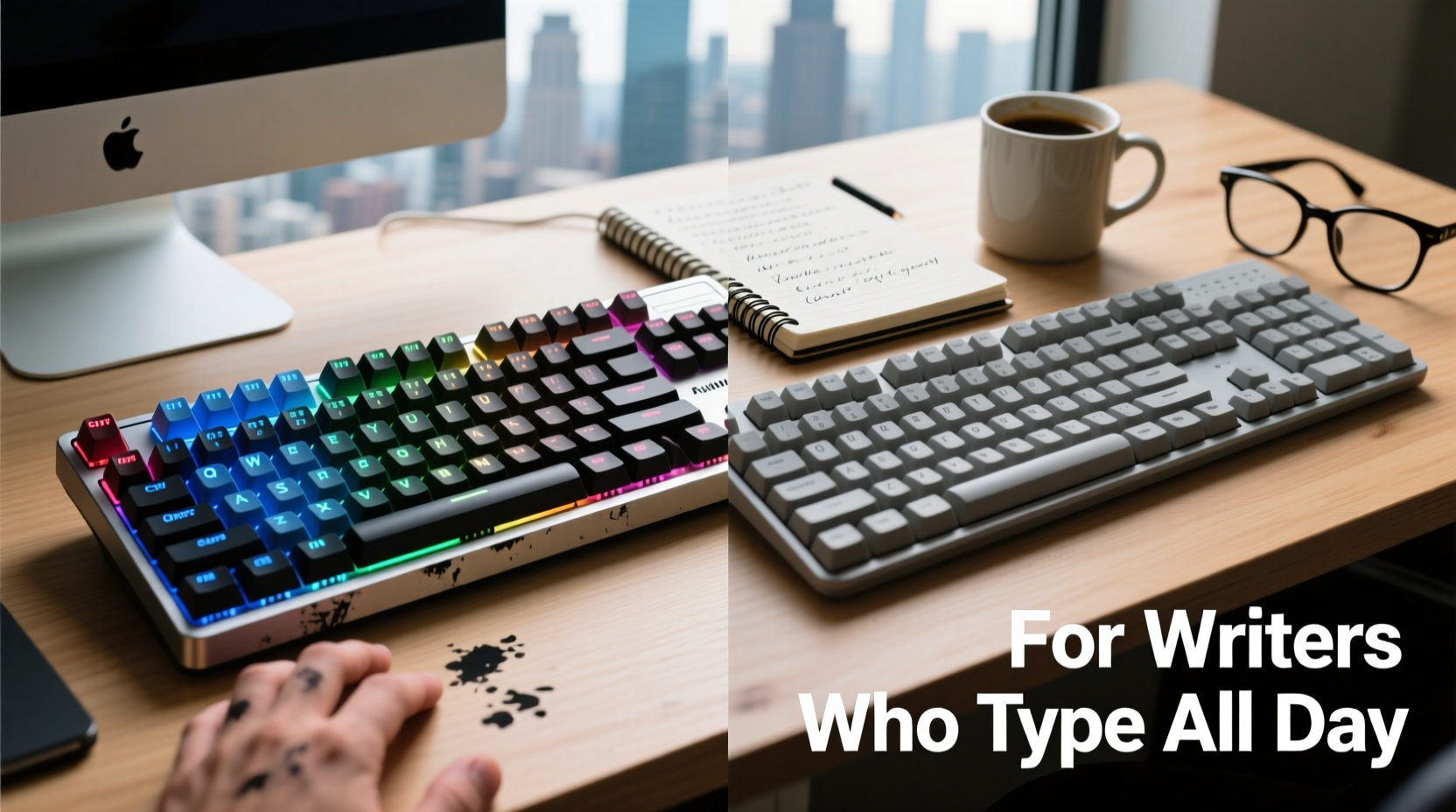
The fundamental distinction lies in how each keyboard registers a keystroke. Mechanical keyboards use individual mechanical switches under each keycap. These switches have physical moving parts that provide tactile feedback and audible response when pressed. Membrane keyboards, on the other hand, rely on a layered rubber or silicone membrane beneath the keys. Pressing a key pushes down through this layer, completing an electrical circuit to register input.
This difference affects everything from typing feel to longevity. Mechanical keyboards are generally more durable, with most switches rated for 50 million keystrokes or more. Membrane keyboards typically last around 5–10 million keystrokes before key responsiveness degrades.
| Feature | Mechanical Keyboard | Membrane Keyboard |
|---|---|---|
| Switch Type | Individual mechanical switches (e.g., Cherry MX, Gateron) | Rubber dome or silicone membrane |
| Tactile Feedback | High—distinct bump or click on actuation | Low—mushy, uniform feel |
| Noise Level | Varies (loud with clicky switches, quiet with linear) | Generally quiet |
| Lifespan | 50+ million keystrokes | 5–10 million keystrokes |
| Typing Speed & Accuracy | Precise actuation point; less finger fatigue | Requires full press; inconsistent feedback |
| Customization | High (swappable switches, keycaps, backlighting) | Low to none |
Comfort and Ergonomics for Long Typing Sessions
Writers often spend 6–10 hours a day at the keyboard. Over time, small discomforts compound into chronic pain or reduced productivity. Mechanical keyboards offer superior ergonomics due to their consistent actuation force and tactile precision. Each keypress requires less travel distance and pressure, reducing finger strain.
Many mechanical models also support ergonomic layouts—split designs, tenting, or low-profile key switches—that align better with natural hand positioning. Brands like Kinesis and ErgoDox specialize in ergonomically optimized mechanical boards designed explicitly for heavy typists.
In contrast, membrane keyboards demand more force per keystroke and lack clear feedback, leading to “bottoming out”—hitting the base of the key repeatedly. This constant impact can cause finger and wrist fatigue over extended periods.
“After switching from a standard membrane keyboard to a mechanical one with tactile switches, my wrist pain decreased significantly within two weeks.” — Sarah Lin, freelance journalist and novelist
Typing Efficiency and Cognitive Flow
Professional writers rely on uninterrupted cognitive flow. Distractions—even subtle ones like inconsistent key response—can break concentration. Mechanical keyboards enhance typing efficiency through reliable actuation points. Once you learn the exact pressure needed, muscle memory develops faster, allowing you to type without looking.
Consider the phenomenon of “ghosting,” where multiple simultaneous keystrokes aren’t registered. Mechanical keyboards typically support full N-key rollover, meaning every keypress is recognized regardless of how many others are pressed. This is critical during fast typing bursts or editing with frequent shortcut use (e.g., Ctrl+C, Ctrl+V).
Membrane keyboards often limit rollover to 2–6 keys, increasing the risk of missed inputs during rapid work. While this may seem minor, over hundreds of thousands of words, these micro-errors accumulate, forcing rework and disrupting momentum.
Durability and Long-Term Value
For full-time writers, investing in durable tools pays off. A high-quality mechanical keyboard can last a decade or more with proper care. Most use aluminum or steel backplates, PBT keycaps resistant to shine, and soldered or hot-swappable switches that can be replaced individually.
Membrane keyboards degrade faster. The rubber domes lose elasticity, resulting in “mushy” keys that require more effort to press. Spills are harder to clean since liquid seeps into sealed layers, often ruining the entire unit. Some premium membrane models resist this better, but they remain outliers.
While mechanical keyboards have a higher upfront cost—typically $80–$200 versus $20–$60 for membranes—their lifespan and performance justify the investment for serious writers.
Real-World Example: From Burnout to Breakthrough
Jamal Carter, a technical writer based in Portland, used a standard laptop membrane keyboard for five years. He began experiencing numbness in his fingertips and found himself pausing frequently to correct typos. After researching alternatives, he invested in a Tenkeyless (TKL) mechanical keyboard with Brown tactile switches.
Within three weeks, Jamal reported fewer errors, improved typing speed, and elimination of fingertip soreness. “It’s like my hands finally caught up with my thoughts,” he said. “I’m writing 20% more each day without feeling drained.” His experience reflects a common transformation among professional typists who make the switch.
Noise Considerations in Shared Environments
A valid concern for writers in open offices, co-working spaces, or homes with others is noise. Clicky mechanical switches (like Cherry MX Blues) produce sharp, audible feedback that some find satisfying—but others find disruptive.
However, not all mechanical keyboards are loud. Linear switches such as Cherry MX Reds or silent variants (e.g., Gateron Silent Yellows) offer near-silent operation while retaining mechanical benefits. Some models include sound-dampening foam inside the case, further reducing acoustics.
If silence is non-negotiable, modern low-profile mechanical switches (like Kailh Low Profile Browns) combine short travel, quiet operation, and tactile feedback—ideal for writers needing discretion without sacrificing quality.
Checklist: Choosing the Right Keyboard for All-Day Writing
- ✅ Determine your environment: quiet space or shared area?
- ✅ Choose switch type: tactile (Brown), linear (Red), or clicky (Blue)—prioritize comfort over trendiness.
- ✅ Opt for N-Key Rollover to prevent missed keystrokes.
- ✅ Consider ergonomics: split, angled, or compact layout to reduce strain.
- ✅ Check build quality: metal plate, PBT keycaps, detachable cable.
- ✅ Test before buying—if possible, try a mechanical keyboard at a store or coworker’s desk.
- ✅ Budget for long-term value, not just initial price.
Expert Insight: What Professionals Recommend
“The best keyboard for a writer isn’t the flashiest or cheapest—it’s the one that disappears beneath your fingers. Mechanical keyboards, especially with tactile feedback, help achieve that seamless connection between mind and text.” — Dr. Elena Torres, Human Factors Engineer specializing in workplace ergonomics
Dr. Torres emphasizes that consistency in key response reduces cognitive load. When you don’t have to second-guess whether a keystroke registered, mental energy stays focused on content creation rather than correction.
Frequently Asked Questions
Can mechanical keyboards reduce typing errors?
Yes. The precise actuation point and tactile feedback allow typists to know exactly when a key has been pressed, reducing both missed keystrokes and double-taps. This leads to fewer typos and less backtracking during editing.
Are mechanical keyboards worth it for writers on a budget?
While the initial cost is higher, the long-term savings make them worthwhile. Replacing a $30 membrane keyboard every 1–2 years adds up. A single $100 mechanical keyboard lasting 8–10 years offers better value. Entry-level models from brands like Redragon or Keychron offer quality at lower prices.
Do I need to lubricate mechanical switches?
Not immediately. Factory-lubed switches perform well out of the box. Lubrication (a process called “switch modding”) is optional and typically done by enthusiasts to refine sound and smoothness. For most writers, it’s unnecessary unless pursuing ultra-quiet or custom feel.
Step-by-Step Guide: Transitioning from Membrane to Mechanical
- Assess Your Needs: Identify your primary writing environment, noise tolerance, and any existing discomfort.
- Research Switch Types: Watch comparison videos or read reviews to understand tactile, linear, and clicky options.
- Try Before You Buy: Visit electronics stores or borrow a friend’s mechanical keyboard for a test run.
- Select a Model: Choose a reputable brand with good build quality and user reviews focused on typing comfort.
- Allow Adjustment Time: Give yourself 1–2 weeks to adapt. Initial sensations (heavier resistance, different sound) fade as muscle memory forms.
- Optimize Setup: Pair your new keyboard with an ergonomic chair, wrist rest, and proper monitor height for maximum benefit.
Final Verdict: Which Is Better for Writers?
For writers who type all day, mechanical keyboards are objectively superior in terms of durability, accuracy, comfort, and long-term health. While membrane keyboards are cheaper and quieter out of the box, their limitations become glaring over time—especially under heavy use.
The ideal choice depends on personal priorities. If you write in a library-like environment, opt for a quiet linear or low-profile mechanical model. If you value feedback and precision, tactile switches deliver unmatched control. Either way, upgrading to mechanical is one of the most impactful improvements a writer can make to their daily workflow.
That said, no keyboard replaces good posture, regular breaks, and mindful typing habits. Pair your hardware upgrade with stretches, hydration, and screen-time management for optimal results.
Conclusion
Your keyboard is more than a tool—it’s a partner in creation. For writers committed to producing high volumes of text with clarity and comfort, choosing a mechanical keyboard isn’t indulgence; it’s necessity. The upfront investment pays dividends in reduced fatigue, fewer errors, and sustained creative flow. Whether you’re drafting your first novel or managing daily client content, making the informed switch today could redefine your relationship with writing tomorrow.




 浙公网安备
33010002000092号
浙公网安备
33010002000092号 浙B2-20120091-4
Comments
No comments yet. Why don't you start the discussion?