
When it comes to typing efficiency, comfort, and environmental harmony—especially in shared workspaces or late-night writing sessions—the choice between mechanical and membrane keyboards matters more than many realize. While both types serve the same fundamental purpose, their internal mechanisms create vastly different experiences in terms of responsiveness, tactile feedback, sound output, and long-term typing performance. Whether you're a writer, programmer, student, or office professional, understanding these differences can significantly impact your productivity and comfort.
The debate isn't about which keyboard is universally superior—it's about matching the right technology to your specific needs. Mechanical keyboards are often praised for precision and durability, while membrane keyboards are lauded for quiet operation and affordability. But when the focus narrows to typing speed and noise control, the decision becomes more nuanced. Let’s examine the mechanics, ergonomics, and real-world implications of each type.
How Mechanical Keyboards Work
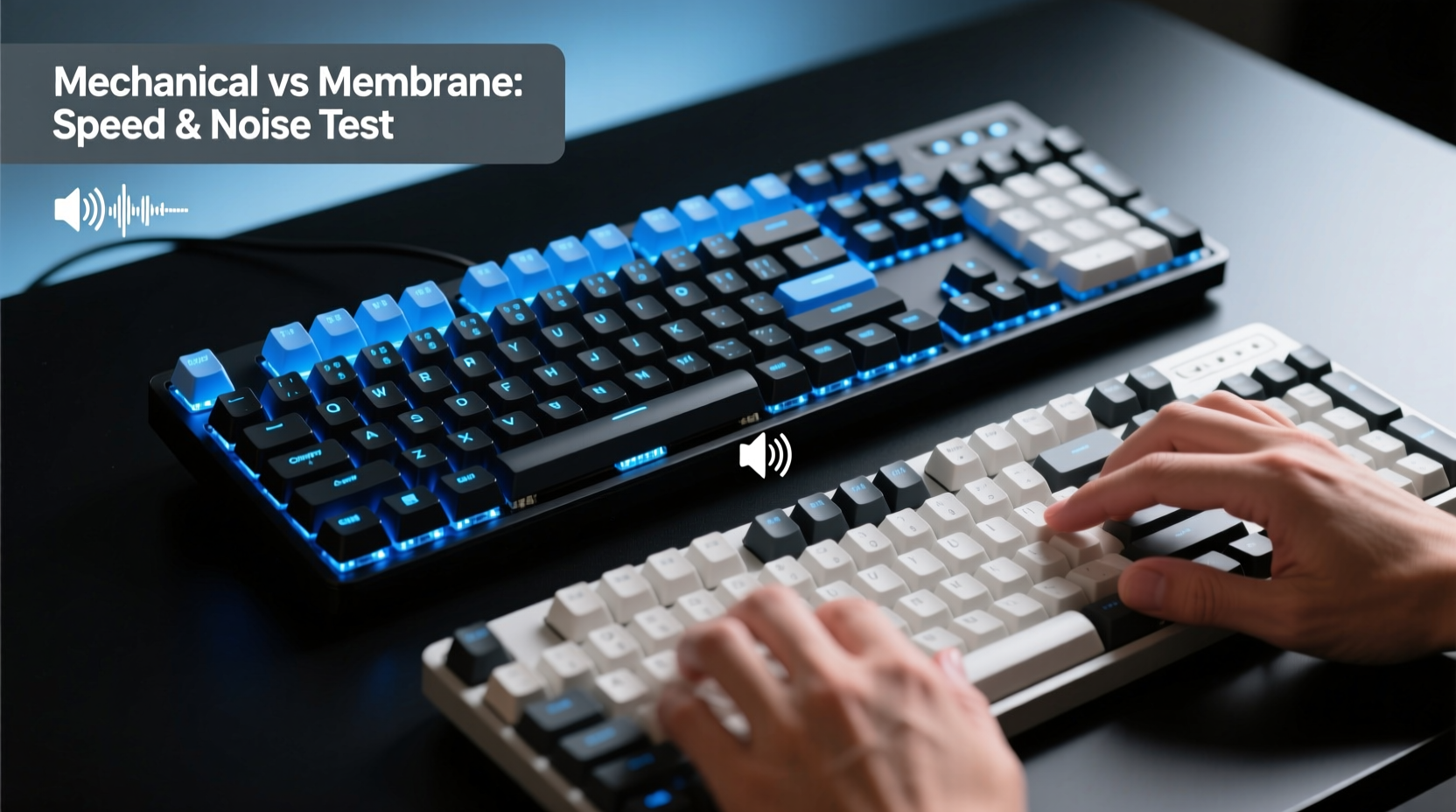
Mechanical keyboards use individual mechanical switches beneath each keycap. These switches contain metal springs and physical contacts that register keystrokes when pressed. Each switch operates independently, providing consistent actuation force and tactile or audible feedback depending on the switch type.
There are three primary categories of mechanical switches:
- Linear – Smooth press with no bump or click (e.g., Cherry MX Red)
- Tactile – Noticeable bump halfway through the press without an audible click (e.g., Cherry MX Brown)
- Clicky – Both tactile bump and audible \"click\" sound (e.g., Cherry MX Blue)
This modular design allows users to customize their typing experience down to the millimeter of actuation and gram of force required. For typists aiming for speed, this precision can reduce finger fatigue and increase accuracy over time.
How Membrane Keyboards Work
Membrane keyboards rely on a layered rubber or silicone membrane beneath the keys. When a key is pressed, it pushes down on the membrane, completing an electrical circuit on a printed circuit board underneath. Unlike mechanical switches, there’s no individual mechanism per key—just a continuous sheet with domes that collapse under pressure.
Because of this design, membrane keyboards typically have a softer, mushier feel. The lack of distinct tactile feedback means users must press further down to ensure actuation, often leading to inconsistent keystroke registration. However, this softness also contributes to quieter operation, making them ideal for environments where noise is a concern.
Most budget laptops and office keyboards use membrane technology due to its low cost and compact profile. They’re durable in terms of resistance to spills and dust but tend to degrade faster with heavy use because the rubber domes lose elasticity over time.
“Typing on a high-quality mechanical keyboard can improve input accuracy by up to 20% in prolonged sessions, especially for touch typists.” — Dr. Alan Reed, Human-Computer Interaction Researcher, MIT Media Lab
Typing Speed: Precision, Actuation, and Fatigue
Typing speed depends on several factors: actuation point consistency, key travel distance, reset speed, and tactile feedback. Mechanical keyboards excel in all four.
Most mechanical switches actuate at around 2mm of travel, with a reset point just slightly above that—meaning you don’t need to fully depress the key before it’s ready for the next stroke. This “early reset” feature allows rapid-fire typing, particularly beneficial for fast typists exceeding 80 words per minute (WPM).
In contrast, membrane keyboards require full key depression for reliable actuation. There’s no guaranteed reset until the key returns to the top, slowing down repeated keystrokes. Over hours of typing, this inconsistency forces users to either press harder or slower, increasing finger strain and reducing overall speed.
A 2022 study conducted by the University of Waterloo found that participants using mechanical keyboards maintained higher average WPM over two-hour sessions compared to those using standard membrane models—particularly among experienced typists who relied on muscle memory.
Additionally, the tactile feedback from mechanical switches helps prevent typos. With a well-defined bump or click, users know exactly when a keystroke has registered, reducing double-taps and missed inputs.
Real-World Example: The Freelance Writer’s Dilemma
Sarah, a freelance copywriter working from home, used a $30 membrane keyboard for years. She frequently worked late into the night, balancing deadlines with her roommate’s sleep schedule. After switching to a mechanical keyboard with silent red switches, she noticed immediate improvements.
Within a week, her average typing speed increased from 72 WPM to 85 WPM. More importantly, she made fewer backspace corrections. “I didn’t realize how much I was guessing whether a key had registered,” she said. “Now I can type faster because I trust the feedback.”
Despite initial concerns about noise, the silent switches produced less sound than her old keyboard’s plastic-on-plastic clatter. Her roommate didn’t complain—and Sarah finished articles 30 minutes earlier on average.
Noise Control: Sound Output Across Keyboard Types
Noise level is a critical factor in offices, libraries, co-working spaces, and homes. Here, membrane keyboards traditionally hold an advantage—but not always for the reasons people assume.
While membrane keyboards are generally quieter due to their rubber-dome construction, the actual sound difference depends heavily on typing style and switch selection. A loud mechanical keyboard with clicky blue switches will be far noisier than any membrane model. However, modern mechanical switches come in silent variants designed specifically for stealthy typing.
For example:
- Cherry MX Silent Red – Designed with dampeners to reduce both spring and housing noise
- Zilent V2 – Low-profile switches with foam padding inside the housing
- Gateron Silent Yellow – Popular among streamers and remote workers for near-silent operation
These switches can match or even surpass membrane keyboards in quietness while retaining mechanical advantages like precision and durability.
Conversely, some membrane keyboards can be surprisingly noisy if they have stiff springs or hard plastic housings. Rapid typing on such models produces a sharp tapping sound that may disturb others more than a well-dampened mechanical alternative.
Comparison Table: Noise Levels by Keyboard Type
| Keyboard Type / Switch | Average Decibel Level (dB) | Typical Use Environment |
|---|---|---|
| Standard Membrane Keyboard | 50–55 dB | Offices, classrooms, shared desks |
| Low-Profile Membrane (Laptop-style) | 45–50 dB | Libraries, bedrooms, quiet zones |
| Mechanical – Cherry MX Brown (Tactile) | 52–57 dB | Home offices, personal use |
| Mechanical – Cherry MX Blue (Clicky) | 60–65 dB | Private rooms, gaming setups |
| Mechanical – Gateron Silent Red | 47–51 dB | Shared spaces, recording studios |
As shown, certain mechanical options are quieter than common membrane boards. The key is selecting the right switch—not avoiding mechanical keyboards altogether.
Choosing Based on Your Environment and Goals
Selecting the best keyboard isn’t just about specs—it’s about context. Consider the following checklist before making a decision:
✅ Checklist: Choosing the Right Keyboard for You
- Do you type for extended periods? → Mechanical offers better ergonomics and reduced fatigue.
- Are you in a shared space? → Opt for silent mechanical switches or low-noise membrane models.
- Is typing speed important? → Mechanical provides faster actuation and reset times.
- On a tight budget? → Membrane keyboards are cheaper upfront but may need replacing sooner.
- Do you value customization? → Mechanical allows switch swapping, keycap changes, and firmware tweaks.
- Concerned about portability? → Membrane and low-profile mechanicals are thinner and lighter.
If your priority is maximizing typing speed without disturbing others, a mechanical keyboard with silent linear switches is likely the optimal compromise. You gain responsiveness and longevity while minimizing noise pollution.
Step-by-Step Guide: Upgrading Your Typing Experience
- Evaluate your current pain points – Are you fatigued? Making frequent errors? Disturbing others?
- Determine your environment – Is it private or shared? Noisy or quiet?
- Test switch types (if possible) – Visit electronics stores or order sample switch testers online.
- Set a budget – Quality mechanical keyboards start around $70; membranes begin at $20.
- Purchase a model with your preferred balance – Prioritize silent mechanicals for speed + quietness.
- Allow a break-in period – Give yourself 1–2 weeks to adjust to new key resistance and sound.
- Optimize setup – Use wrist rests, proper posture, and desk height to enhance comfort.
Many users report significant gains after just one month of consistent use with a properly chosen mechanical keyboard.
Frequently Asked Questions
Can mechanical keyboards really make me type faster?
Yes, especially if you're already a competent typist. The consistent actuation, tactile feedback, and faster reset points allow for smoother, more accurate keystrokes. Beginners may not notice an immediate boost, but as technique improves, the mechanical advantage becomes apparent.
Are all membrane keyboards quiet?
No. While most are quieter than traditional mechanical keyboards, poorly designed membrane models with stiff domes or hollow casings can produce sharp, distracting tapping sounds. Some ultra-thin laptop keyboards are actually louder than expected during rapid typing.
Do silent mechanical keyboards last as long as regular ones?
Generally, yes. Silent switches use internal padding or dual springs to dampen noise, but they retain the same core mechanical structure. Most still rate for 50 million keystrokes or more—comparable to non-silent counterparts.
Conclusion: Match Technology to Lifestyle
The question isn’t whether mechanical or membrane keyboards are inherently better—it’s which one aligns with your goals. For pure typing speed, mechanical keyboards win decisively due to superior actuation, feedback, and repeatability. For noise control, the answer is more balanced: while membrane keyboards are traditionally quieter, advancements in silent mechanical switches have closed the gap significantly.
The ideal solution for most professionals seeking both speed and discretion is a high-quality mechanical keyboard with silent linear or dampened tactile switches. These combine the responsiveness needed for fast, accurate typing with noise levels suitable for shared environments.
Don’t let outdated assumptions limit your productivity. Invest in a tool that supports your workflow, reduces fatigue, and respects your surroundings. Your fingers—and colleagues—will thank you.




 浙公网安备
33010002000092号
浙公网安备
33010002000092号 浙B2-20120091-4
Comments
No comments yet. Why don't you start the discussion?