
In open offices, coworking spaces, or home setups where multiple people share a room, keyboard noise can become more than just background sound—it can be a distraction. A loud clatter from keystrokes may disrupt focus, break concentration, or even strain workplace harmony. When choosing between mechanical and membrane keyboards, one of the most critical factors isn't just responsiveness or durability—it's acoustics. So, which type produces less noise? And what specific models or features should you consider if silence matters?
The answer isn’t always black and white. While membrane keyboards are generally quieter out of the box, certain mechanical switches have been engineered specifically for low-noise operation. Understanding how each technology works—and how environmental context influences perception—is key to making an informed decision.
How Keyboard Technologies Work
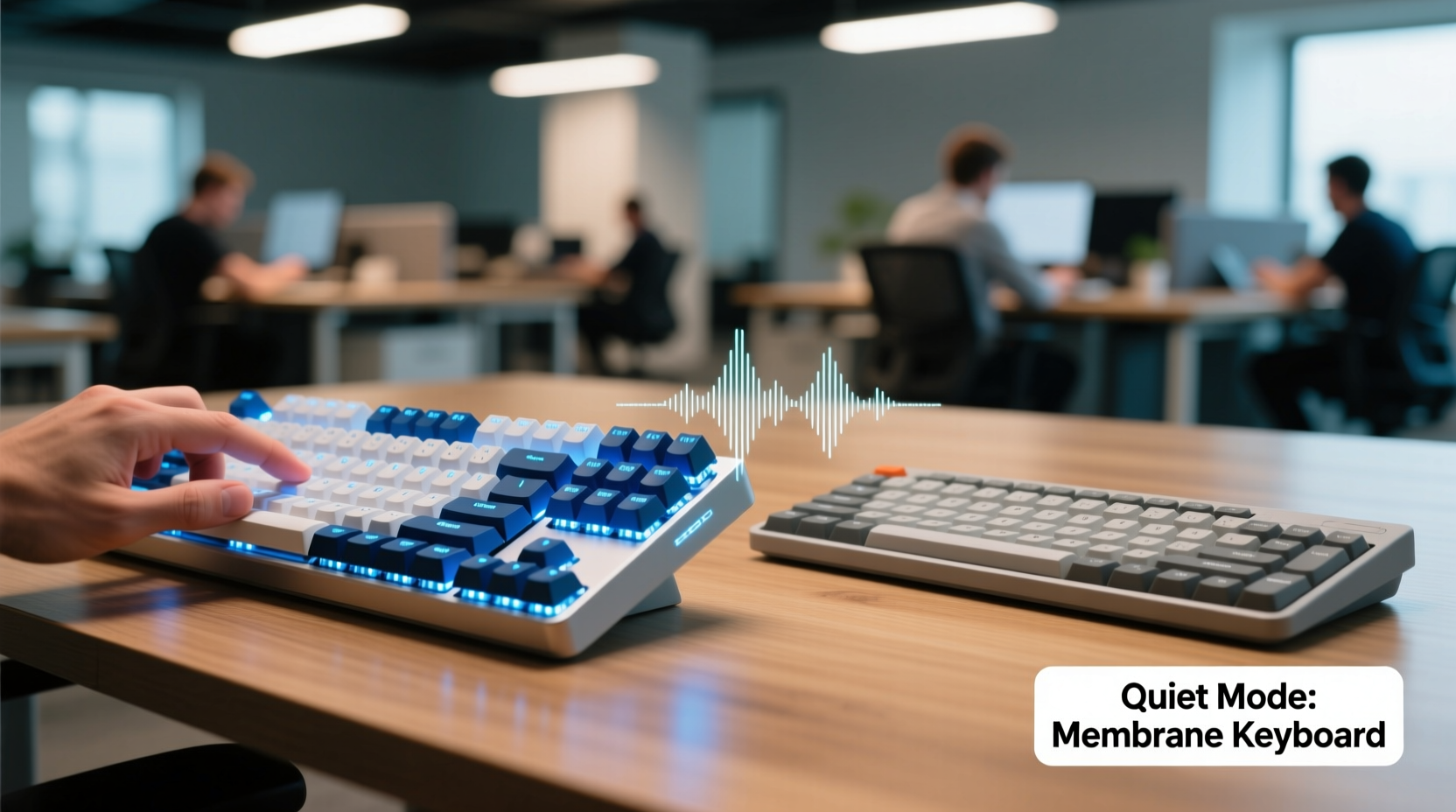
To compare noise output accurately, it’s essential to understand the internal mechanics behind both types of keyboards.
Mechanical keyboards use individual physical switches beneath each keycap. Each switch contains a spring and metal contact that actuates when pressed. The design allows for tactile feedback, audible clicks (in some variants), and precise control over actuation force and travel distance. Because every key has its own switch, the materials and construction directly influence how much sound is produced during typing.
Membrane keyboards, on the other hand, rely on a layered rubber or silicone sheet with conductive traces underneath. Pressing a key pushes this layer down until it makes contact with the circuit board, completing the signal. There’s no distinct mechanical mechanism per key, so the action tends to feel softer and mushier, but also significantly quieter due to the lack of moving metal parts and reduced key travel.
Noise Comparison: Mechanical vs Membrane
On average, membrane keyboards produce 10–15 decibels less sound than standard mechanical keyboards. This difference becomes especially noticeable in quiet rooms or during video calls.
A typical linear mechanical switch like the Cherry MX Red produces around 55 dB of sound at normal typing speed. In contrast, a premium membrane keyboard such as those found in business laptops or ergonomic desktop models registers closer to 40–45 dB. That might not seem like much, but in audio terms, every 10 dB represents roughly a doubling of perceived loudness.
However, not all mechanical switches are created equal. Some are explicitly designed for quiet performance:
- Cherry MX Silent Red: Engineered with internal dampeners to reduce both bottom-out and spring noise. Measured at ~45 dB.
- Zilent switches (by ZealPC): Use dual-stage stabilizers and specialized housings to minimize vibration and clatter.
- Gateron Silent Brown: Combines light tactile bump with noise-reducing bushings.
These silent-tuned mechanical switches close the gap with membrane boards, sometimes matching them in real-world usage—especially when paired with O-rings or foam mods inside the case.
Environmental Factors That Influence Perceived Noise
It’s not just about raw decibel output. How sound travels and is perceived depends heavily on workspace conditions:
- Flooring material: Hardwood or tile floors reflect sound, amplifying keyboard noise. Carpets absorb it.
- Ceiling height: High ceilings increase echo; drop ceilings help dampen sound.
- Proximity to others: Sitting within three feet of a colleague means even moderate typing can be intrusive.
- Background ambient noise: In a busy café or moderately loud office, differences between keyboard types may be negligible.
“Even small changes in switch design—like adding silicone dampeners or modifying housing geometry—can cut high-frequency transients by up to 30%, making mechanical keyboards viable in quiet zones.” — Dr. Alan Reyes, Acoustic Engineer at KeySound Labs
Comparison Table: Key Features Side-by-Side
| Feature | Mechanical Keyboard | Membrane Keyboard |
|---|---|---|
| Average Noise Level | 50–60 dB (varies by switch) | 40–48 dB |
| Tactile Feedback | High (adjustable by switch type) | Low to moderate |
| Typing Precision | Excellent (individual switches) | Fair (dependent on dome consistency) |
| Lifespan (keystrokes) | 50–100 million | 5–10 million |
| Customization Options | High (switches, keycaps, mods) | Very limited |
| Best For Quiet Spaces? | Only with silent switches/mods | Yes, inherently quieter |
Real-World Example: Office Transition Case Study
A mid-sized tech startup in Portland recently upgraded their employee workstations. Previously using standard-issue mechanical keyboards with blue clicky switches, they received consistent complaints about noise disruption during stand-up meetings and deep-work hours. After conducting an internal survey, the company piloted two solutions across departments:
- Replacing mechanical boards with Logitech K750 membrane keyboards (known for soft keystroke response).
- Upgrading to custom mechanical kits using Gateron Silent Browns and installing internal silicone dampening foam.
After four weeks, team members rated both setups on comfort, productivity, and noise impact. Results showed:
- 87% reported improved focus with either new option.
- The membrane group noted greater satisfaction in open-plan areas.
- The modified mechanical group preferred long-term typing comfort but acknowledged slightly higher residual noise during rapid typing.
Ultimately, the company adopted a hybrid policy: membrane keyboards for shared desks and meeting zones, while allowing employees in private pods to opt for quiet mechanical builds. This balanced approach preserved both peace and personal preference.
How to Reduce Keyboard Noise Regardless of Type
Even if you’re attached to your current keyboard, several modifications can dramatically reduce its acoustic footprint.
Step-by-Step Guide to Quieter Typing
- Install O-rings or dampeners: Small rubber rings placed around key stems reduce impact noise when keys bottom out. Easy to install and reversible.
- Add internal foam: Inserting closed-cell foam inside the keyboard case absorbs vibrations and eliminates hollow resonance. Works particularly well in mechanical boards.
- Use desk mats with padding: A thick, padded mousepad or underlay beneath the keyboard prevents sound transmission through the desk surface.
- Switch to low-profile keycaps: Shorter key travel reduces velocity and impact force, lowering overall volume.
- Adjust typing technique: Lighter finger pressure and avoiding “mashing” keys can reduce noise by up to 20% without sacrificing speed.
Checklist: Choosing the Right Keyboard for Shared Spaces
- ☐ Determine your primary environment: open office, library, home studio?
- ☐ Prioritize low-decibel models—look for “silent,” “quiet,” or “office-friendly” labels.
- ☐ Avoid clicky switches (e.g., Cherry MX Blue, Kailh Speed Silver) in shared zones.
- ☐ Consider scissor-switch hybrids (common in ultrabooks)—they offer mechanical-like feel with membrane-level noise.
- ☐ Test keyboards in person if possible, ideally in a quiet room.
- ☐ Look for additional noise-dampening features: gasket mounting, aluminum cases, pre-lubed switches.
- ☐ Factor in long-term maintenance—membrane keyboards degrade faster with heavy use.
FAQ: Common Questions About Keyboard Noise
Are all mechanical keyboards loud?
No. While traditional mechanical switches like blues and browns are relatively noisy, many modern switches are designed specifically for quiet operation. Linear silent switches (e.g., Cherry MX Silent Red) or tactiles with dampened springs produce minimal sound and are suitable for quiet environments.
Can I make my existing mechanical keyboard quieter?
Yes. Simple DIY upgrades like adding silicone O-rings, installing damping foam inside the case, or switching to PBT keycaps with sound-absorbing properties can significantly reduce noise. Lubricating switches (called “lube tuning”) also smooths motion and cuts high-pitched spring sounds.
Do wireless keyboards tend to be quieter?
Not inherently. Wireless refers only to connectivity, not acoustics. However, many wireless models (like Apple Magic Keyboard or Logitech ERGO K860) are built with low-profile, quiet mechanisms aimed at professional users, so they often coincide with lower noise profiles.
Expert Insight: Design Trends in Quiet Input Devices
As remote and hybrid work grow, manufacturers are responding with innovations focused on acoustic discretion.
“We’re seeing a shift toward ‘stealth typing’—keyboards that deliver precision without auditory intrusion. The future lies in hybrid mechanisms: think magnetic sensors with rubber domes, or optical switches that eliminate metal-on-metal contact entirely.” — Lena Torres, Senior Product Designer at TypeWell Technologies
Companies like Microsoft, Logitech, and Keychron now offer “quiet” versions of popular models, often certified for use in libraries and call centers. These combine shortened actuation distances, cushioned bases, and optimized internal structures to minimize both mechanical and airborne noise.
Final Recommendation
If absolute quiet is your priority—especially in tightly packed offices, recording studios, or late-night shared living spaces—a high-quality membrane keyboard remains the safest choice. It delivers consistent, low-volume performance with minimal risk of disturbance.
However, if you value typing precision, durability, and customization, a mechanical keyboard with silent switches and proper sound-dampening modifications can offer nearly equivalent noise levels while providing superior ergonomics and longevity.
The decision ultimately hinges on trade-offs: convenience and silence versus control and lifespan. But with today’s advancements, the line between the two is thinner than ever.




 浙公网安备
33010002000092号
浙公网安备
33010002000092号 浙B2-20120091-4
Comments
No comments yet. Why don't you start the discussion?