
Choosing the right mechanical keyboard isn’t just about aesthetics or brand loyalty—it’s about matching the switch type to your primary use: gaming, typing, or a blend of both. Unlike membrane keyboards, mechanical models use individual physical switches under each key, delivering distinct tactile feedback, durability, and responsiveness. But with dozens of switch types available—linear, tactile, and clicky—how do you know which one fits your rhythm? The answer lies in understanding how different switches affect speed, comfort, noise, and long-term usability.
Whether you're a competitive gamer chasing millisecond advantages or a writer logging thousands of words daily, the wrong switch can lead to fatigue, errors, or distraction. This guide breaks down the core differences between switch types, evaluates their suitability for gaming and typing, and helps you make an informed decision based on real-world performance.
Understanding Mechanical Switch Types
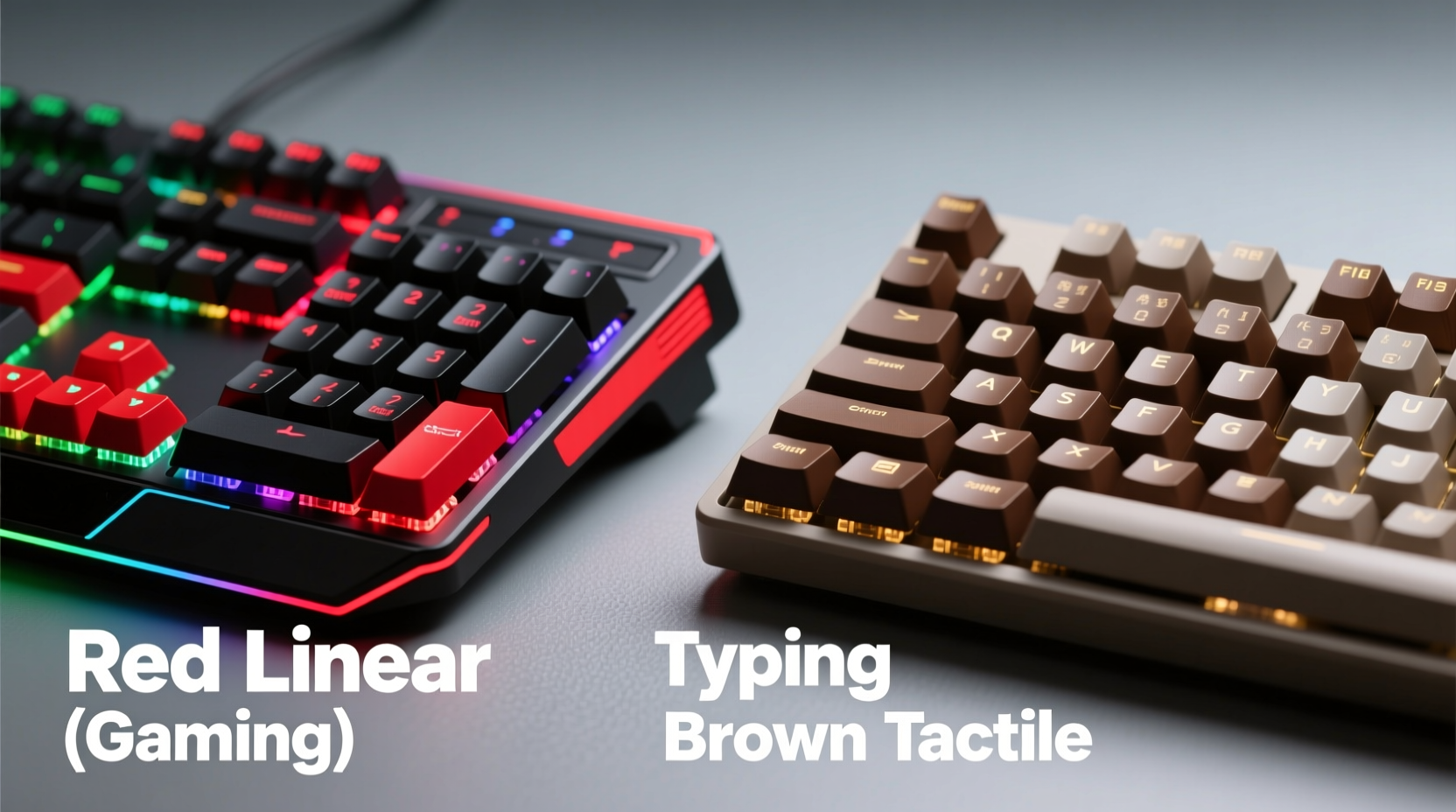
Mechanical switches are categorized by their actuation mechanism and feedback characteristics. The three main types are linear, tactile, and clicky—each offering a unique typing experience shaped by travel distance, actuation force, and sensory feedback.
- Linear switches offer a smooth keystroke from top to bottom without any bump or audible click. They’re consistent and fast, making them popular among gamers who need rapid inputs.
- Tactile switches feature a noticeable bump mid-press that signals actuation without an audible click. This feedback helps typists maintain rhythm and accuracy without excessive noise.
- Clicky switches combine tactile bump with a sharp, audible “click” when actuated. Loved by some for their satisfying feedback, they can be disruptive in quiet environments.
The most common switches originate from Cherry MX, but many alternatives now exist—including Kailh, Gateron, and custom designs from brands like Logitech and Razer—each tweaking spring weight, stem design, and housing material to refine performance.
Gaming Needs: Speed, Consistency, and Actuation Efficiency
For gaming, especially in fast-paced genres like first-person shooters or MOBAs, every millisecond counts. Gamers prioritize low actuation force, minimal key travel, and resistance to accidental presses during intense sessions. Linear switches dominate this space because they allow for rapid double-taps, quick resets, and smoother key rollovers.
Cherry MX Red and its variants (like Gateron Red or Razer Red) are staples in gaming keyboards. These typically require 45–50cN of force and have a 2mm actuation point, enabling swift command execution. Because they lack tactile bumps, fingers don’t encounter resistance during rapid fire inputs—a crucial advantage when spamming abilities or sprinting across maps.
However, not all games benefit equally from linear switches. Strategy or RPG players who spend more time navigating menus or typing commands may appreciate the subtle feedback of tactile switches like Cherry MX Brown. While slightly slower than linear options due to the bump, Browns still perform well in mixed-use scenarios and reduce input errors caused by shallow presses.
“Gamers often overlook ergonomics in favor of speed, but switch fatigue over long sessions is real. A lighter linear switch with a balanced stem design can improve endurance.” — Daniel Ruiz, Peripheral Design Engineer at Corsair
When Tactile Switches Work for Gamers
Some gamers prefer tactile switches for hybrid tasks—especially those who stream or communicate via chat. The bump provides confidence in actuation, reducing missed inputs when multitasking. However, the inconsistency in return stroke behavior (since actuation happens only on the way down) can be a drawback in high-speed scenarios.
Additionally, heavier tactile switches like Cherry MX Clear (70cN) or Zealios V2 62g may hinder rapid tapping, making them less ideal for twitch-based gameplay. Lighter tactiles such as Kailh Speed Silver (45cN) attempt to bridge the gap with short travel and early actuation, appealing to competitive players seeking precision without sacrificing too much comfort.
Typing Performance: Comfort, Accuracy, and Long-Term Usability
Typists demand consistency, feedback, and reduced finger strain over extended periods. Here, tactile and clicky switches shine. The physical bump confirms key registration, allowing touch typists to maintain rhythm without bottoming out each key—a habit that leads to fatigue.
Clicky switches like Cherry MX Blue or Kailh Box Jade deliver both tactile bump and sharp auditory feedback. Writers, coders, and data entry professionals often report increased typing accuracy and engagement with these switches. The sound acts as a secondary confirmation, reinforcing muscle memory. However, their loudness makes them impractical in offices, libraries, or shared spaces.
Tactile switches such as Cherry MX Brown or Gateron Milky Yellow offer a quieter alternative with reliable bump feedback. They strike a balance between responsiveness and discretion, making them ideal for home offices or co-working environments.
Linear switches, while usable for typing, lack feedback cues. Without a bump or click, typists may develop habits like bottoming out (pressing keys all the way down), which increases hand strain over time. That said, users accustomed to laptop keyboards may adapt quickly to linear switches like Reds or Blacks, especially if they type lightly.
Ergonomic Considerations
Switch choice also affects long-term wrist and finger health. Heavier switches (e.g., Cherry MX Black at 60cN) require more force, potentially leading to soreness during prolonged use. Lighter switches (e.g., Gateron Ink Black at 35cN) reduce effort but increase the risk of accidental presses.
A growing trend among ergonomic enthusiasts is using lubricated (or “modded”) switches to smooth out friction and reduce finger resistance. This customization enhances comfort without altering the fundamental switch type.
Comparative Overview: Best Switches for Different Use Cases
| Switch Type | Best For | Actuation Force | Noise Level | Recommended Use |
|---|---|---|---|---|
| Cherry MX Red (Linear) | Gaming, light typing | 45cN | Low | Fast-paced games, quiet environments |
| Cherry MX Brown (Tactile) | Balanced typing & gaming | 45cN | Medium | Home office, hybrid use |
| Cherry MX Blue (Clicky) | Typing, coding | 50cN | High | Writers, developers (private spaces) |
| Kailh Speed Silver (Linear) | Competitive gaming | 45cN | Low | eSports, rapid input scenarios |
| Gateron Yellow (Tactile) | Heavy typists | 50cN | Low-Medium | Long writing sessions, programming |
Real-World Example: Sarah’s Dual-Use Dilemma
Sarah is a software developer who streams coding tutorials on weekends. During the week, she types 6–8 hours daily and values accuracy and quiet operation. On weekends, she plays multiplayer strategy games where timing and command precision matter.
Initially, she bought a keyboard with Cherry MX Blues, drawn to their crisp feedback. While her typing improved, colleagues complained about noise, and she found herself muting her mic frequently during streams. She switched to a board with Gateron Clears (tactile, 65cN), but the higher actuation force tired her fingers after long sessions.
Her solution? A custom keyboard with Gateron Milky Yellows—medium-weight tactile switches known for smoothness and moderate bump. The result: accurate typing without excessive noise, and responsive enough for in-game hotkeys. By prioritizing balance over extremes, Sarah optimized for both productivity and play.
How to Choose: A Step-by-Step Decision Guide
Selecting the right switch doesn’t have to be guesswork. Follow this sequence to identify your ideal match:
- Determine your primary activity: Spend more than 70% of time gaming? Lean toward linear. Mostly typing? Prioritize tactile or clicky.
- Assess your environment: In a shared space? Avoid loud clicky switches. Working remotely from a quiet room? You have more flexibility.
- Test actuation preferences: Do you like feedback? Try tactile. Prefer silence and speed? Go linear.
- Consider finger strength and fatigue: If you experience discomfort, opt for lighter switches (45cN or less) or try lubed variants.
- Sample before committing: Purchase a switch tester with 5–10 common types. Type sentences and simulate gaming combos to compare feel.
- Factor in keyboard build: Some cases and plates (aluminum vs. plastic) alter acoustics and feel. A dampened case can soften a noisy switch.
Frequently Asked Questions
Can I use one keyboard for both gaming and typing?
Absolutely. Tactile switches like Cherry MX Brown or Gateron Milky Yellow are excellent hybrids. They offer enough feedback for accurate typing and sufficient speed for most games. For competitive esports, consider switching to a dedicated linear board.
Are expensive switches worth it?
Not always. Premium switches (e.g., Holy Pandas, Creams) often provide refined materials and tighter tolerances, but budget-friendly options like Gateron Reds or Kailh Pro switches deliver 90% of the experience at half the cost. Customization and lubing can elevate stock switches significantly.
Do switch types affect typing speed?
Indirectly. No switch makes you inherently faster, but better feedback reduces errors and allows confident keystrokes without bottoming out. Over time, this improves effective typing speed and reduces correction delays.
Final Recommendations by User Profile
- Competitive Gamer: Opt for linear switches—Kailh Speed Silver or Cherry MX Red—with low actuation and fast reset.
- Professional Writer/Coder: Choose clicky (MX Blue) for private spaces or tactile (Gateron Yellow) for shared areas.
- Office Worker: Stick with linear or quiet tactile switches to avoid disturbing others.
- Hybrid User: Cherry MX Brown, Gateron Brown, or novel designs like Kailh Low Profile Tactile offer versatility.
- Travel/Portable Setup: Consider low-profile switches (e.g., Kailh Choc) with linear or tactile variants for compact builds.
Conclusion: Match Your Switch to Your Lifestyle
The best mechanical switch isn’t the loudest, fastest, or most popular—it’s the one that aligns with how you use your keyboard and where you use it. Gaming demands speed and consistency, favoring linear switches. Typing thrives on feedback and rhythm, where tactile and clicky options excel. But most people fall somewhere in between, making balanced switches the smartest starting point.
Don’t let marketing hype dictate your choice. Invest time in testing, listen to your hands, and prioritize long-term comfort over short-term novelty. Whether you're building your first mechanical keyboard or upgrading from a membrane model, the right switch can transform your digital interaction—one keystroke at a time.




 浙公网安备
33010002000092号
浙公网安备
33010002000092号 浙B2-20120091-4
Comments
No comments yet. Why don't you start the discussion?