
For years, the keyboard was an afterthought—something functional, tucked beneath fingers without much consideration. But today, especially among typists, programmers, and gamers, the keyboard has evolved into a tool of precision, comfort, and even personal expression. At the heart of this shift lies a fundamental debate: mechanical keyboards versus membrane keyboards. And within that divide, one feature stirs both passion and annoyance—clicky switches. Are they worth the audible snap with every keystroke, or is the noise more trouble than it’s worth?
The answer isn’t universal. It depends on your environment, typing style, sensitivity to sound, and how much tactile feedback you value. To make an informed decision, it helps to understand how these technologies differ, what benefits and drawbacks each offers, and whether the satisfying “click” justifies potential distractions.
How Mechanical and Membrane Keyboards Work
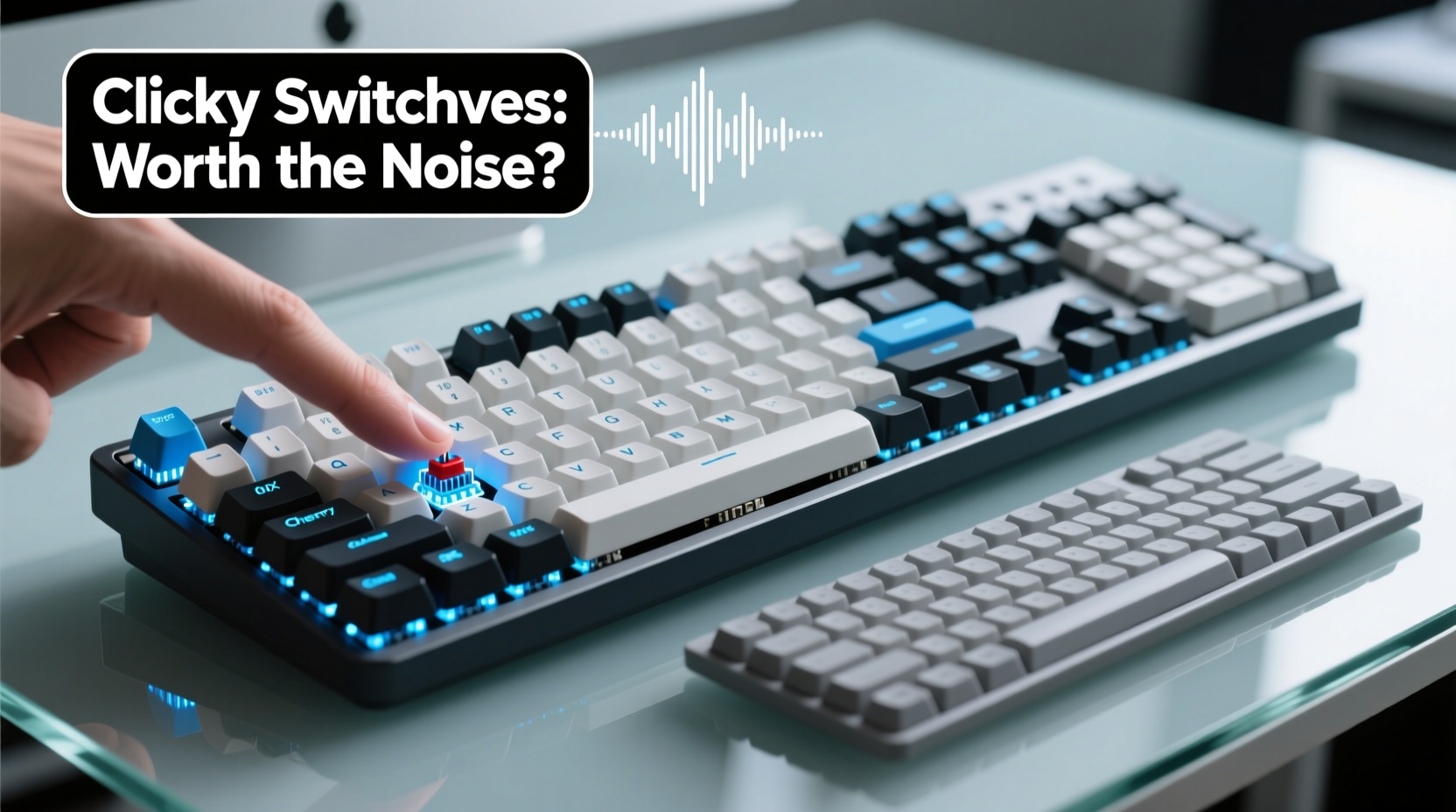
The core difference between mechanical and membrane keyboards lies in their internal switch mechanisms.
Mechanical keyboards use individual physical switches under each keycap. Each switch contains a spring and metal contacts that register a keystroke when pressed. These switches come in various types—linear, tactile, and clicky—offering different levels of resistance, feedback, and sound. The most iconic clicky switches, like Cherry MX Blue, produce a sharp, audible click due to an internal mechanism that snaps during actuation.
Membrane keyboards, on the other hand, rely on a layered rubber or silicone sheet beneath the keys. When you press a key, it pushes down on the membrane, completing a circuit on the underlying PCB (printed circuit board). This design results in a mushier feel and quieter operation, but lacks distinct tactile feedback.
The structural distinction leads to tangible differences in performance, durability, and user experience.
Performance Comparison: Speed, Accuracy, and Responsiveness
Typing is not just about hitting keys—it’s about timing, rhythm, and muscle memory. How a keyboard responds influences both speed and accuracy over time.
One advantage of mechanical keyboards is n-key rollover (NKRO), meaning multiple keys can be pressed simultaneously without ghosting or missed inputs. This is critical for fast typists and gamers who frequently use complex key combinations. Most membrane keyboards offer only 2–6 key rollover, limiting input reliability under pressure.
Actuation force—the amount of pressure needed to register a keystroke—is also more consistent across mechanical switches. With membrane designs, the force varies depending on where you press the key, leading to inconsistent responses. Mechanical switches activate at a precise point, allowing users to develop faster, more accurate typing habits.
Clicky switches amplify this feedback. The audible and tactile \"bump\" tells your brain the key has registered, reducing the need to bottom out each stroke. This can increase typing speed and decrease errors over time, particularly for touch typists.
“Mechanical keyboards, especially those with clicky switches, create a sensory loop between hand and brain that enhances typing efficiency.” — Dr. Alan Reyes, Human-Computer Interaction Researcher, MIT Media Lab
Sound vs. Substance: Is the Click Worth the Noise?
No aspect of clicky switches divides opinion more than sound. For some, the rhythmic tapping is therapeutic—a metronome of productivity. For others, it’s an office nuisance, akin to someone snapping their fingers nearby.
Cherry MX Blue switches, the archetype of clickiness, measure around 50–55 decibels at close range—comparable to moderate rainfall or a quiet conversation. In open offices or shared living spaces, this can become disruptive. A 2022 study by the University of California, Irvine found that repetitive auditory stimuli from coworkers’ keyboards reduced concentration by up to 18% in noise-sensitive individuals.
Yet many users report increased focus when using clicky keyboards. The sound provides confirmation, reducing second-guessing and mental load. It’s a form of haptic feedback extended into the auditory realm.
The real issue isn’t whether clicky switches are inherently good or bad—but rather, context. Consider these factors:
- Work Environment: Open-plan offices may require quieter alternatives.
- Household Setup: Roommates or sleeping family members may object to early-morning clatter.
- Personal Preference: Some people simply enjoy the sensation and sound.
Comparison Table: Mechanical vs Membrane Keyboards
| Feature | Mechanical Keyboard | Membrane Keyboard |
|---|---|---|
| Lifespan | 50+ million keystrokes per switch | 5–10 million keystrokes |
| Tactile Feedback | High (varies by switch type) | Low to none |
| Noise Level | Medium to high (especially clicky) | Low |
| Typing Speed Potential | Higher due to precision actuation | Moderate, limited by mushy feel |
| Customization | High (switches, keycaps, lighting) | Very limited |
| Price Range | $70–$250+ | $15–$50 |
| Best For | Gamers, programmers, heavy typists | Casual users, quiet environments |
Real-World Example: From Frustration to Focus
Jessica, a freelance copywriter based in Austin, spent two years working remotely with a standard membrane keyboard bundled with her laptop stand. She often typed for 6–8 hours daily and began experiencing finger strain and frequent typos. After reading online forums, she invested in a mechanical keyboard with Gateron Blue switches—similar in feel to Cherry MX Blues but slightly smoother.
At first, her roommate complained about the noise. Jessica adjusted by switching to a quieter workspace and using the keyboard only during dedicated work hours. Within three weeks, she noticed a 23% increase in words-per-minute and fewer backspaces. More importantly, her hands felt less fatigued at the end of the day.
“I didn’t realize how much I was guessing whether my keystrokes registered,” she said. “Now, the click tells me instantly. It’s like going from walking in the dark to turning on a flashlight.”
Eventually, her roommate adapted to the sound and even admitted it signaled when Jessica was “in the zone.” The keyboard became part of their shared rhythm.
Choosing the Right Switch: A Step-by-Step Guide
Selecting a keyboard shouldn’t be guesswork. Follow this process to find the ideal balance of feel, function, and noise:
- Assess Your Environment: Do you work in a quiet office, shared apartment, or private study? High-noise settings favor linear or tactile switches over clicky ones.
- Determine Your Typing Style: Are you a heavy bottom-out typist or a light touch typist? Light typists benefit more from tactile feedback; heavy typists may prefer linear smoothness.
- Test Before You Buy: Visit electronics stores or purchase switch testers (small boards with multiple switch types) to compare feels and sounds firsthand.
- Consider Long-Term Use: If you plan to use the keyboard daily for years, prioritize durability and ergonomics over initial cost.
- Think About Customization: Mechanical keyboards allow for keycap swaps, lubrication, and even switch replacement. If personalization matters, go mechanical.
- Budget Accordingly: While entry-level mechanical keyboards start around $70, premium models with features like hot-swap sockets and RGB lighting exceed $150. Weigh added features against actual needs.
Checklist: Is a Clicky Mechanical Keyboard Right for You?
- ✅ Do you spend more than 2 hours per day typing?
- ✅ Do you value tactile feedback and precise keystroke registration?
- ✅ Can you control your acoustic environment (e.g., private room, noise-canceling headphones for others)?
- ✅ Are you willing to invest $80–$150 for long-term comfort and performance?
- ✅ Do you dislike the mushy feel of laptop or budget desktop keyboards?
- ❌ Will the noise disturb coworkers, family, or roommates?
- ❌ Are you on a tight budget with minimal typing demands?
If you answered “yes” to most of the positives and “no” to the negatives, a clicky mechanical keyboard could be a worthwhile upgrade.
Frequently Asked Questions
Are clicky switches bad for your fingers or wrists?
No evidence suggests clicky switches cause harm when used with proper ergonomics. In fact, their tactile feedback may reduce finger strain by minimizing over-pressing. However, excessive force or poor wrist posture remains a risk regardless of switch type.
Can I make a clicky keyboard quieter?
Yes. Options include using O-rings (silicone dampeners), lubing the switches, choosing a case with sound-absorbing material, or switching to quieter keycaps made of PBT plastic. Alternatively, replace clicky switches with tactile or linear variants if the keyboard supports hot-swapping.
Do all mechanical keyboards have loud switches?
No. Mechanical keyboards come with various switch types. Linear switches (e.g., Cherry MX Red) are smooth and quiet. Tactile switches (e.g., Cherry MX Brown) offer bump feedback without the click. Only specific models labeled as “clicky” produce the distinctive snapping sound.
Final Thoughts: Balancing Performance and Peace
The debate over clicky switches isn’t just technical—it’s cultural, environmental, and deeply personal. There’s no denying that mechanical keyboards, especially those with clicky switches, offer superior responsiveness, longevity, and typing satisfaction for many users. The feedback loop created by sight, sound, and touch enhances confidence and efficiency.
But that doesn’t mean they’re universally suitable. In collaborative spaces or homes where silence is valued, the same features that empower one person can frustrate another. The key is intentionality: understanding your needs, respecting your surroundings, and making choices aligned with both.
For those on the fence, consider starting with a mid-range mechanical keyboard featuring tactile (non-clicky) switches. It delivers the core benefits of mechanical design—durability, precision, customization—without the auditory commitment. You can always upgrade to clicky later.




 浙公网安备
33010002000092号
浙公网安备
33010002000092号 浙B2-20120091-4
Comments
No comments yet. Why don't you start the discussion?