
In today’s connected households, seamless Wi-Fi coverage isn’t a luxury—it’s a necessity. Whether you're streaming 4K content in the basement, working remotely from a sunroom, or gaming upstairs, dead zones and weak signals can disrupt productivity and enjoyment. For homeowners with larger floor plans—typically 2,500 square feet or more—the question arises: Are mesh router systems truly worth the investment, or are they simply overengineered solutions for problems that simpler fixes could solve?
The answer depends on your home’s layout, internet usage patterns, and existing infrastructure. While traditional single routers may suffice for compact apartments, sprawling homes often demand a smarter approach. Mesh systems have emerged as a popular solution, but their higher price point leads many to wonder if they’re overkill. Let’s break down the technology, benefits, limitations, and real-world performance to determine whether a mesh system is essential or excessive for your space.
How Mesh Router Systems Work
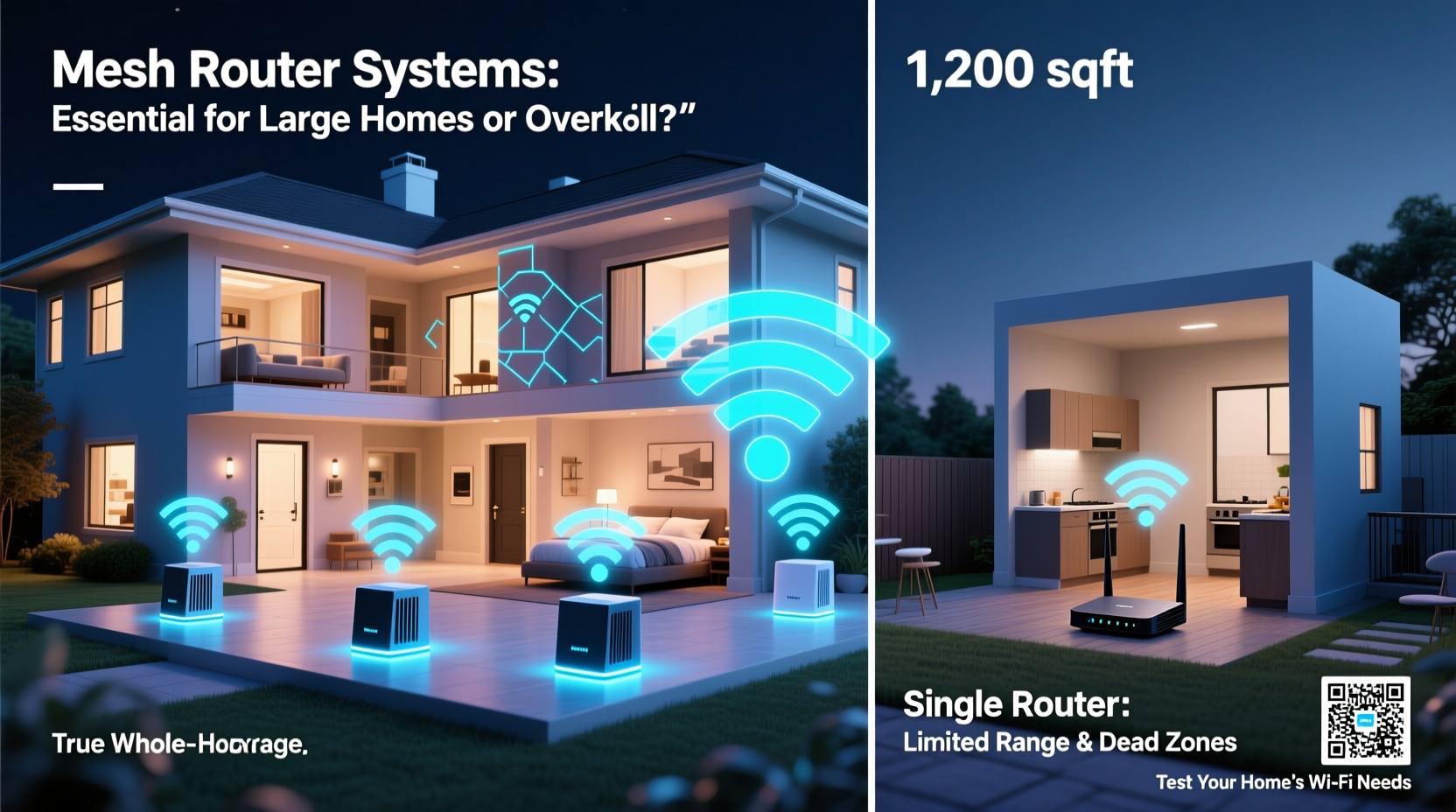
Unlike conventional routers that broadcast Wi-Fi from a single location, mesh networks use multiple devices—called nodes or satellites—distributed throughout the home. One node connects directly to your modem (the main router), while additional units wirelessly relay the signal to extend coverage. These nodes communicate seamlessly, creating a unified network with a single SSID (network name) so your devices automatically connect to the strongest signal as you move around.
This decentralized structure eliminates the need to manually switch between networks or endure spotty connectivity in distant rooms. Modern mesh systems support advanced technologies like tri-band backhaul (dedicated wireless channels between nodes), MU-MIMO (multi-user, multiple input, multiple output), and beamforming, which directs signals toward active devices rather than broadcasting uniformly.
Mesh networks also typically come with user-friendly mobile apps for setup, monitoring, parental controls, and firmware updates—features that simplify management compared to traditional routers buried in cryptic web interfaces.
When Mesh Systems Shine: Ideal Use Cases
Mesh networks aren’t universally necessary, but certain conditions make them not only worthwhile but transformative. Here are scenarios where investing in a mesh system delivers clear value:
- Large or multi-level homes: Houses with three or more bedrooms, basements, attics, or detached garages often exceed the range of standard routers.
- Thick walls or dense building materials: Concrete, brick, stone, or metal lath can severely weaken Wi-Fi signals. Mesh nodes bypass these obstacles by retransmitting the signal locally.
- High device density: Homes with 15+ connected devices—smart TVs, phones, tablets, security cameras, thermostats—benefit from better load balancing and reduced congestion.
- Work-from-home or remote learning: Reliable video conferencing and cloud-based applications require consistent low latency and strong bandwidth across all areas.
- Outdoor coverage needs: Backyard offices, patios, or poolside entertainment areas can be brought into the network with strategically placed outdoor-rated nodes.
“Mesh systems have become the gold standard for whole-home Wi-Fi in modern homes exceeding 2,500 sq ft. They offer scalability, reliability, and ease of use that legacy extenders simply can’t match.” — David Lin, Senior Network Engineer at Broadband Insights Group
Mesh vs. Alternatives: A Practical Comparison
Before committing to a mesh system, it's worth evaluating alternatives. Each has trade-offs in cost, performance, and complexity.
| Solution | Coverage Range | Setup Difficulty | Performance Consistency | Average Cost (USD) |
|---|---|---|---|---|
| Single Router | Up to 1,500 sq ft (ideal conditions) | Easy | Moderate (drops off with distance/obstacles) | $80–$200 |
| Wi-Fi Extender | Extends up to 50% of original range | Easy | Poor (halves bandwidth, separate network name) | $30–$100 |
| Powerline Adapters | Depends on electrical circuit quality | Moderate | Inconsistent (affected by circuit noise, older wiring) | $70–$150 |
| Ethernet Backhaul Mesh System | Up to 6,000 sq ft (scalable) | Moderate | Excellent (especially with wired node connections) | $200–$600 |
| Wireless-Only Mesh System | Up to 5,000 sq ft | Easy | Good (depends on interference and node placement) | $150–$400 |
As shown, mesh systems—particularly those using Ethernet backhaul (wired connections between nodes)—deliver superior performance and scalability. While more expensive upfront, they reduce long-term frustration and eliminate the need for repeated troubleshooting or incremental upgrades.
Real-World Example: The Thompson Family Home
The Thompsons live in a 3,200-square-foot colonial house with four bedrooms, a finished basement, and a two-story living room. Their previous setup—a high-end single router in the basement—provided strong signal in the lower level but failed on the second floor and was nonexistent in the backyard office.
They tried a Wi-Fi extender first. It created a second network (“Home_Ext”), requiring manual switching. Video calls frequently dropped, and smart lights in the master bedroom responded slowly. After researching options, they invested in a three-node mesh system with Ethernet backhaul. They connected the main node to the modem, ran cables to two satellite units (one upstairs, one in the basement near the office), and configured everything via app.
Result: Full 5GHz coverage on all floors, stable Zoom meetings in the backyard office, and zero dead zones. Streaming, gaming, and smart home automation now work flawlessly. Though the initial cost was $450, they considered it a one-time upgrade that eliminated daily connectivity stress.
Signs You Might Not Need a Mesh System
While mesh networks solve real problems, they aren't always necessary. Consider these indicators that a simpler—and cheaper—solution may suffice:
- Your home is under 2,000 square feet with open floor plans.
- Dead zones are limited to small areas (e.g., a single closet or bathroom).
- You have few connected devices (under 8).
- Your current router is outdated; upgrading to a modern Wi-Fi 6 router might resolve issues.
- You can reposition your existing router to a more central location.
In such cases, optimizing your current setup—updating firmware, adjusting antenna angles, or relocating the router—can yield significant improvements without spending hundreds on new hardware.
Step-by-Step: Evaluating Your Wi-Fi Needs
Follow this practical timeline to determine whether a mesh system makes sense for your home:
- Map your home’s layout – Sketch floor plans including walls, floors, and major appliances. Note where you use Wi-Fi most.
- Test current coverage – Use a speed test app (e.g., Ookla Speedtest) in various rooms. Record download speeds, upload speeds, and ping.
- Identify pain points – List areas with slow speeds, buffering, or no signal. Note how many devices struggle simultaneously.
- Assess your internet plan – If you have gigabit service but only get 50 Mbps in the bedroom, the issue is likely coverage, not bandwidth.
- Try optimization steps – Reboot your router, update firmware, change Wi-Fi channels, or reposition the router centrally.
- Consider budget vs. benefit – If optimization fails, calculate the cost of a mesh system against the value of reliable connectivity.
- Select the right system – Choose a two- or three-pack based on size. Opt for models supporting Wi-Fi 6 or 6E and Ethernet backhaul if possible.
Common Misconceptions About Mesh Networks
Despite growing popularity, several myths persist about mesh systems:
- Myth: Mesh systems boost internet speed. Reality: They improve coverage and consistency but don’t increase your ISP-provided bandwidth.
- Myth: All mesh systems are equal. Reality: Performance varies widely. Cheaper models may lack tri-band backhaul or advanced QoS features.
- Myth: More nodes always mean better coverage. Reality: Overloading a network with unnecessary nodes can create interference and latency.
- Myth: Mesh is only for techies. Reality: Most modern systems are designed for plug-and-play installation via intuitive apps.
Understanding these nuances ensures you set realistic expectations and choose a system that aligns with actual needs—not marketing hype.
FAQ
Can I mix mesh systems from different brands?
No. Mesh nodes must be from the same system or ecosystem (e.g., Google Nest Wifi, Eero, TP-Link Deco). Cross-brand compatibility doesn’t exist due to proprietary communication protocols.
Do mesh systems work with any internet provider?
Yes. Mesh routers connect to your modem like any router. As long as your modem is compatible with your ISP (e.g., Xfinity, AT&T, Verizon Fios), the mesh system will work.
Is Ethernet backhaul really that much better?
Yes. Wired connections between nodes eliminate wireless interference and preserve full bandwidth. In homes where running cables is feasible (e.g., during renovation or through basements), Ethernet backhaul significantly boosts performance and stability.
Checklist: Is a Mesh System Right for You?
- ☐ My home is over 2,500 square feet or has multiple floors.
- ☐ I experience Wi-Fi dead zones in key areas (bedrooms, basement, garage).
- ☐ I have 10+ connected devices relying on stable internet.
- ☐ My current router is more than 3 years old.
- ☐ I work from home or stream high-bandwidth content regularly.
- ☐ I’m willing to invest $200–$500 for a long-term solution.
- ☐ I can place nodes within reasonable range (20–30 feet apart through walls).
If you checked four or more items, a mesh system is likely a smart investment. Fewer than that? Start with optimizing your current setup or consider a mid-range Wi-Fi 6 router before upgrading.
Conclusion: Worth It or Overkill?
For large homes with complex layouts and high connectivity demands, mesh router systems are not overkill—they’re a practical necessity. They transform unreliable, fragmented Wi-Fi into a seamless, robust network that supports modern digital lifestyles. While the upfront cost is higher than a basic router or extender, the long-term benefits in performance, ease of use, and peace of mind justify the expense for most families.
However, smaller homes or those with modest needs may find mesh systems unnecessarily complex and costly. The key is honest assessment: test your current network, define your requirements, and choose a solution that matches your reality—not someone else’s ideal.




 浙公网安备
33010002000092号
浙公网安备
33010002000092号 浙B2-20120091-4
Comments
No comments yet. Why don't you start the discussion?