
The Meta Quest line has redefined standalone virtual reality, but with the release of the Meta Quest 3, users are faced with a critical decision: Is upgrading from the Quest 2 truly worth the added cost? The most significant leap in this generation isn't just improved graphics or processing power—it's the introduction of advanced mixed reality (MR) capabilities. While the Quest 2 brought VR to the mainstream, the Quest 3 aims to blur the line between digital and physical worlds. But does this evolution justify the premium price tag for every user?
This article breaks down the key differences between the two headsets, evaluates the practical benefits of mixed reality, and helps you determine whether the upgrade aligns with your usage patterns, budget, and long-term goals in immersive tech.
Performance and Hardware: A Generational Leap
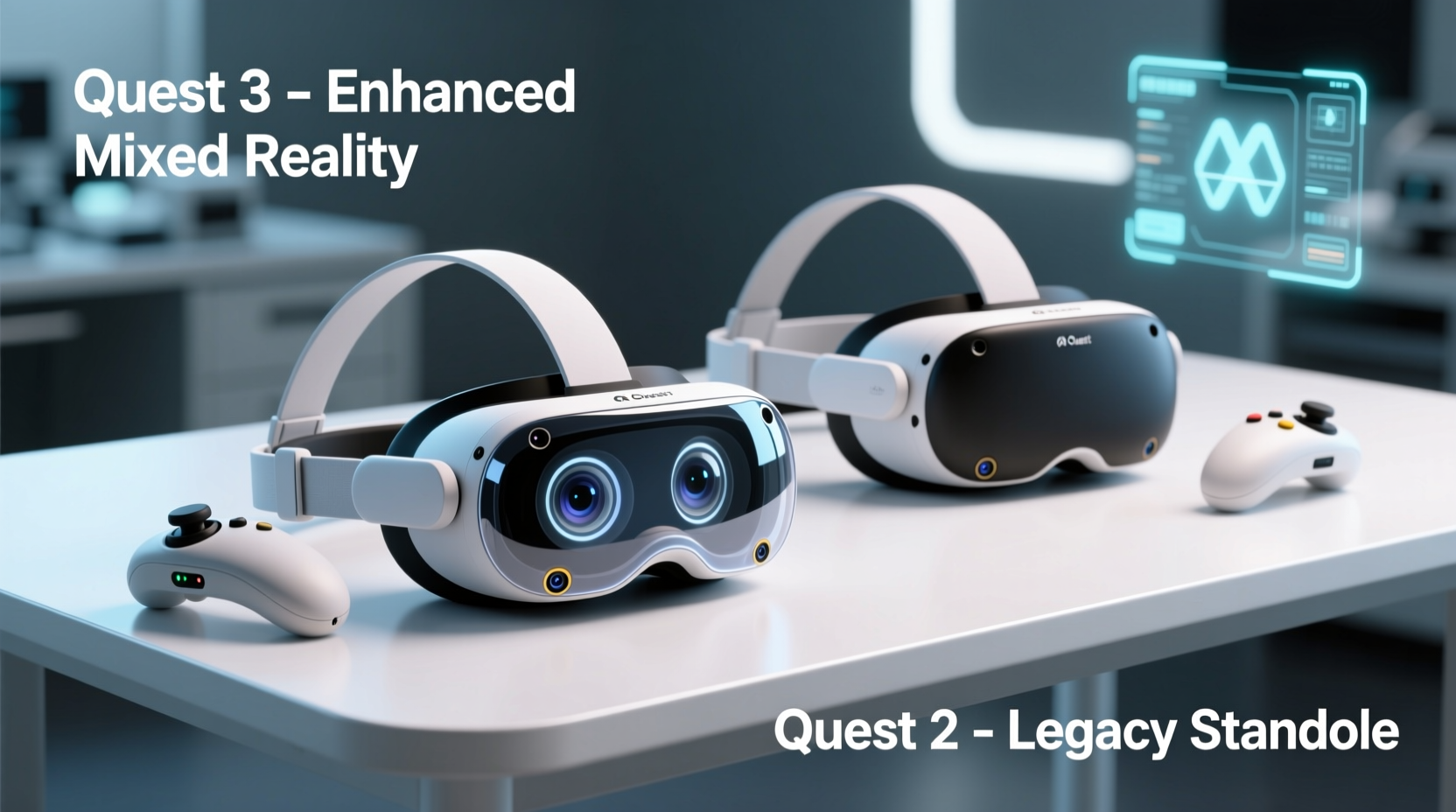
The hardware gap between the Quest 2 and Quest 3 is substantial. The Quest 3 is powered by the Qualcomm Snapdragon XR2 Gen 2 chip, a custom variant designed specifically for spatial computing. This represents a nearly twofold increase in GPU performance over the original XR2 chip in the Quest 2. The result is smoother frame rates, faster load times, and better handling of graphically intensive applications—especially important as developers begin optimizing for higher fidelity experiences.
Display improvements are also notable. The Quest 3 features higher-resolution LCD panels (2064 x 2208 per eye) compared to the Quest 2’s 1832 x 1920 resolution. While both use pancake lenses, the newer design allows for a slimmer profile and improved clarity, particularly around the edges of the visual field. The reduced screen-door effect enhances immersion, making textures appear more cohesive and reducing eye strain during extended sessions.
Weight distribution has been refined as well. Despite housing more powerful components, the Quest 3 is slightly lighter than its predecessor at 502 grams (vs. 503 grams), but feels more balanced due to an improved center of gravity. Combined with a new facial interface that’s easier to clean and replace, comfort during prolonged use has taken a meaningful step forward.
Mixed Reality: From Gimmick to Game-Changer?
The defining feature of the Quest 3 is its mixed reality capability, enabled by four high-resolution tracking cameras and depth sensors that map your environment in real time. Unlike the Quest 2, which offered rudimentary passthrough via low-resolution grayscale video, the Quest 3 delivers full-color, high-frame-rate passthrough with depth awareness. This means digital objects can convincingly interact with your physical space—appearing behind furniture, casting shadows on walls, or responding to occlusion.
Applications like Minecraft Earth Mode, Ghostbusters: Rise of the Ghost Lord, and Resident Evil 4 VR demonstrate how MR can transform gameplay. In one scenario, a player might defend their living room from waves of zombies that emerge from behind the couch. In another, a virtual aquarium floats above the coffee table, complete with lighting effects that match ambient room conditions.
Beyond gaming, MR opens doors for productivity and education. Apps such as Immersive Display let users place multiple virtual monitors in their workspace, anchored to real desks. Training simulations for mechanics or medical professionals can overlay instructions directly onto physical tools or mannequins. These use cases highlight a shift from escapism to augmentation—a vision Meta calls the “metaverse.”
“Mixed reality isn’t just about seeing the digital world overlaid on your room—it’s about having those elements understand and react to your space. That’s where true utility begins.” — Dr. Lena Torres, AR/VR Researcher at MIT Media Lab
Comparative Feature Breakdown
| Feature | Meta Quest 2 | Meta Quest 3 |
|---|---|---|
| Processor | Snapdragon XR2 (Gen 1) | Snapdragon XR2 Gen 2 |
| RAM | 6GB | 8GB |
| Display Resolution | 1832 x 1920 per eye | 2064 x 2208 per eye |
| Passthrough Quality | Low-res grayscale | Full-color, depth-aware |
| Controllers | Touch Controllers | Touch Plus (with hand tracking + finger articulation) |
| Storage Options | 128GB, 256GB | 128GB, 512GB |
| Price (Starting) | $299 (discontinued, but available refurbished) | $499 |
| Mixed Reality Support | Limited (via third-party apps) | Native, system-level integration |
The increased RAM and storage options on the Quest 3 future-proof the device, allowing for larger downloads, multitasking between VR apps, and hosting complex MR environments. However, not all users will need these upgrades immediately. Casual gamers or fitness enthusiasts may find the Quest 2 still performs adequately for titles like Beat Saber, Supernatural, or Population: One.
Real-World Use Case: A Day in the Life of a Mixed Reality User
Consider Sarah, a freelance graphic designer who uses her headset for both relaxation and remote collaboration. With the Quest 2, she enjoyed watching movies in virtual theaters and occasionally joined team meetings in Horizon Workrooms. But after upgrading to the Quest 3, her workflow transformed.
Using Microsoft Mesh, Sarah now places 3D mockups of her designs on her actual desk, rotating them with hand gestures while discussing changes with clients via holographic avatars. She anchors reference images to her wall at eye level, eliminating the need to switch between screens. During breaks, she plays First Encounters, an MR title where alien creatures explore her apartment, hiding under tables and reacting to movement—turning downtime into playful engagement.
For Sarah, the $200 price difference was justified by tangible gains in productivity and entertainment depth. Her experience illustrates how MR transitions from novelty to necessity when integrated into daily routines.
Is the Upgrade Worth It? A Step-by-Step Decision Guide
Deciding whether to upgrade should be based on individual needs rather than specs alone. Follow this timeline to evaluate your situation:
- Assess Your Current Usage: Are you using your Quest 2 regularly? If it sits unused, an upgrade won’t magically change habits. But if you’re pushing its limits, consider moving forward.
- Evaluate Your Content Preferences: Do you play story-driven games, attend virtual events, or use VR for work? If yes, the Quest 3’s enhanced visuals and MR support add measurable value.
- Test Mixed Reality First: Visit a retail location with demo units or borrow a friend’s Quest 3. Experiencing MR firsthand often clarifies whether it resonates with you.
- Consider Longevity: The Quest 2 launched in 2020 and is now considered legacy hardware. Software updates may slow within 1–2 years. The Quest 3 is expected to receive support through at least 2027.
- Budget Realistically: At $499, plus potential accessory costs, ensure the investment fits your financial plan. Refurbished Quest 2s can be found under $200—ideal for secondary users or households with multiple players.
Common Concerns and Expert Advice
Some users hesitate due to concerns about content availability. While MR titles are growing, they still represent a fraction of the overall library. Most popular games remain traditional VR experiences. However, Meta has committed over $500 million to developer incentives, accelerating MR adoption.
Another concern is privacy. The Quest 3’s advanced cameras capture detailed spatial data. Meta states this information is processed locally and encrypted, with users able to delete scans anytime. Still, experts recommend reviewing privacy settings and disabling room mapping when unnecessary.
“The biggest risk isn’t data collection—it’s complacency. Users should treat spatial maps like any sensitive data: secure, reviewed, and deleted when no longer needed.” — Mark Delaney, Tech Ethics Analyst at Privacy Watchdog Group
Frequently Asked Questions
Can I use Quest 2 accessories with the Quest 3?
Most accessories are compatible, including elite straps and battery packs. However, Touch Plus controllers aren’t interchangeable with older Touch models. Lens covers and face cushions differ slightly in shape, so check manufacturer compatibility before purchasing.
Does the Quest 3 require a Facebook account?
No. As of 2023, Meta eliminated the mandatory Facebook login. You can create a standalone Meta account without linking social media profiles. This improves privacy and simplifies setup for new users.
Will my Quest 2 games work on the Quest 3?
Yes. The Quest 3 is fully backward compatible with all Quest 2 titles. In fact, many run better due to improved hardware. Some developers have released free upgrades for select games to enhance visuals or integrate MR features.
Final Verdict: Who Should Upgrade?
The Meta Quest 3 is not merely an incremental update—it’s a strategic pivot toward spatial computing. For early adopters, tech enthusiasts, educators, remote workers, and serious gamers, the mixed reality capabilities offer compelling advantages that justify the $200 premium.
However, if your primary use is fitness, casual gaming, or movie viewing, the Quest 2 remains a capable and cost-effective option. Many users may find greater value in investing in accessories—like prescription lens inserts or a charging dock—rather than upgrading hardware prematurely.
The true worth of the Quest 3 lies in its ability to evolve with you. As MR software matures and new applications emerge, the device becomes more powerful over time. This forward-looking design makes it a smarter long-term investment, especially for those already embedded in the VR ecosystem.
Conclusion: Make the Choice That Fits Your Reality
Technology should serve life, not dictate it. The Meta Quest 3 pushes boundaries with impressive mixed reality features, but innovation only matters when it aligns with your needs. Whether you stay with the proven Quest 2 or embrace the next-generation potential of the Quest 3, the goal remains the same: enhancing how you learn, play, and connect.




 浙公网安备
33010002000092号
浙公网安备
33010002000092号 浙B2-20120091-4
Comments
No comments yet. Why don't you start the discussion?