
Lighting isn’t just functional—it’s the choreographer of attention. In retail windows, gallery installations, home studios, and seasonal pop-ups, the ability to refresh a display weekly isn’t a luxury; it’s operational necessity. Yet most lighting systems treat reconfiguration as an afterthought—requiring rewiring, ladder work, or full teardowns. Two categories dominate the conversation: traditional string lights and modern modular light panels. But only one delivers genuine weekly redesign capability without compromise. This isn’t about aesthetics alone. It’s about workflow velocity, electrical safety, visual consistency, and long-term scalability.
Why Weekly Redesign Demands More Than “Plug-and-Play”
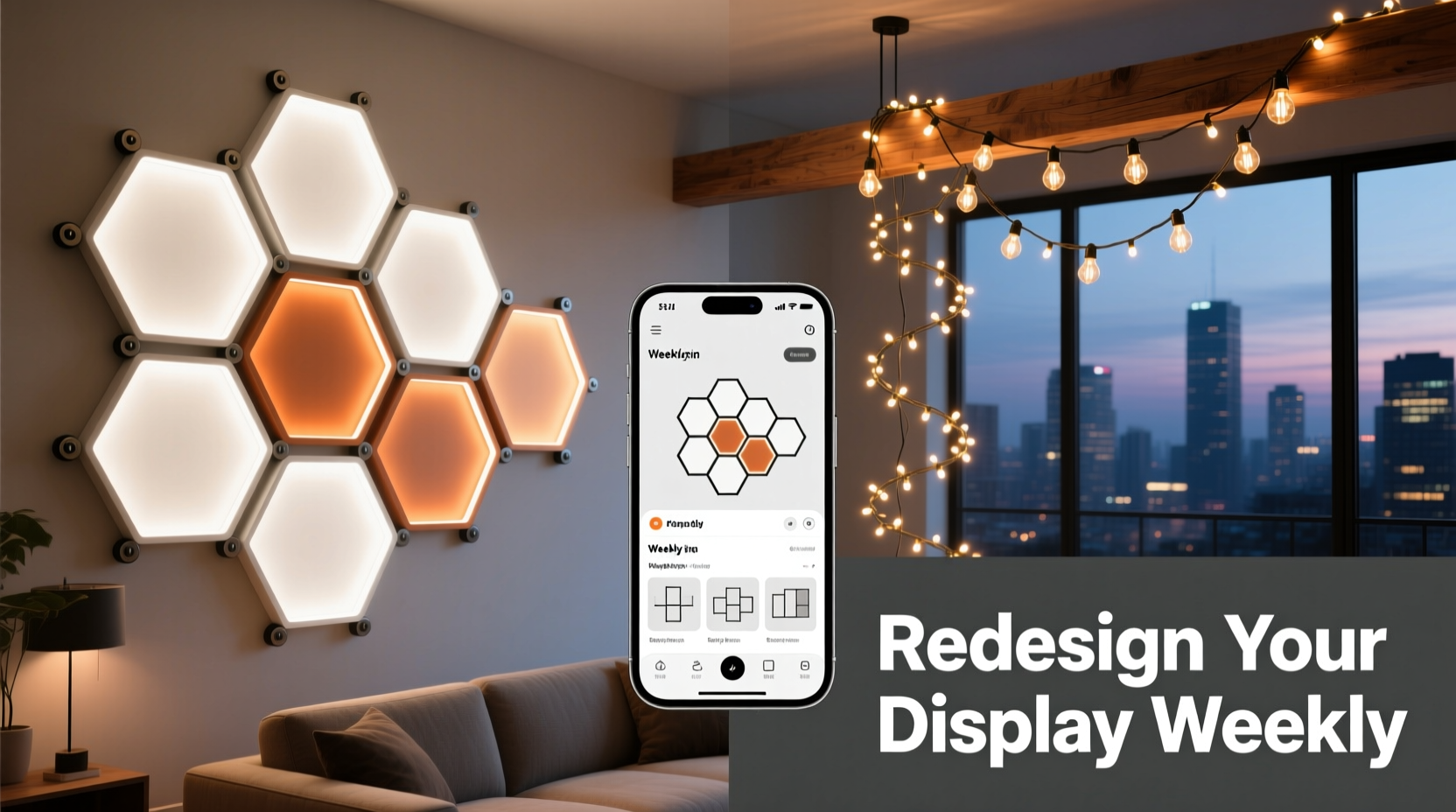
“Plug-and-play” is often misapplied in lighting. String lights plug in—but swapping them mid-week across 12 wall-mounted fixtures, adjusting beam angles, changing color temperatures per zone, or integrating with motion sensors? That’s where assumptions break down. Weekly redesign means more than moving bulbs. It means altering light geometry (direction, spread, intensity), adapting to new objects or surfaces, maintaining uniformity across changing layouts, and doing it all without electrician support or downtime. A system that forces you to cut wires, reposition outlets, or recalibrate controllers each time defeats the purpose. True redesign agility requires three non-negotiable traits: physical modularity (components that detach, reattach, and recombine), digital addressability (each unit controllable independently), and mechanical intelligence (tool-free mounting, intuitive alignment, stable thermal management).
The Structural Reality: How Each System Handles Physical Reconfiguration
String lights rely on linear continuity. Even “cuttable” LED strings require soldering or proprietary connectors to rejoin after cutting—and every cut eliminates dimming compatibility or controller sync downstream. Hanging them requires hooks, clips, or adhesive strips that leave residue or fail on textured walls. Adjusting spacing means measuring, cutting, and restringing—often introducing voltage drop, inconsistent brightness, or flicker in longer runs. Worse, bending or coiling excess cord creates heat traps and shortens lifespan. Modular light panels operate on a different principle: they’re discrete, self-contained units with standardized magnetic or rail-based mounting. One panel detaches in under 3 seconds. Its power and data connection remains intact via pogo pins or spring-loaded contacts. Repositioning doesn’t affect adjacent units. You can rotate a panel 90° to shift from wash to accent lighting—or stack two vertically for vertical emphasis—without tools or software reset.
Control & Consistency: Where Addressability Makes or Breaks Weekly Workflows
Weekly redesign fails silently when control lags behind intent. String lights typically group into zones: 3–5 strings on one channel. To highlight a new product launch while softening background shelves, you’d need to physically unplug and replug strings—or invest in expensive multi-channel controllers with manual scene programming. Even then, fine-tuning CCT (correlated color temperature) or dimming curves across mixed batches is unreliable. Modular panels embed individual microcontrollers. Each panel reports its position, firmware version, and thermal state to a central hub. Using a tablet app, you assign lighting profiles by drag-and-drop: “Panel 4A → 3000K, 75% intensity, spotlight mode.” Change the layout? Drag the icon to a new grid coordinate—the hardware auto-calibrates output based on orientation and proximity sensors. No re-pairing. No firmware resets. No trial-and-error dimming tests.
“The difference between ‘rearranging lights’ and ‘redesigning with light’ is measured in minutes—not hours. Modular panels collapse what used to be a 90-minute weekly lighting reset into a 4-minute visual iteration. That’s not convenience. It’s creative leverage.” — Lena Torres, Lighting Designer, Studio Lumina Collective
Real-World Adaptation: A Mini Case Study from The Botanist Gallery
The Botanist Gallery in Portland rotates botanical installations every 7 days—live moss walls, suspended ferns, ceramic vessels, dried floral arrangements—each demanding distinct lighting strategies. For six months, they used high-end copper-wire string lights with remote dimmers. Setup took 3.5 hours weekly: staff climbed ladders to adjust hanging heights, taped cords to beams, tested for glare on glass cases, and manually balanced brightness across 14 strands. Voltage inconsistencies caused two fixture failures in month three. In January, they switched to a 24-panel modular system with magnetic aluminum rails and Zigbee 3.0 integration. Week one: 2.2 hours setup (mostly mounting rails). Week two: 18 minutes—staff repositioned 8 panels, updated color temps via app to match new orchid varieties, and added a narrow-beam panel to highlight dew droplets on leaves. By week five, interns handled the entire process solo. Energy use dropped 22% due to precise beam targeting (no spill light), and panel failure rate was zero over 14 weeks.
Comparative Decision Framework: What Actually Matters for Weekly Use
Marketing brochures emphasize lumens and IP ratings. For weekly redesign, these matter less than interface friction, failure tolerance, and spatial intelligence. Below is a reality-tested comparison—not of specs, but of operational impact.
| Feature | Modular Light Panels | String Lights |
|---|---|---|
| Repositioning Time (per unit) | < 5 seconds (magnetic/rail mount) | 2–4 minutes (unhook, measure, rehang, test) |
| Electrical Safety During Changes | Hot-swap capable (power/data disconnects automatically) | Requires full circuit disconnection to avoid shock risk |
| Consistency Across Layouts | Calibrated output per panel; no voltage drop issues | Brightness varies by position in string; end units dimmer |
| Fine-Tuning Flexibility | Per-panel CCT, dimming curve, beam angle, animation | Zonal only; no individual unit control without complex DMX |
| Durability Under Frequent Handling | Aluminum housing; rated for 50,000+ reattachments | Insulation fatigue at bend points; connector wear after ~200 cycles |
| Scalability for Future Needs | Add panels without rewiring; system auto-detects new units | Adding strings requires new transformers, controllers, or circuit upgrades |
Your Weekly Redesign Readiness Checklist
- ✅ Mounting System: Does it allow tool-free attachment/detachment to multiple surfaces (drywall, brick, metal, wood)?
- ✅ Power Interface: Can you disconnect/reconnect power without exposing wires or using screw terminals?
- ✅ Control Granularity: Can you adjust color temperature, intensity, and beam pattern for a single unit—not just a group?
- ✅ Thermal Management: Are heat sinks integrated so repeated repositioning doesn’t degrade LEDs or drivers?
- ✅ Software Sync: Does the app retain your last layout and let you save/swap presets with one tap?
- ✅ Failure Containment: If one unit fails, does the rest stay lit and controllable?
Step-by-Step: Transitioning to a Truly Weekly-Adaptable System
- Week -2: Audit Your Current Workflow — Time your next lighting update. Note where delays occur: measuring, powering down, testing glare, balancing brightness, troubleshooting flicker.
- Week -1: Map Your Critical Zones — Identify 3–5 high-impact areas (e.g., “entry focal point,” “product demo shelf,” “textured wall backdrop”). Note required beam types (spot/wash/grazing) and CCT range needed.
- Week 0: Install Base Infrastructure Only — Mount rails or low-profile brackets. Do NOT attach panels yet. Verify alignment and power access. This takes 1 day—not 3.
- Week 1: First Panel Deployment + Calibration — Attach 4 panels. Use app to set baseline CCT/intensity. Document settings. Test repositioning speed.
- Week 2: Introduce Layout Variants — Save two distinct presets (e.g., “Warm Showcase,” “Cool Minimal”). Swap between them in under 90 seconds. Refine beam angles.
- Week 3: Full Integration — Add remaining panels. Sync with existing smart home or retail CMS. Train team on preset recall and fault reporting.
FAQ: Practical Questions from Weekly Redesigners
Can modular panels really handle daily repositioning without wear?
Yes—if designed for it. Look for panels with industrial-grade magnetic arrays (≥ 3.5 kg pull force) or extruded aluminum rails with captive locking levers. Avoid plastic clips or adhesive-only mounts. Reputable modular systems specify reattachment cycles (e.g., “tested to 100,000 cycles”) and include replaceable contact pins. Daily use falls well within engineering tolerances.
Don’t string lights win on upfront cost?
Superficially, yes—basic strings start at $15. But factor in weekly labor: $45/hour × 2.5 hours = $112.50/week. Over 52 weeks: $5,850. A 24-panel modular kit ($2,200–$3,800) pays back in 6–10 months. Add reduced bulb replacements, lower energy waste, and zero overtime for holiday rushes—and the ROI accelerates.
What if my space has no ceiling access or conduit?
Modular panels excel here. Most run on low-voltage DC (24V or 48V) delivered via slim, flat cables that adhere discreetly to baseboards or crown molding. No recessed junction boxes needed. String lights often require bulky transformers hidden in cabinets—limiting placement options and creating tripping hazards during frequent adjustments.
Conclusion: Redesigning Light Is Redesigning Possibility
Choosing between modular light panels and string lights isn’t choosing a product—it’s choosing a creative rhythm. String lights ask you to adapt your vision to their constraints: fixed lengths, grouped controls, fragile connections, and diminishing returns with each rehang. Modular panels meet you where your ideas live: in rapid iteration, spatial experimentation, and responsive storytelling. They turn lighting from infrastructure into instrument—from something you maintain into something you conduct. When your display changes weekly, the lighting shouldn’t be the bottleneck. It should be the catalyst. Every minute saved on reconfiguration is a minute invested in better curation, sharper messaging, or deeper audience engagement. Stop working around your lights. Start designing with them.




 浙公网安备
33010002000092号
浙公网安备
33010002000092号 浙B2-20120091-4
Comments
No comments yet. Why don't you start the discussion?