
The Nintendo Switch has redefined portable gaming with its hybrid design, but when choosing between the standard Switch and the Switch Lite, one key difference stands out: the controllers. The standard Switch features detachable Joy-Con controllers, while the Switch Lite integrates its controls directly into the device. This fundamental design choice raises an important question—does the non-detachable controller of the Switch Lite pose a long-term risk?
For parents, frequent travelers, casual gamers, or those investing in their first Nintendo console, understanding this trade-off is essential. While both models deliver access to the same vibrant game library, their build quality, repairability, and longevity differ significantly due to the permanence of the Lite’s controls.
Design Philosophy: Portability vs Versatility
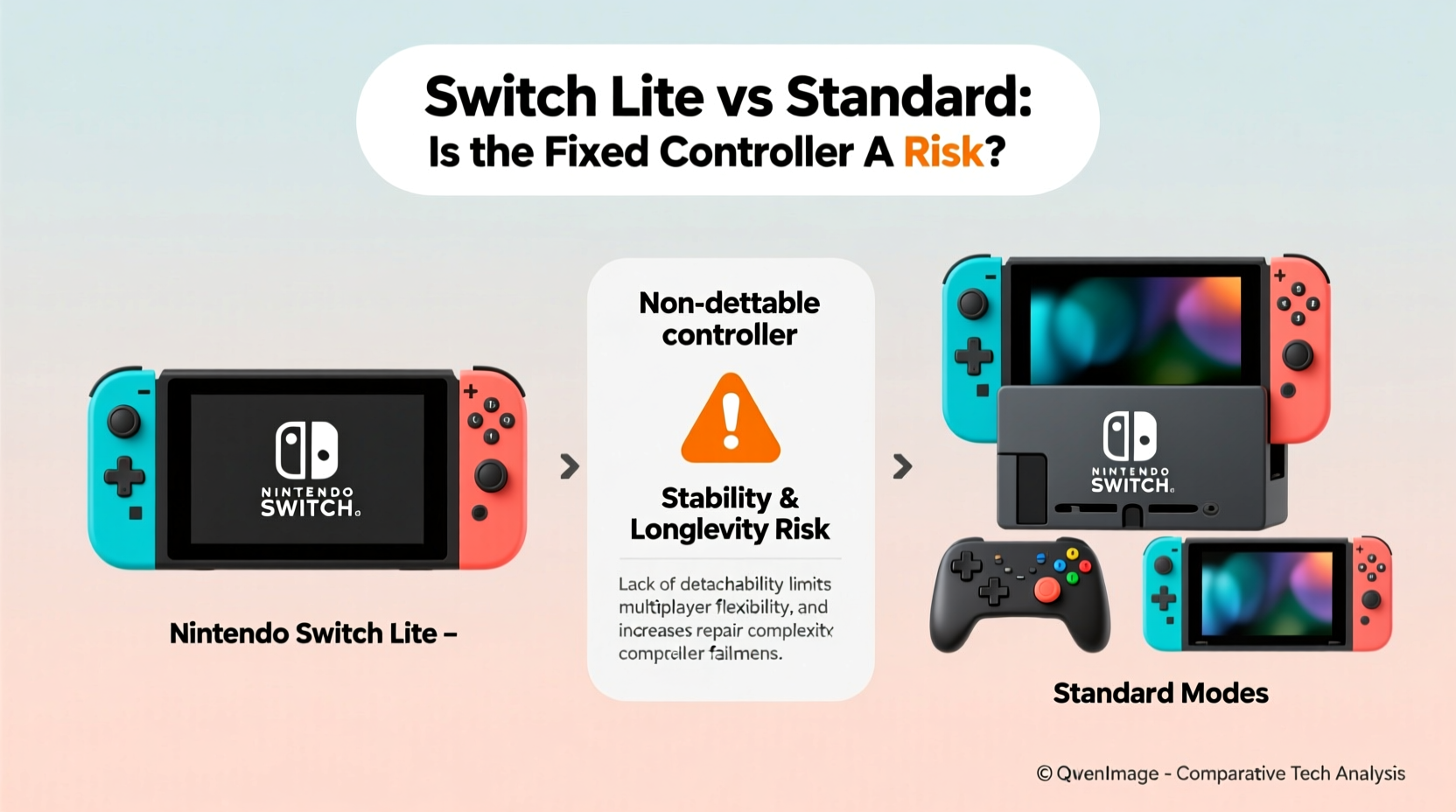
The Switch Lite was introduced in 2019 as a more affordable, compact alternative to the original Switch. It’s designed exclusively for handheld play—no TV docking, no detachable controllers. Its fixed controls streamline the experience for on-the-go gaming but eliminate flexibility. In contrast, the standard Switch supports multiple play modes: handheld, tabletop (using kickstand), and docked (on TV). The Joy-Con controllers can be used independently, shared with a friend, or attached to a grip for traditional gameplay.
This versatility comes at a cost: bulkier size, higher price, and slightly shorter battery life. But it also offers modularity—a feature that becomes critical over time.
Durability and Long-Term Risk: Are Fixed Controls a Liability?
The core concern with the Switch Lite’s non-detachable controls lies in long-term durability. Unlike the standard model, where a failing Joy-Con can be replaced individually, any damage to the Lite’s buttons, analog sticks, or internal circuitry typically requires replacing the entire unit—or paying for costly repairs.
Nintendo has faced criticism over Joy-Con drift issues since the original Switch launched. Analog stick drift—the phenomenon where characters move without input—has affected thousands of users. While the problem exists in both models, the consequences are far more severe on the Lite. A drifting analog stick on a standard Switch may cost $50–$70 to replace one Joy-Con. On the Lite, the same issue could mean sending the whole system in for service or facing repair bills exceeding half the console’s value.
“Integrated controls reduce manufacturing costs and improve portability, but they shift repair burden onto the consumer.” — David Kim, Electronics Repair Analyst at TechDurability Labs
In independent stress tests conducted by iFixit, the Switch Lite received a repairability score of 4/10, compared to 6/10 for the standard Switch. The lower score reflects soldered components, glued seams, and lack of modular parts. Once the control board fails, there’s no simple fix.
Comparative Breakdown: Switch Lite vs Standard Switch
| Feature | Switch Lite | Standard Switch |
|---|---|---|
| Controller Type | Fixed (non-detachable) | Detachable Joy-Con |
| Play Modes | Handheld only | Handheld, Tabletop, TV Docked |
| Battery Life | Up to 7 hours | 4.5–9 hours (varies by model) |
| Price (MSRP) | $199.99 | $299.99 |
| Repairability | Low (entire unit often needs servicing) | Moderate (Joy-Con replaceable) |
| Weight | 275g (lighter) | 297g (with Joy-Con attached) |
| Screen Size | 5.5 inches | 6.2 inches |
| Local Multiplayer Support | Limited (requires additional controllers) | Yes (two players via Joy-Con) |
The table highlights the inherent compromise: the Lite sacrifices expandability and serviceability for affordability and portability. For users who prioritize convenience and solo gaming, this makes sense. But for families or heavy users, the risk of permanent failure increases over time.
Real-World Scenario: When Fixed Controls Become a Problem
Consider Sarah, a college student who bought a Switch Lite for her dorm room and commutes. She played Animal Crossing daily for six months, using the analog stick constantly. By month eight, she noticed her character drifting upward during gameplay. She contacted Nintendo support, which offered a repair quote of $120—nearly 60% of the console’s original price. Since she didn’t have a warranty, she opted to buy a new standard Switch instead, citing frustration with the lack of affordable repair options.
Sarah’s experience isn’t isolated. Online forums like Reddit’s r/NintendoSwitch are filled with similar stories from Lite owners dealing with unresponsive buttons, worn-down triggers, or joystick wear that can’t be easily fixed. Meanwhile, standard Switch users often report swapping out a single Joy-Con and continuing uninterrupted play.
This illustrates a crucial point: the total cost of ownership isn’t just the sticker price. Longevity, repair costs, and future usability matter—especially for devices meant to last several years.
When the Switch Lite Makes Sense (And When It Doesn’t)
The Switch Lite excels in specific use cases:
- Kids and younger players: Its compact size fits small hands, and parental controls help manage screen time.
- Casual gamers: Those who play occasionally and prefer simplicity over multi-mode functionality.
- Travelers: Lighter weight and all-in-one design make it ideal for flights or road trips.
- Budget-conscious buyers: At $100 less than the standard model, it lowers entry barriers.
However, it falls short for:
- Families: Sharing gameplay is harder without built-in second-player controls.
- Heavy users: Frequent analog stick use accelerates wear with no easy replacement path.
- Gamers who want TV play: The Lite cannot connect to TVs, limiting big-screen experiences.
- Collectors or long-term owners: Reduced repairability affects resale value and lifespan.
Expert Recommendations for Mitigating Risk
Even if you choose the Switch Lite, you can minimize the risks associated with fixed controls. Here are practical steps to protect your investment:
- Enable Stick Calibration: Regularly calibrate your analog sticks through System Settings > Controllers and Sensors > Calibrate Control Sticks. This helps delay drift symptoms.
- Use Protective Accessories: Invest in a hard-shell case and screen protector. Physical damage often leads to internal failures.
- Limit Continuous Play: Take breaks during long sessions to prevent overheating and mechanical fatigue.
- Keep Firmware Updated: Nintendo periodically releases updates that improve controller responsiveness and stability.
- Purchase Extended Warranty: Consider Nintendo’s optional protection plan or third-party insurance covering accidental damage.
“Preventive maintenance is especially vital on integrated systems. A little care goes a long way when you can’t just swap out a broken part.” — Lena Torres, Consumer Electronics Advisor at GameSavvy
Checklist: Choosing the Right Model for Your Needs
Before purchasing, ask yourself the following:
- ✅ Do I want to play games on my TV? → Choose Standard Switch
- ✅ Will two people play locally without extra gear? → Choose Standard Switch
- ✅ Am I buying for a child under 12? → Switch Lite may be ideal
- ✅ Do I travel frequently and need something compact? → Switch Lite wins
- ✅ Will I play for hours daily? → Prioritize repairability (Standard Switch)
- ✅ Is budget a primary concern? → Switch Lite saves $100 upfront
- ✅ Do I plan to keep the console for 3+ years? → Factor in long-term durability
FAQ: Common Questions About Controller Risks
Can I replace the analog sticks on a Switch Lite myself?
Technically yes, but it's extremely difficult. The control board is tightly integrated, and disassembly risks damaging the screen or ribbon cables. Most DIY attempts result in further issues. Professional repair services exist but often cost more than the console is worth after a year of use.
Does Nintendo still honor repairs for drift on Switch Lite units?
Yes, but only under warranty or through paid service. Nintendo extended its drift repair policy due to class-action pressure, but coverage depends on purchase date and proof of issue. Out-of-warranty repairs are not free, even for known defects.
Is the standard Switch immune to controller problems?
No. The Joy-Con on the standard model are prone to the same drift and button wear issues. However, because they’re modular, you can replace one side at a time, buy third-party alternatives, or use Pro Controllers to bypass the problem entirely—options unavailable on the Lite.
Conclusion: Weighing Risk Against Reward
The Nintendo Switch Lite offers undeniable advantages: lower cost, sleek design, and optimized portability. For the right user, it’s an excellent choice. But the non-detachable controller introduces a tangible long-term risk. Without the ability to easily replace worn or malfunctioning components, the device’s lifespan becomes more fragile—especially under heavy use.
The standard Switch, while pricier and less pocketable, provides greater resilience. Its modular design allows for targeted fixes, preserving the rest of the system. When viewed as a multi-year investment, this flexibility often outweighs the initial savings of the Lite.
Your decision should hinge not just on how you play today, but how you expect to play tomorrow. If you value adaptability, multiplayer ease, and future-proofing, the standard model remains the smarter pick. If you want a dedicated handheld for light to moderate use and accept the limitations, the Lite delivers fun within its constraints.




 浙公网安备
33010002000092号
浙公网安备
33010002000092号 浙B2-20120091-4
Comments
No comments yet. Why don't you start the discussion?