
When choosing between the Nintendo Switch OLED and the original model, many gamers focus on price, portability, or game compatibility. But one often-overlooked factor is screen longevity—how well each display resists wear, fading, and image retention over months or years of use. With both models using different panel technologies and construction, understanding their real-world durability can help you make a smarter investment in your gaming setup.
The original Nintendo Switch, released in 2017, uses an LCD (liquid crystal display) screen. The newer Switch OLED model, launched in 2021, replaces that with an OLED (organic light-emitting diode) panel. While OLED brings richer colors, deeper blacks, and improved contrast, it also introduces new concerns about long-term screen health—especially for users who play static-menu-heavy games or leave the system paused for extended periods.
Understanding Screen Technology Differences
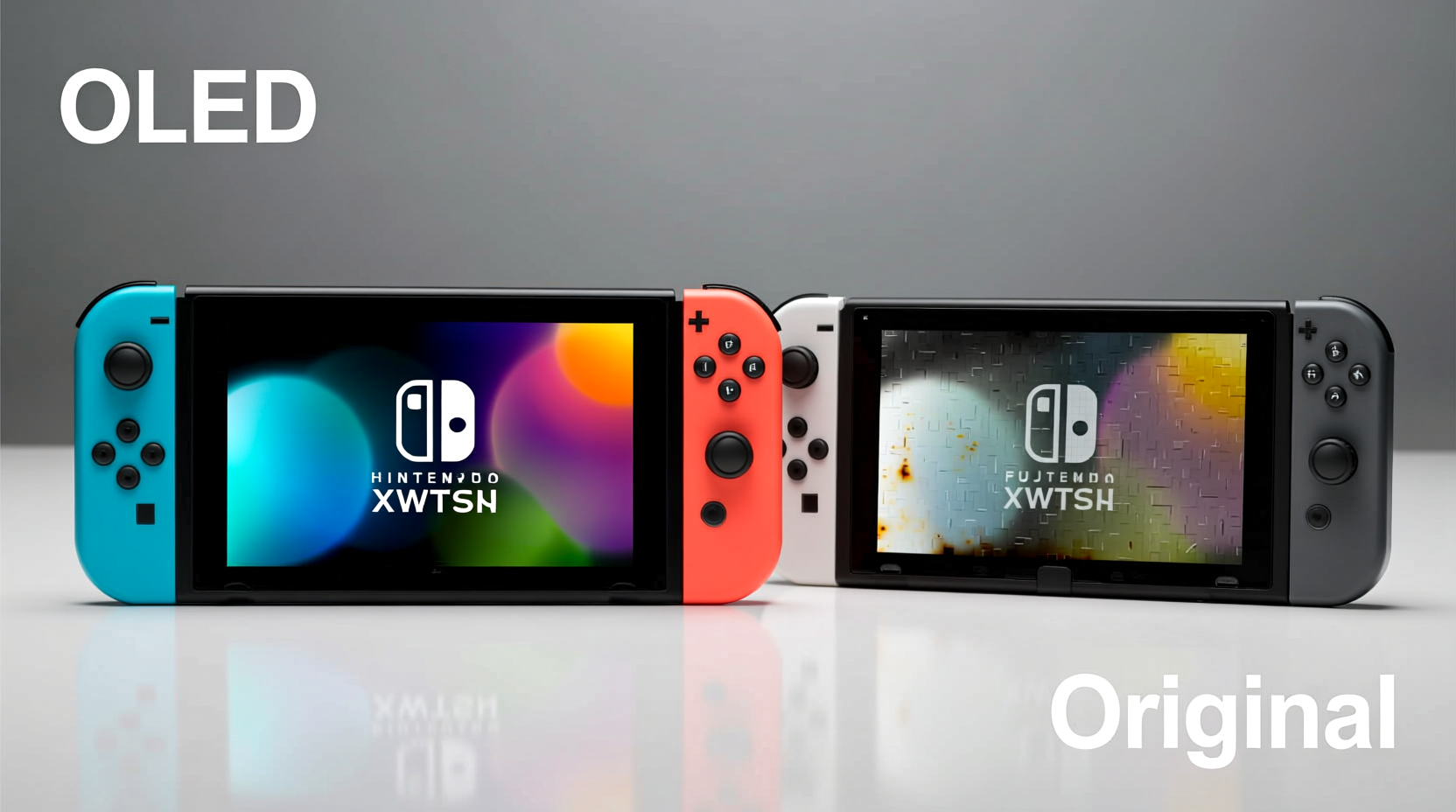
The core difference between the two models lies in their display technology. The original Switch relies on traditional LCD with LED backlighting. This means every pixel depends on a constant backlight to illuminate the screen. In contrast, the OLED model uses self-emissive pixels: each tiny dot produces its own light. When a pixel displays black, it turns off completely, resulting in true blacks and superior contrast ratios.
This fundamental shift affects not just visual quality but also how the screen ages. LCD panels degrade slowly and evenly, primarily through backlight dimming over many years. OLEDs, however, are more susceptible to uneven wear because individual pixels deteriorate based on usage. Bright, static elements like HUDs (heads-up displays), health bars, or menu icons can cause some pixels to age faster than others, potentially leading to image retention or permanent burn-in.
“OLED offers stunning visuals, but it requires mindful usage habits to avoid premature aging.” — Dr. Lena Torres, Display Technology Researcher at MIT Media Lab
Durability Showdown: OLED vs Original LCD
To assess long-term screen resilience, we need to evaluate three key factors: resistance to burn-in, lifespan under typical usage, and physical screen protection.
Burn-In and Image Retention
Burn-in occurs when a static image remains on-screen for so long that it becomes permanently etched into the display. While modern OLEDs have mitigation features, they're still inherently more vulnerable than LCDs.
The original Switch’s LCD screen is virtually immune to burn-in. Even after hundreds of hours with fixed UI elements—like the map corner in *The Legend of Zelda: Breath of the Wild*—LCD users rarely report lasting ghost images. Any temporary image persistence typically disappears after a few minutes of dynamic content.
In contrast, early reports from long-term Switch OLED owners show mixed results. Some users playing *Splatoon 3* or *Mario Kart 8 Deluxe* for extended sessions noticed faint outlines of scoreboards or race timers lingering after gameplay. These cases were often linked to high brightness settings and repeated use without screen breaks. However, Nintendo has implemented pixel-shifting and automatic brightness adjustments to reduce risk.
Lifespan and Pixel Degradation
LCD screens degrade uniformly. Over five to seven years of regular use, the backlight may dim slightly, causing overall screen brightness to decrease. Colors remain stable, and there's no significant color shift across the display.
OLED degradation is less predictable. Blue sub-pixels degrade faster than red or green ones, which can lead to a gradual yellowish tint over time if not managed. Additionally, areas used frequently—such as the top status bar showing battery and Wi-Fi—may dim earlier than surrounding regions. This effect is subtle at first but can become noticeable after 2–3 years of heavy daily use.
Nintendo mitigates this by using lower peak brightness on the OLED model compared to smartphones or TVs. Still, users who keep brightness at maximum or use the console docked for long stretches should expect accelerated aging.
Physical Screen Protection
Both models share similar build quality in terms of screen coating and scratch resistance. Neither features Gorilla Glass nor any branded protective layer. The OLED model does include a slightly thicker glass cover over the screen, according to iFixit’s teardown analysis, offering marginally better impact resistance.
However, both screens are prone to micro-scratches from pocket debris or improper cleaning. Cloth covers alone aren’t enough; screen protectors are strongly recommended for frequent travelers.
Real-World Usage Comparison
To illustrate how these differences play out, consider two hypothetical users:
Case Study: Alex and Jamie
Alex owns the original Switch and plays casually—about 10 hours per week, mostly handheld. Games vary between *Animal Crossing*, *Super Mario Odyssey*, and occasional multiplayer titles. After four years of ownership, Alex notices the screen is slightly dimmer than before, especially in bright sunlight, but no discoloration or ghosting appears. The experience remains functional and enjoyable.
Jamie owns the Switch OLED and plays 20+ hours weekly, favoring competitive games like *Splatoon 3* and *Super Smash Bros. Ultimate*. Often leaves the system paused on menus while taking breaks. After 18 months, Jamie begins to notice a faint shadow of the scoreboard along the bottom edge during gameplay. Lowering brightness and enabling auto-sleep reduces visibility, but the imprint persists.
This example highlights a crucial point: usage patterns matter more than hardware alone. While OLED carries higher risk, responsible habits can significantly delay or prevent visible degradation.
Side-by-Side Comparison Table
| Feature | Original Switch (LCD) | Switch OLED |
|---|---|---|
| Display Type | LCD with LED backlight | OLED (self-emissive pixels) |
| Burn-In Risk | Negligible | Moderate (with poor usage) |
| Lifespan (Estimated) | 5–7 years (even degradation) | 4–6 years (risk of uneven wear) |
| Color Accuracy Over Time | Stable | Potential yellow shift (blue pixel decay) |
| Contrast & Blacks | Good, but grayish blacks | Excellent, true black levels |
| Screen Brightness Control | Manual only | Auto-brightness sensor included |
| Scratch Resistance | Fair (no special coating) | Fair (slightly thicker glass) |
| Best For | Casual players, families, kids | Enthusiasts who value image quality |
Actionable Tips to Maximize Screen Longevity
No matter which model you own, proactive care can extend screen life. Here’s what works:
- Reduce brightness: Set screen brightness to 70% or lower in most environments. High brightness accelerates OLED pixel decay.
- Enable auto-sleep: Go to System Settings > Screen > Screen Saver and set it to activate after 1–3 minutes.
- Avoid static menus: Don’t leave the home screen or pause screen displayed for hours. Close games properly.
- Vary your games: Rotate between titles with different UI layouts to distribute pixel usage.
- Use screen protectors: A matte or clear tempered glass protector shields against scratches and makes cleaning safer.
Step-by-Step Guide to Protect Your Switch Screen
- Adjust Settings Immediately: Upon setup, go to System Settings > Screen and enable Sleep Mode after 3 minutes.
- Lower Brightness: Navigate to Brightness and adjust to level 5 or below unless needed.
- Install a Screen Protector: Clean the screen with a microfiber cloth, align the protector carefully, and apply gently to avoid bubbles.
- Create a Shutdown Routine: If you won’t use the console for over 10 minutes, fully close the game and let it sleep.
- Rotate Game Usage: Alternate between full-screen games (e.g., *Zelda*) and those with minimal UI (e.g., *Stardew Valley*).
- Monthly Maintenance: Wipe the screen with a dry microfiber cloth; never use alcohol or window cleaners.
Expert Recommendations and Industry Insights
Gaming hardware analysts have weighed in on the longevity debate. According to Mark Chen, senior analyst at TechGamer Insights:
“The Switch OLED delivers a premium visual experience, but it trades some longevity for that upgrade. For parents buying for young children who might leave the system on overnight, the original model remains the safer choice.” — Mark Chen, TechGamer Insights
Additionally, repair technicians note that OLED replacements are more expensive and harder to source. iFixit rates both models equally difficult to repair, but OLED panel costs are nearly double due to manufacturing complexity.
Frequently Asked Questions
Can I reverse burn-in on my Switch OLED?
No, true burn-in is permanent. However, temporary image retention (ghosting) may fade after running dynamic content or using built-in screen-refresh tools. Prevention is far more effective than attempted fixes.
Is the original Switch screen better for outdoor use?
Surprisingly, no. Despite its LCD panel, the original Switch has lower peak brightness (~300 nits) compared to the OLED model (~400 nits). The OLED performs noticeably better in sunlight, though glare can be an issue without proper shading.
Should I buy the original Switch just for screen durability?
If you prioritize long-term reliability and moderate usage, yes. The original model’s screen will likely outlast its usefulness due to software obsolescence rather than display failure. But if you value image quality and plan to use the console actively for 2–3 years, the OLED is still a strong option—with smart habits.
Final Verdict: Which Holds Up Better?
When evaluating screen longevity, the original Nintendo Switch has the edge. Its LCD technology is inherently more resistant to burn-in and degrades more uniformly over time. For users seeking a durable, worry-free handheld experience—especially in households with shared use or unpredictable habits—the original model remains the more resilient choice.
That said, the Switch OLED isn’t fragile. With thoughtful usage—moderate brightness, active sleep settings, and varied gameplay—it can deliver excellent performance for years. The richer visuals and improved audio justify the trade-offs for many enthusiasts.
Ultimately, screen longevity isn’t just about hardware—it’s shaped by behavior. No display lasts forever, but informed choices today can prevent regrets tomorrow.




 浙公网安备
33010002000092号
浙公网安备
33010002000092号 浙B2-20120091-4
Comments
No comments yet. Why don't you start the discussion?