
Smartphones are essential tools in modern life, but few issues are as alarming as feeling your device become uncomfortably hot during charging. While a slight warmth is normal, excessive heat can signal deeper problems and may compromise battery health, performance, or even safety. Understanding the root causes of overheating—and knowing how to respond appropriately—can protect your phone and extend its lifespan. This guide breaks down the science behind the heat, identifies common triggers, and provides actionable steps to cool your phone safely.
Why Phones Generate Heat During Charging
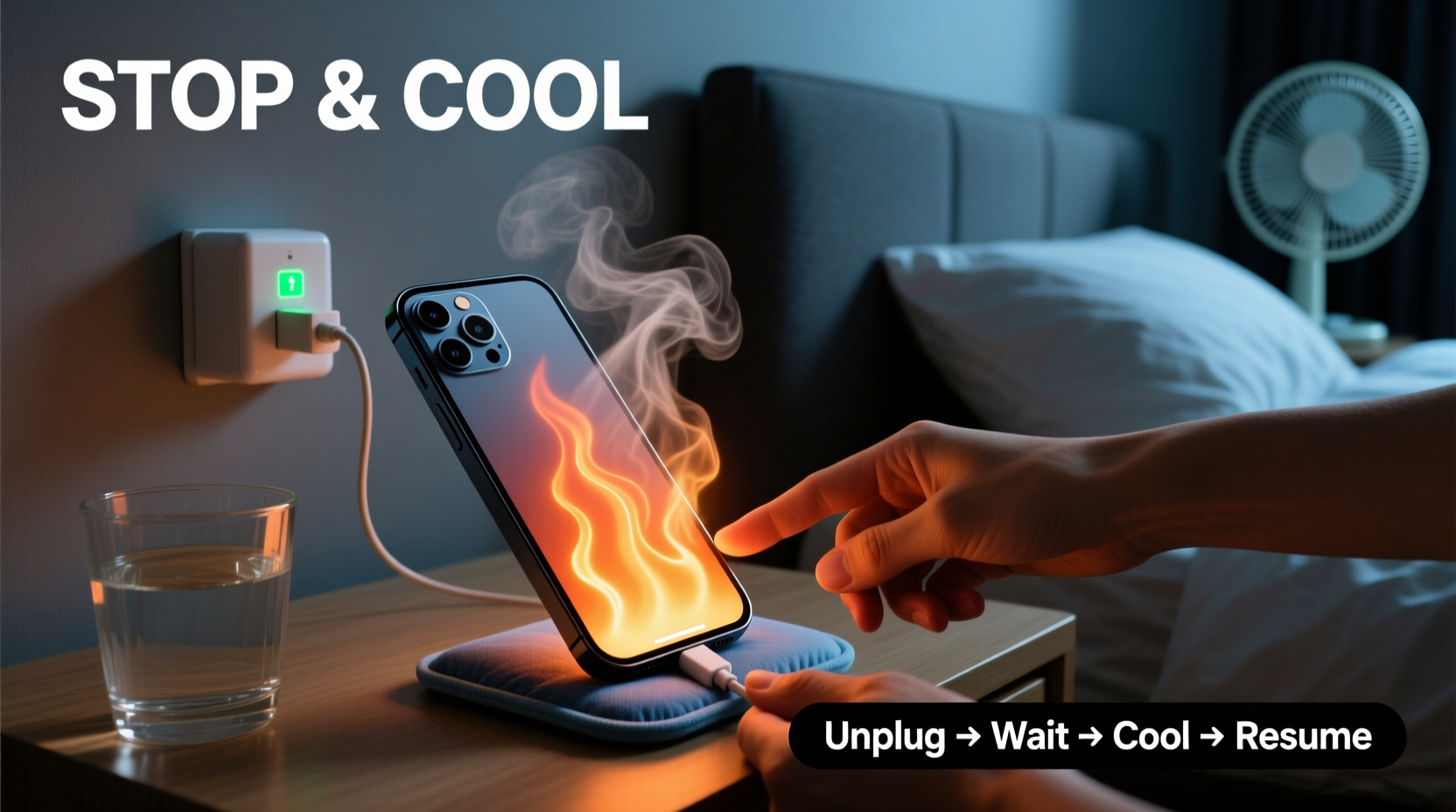
When you plug in your phone, electrical energy converts into chemical energy stored in the battery. This process, known as lithium-ion charging, inherently produces heat due to internal resistance within the battery cells. Modern phones use fast-charging technologies that push more power through circuits in less time, increasing thermal output. Under ideal conditions, the phone’s thermal management system dissipates this heat efficiently. However, when external factors interfere, temperatures can rise beyond safe thresholds.
The operating temperature range for most smartphones is between 0°C and 35°C (32°F–95°F). Charging outside this range—or under high load—can cause components like the processor, battery, and charging circuitry to overheat. Prolonged exposure to high temperatures accelerates battery degradation, reduces capacity, and in extreme cases, poses fire or explosion risks.
Common Causes of Overheating During Charging
Not all overheating stems from faulty hardware. Often, user habits and environmental factors play a major role. Below are the most frequent contributors:
- Using non-certified chargers or cables: Cheap or counterfeit accessories often lack proper voltage regulation, leading to unstable current flow and excess heat.
- Charging inside a case: Thick silicone, leather, or rubber cases trap heat, preventing natural dissipation.
- Direct sunlight or hot environments: Leaving your phone on a car dashboard or near a window while charging exposes it to ambient heat that compounds internal warming.
- Running background apps or intensive tasks: GPS navigation, video calls, or app updates during charging increase processor activity and power draw.
- Damaged battery or aging hardware: As batteries degrade, their internal resistance increases, making them less efficient and more prone to heating.
- Wireless charging inefficiency: Inductive charging generates more heat than wired methods due to energy loss during transfer.
“Over 60% of battery degradation in smartphones is linked to sustained exposure to high temperatures, especially during charging cycles.” — Dr. Alan Reyes, Battery Technology Researcher at MIT Energy Initiative
How to Cool Down an Overheating Phone Safely
If your phone feels excessively hot while charging, immediate action is necessary—not only to restore comfort but to prevent long-term damage. The goal is to reduce temperature without introducing new risks like condensation or physical stress.
Step-by-Step Cooling Procedure
- Unplug immediately: Disconnect the charger to stop additional heat input from the charging process.
- Power off the device: Shutting down halts CPU and screen activity, reducing internal heat production.
- Remove the case: Take off any protective cover to allow better airflow around the phone body.
- Move to a cooler environment: Relocate the phone to a shaded, well-ventilated area away from direct heat sources.
- Avoid refrigeration or ice: Do not place the phone in a freezer or on ice packs—rapid cooling can cause condensation inside the device, leading to corrosion or short circuits.
- Allow passive cooling: Let the phone rest for 20–30 minutes until it returns to room temperature before resuming use or charging.
- Inspect for damage: After cooling, check for swelling, discoloration, or unusual odors—signs of battery failure requiring professional service.
Prevention Checklist: Keep Your Phone Cool While Charging
Proactive measures are far more effective than reactive fixes. Use this checklist to minimize overheating risks during daily charging routines:
- ✅ Use manufacturer-approved or MFi-certified (for Apple) chargers and cables
- ✅ Remove the phone case before charging, especially overnight
- ✅ Charge in a cool, dry location—never on beds, sofas, or car seats exposed to sun
- ✅ Avoid using the phone for heavy tasks (gaming, video editing) while charging
- ✅ Disable unnecessary features like Bluetooth, GPS, or hotspot during charging
- ✅ Keep software updated—manufacturers often release thermal optimization patches
- ✅ Limit wireless charging duration; unplug once battery reaches 80–90%
- ✅ Monitor battery health monthly via built-in diagnostics (e.g., iOS Battery Health or Android AccuBattery)
Do’s and Don’ts When Dealing With an Overheating Phone
| Do’s | Don’ts |
|---|---|
| Charge in a well-ventilated area | Leave the phone under a pillow or blanket while charging |
| Use original or certified charging accessories | Use damaged cables with exposed wires |
| Turn off the phone if it becomes too hot to touch | Continue charging if the phone emits smoke or odor |
| Clean charging ports gently with a dry brush | Blow into the port—moisture can cause corrosion |
| Replace swollen batteries immediately | Attempt DIY battery replacement without proper tools or training |
Real-World Scenario: A Cautionary Example
Consider the case of Marcus, a college student who routinely charged his Android phone overnight on his bed. He used a third-party fast charger and kept the phone under his pillow for “convenience.” One morning, he noticed a burnt plastic smell and found the back casing slightly warped. Upon inspection, the battery had begun to swell—a clear sign of thermal runaway caused by poor ventilation and substandard charging equipment.
He stopped using the charger immediately and took the phone to a repair shop. The technician confirmed that prolonged overheating had degraded the battery’s chemistry, making it unsafe. The total repair cost exceeded $120—more than the price of a genuine charger. More importantly, the incident could have escalated into a fire hazard. Marcus now uses only OEM chargers, removes his phone case at night, and charges it on a wooden desk instead.
This example illustrates how small, seemingly harmless habits can compound into serious risks. Awareness and discipline in charging practices are critical.
When to Seek Professional Help
While occasional warmth is normal, certain symptoms indicate underlying hardware issues that require expert attention:
- Battery swells or distorts the phone’s frame
- Frequent shutdowns during charging, even at moderate temperatures
- Visible discoloration or melting near the charging port
- Persistent overheating despite using correct chargers and cool environments
- Unusual noises (hissing, popping) or smells (burnt plastic, sulfur)
In such cases, continuing to charge the device poses a safety risk. Visit an authorized service center rather than attempting self-repairs. Lithium-ion batteries are sensitive and can ignite if punctured or improperly handled.
Frequently Asked Questions
Is it normal for my phone to get warm while charging?
Yes, mild warmth is expected, especially with fast charging. However, if the phone becomes too hot to hold comfortably, or if the screen dims and performance drops, it’s overheating and needs intervention.
Can overheating permanently damage my phone’s battery?
Yes. Repeated exposure to high temperatures accelerates chemical aging in lithium-ion batteries, reducing their maximum capacity and lifespan. Studies show that keeping a battery above 40°C (104°F) for extended periods can cut its useful life by up to 35%.
Does wireless charging make phones hotter than wired charging?
Generally, yes. Wireless charging is less efficient—typically 70–80% efficiency compared to over 90% for wired—meaning more energy is lost as heat. To minimize this, use Qi-certified chargers and avoid thick metal cases during wireless charging.
Conclusion: Protect Your Device with Smart Habits
Phone overheating during charging isn’t just uncomfortable—it’s a warning sign that should never be ignored. From using uncertified accessories to charging in poorly ventilated spaces, everyday choices can quietly compromise your device’s safety and longevity. By understanding the causes and adopting simple preventive habits, you can maintain optimal performance and avoid costly repairs or hazards.
Your smartphone is an investment in connectivity, productivity, and personal memory. Treat it with care: choose quality chargers, monitor temperature, and respond promptly to signs of distress. Small changes today can preserve your device’s health for years to come.




 浙公网安备
33010002000092号
浙公网安备
33010002000092号 浙B2-20120091-4
Comments
No comments yet. Why don't you start the discussion?