
In an age where smartphones are essential for communication, navigation, and capturing memories, dropping your device can be more than just inconvenient—it can be costly. A single slip can lead to cracked screens, water damage, or complete device failure. While cases and screen protectors help mitigate impact, one of the most effective preventative tools is often overlooked: the wrist strap. When used correctly, a wrist strap acts as a physical tether between you and your phone, drastically reducing the risk of accidental drops. Yet many users either underutilize them or wear them incorrectly. This guide delivers actionable strategies to get the most out of your wrist strap, ensuring your phone stays secure whether you're commuting, traveling, or simply moving around the house.
Choose the Right Wrist Strap for Your Lifestyle
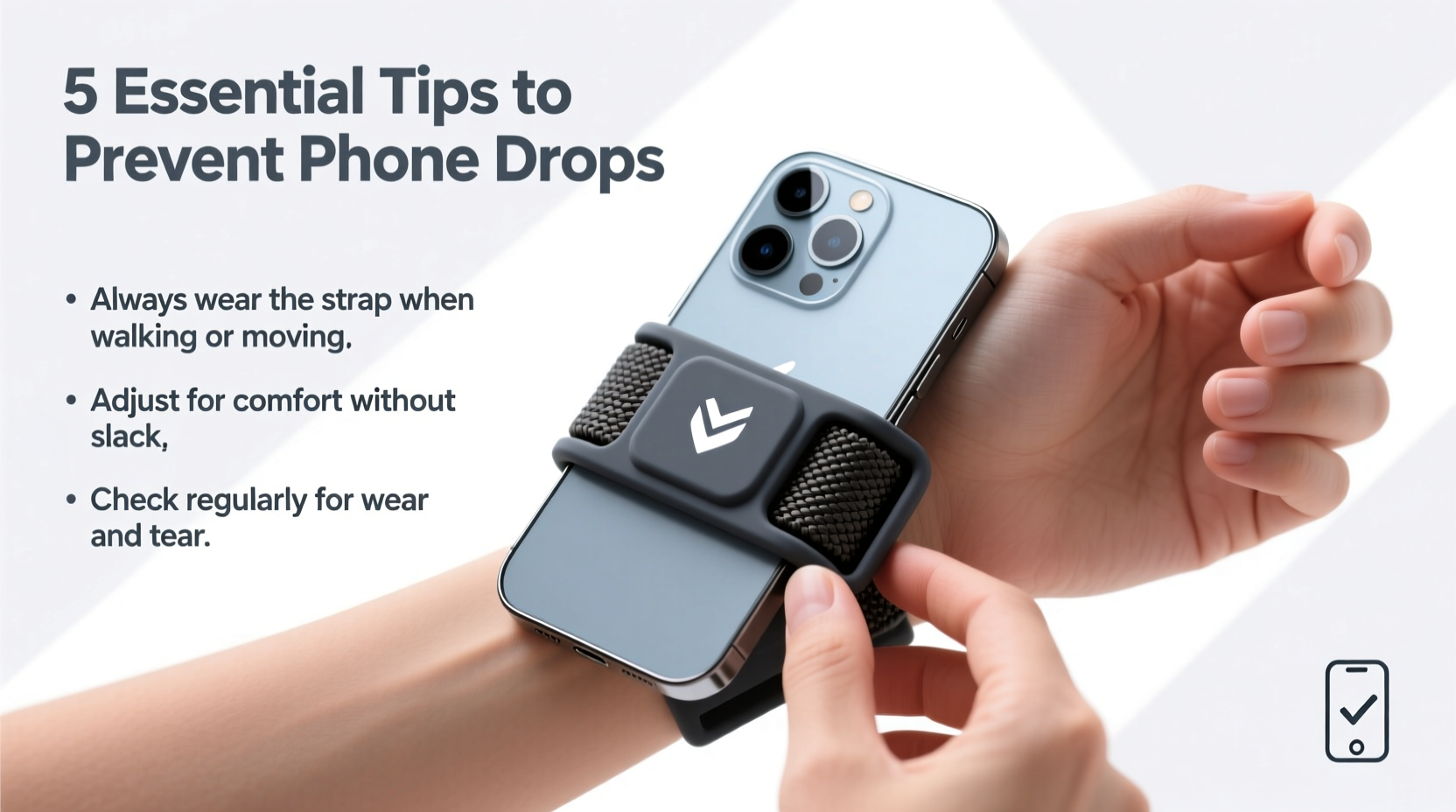
Not all wrist straps are created equal. The effectiveness of a wrist strap depends heavily on its design, material, and attachment method. Before relying on one for daily protection, consider how you use your phone and what kind of environment you're in.
| Strap Type | Best For | Pros | Cons |
|---|---|---|---|
| Silicone Loop | Daily indoor use | Lightweight, flexible, integrates with some cases | Limited reach, not ideal for active use |
| Nylon Woven Strap | Travel, outdoor activities | Durable, adjustable, long length options | Can feel bulky if too long |
| Leather Band | Style-conscious users | Elegant, comfortable over time | Less durable when wet, higher cost |
| Retractable Reel Strap | Work environments (retail, healthcare) | Keeps phone close but allows reach | Mechanical parts may fail over time |
If you frequently move through crowded spaces or carry other items like bags or coffee, a longer nylon strap allows you to set the phone down temporarily while keeping it secured. For those who prioritize minimalism, a slim silicone loop attached directly to a rugged case offers subtle but reliable protection.
Proper Attachment and Secure Fit
The safest wrist strap is only effective if it’s properly attached and worn correctly. A loose fit or poorly mounted strap defeats the purpose and may even increase the risk of entanglement.
- Check compatibility: Ensure your phone case has a lanyard hole or built-in loop. If not, consider switching to a protective case designed for strap integration.
- Use reinforced connectors: Opt for metal carabiners or double-stitched loops instead of plastic clips, which can snap under sudden tension.
- Adjust length wisely: The strap should allow enough slack to use your phone comfortably but not so much that it dangles loosely. Ideal length typically ranges from 8 to 12 inches.
- Wear it snugly: Place the strap around your wrist and tighten it so it won’t slip off—but not so tight that it cuts circulation.
- Test before trusting: Simulate a drop by gently tossing the phone downward while wearing the strap. It should catch smoothly without straining your wrist.
Avoid wrapping the strap multiple times around your wrist, as this reduces mobility and increases injury risk if the phone is suddenly yanked. Instead, rely on a single, secure loop with a quick-release clasp for emergencies.
Real-World Scenario: How a Strap Saved a Phone at a Concert
During a packed outdoor music festival, Sarah, a 29-year-old event planner, was recording a performance when her phone slipped from her hand during a crowd surge. Because she had attached a 10-inch woven nylon wrist strap to her rugged OtterBox case, the phone stopped mid-air, swinging just above the ground. Though startled, she quickly regained control. Without the strap, her phone would have likely been trampled or lost in the grass. “I’d never taken wrist straps seriously until that moment,” she said later. “Now I wouldn’t leave home without one.”
This scenario highlights a critical truth: high-movement environments dramatically increase drop risks. Whether you’re at a concert, hiking trail, or busy subway station, a wrist strap provides a last line of defense when grip fails.
Expert Insight on Grip Safety and Injury Prevention
“Many hand and wrist injuries stem from repetitive strain caused by over-gripping devices. A well-designed wrist strap doesn’t just protect your phone—it protects your body by reducing the need to constantly clutch your device.” — Dr. Alan Zhou, Ergonomics Specialist at Mobility Health Institute
Dr. Zhou emphasizes that constant tension in the fingers and forearms, especially during prolonged phone use, contributes to conditions like tendinitis and carpal tunnel syndrome. By transferring some of the weight-bearing responsibility to a wrist strap, users can maintain a looser, more natural grip—improving both device safety and long-term hand health.
Common Mistakes to Avoid
Even with the best equipment, improper usage undermines protection. Here are frequent errors and how to correct them:
- Using a damaged or frayed strap: Inspect your strap weekly for signs of wear. Replace immediately if fibers are splitting or stitching is loose.
- Attaching to weak points: Never clip a strap to a pop socket or magnetic ring unless specifically rated for load-bearing use.
- Ignoring situational awareness: In situations involving machinery, exercise equipment, or fast-moving vehicles, remove the strap to prevent entanglement hazards.
- Over-relying on the strap: A wrist strap is a backup, not a substitute for mindful handling. Always practice good grip habits.
- Wearing it on the wrong hand: Use your non-dominant hand for the strap to keep your primary hand free for typing, swiping, and taking photos.
Step-by-Step Guide: Setting Up Your Wrist Strap Safely
- Select a compatible case: Choose one with a built-in lanyard loop or screw-in anchor point.
- Cut and seal (if DIY): If making your own strap, cut nylon webbing to 10 inches and melt the ends slightly to prevent fraying.
- Attach securely: Thread the strap through the case’s loop and connect with a metal tri-glide buckle or knot it tightly.
- Fit to wrist: Slide your hand through and adjust so the strap sits just below the wrist bone, snug but not restrictive.
- Test functionality: Hold the phone normally, then simulate a drop motion. The strap should engage without slipping or twisting.
- Inspect regularly: Once a week, examine all connection points and fabric integrity.
Frequently Asked Questions
Can I use a wrist strap with a wireless charger?
Yes, most wrist straps attach to the outside of the case and do not interfere with Qi charging. However, thick or metal-reinforced straps may reduce efficiency. Remove the strap if you notice slower charging speeds.
Are wrist straps safe for children?
They can be, provided the strap is sized appropriately and made from soft, breakaway materials. Avoid long straps that could pose a strangulation hazard. Supervise young children during use.
Do wrist straps affect phone balance?
Minimal impact occurs with lightweight straps. Heavier leather or metal-accented bands may shift center of gravity slightly, requiring minor adjustment when holding the phone one-handed.
Final Thoughts: Make Security a Habit
Preventing phone drops isn’t about luck—it’s about preparation. A wrist strap is a small investment with outsized returns: protecting hundreds of dollars in technology, preserving irreplaceable data, and reducing stress in everyday moments. By choosing the right strap, attaching it securely, and using it intelligently across different environments, you transform a simple accessory into a powerful tool for digital resilience. Don’t wait until after a fall to take prevention seriously. Integrate these practices now and carry your phone with confidence.




 浙公网安备
33010002000092号
浙公网安备
33010002000092号 浙B2-20120091-4
Comments
No comments yet. Why don't you start the discussion?