
Maintaining consistent lighting in homes, greenhouses, or commercial spaces isn’t just about visibility—it impacts mood, productivity, plant health, and even security. While traditional manual switches have long been the default choice, programmable timer outlets are gaining popularity for their precision and automation. But which solution truly delivers better results when consistency is the goal? This article compares both options across reliability, efficiency, convenience, and long-term benefits to help you make an informed decision.
Why Consistent Lighting Matters
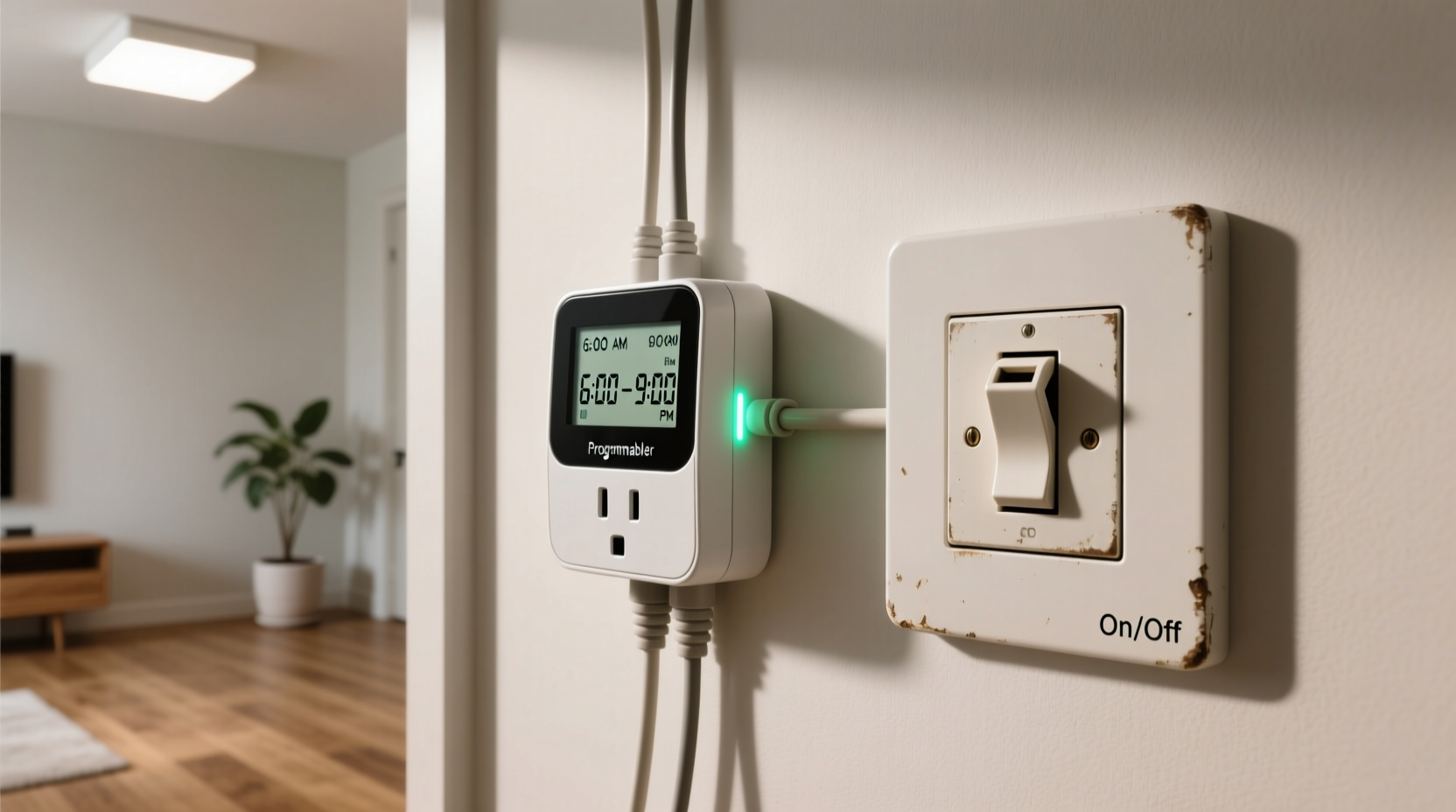
Lighting consistency affects more than ambiance. In residential settings, regular exposure to light at predictable times helps regulate circadian rhythms, improving sleep quality and mental clarity. For indoor gardeners, consistent photoperiods are essential for plant development—especially during germination, flowering, and fruiting stages. Commercial environments like retail stores or offices rely on steady illumination to maintain professionalism and safety.
Inconsistent lighting—such as turning lights on late, forgetting to switch them off, or varying schedules—can disrupt biological processes, reduce crop yields, increase energy waste, and create vulnerabilities in home security systems. The method used to control lighting directly influences how well these patterns are maintained.
“Consistency in artificial lighting can be as impactful as natural sunlight when managed correctly.” — Dr. Lena Peterson, Environmental Health Researcher
How Manual Switches Work—and Where They Fall Short
Manual switches require human intervention every time a light needs to be turned on or off. Despite being simple and widely available, they depend entirely on user discipline and memory. Even the most organized individuals may forget during travel, illness, or busy workweeks.
Common drawbacks include:
- Inconsistency: Slight delays in operation accumulate over time, disrupting routines.
- Energy waste: Lights left on accidentally lead to higher electricity bills.
- Security risks: Unpredictable lighting patterns signal that no one is home.
- Labor-intensive: Requires daily attention, especially with multiple circuits.
For example, someone growing herbs indoors might aim for 14 hours of light per day but occasionally turns the lamp off late due to fatigue. Over two weeks, this irregularity could stress seedlings, delaying growth or causing legginess.
The Rise of Programmable Timer Outlets
Programmable timer outlets automate lighting by allowing users to set precise on/off schedules. Most models support multiple events per day, randomization modes (for security), and some even integrate with Wi-Fi for remote control via smartphone apps.
These devices plug directly into standard wall outlets, and lamps or grow lights plug into them. Once programmed, they execute commands without further input—even during power outages (many retain settings thanks to built-in batteries).
Key advantages include:
- Precision scheduling: Set exact times down to the minute.
- Daily repetition: Choose specific days or run seven-day cycles.
- Vacation mode: Simulate occupancy with randomized on/off patterns.
- Integration: Smart timers sync with voice assistants like Alexa or Google Assistant.
A grower using a timer outlet can ensure their hydroponic lettuce receives exactly 16 hours of full-spectrum light daily, regardless of personal schedule changes. Similarly, homeowners can program porch lights to turn on at dusk and off at midnight year-round, adjusting automatically as daylight shifts.
Types of Timer Outlets Available
- Mechanical Dial Timers: Analog-style, easy to use, affordable. Best for basic schedules.
- Digital Timers: Offer greater precision, multiple programs, and LCD displays.
- Wi-Fi Enabled Timers: Allow remote access, integration with smart home systems, and real-time monitoring.
- Astronomical Timers: Automatically adjust based on sunrise/sunset times for your location.
Comparative Analysis: Timer Outlets vs Manual Switches
| Feature | Manual Switches | Programmable Timer Outlets |
|---|---|---|
| Consistency | Low – depends on user behavior | High – runs automatically on schedule |
| Energy Efficiency | Unreliable – prone to human error | High – prevents unnecessary usage |
| User Effort | High – requires daily action | Low – setup once, then forget |
| Cost (Initial) | Free (if already installed) | $10–$50 depending on features |
| Lifespan | Years (built into walls) | 3–7 years (plug-in units) |
| Flexibility | Immediate control | Scheduled + remote (smart models) |
| Security Support | None unless manually operated | Strong – with vacation/random modes |
| Ideal For | Rented spaces, temporary setups | Long-term routines, automation goals |
This comparison shows that while manual switches win on upfront cost and simplicity, timer outlets dominate in performance, long-term savings, and peace of mind.
Real-World Example: Indoor Gardening Setup
Consider Maria, a hobbyist growing microgreens in her apartment. She starts with a basic LED grow light connected to a wall switch. Her intention is to provide 12 hours of light each day. However, between evening meetings and family commitments, she often forgets to turn the light off until late at night—sometimes leaving it on for 18 hours straight.
After three weeks, she notices yellowing leaves and stunted growth. A local nursery expert explains that excessive light is stressing the plants. Maria switches to a digital programmable outlet, setting a strict 6 AM to 6 PM cycle. Within ten days, new batches show stronger stems and vibrant color. She also saves 20% on her monthly energy bill due to reduced runtime.
Her experience reflects a broader trend: automation doesn’t just improve outcomes—it removes emotional burden from routine tasks.
Step-by-Step Guide to Transitioning to Timer Outlets
If you're considering switching from manual control to automated lighting, follow this process:
- Assess Your Needs: Determine how many lights need scheduling and their typical usage patterns (e.g., 8 hours nightly).
- Select the Right Timer: Choose mechanical for simple cycles, digital for accuracy, or Wi-Fi for flexibility.
- Test One Unit First: Install a timer on a single lamp to verify compatibility and ease of use.
- Program the Schedule: Input desired on/off times, ensuring alignment with sunrise/sunset if relevant.
- Monitor for a Week: Observe whether lights operate correctly and adjust timing as needed.
- Scale Up: Replace additional manual controls gradually, prioritizing critical areas like entryways or grow rooms.
- Maintain Settings: Update twice a year for seasonal daylight changes (unless using astronomical or smart timers).
When Manual Switches Still Make Sense
Despite the advantages of automation, there are scenarios where manual switches remain practical:
- Tenants in rental units: Landlords may restrict permanent modifications; plug-in timers offer non-invasive alternatives.
- Occasional use: Guest room lights or holiday decorations don’t justify programming complexity.
- Immediate override needs: Some situations demand instant control without navigating menus.
- Budget constraints: Those on tight budgets may delay investment in smart hardware.
However, even renters benefit from portable timer outlets—they’re removable, leave no damage, and enhance lifestyle consistency without violating lease terms.
Checklist: Choosing the Right Solution
Use this checklist to decide whether a programmable timer outlet or manual switch suits your situation best:
- ☐ Do I need lights on/off at the same time every day? → Yes = Timer
- ☐ Am I frequently forgetting to turn lights off? → Yes = Timer
- ☐ Is this light used for plant growth or medical therapy? → Yes = Timer
- ☐ Will anyone need to override the schedule regularly? → Yes = Consider hybrid approach
- ☐ Am I away from home often? → Yes = Timer with vacation mode
- ☐ Is the fixture hardwired and not accessible via outlet? → Yes = May require electrician-installed smart switch instead
- ☐ Am I comfortable programming digital interfaces? → No = Start with mechanical dial timer
Frequently Asked Questions
Can I use a timer outlet with any type of bulb?
Most timer outlets work safely with incandescent, LED, CFL, and halogen bulbs. However, always check the wattage limit of the timer (typically 1800W resistive / 1/2 HP motor). Avoid using with high-draw appliances like space heaters unless specified.
Do timer outlets use electricity when idle?
Yes, but minimally—usually less than 1 watt per day to maintain clock functions. This is negligible compared to the energy saved by preventing lights from running unnecessarily.
What happens during a power outage?
Many digital timers have battery backup (often a CR2032 coin cell) that preserves settings. After power returns, they resume normal operation. Mechanical timers lose no settings since they’re analog, but may require resetting the current time.
Final Recommendations
For anyone seeking reliable, hands-free lighting management, programmable timer outlets are a clear upgrade over manual switches. They deliver precision, reduce cognitive load, lower energy costs, and enhance environmental control—whether for wellness, agriculture, or security.
Start small: automate one critical light first. Evaluate the impact over two weeks. Chances are, you’ll wonder why you waited so long. As technology becomes more intuitive and affordable, the gap between manual effort and automated ease continues to widen—making timers not just convenient, but essential for modern living.
“The future of home efficiency lies not in doing more, but in designing systems that do it for us—consistently and quietly.” — Rajiv Mehta, Smart Home Systems Engineer
Take Action Today
Don’t let inconsistency undermine your goals. Whether you're nurturing seedlings, managing shift-work sleep cycles, or securing your home while traveling, the right lighting system makes all the difference. Choose automation where it counts, and reclaim time, energy, and peace of mind. Try a programmable timer outlet this week—and experience what true consistency feels like.




 浙公网安备
33010002000092号
浙公网安备
33010002000092号 浙B2-20120091-4
Comments
No comments yet. Why don't you start the discussion?