
As the holiday season approaches, one of the most anticipated traditions is decorating homes with festive lights. But managing when those lights turn on and off can become a chore—especially if you're juggling work, travel, or family events. Enter two popular solutions: programmable timers and smart plugs. Both promise automated control over your holiday lighting, but they differ significantly in functionality, flexibility, and long-term value. Understanding these differences helps ensure your display shines at the right time—without unnecessary effort.
How Programmable Timers Work
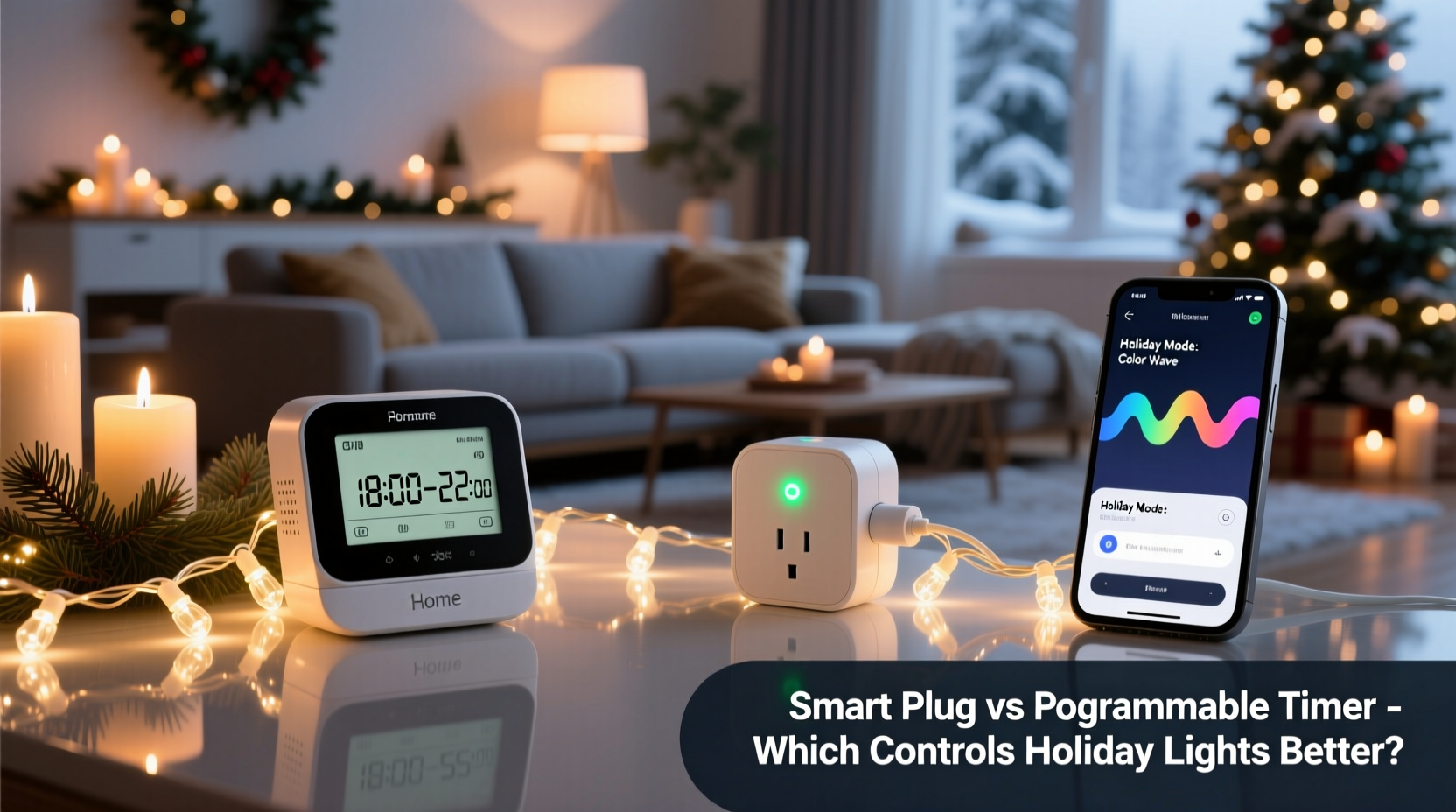
A traditional programmable timer is a mechanical or digital device that plugs into a standard wall outlet. You connect your holiday lights to it, then set specific times for the lights to turn on and off each day. These devices operate independently, requiring no Wi-Fi or smartphone connection. Most models allow users to schedule multiple on/off cycles per 24-hour period and often include a manual override switch for immediate control.
Digital versions offer greater precision than older mechanical dials, letting you set exact minutes rather than broad intervals. Some even feature a “random” mode designed to simulate occupancy by varying the timing slightly each day—a useful security perk during extended absences.
The Rise of Smart Plugs in Holiday Lighting
Smart plugs represent the next evolution in home automation. Unlike basic timers, they connect to your home’s Wi-Fi network and are controlled via a mobile app—often compatible with voice assistants like Amazon Alexa, Google Assistant, or Apple HomeKit. This means you can turn lights on or off from anywhere, create complex routines, monitor energy usage, and receive notifications.
For holiday lighting, this opens up new possibilities. Imagine adjusting your light display remotely because guests are arriving early, syncing lights with music through IFTTT (If This Then That) integrations, or receiving an alert if a circuit trips mid-display. Many smart plugs also support geofencing, so your lights turn on automatically as you approach home.
“Smart plugs transform static holiday displays into dynamic experiences. They’re not just about convenience—they enhance safety, efficiency, and personalization.” — David Lin, Smart Home Systems Engineer
Key Differences: Programmable Timer vs Smart Plug
To determine which option suits your needs best, consider how they compare across several critical dimensions. The table below outlines key features side by side.
| Feature | Programmable Timer | Smart Plug |
|---|---|---|
| Wi-Fi Required | No | Yes |
| Remote Access | No | Yes |
| Voice Control | No | Yes (via assistant) |
| Energy Monitoring | Rare | Common |
| Setup Complexity | Low | Moderate |
| Price Range | $8–$20 | $15–$35 |
| Reliability During Outages | High (no dependency) | Medium (requires reboot/reconnect) |
This comparison reveals a fundamental trade-off: simplicity versus capability. Programmable timers excel in reliability and ease of use, especially for straightforward daily schedules. Smart plugs offer advanced control and integration but depend on stable internet and power conditions.
When a Programmable Timer Is the Better Choice
If your holiday lighting routine is predictable—say, turning on at dusk and off at bedtime—a programmable timer may be more than sufficient. These devices are ideal for outdoor setups where Wi-Fi signals are weak or unreliable. Since they don’t rely on external networks, they continue functioning during internet outages or router reboots.
They’re also excellent for users who aren't tech-savvy or prefer a \"set it and forget it\" approach. Once programmed, many digital timers retain settings through power interruptions thanks to built-in backup batteries. Additionally, their lower price point makes them cost-effective for seasonal use, particularly if you only need basic scheduling.
- Best for fixed daily routines
- Ideal for outdoor outlets without strong Wi-Fi
- Suitable for renters or temporary installations
- Lower upfront cost
Why a Smart Plug Might Be Worth the Upgrade
While smart plugs come at a higher initial cost, their long-term benefits often justify the investment—especially if you plan to use them beyond the holidays. For instance, the same smart plug controlling your Christmas lights can later manage lamps, coffee makers, or space heaters.
Consider a scenario where winter storms cause unexpected delays. With a smart plug, you can log into your app while stuck at the airport and delay your light display until after dark—avoiding wasted energy and preserving bulb life. Or suppose you want to surprise neighbors with synchronized lighting effects; some smart plugs integrate with platforms like Philips Hue or SmartThings to coordinate multi-device scenes.
Another advantage is adaptability. Instead of manually reprogramming every few weeks as sunset times shift, smart plugs can automatically adjust based on local sunrise/sunset data pulled from weather services. This ensures your lights always activate at the optimal moment, enhancing both ambiance and energy efficiency.
Mini Case Study: The Neighborhood Light Show
Mark, a homeowner in Denver, wanted to elevate his annual holiday display. In previous years, he used a simple timer, but complaints from neighbors about inconsistent timing and early shutdowns prompted change. He upgraded to three smart plugs linked to a central hub, allowing him to group different sections of lights (roofline, trees, driveway) and control them individually.
Using geofencing, the system turns on the full display only when family members return home after 5 PM. On weekends, a special “party mode” activates at dusk and runs two hours longer. Mark also shares limited access with his teenage daughter, who programs themed sequences for visiting relatives. The result? A dynamic, responsive display that draws crowds—without constant supervision.
Step-by-Step Guide: Choosing and Setting Up Your Device
Follow this timeline to select and deploy the right solution for your holiday lighting needs.
- Assess Your Lighting Schedule (Week 1)
Determine whether your routine is fixed (e.g., daily on/off at same times) or variable (changes based on events, daylight, or location). - Evaluate Wi-Fi Coverage (Week 1)
Test signal strength near your outdoor outlets. Poor connectivity favors a programmable timer. - Budget Planning (Week 2)
Decide if you’ll reuse the device year-round. If yes, a smart plug offers better ROI. - Purchase and Test (Week 3)
Buy your chosen device and test it indoors first. Verify all lights function and check app responsiveness (for smart plugs). - Install and Program (Week 4)
Move the device outdoors, connect lights, and finalize settings. For smart plugs, enable auto-sunset features if available. - Monitor First Week (Holiday Launch)
Observe performance during real-world use. Adjust brightness duration or grouping as needed.
Checklist: Before You Buy Either Option
- ✅ Confirm total wattage of connected lights does not exceed device capacity
- ✅ Check if the device is rated for outdoor use (look for UL certification)
- ✅ Ensure compatibility with dimmable or LED-specific loads if applicable
- ✅ Verify mobile app availability and user reviews (for smart plugs)
- ✅ Consider future reuse potential beyond holiday season
- ✅ Read warranty terms and customer support options
Frequently Asked Questions
Can I use a smart plug outdoors?
Most smart plugs are indoor-rated only. However, some weather-resistant models (like the Kasa KP400 or certain Wemo Outdoor units) are designed for covered exterior use. Always place them under shelter and avoid direct exposure to rain or snow.
Do programmable timers work during power outages?
Many digital timers have internal batteries that preserve settings during short outages. Mechanical timers typically lose synchronization unless reset manually. Always check product specifications for memory retention features.
Are smart plugs safe for high-wattage light strings?
Yes, provided the total load stays within the plug’s maximum rating (usually 15A or 1800W). Avoid daisy-chaining multiple heavy-duty strands unless the manufacturer explicitly allows it. Use a dedicated circuit when possible.
Final Recommendation: Match the Tool to Your Lifestyle
There is no universal winner between programmable timers and smart plugs—the best choice depends on your priorities. If you value reliability, simplicity, and low cost, a programmable timer delivers exactly what’s needed for consistent holiday lighting. It operates silently in the background, immune to software glitches or connectivity drops.
But if you seek flexibility, remote access, and intelligent automation, a smart plug provides capabilities that go far beyond seasonal decor. Its ability to adapt to changing conditions, integrate with other smart devices, and serve multiple purposes throughout the year makes it a worthwhile upgrade for tech-inclined households.
Ultimately, the goal isn’t just automation—it’s peace of mind. Whether you choose a humble timer or a connected smart plug, the right tool lets you enjoy the holidays fully, knowing your lights will shine bright, right on cue.




 浙公网安备
33010002000092号
浙公网安备
33010002000092号 浙B2-20120091-4
Comments
No comments yet. Why don't you start the discussion?