
Choosing between resin and filament 3D printing as a beginner can feel overwhelming. Both technologies offer compelling benefits—high detail, affordability, and creative freedom—but they differ significantly in how they operate, what they require from the user, and how forgiving they are during the learning process. For someone just starting out, the real question isn’t just about capability—it’s about ease of entry, consistency of results, and long-term usability.
Filament (FDM) printers melt plastic filament and extrude it layer by layer, while resin (SLA or LCD) printers use UV light to cure liquid photopolymer into solid shapes. Though both produce physical objects from digital files, their workflows, maintenance needs, and failure modes vary widely. Understanding these differences helps determine which system is truly more beginner-friendly—not just on paper, but in practice.
Understanding the Core Differences
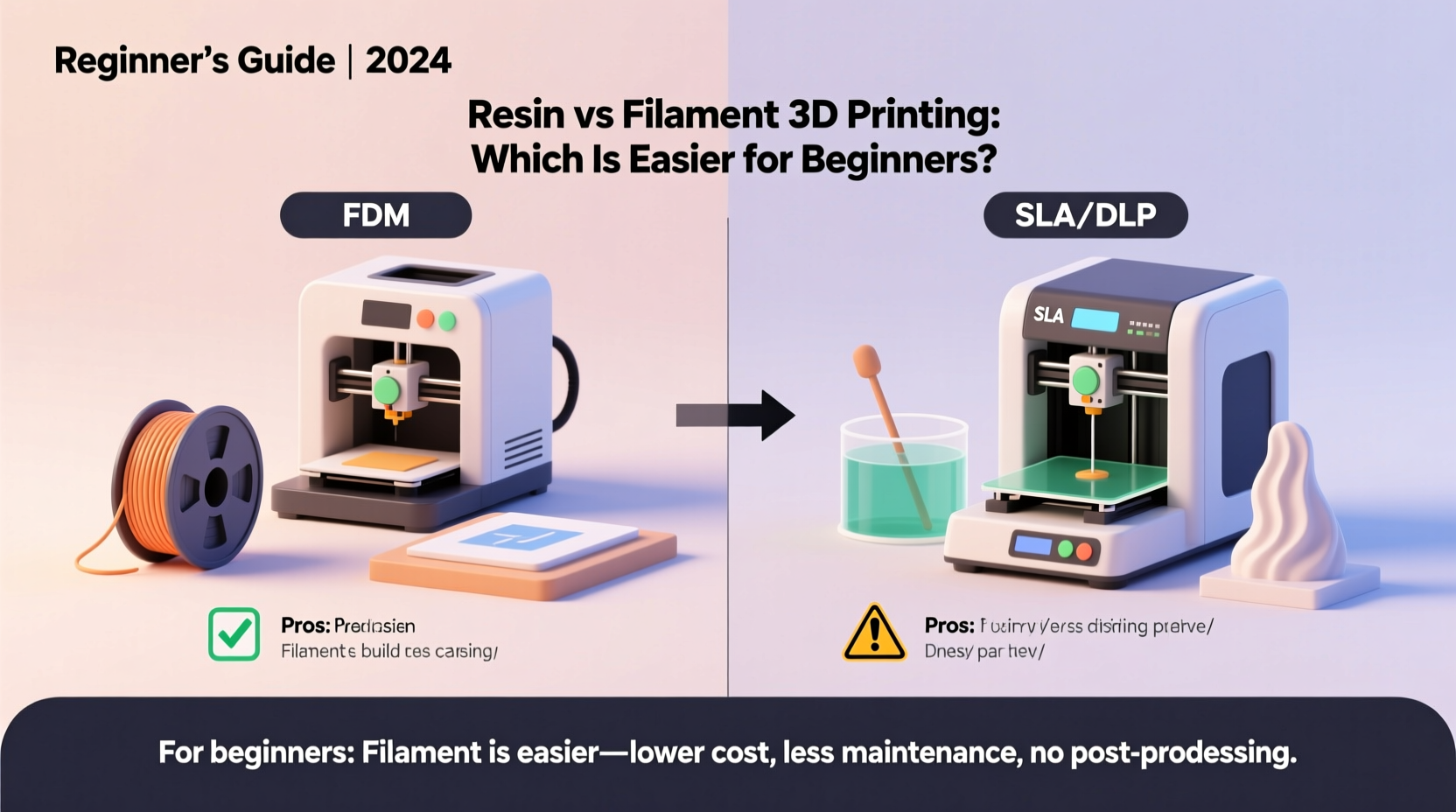
The most fundamental distinction lies in how each type builds objects. Fused Deposition Modeling (FDM), commonly known as filament printing, works like a hot glue gun guided by precise motors. It deposits melted thermoplastic—such as PLA, ABS, or PETG—onto a build plate in horizontal layers. The result is strong, durable parts with visible layer lines, especially at lower resolutions.
Resin printing, on the other hand, uses a vat of liquid photopolymer that hardens when exposed to ultraviolet (UV) light. Whether using a laser (SLA) or a masked LCD screen (MSLA), the printer cures one cross-section at a time, lifting the model incrementally from the resin bath. This method achieves much finer details and smoother surface finishes, making it ideal for miniatures, dental models, and jewelry prototypes.
While resin prints often look “better” straight off the build plate, this advantage comes with trade-offs in complexity, safety, and post-processing demands.
“New users often underestimate the hands-on requirements of resin printing. It’s not plug-and-play, even if the marketing suggests otherwise.” — David Lin, 3D Printing Educator and Open-Source Developer
Setup and Initial Learning Curve
For a complete novice, getting started should be straightforward. Filament printers have evolved to include features like auto-bed leveling, pre-calibrated nozzles, and intuitive touchscreens. Many modern FDM machines, such as those from Creality, Prusa, or Bambu Lab, guide users through initial setup with step-by-step prompts. Leveling the bed—a once-daunting task—is now automated on most mid-range models.
Resin printers also come mostly assembled, but their startup process involves more delicate handling. Users must pour viscous, sticky resin into a transparent vat, ensure the build plate is perfectly level relative to the LCD screen, and monitor for bubbles or debris before starting a print. Even slight misalignment can cause failed prints, and uncured resin spills are messy and potentially hazardous.
Additionally, first-layer adhesion in resin printing depends heavily on exposure settings, which may need adjustment depending on the resin brand and ambient temperature. Beginners often struggle with peeling failures where the model detaches after the first few layers—an issue less common in well-tuned FDM setups.
Safety and Workspace Requirements
This is where the two technologies diverge most dramatically. Filament printing, particularly with PLA, is relatively safe. PLA is made from cornstarch, emits minimal fumes, and can be used in a home office or shared space without major concerns. Ventilation is still recommended, especially when printing with materials like ABS or nylon, but it's not always mandatory.
Resin, however, is a different story. Uncured photopolymer resin is toxic, irritant, and potentially carcinogenic with prolonged exposure. Skin contact can cause rashes or allergic reactions, and inhaling vapors—even from “low-odor” resins—is discouraged. Safe handling requires nitrile gloves, protective eyewear, and ideally, a dedicated workspace with active ventilation or an enclosure equipped with a carbon filter.
Cleaning prints adds another layer of complexity. After printing, models must be rinsed in isopropyl alcohol (IPA) or an alternative solvent to remove uncured resin. This step introduces flammable liquids into the environment and requires careful disposal. Spills are difficult to clean and pose slip and fire hazards.
In contrast, cleaning up after filament printing usually means removing support structures with pliers and maybe sanding rough edges. There’s no chemical cleanup involved unless you're using specialized glues or acetone vapor smoothing (which itself carries risks).
Print Success Rate and Troubleshooting
Beginners benefit most from consistent results. Nothing discourages faster than repeated failures despite following instructions.
Filament printers do fail—common issues include warping, stringing, under-extrusion, or bed adhesion problems—but many of these are predictable and fixable with minor tweaks. Warping at corners? Increase bed temperature or add a brim. Stringy surfaces? Adjust retraction settings. Most problems develop gradually and allow for intervention mid-print.
Resin printing fails more catastrophically. A single uncured layer due to insufficient exposure, a speck of dust on the LCD, or a warped FEP film can ruin an entire print—sometimes after hours of work. Because the failure mode is all-or-nothing, beginners often don't know what went wrong until it's too late.
Troubleshooting resin issues requires understanding multiple variables: exposure time, lift speed, resin viscosity, temperature stability, and vat condition. These factors interact in non-obvious ways, making diagnosis harder for inexperienced users.
“I had three failed dragon figurines in a row before realizing my resin was too cold. I didn’t even know temperature mattered.” — Maya Tran, hobbyist printer who switched from resin back to filament after six months
Post-Processing: Effort vs. Results
One of resin’s biggest selling points is surface quality. Prints come out smooth, with fine details visible on tiny features like facial expressions or engravings. But that polish doesn’t come free—it requires significant post-processing.
After removal from the build plate, resin prints must be washed in IPA for several minutes, then cured under UV light for full strength. Skipping either step leaves the model soft, sticky, and unstable. Some resins continue to degrade over time if not fully cured, becoming brittle or discolored.
Removing supports from resin prints is also trickier. Due to the high resolution, supports are thinner and attached more aggressively to prevent detachment during printing. Prying them off can leave nicks or pull out chunks of material, requiring filler or sanding. Sanding cured resin creates fine, potentially harmful dust that should not be inhaled.
Filament prints, while coarser, are mechanically simpler to finish. Supports snap off more cleanly, especially with breakaway or tree supports in slicer software. Sanding, priming, and painting follow traditional modeling techniques familiar to crafters. Layer lines can be minimized with proper settings or filled with epoxy-based coatings.
Cost Comparison Over Time
At first glance, entry-level resin printers appear cheaper—some models sell for under $200. However, total cost of ownership tells a different story.
| Item | Filament (PLA) | Resin (Standard) |
|---|---|---|
| Average Material Cost per Liter/Kg | $18–$25 per kg | $35–$50 per liter |
| Material Waste | Low (supports + purge) | High (leftover uncured resin degrades) |
| Replacement Parts | Nozzle, belts (~$10–$20) | FEP film, LCD cover (~$15–$30) |
| Consumables | None beyond filament | IPA, filters, gloves, masks |
| Lifespan of Vat/LCD Screen | N/A | ~2–4 liters of cumulative printing |
Over time, resin users spend more on consumables and replacements. The FEP film at the bottom of the resin vat yellows and cracks with UV exposure, requiring replacement every few weeks with frequent use. Dust and scratches on the LCD screen reduce print quality and may necessitate costly repairs.
Filament printers have longer mechanical lifespans and fewer consumable components. While nozzle wear occurs over time, especially with abrasive composites, standard PLA causes minimal degradation.
Real-World Example: A Beginner’s Journey
Consider Alex, a high school teacher interested in creating custom classroom tools and decorative items. With no prior experience, Alex bought a $220 MSLA resin printer based on online reviews praising its detail. The first print—a small dinosaur model—took eight hours. It failed during peeling. The second attempt succeeded, but cleaning with IPA stained the desk, and uncured resin dripped onto the floor. After three prints, the FEP film developed a wrinkle, causing all subsequent jobs to fail.
Frustrated, Alex paused the project for a month. Later, borrowing a friend’s Ender 3 V2, Alex printed a phone stand in 45 minutes. It worked on the first try. Settings were simple, cleanup was instant, and adjustments felt manageable. Within two weeks, Alex was producing functional organizers and display stands confidently.
The turning point wasn’t raw print quality—it was reliability and simplicity. Resin offered better aesthetics but demanded expertise Alex hadn’t yet developed. Filament allowed learning through doing, with room for error.
Which Is Actually Easier for Beginners?
Despite resin’s superior resolution, **filament printing is objectively easier for beginners**. It offers:
- Lower barrier to entry in terms of safety and equipment
- More forgiving failure modes and easier troubleshooting
- Minimal post-processing requirements
- Greater flexibility in location and workspace setup
- Longer component lifespan and lower recurring costs
Resin printing excels in niche applications where detail is paramount, but it assumes a level of technical comfort and disciplined workflow that most newcomers lack. It rewards patience and precision, but punishes oversight harshly.
If your goal is to learn 3D printing fundamentals—slicing, calibration, geometry, design iteration—start with filament. Once comfortable, you can expand into resin for specialized projects. Trying to master both simultaneously increases frustration and reduces the likelihood of sustained engagement.
Checklist: Getting Started the Smart Way
- Evaluate your goals: Are you printing functional parts or detailed miniatures?
- Choose filament if: You want reliability, low maintenance, and easy cleanup.
- Choose resin only if: Fine detail is essential and you can dedicate a ventilated workspace.
- Invest in safety gear: Gloves, goggles, and IPA-resistant containers—for resin only.
- Start with PLA: It’s easy to print, biodegradable, and low-odor.
- Join a community: Reddit, Discord, and Facebook groups offer real-time troubleshooting.
- Practice with simple models: Calibrate your machine using test cubes and benchy boats.
Frequently Asked Questions
Can I use a resin printer in my bedroom?
Not safely. Resin emits volatile organic compounds (VOCs), and uncured spills pose health risks. Use it in a garage, shed, or room with exhaust ventilation and keep it away from living spaces.
Is PLA filament food-safe?
No. While PLA is derived from plants, most filaments contain additives and are printed on machines that aren’t sterile. Never use 3D-printed items for direct food contact unless specifically certified.
Do I need to seal resin prints?
Yes. Fully cured resin remains sensitive to UV light and moisture over time. For long-term display, apply a clear matte sealant to prevent yellowing and surface degradation.
Conclusion: Start Simple, Build Confidence
The best tool for a beginner isn’t the most advanced—it’s the one that lets you succeed early and often. Filament 3D printing provides a gentler learning curve, consistent feedback, and tangible progress without excessive risk or complexity. It allows experimentation, mistakes, and growth—all essential to mastering any new skill.
Resin has its place, but it’s better approached as a secondary tool once foundational knowledge is established. Jumping straight into resin often leads to burnout, wasted materials, and abandoned hardware.
Master the basics with filament. Learn slicing, understand layer height and infill, get comfortable with supports and bed adhesion. Then, if detail-driven projects call, transition to resin with informed expectations and proper safeguards.




 浙公网安备
33010002000092号
浙公网安备
33010002000092号 浙B2-20120091-4
Comments
No comments yet. Why don't you start the discussion?