
When it comes to premium wireless earbuds, two names dominate the conversation: Samsung Galaxy Buds and Apple AirPods. Both are engineered for seamless integration with their respective ecosystems—Android for Galaxy Buds and iOS for AirPods—but many users find themselves crossing platform lines. Whether you're an iPhone user curious about Galaxy Buds or a Samsung owner testing AirPods, the decision ultimately hinges on two critical factors: sound quality and fit.
While marketing materials often highlight battery life, noise cancellation, and app features, the true test of any earbud lies in how well it delivers audio and how comfortably it stays in your ears during extended use. This article breaks down the tangible differences between Samsung Galaxy Buds and Apple AirPods, focusing on sonic performance and ergonomics—two aspects that can make or break your listening experience.
Sonic Signatures: How Each Brand Approaches Sound
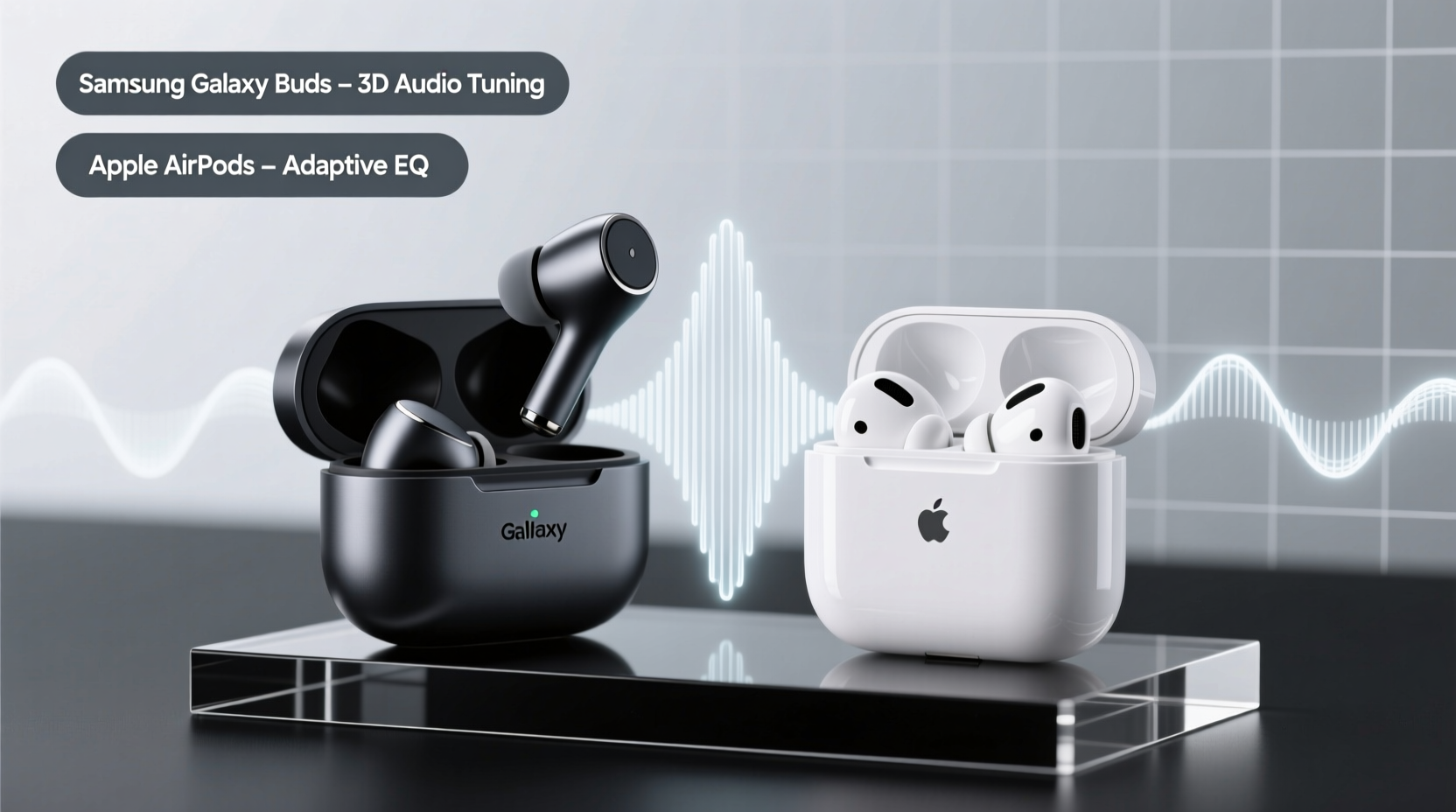
Sound quality isn’t just about volume or clarity—it’s about tonal balance, depth, and how music feels in your ears. Samsung and Apple take different philosophical approaches to audio tuning, which directly impacts what listeners hear.
Samsung Galaxy Buds, particularly the latest Galaxy Buds2 Pro, emphasize a balanced, dynamic sound profile. They feature 24-bit Hi-Fi audio support (when paired with compatible Samsung devices) and utilize AKG-tuned drivers designed to deliver crisp highs, rich mids, and surprisingly deep bass for their size. The result is a more immersive, studio-like experience favored by audiophiles and casual listeners alike.
In contrast, AirPods—especially the AirPods Pro (2nd generation)—prioritize clarity and vocal precision over dramatic bass response. Apple uses a custom high-excursion driver and spatial audio with dynamic head tracking, creating a wide, cinematic soundscape. While the bass is present, it's tighter and less aggressive than on Galaxy Buds. This makes AirPods excellent for podcasts, calls, and genres like acoustic or jazz, but some may find them underwhelming for hip-hop or EDM.
“The Galaxy Buds2 Pro deliver a warmer, more engaging soundstage—ideal for music lovers who want to feel the rhythm. AirPods, on the other hand, excel in voice reproduction and spatial accuracy.” — David Lin, Audio Engineer & Podcast Producer
Ergonomic Design: Fit and Long-Term Comfort Compared
No matter how good the sound, earbuds that don’t fit well will fall short. Fit affects not only comfort but also sound isolation, bass response, and microphone performance.
Samsung Galaxy Buds feature a compact, oval-shaped design with a slightly inward angle that aligns with the natural contour of the ear canal. They come with multiple silicone tip sizes (XS, S, M, L), allowing users to customize the seal. Many users report that once properly fitted, Galaxy Buds stay secure even during workouts or commutes. The snug fit also enhances passive noise isolation, improving overall audio immersion.
AirPods, particularly the standard models (non-Pro), have a stem-style design with a one-size-fits-most approach. While this makes them instantly wearable, the lack of interchangeable tips means fit varies significantly across users. Some find them comfortable for hours; others experience fatigue or frequent slippage, especially during movement. The AirPods Pro address this with silicone tips and a shorter stem, offering a much better seal and improved stability.
The key difference lies in customization. Galaxy Buds give Android users granular control over fit through both hardware (tips) and software (earbud fit test). AirPods Pro include a similar \"Ear Tip Fit Test\" on iOS, but the standard AirPods offer no such feedback, leaving fit largely to chance.
Real-World Example: Commuter’s Experience
Take the case of Maria, a graphic designer in Chicago who uses her earbuds daily during her 45-minute train commute. She started with AirPods (3rd gen) but found they slipped out when she turned her head or shifted her bag. After switching to Galaxy Buds2 Pro, she used the in-app fit test and selected medium tips. Not only did they stay put, but she also noticed richer bass and less ambient noise—making her rides more enjoyable and productive.
Detailed Comparison: Key Differences at a Glance
| Feature | Samsung Galaxy Buds | AirPods |
|---|---|---|
| Driver Size & Type | Two-way speaker system (woofer + tweeter) in Buds2 Pro | Custom high-excursion driver (AirPods Pro) |
| Sound Profile | Warm, bass-forward, dynamic range | Clean, vocal-focused, spatial audio emphasis |
| Fit Options | Interchangeable silicone tips (4 sizes) | Standard AirPods: none; AirPods Pro: 3 sizes |
| Fit Testing Tool | Yes – Earbud Fit Test in Galaxy Wearable app | Yes – only on AirPods Pro via iOS settings |
| Passive Noise Isolation | Excellent due to secure seal | Moderate (standard), High (Pro with tips) |
| Bass Response | Deep and punchy | Tight and controlled |
| Best For | Music lovers, gym use, Android users | Callers, podcast listeners, iOS ecosystem |
How Ecosystem Integration Influences Performance
While sound and fit are universal concerns, ecosystem integration subtly shapes how these earbuds perform in practice. Samsung Galaxy Buds shine when paired with Galaxy phones. Features like 24-bit audio streaming, seamless switching between Samsung devices, and precise touch controls are fully unlocked only within the Samsung ecosystem. On non-Samsung Android phones or iPhones, functionality is limited—no 24-bit audio, reduced latency options, or incomplete app support.
AirPods deliver their best experience on iPhones. Instant pairing via the W1/H1 chip, automatic device switching, \"Hey Siri\" voice activation, and spatial audio with head tracking are all optimized for Apple hardware. When used with Android devices, AirPods function as basic Bluetooth earbuds—losing most smart features, though sound quality remains intact.
This ecosystem lock-in means your phone choice heavily influences which earbuds will truly perform at their peak. A Galaxy S24 user gets far more value from Galaxy Buds than AirPods, just as an iPhone 15 owner benefits most from AirPods.
Step-by-Step Guide: Choosing Based on Your Needs
- Identify your primary device: Are you using an iPhone or Android phone? If Android, is it a Samsung?
- Determine your main use case: Do you listen mostly to music, take calls, watch videos, or work out?
- Test fit preferences: Try both designs—if possible. Note whether you prefer in-ear seals (Galaxy Buds, AirPods Pro) or open-fit stems (standard AirPods).
- Assess sound priorities: Do you want powerful bass and rich instrumentation, or clear vocals and spatial effects?
- Check ecosystem perks: Evaluate whether seamless switching, voice assistant access, or multi-device sync matter to you.
- Make your pick: Choose Galaxy Buds for music-centric Android use, AirPods for iOS integration and calling clarity.
Expert Tips for Maximizing Sound and Fit
- Always run the earbud fit test (available on both platforms) to ensure optimal seal and bass response.
- Replace worn-out silicone tips—they degrade over time and reduce noise isolation.
- Use lossless audio sources (e.g., Spotify Hi-Fi, Apple Music Lossless) to fully appreciate high-end earbuds.
- Adjust EQ settings to match your hearing sensitivity—many people benefit from boosting midrange for vocals.
- Clean earbud nozzles weekly with a dry brush to prevent wax buildup that muffles sound.
Frequently Asked Questions
Do Galaxy Buds work well with iPhones?
They connect via Bluetooth, but you lose most advanced features—no touch customization, firmware updates, or fit testing. Sound quality is acceptable, but the experience is basic compared to native AirPods.
Are AirPods good for working out?
The standard AirPods (3rd gen) are not ideal for intense workouts due to fit issues. However, AirPods Pro with silicone tips offer a secure fit and sweat resistance, making them suitable for exercise.
Which has better noise cancellation: Galaxy Buds or AirPods?
The AirPods Pro (2nd gen) currently lead in active noise cancellation (ANC) performance, especially for low-frequency sounds like airplane engines. Galaxy Buds2 Pro offer strong ANC but slightly less attenuation in very noisy environments.
Final Verdict: It Comes Down to Priorities
The battle between Samsung Galaxy Buds and Apple AirPods isn’t about which is universally better—it’s about alignment with your lifestyle and priorities. If you value deep, expressive sound and a customizable, secure fit, Galaxy Buds—especially the Buds2 Pro—are likely the better choice, particularly if you’re in the Android ecosystem. Their audio richness and ergonomic flexibility cater to music enthusiasts and active users alike.
Conversely, if you prioritize crystal-clear calls, seamless iOS integration, and spatial audio for movies and podcasts, AirPods remain unmatched. The AirPods Pro elevate the experience with superior ANC and a reliable in-ear seal, while standard AirPods offer simplicity and instant usability.
Ultimately, sound quality and fit are deeply personal. What sounds balanced to one person may feel thin to another. A perfect fit for one ear anatomy might be uncomfortable for someone else. The best strategy is to consider your daily usage, test options if possible, and choose the earbuds that enhance—not hinder—your listening life.




 浙公网安备
33010002000092号
浙公网安备
33010002000092号 浙B2-20120091-4
Comments
No comments yet. Why don't you start the discussion?