
When the Samsung Galaxy S6 Edge launched in 2015, it wasn’t just a new phone—it was a statement. For users still holding onto the Galaxy Note 4, released just months earlier, the question became unavoidable: Was upgrading truly worth it? The Note 4 had set a high bar for productivity, battery life, and stylus functionality. The S6 Edge, meanwhile, offered a radical redesign, cutting-edge materials, and an innovative curved display. But did these advancements justify leaving behind one of the most beloved phablets of its time?
This article breaks down the key differences between the Samsung Galaxy Note 4 and the Galaxy S6 Edge, evaluates their strengths and weaknesses, and answers whether the upgrade made practical sense for everyday users.
Design and Build Quality: Glass vs Functionality
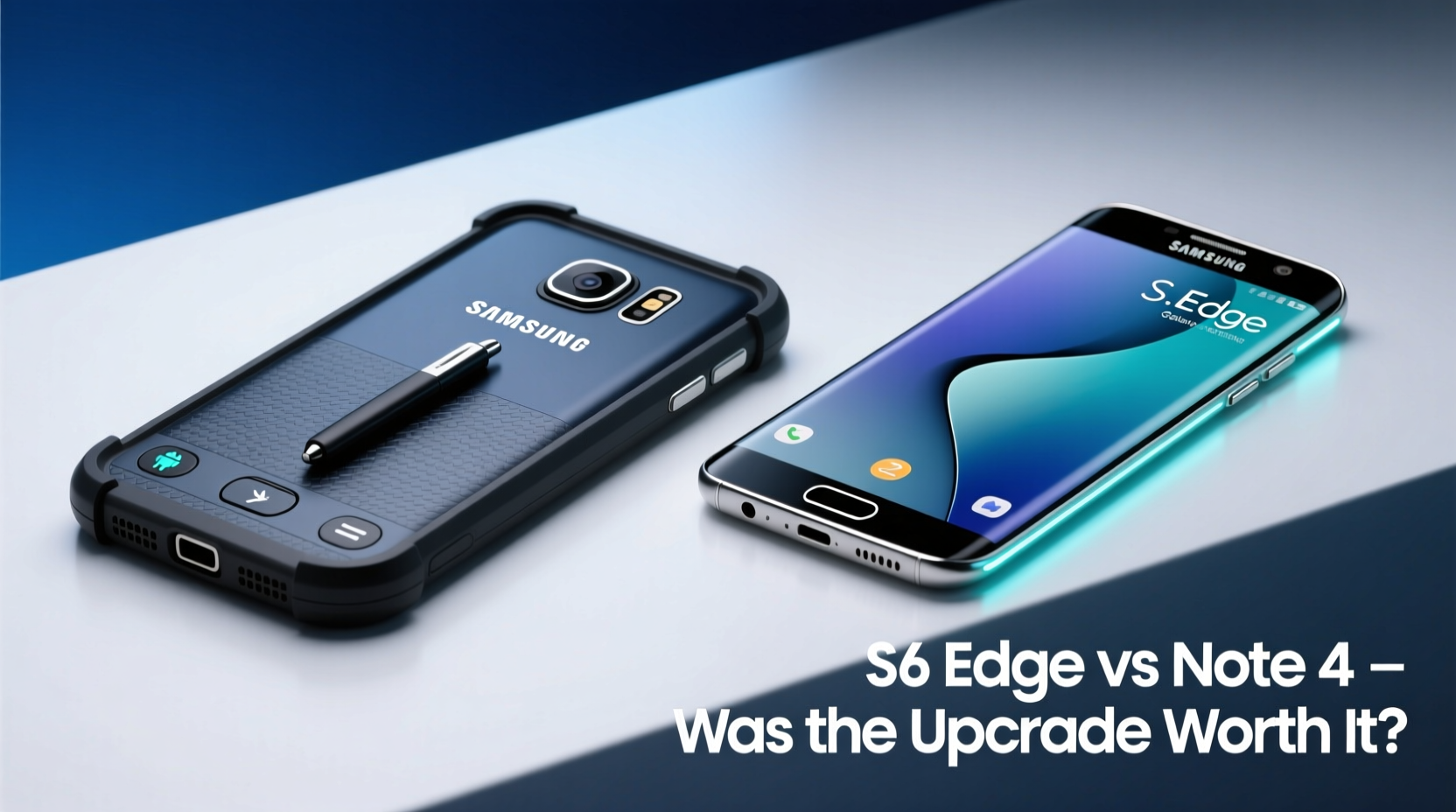
The Galaxy Note 4 represented the peak of Samsung’s plastic-and-metal hybrid era. It featured a textured faux-leather back, removable battery, microSD support, and a sturdy yet lightweight build. While not premium in material, it prioritized utility—water resistance (with cover), expandable storage, and repairability.
In contrast, the S6 Edge marked a dramatic shift. Samsung abandoned plastic for glass and metal. The front and back were covered in Gorilla Glass 4, framed by an aluminum chassis. This gave the S6 Edge a luxurious feel, but at a cost: no removable battery, no microSD slot, and significantly less durability when dropped.
The curved edges on the S6 Edge weren’t just aesthetic—they introduced “Edge Panels,” allowing quick access to contacts, apps, and notifications. While visually stunning, this feature saw limited daily use for many. The curvature also made screen protectors difficult to apply and increased accidental touches.
Performance and Software: A Leap Forward
Under the hood, the S6 Edge was a major upgrade. It used Samsung’s first Exynos 7420 processor (or Snapdragon 810 in some regions), built on a 14nm process—significantly more efficient than the Note 4’s 20nm Snapdragon 805. Paired with 3GB of RAM (vs 3GB in Note 4), the S6 Edge delivered noticeably smoother multitasking, faster app launches, and better gaming performance.
Both phones launched with Android 5.0 Lollipop, but the S6 Edge came with a refined TouchWiz interface that felt less bloated. More importantly, Samsung promised faster software updates for the S6 series, although in practice, both devices received only two major OS upgrades.
Battery life told a mixed story. The Note 4 packed a 3220mAh removable battery and often lasted a full day with heavy use. The S6 Edge had a smaller 2600mAh non-removable unit. Despite power-efficient hardware, the curved AMOLED display and heavier UI load meant most users needed to charge by late afternoon.
“Samsung finally delivered flagship-level performance, but sacrificed battery endurance and modularity in the process.” — TechRadar, 2015 Smartphone Review
Camera Comparison: Daylight Brilliance vs Low-Light Limitations
The S6 Edge brought a massive improvement in camera technology. Its 16MP rear sensor with f/1.9 aperture outperformed the Note 4’s f/2.2 lens in nearly every condition. Faster autofocus, optical image stabilization, and superior dynamic range made the S6 Edge a favorite among mobile photographers.
In daylight, photos from the S6 Edge were sharper, more vibrant, and better exposed. In low light, the wider aperture captured more detail, though aggressive noise reduction sometimes softened images. The Note 4, while capable, struggled in dim environments and lacked real-time HDR.
Front cameras also saw a leap: the S6 Edge introduced a 5MP front shooter with f/1.9 aperture and LED flash, ideal for selfies. The Note 4’s 3.7MP front camera felt outdated in comparison.
| Feature | Note 4 | S6 Edge |
|---|---|---|
| Rear Camera | 16MP, f/2.2 | 16MP, f/1.9 (OIS) |
| Front Camera | 3.7MP, f/2.2 | 5MP, f/1.9 + Flash |
| Video Recording | 4K @ 30fps | 4K @ 30fps |
| Low Light Performance | Moderate | Good (best in class at launch) |
User Experience and Real-World Use: Who Actually Benefited?
To understand whether the upgrade was worthwhile, consider who used each device.
The Note 4 catered to professionals, students, and creatives who relied on the S Pen. Features like Screen Write, Air Command, and split-screen multitasking made it a productivity powerhouse. Taking notes on a PDF, sketching ideas, or quickly jotting down reminders without unlocking the phone gave it a unique edge.
The S6 Edge targeted style-conscious users and tech enthusiasts. The curved screen enabled glanceable alerts and ambient display features. However, S Pen functionality was absent—a dealbreaker for many Note loyalists.
Mini Case Study: Maria’s Upgrade Dilemma
Maria, a university student and part-time graphic designer, used her Note 4 heavily for note-taking, sketching mockups, and managing deadlines. When the S6 Edge launched, she was drawn to its sleek look and improved camera. She upgraded hoping for a faster, more modern experience.
Within weeks, she regretted the decision. Without the S Pen, she missed quick annotations during lectures. The shorter battery life forced her to carry a power bank. And despite loving the camera, she found herself longing for the microSD slot to store large design files.
She eventually switched back to a Note 5, citing, “The S6 Edge looked amazing, but it didn’t work the way I needed it to.”
Was Upgrading Really Worth It? A Balanced Verdict
The answer depends on what you valued most.
- If you prioritized design, speed, and camera quality, the S6 Edge was a worthy upgrade. It set a new standard for Samsung’s flagship build and performance.
- If you depended on productivity tools, battery longevity, or customization, the Note 4 remained the better choice. Losing the S Pen and expandable storage was a significant downgrade.
The S6 Edge symbolized Samsung’s pivot toward premium aesthetics and integrated experiences. But it alienated a segment of users who appreciated functional flexibility over visual flair.
Checklist: Should You Have Upgraded?
- Are you willing to give up the S Pen and its productivity features? ☐
- Do you prefer a sleek, premium design over a removable battery? ☐
- Is top-tier camera performance a priority? ☐
- Can you manage shorter battery life with frequent charging? ☐
- Do you need microSD support for media or documents? (If yes, avoid S6 Edge) ☐
If you answered “yes” to questions 1, 2, 3, and 4, the S6 Edge likely met your needs. If you hesitated on any, sticking with the Note 4—or waiting for the Note 5—was the smarter path.
Frequently Asked Questions
Could the S6 Edge use an external stylus?
No official support existed, and third-party styli performed poorly due to the lack of active digitizer technology. The S Pen from the Note 4 wouldn’t work either.
Did the S6 Edge receive Android updates longer than the Note 4?
No. Both devices received updates up to Android 7.0 Nougat, with similar support timelines. Samsung’s update policy hadn’t improved significantly at that time.
Was the curved screen on the S6 Edge fragile?
Yes. The dual-curved glass was more prone to cracking from drops, especially on corners. Repairs were costly due to the integrated display and battery.
Conclusion: Upgrade Decisions Are Personal
The leap from the Galaxy Note 4 to the S6 Edge wasn’t just about specs—it was a philosophical shift in Samsung’s design priorities. One favored function, the other form. For some, the S6 Edge’s elegance and performance justified leaving behind modularity. For others, the trade-offs were too great.
Technology upgrades should serve your lifestyle, not just follow trends. The S6 Edge was undeniably impressive, but impressiveness doesn’t always equal value. Understanding your own usage patterns—whether you sketch, multitask, travel, or simply love photography—is the key to making a meaningful upgrade.




 浙公网安备
33010002000092号
浙公网安备
33010002000092号 浙B2-20120091-4
Comments
No comments yet. Why don't you start the discussion?