
For artists at every level, the tools they use shape not only the final artwork but also the journey of skill development. The debate between sketchbooks and digital drawing tablets isn’t just about preference—it’s about understanding how each medium influences learning speed, creative flow, and long-term artistic growth. While both have undeniable strengths, the real question is: which one accelerates skill improvement more effectively?
The answer depends on goals, learning style, and stage of development. Some artists thrive with pencil on paper, building muscle memory and observational accuracy through tactile feedback. Others gain rapid progress using digital tools that offer undo buttons, layers, and instant color adjustments. To make an informed choice, it’s essential to examine how each tool supports fundamental skill acquisition—drawing, composition, anatomy, value, and consistency.
The Role of Fundamentals in Artistic Growth
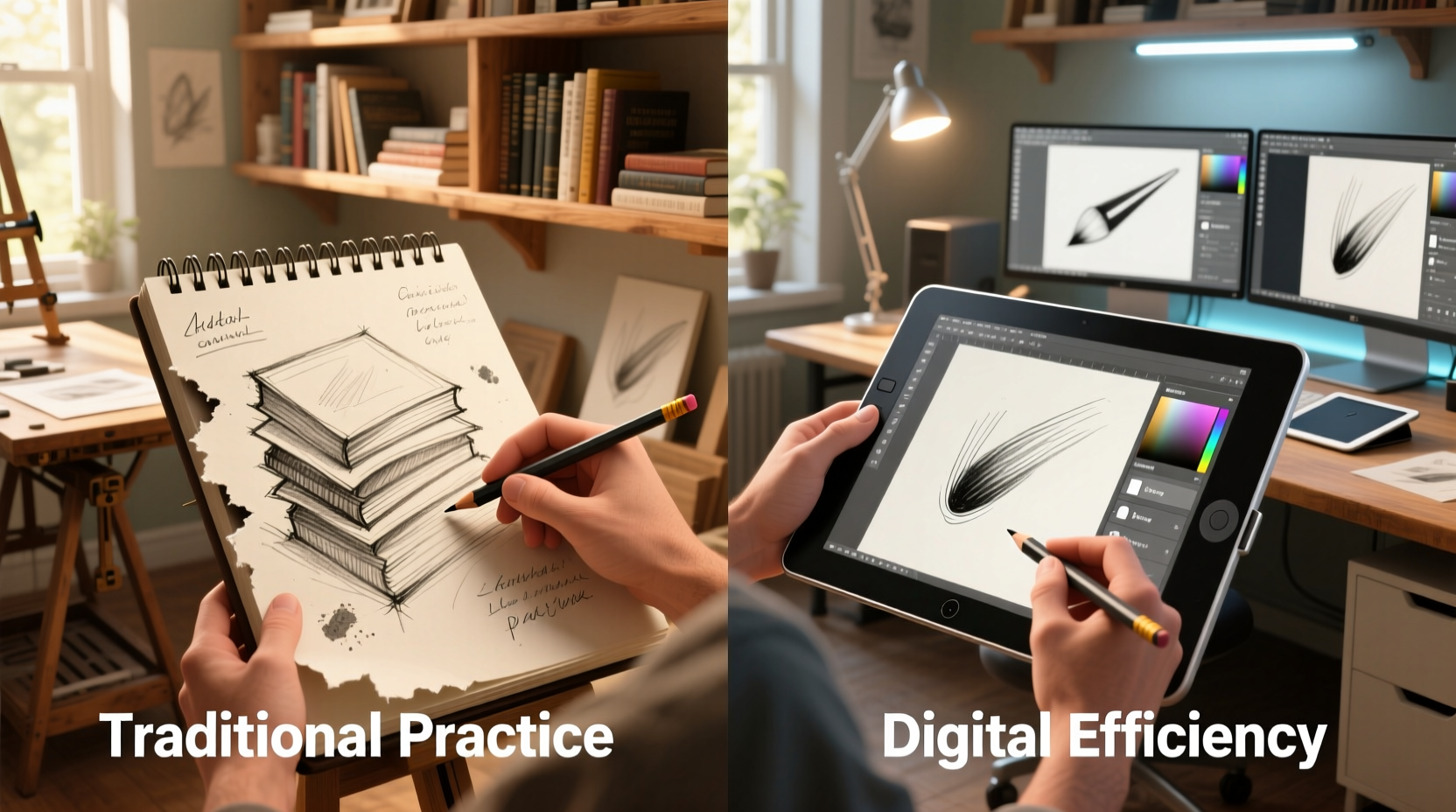
Before comparing tools, it’s critical to understand what drives skill improvement. Mastery in art comes from deliberate practice focused on core principles: line control, proportion, perspective, gesture, light and shadow, and form. These fundamentals are universal, regardless of medium. What differs is how quickly and efficiently a tool allows an artist to internalize them.
A study by the University of Waterloo found that physical writing and drawing engage motor memory more deeply than digital input, suggesting that analog methods may strengthen neural pathways related to hand-eye coordination. However, digital platforms offer immediate feedback loops, revision capabilities, and access to reference materials—all of which can accelerate learning when used strategically.
“Drawing is not just about making marks—it’s about training your brain to see. The tool matters less than the intention behind the stroke.” — David Hockney, Artist and Educator
Drawing in a Sketchbook: Strengths and Limitations
Working in a sketchbook is one of the oldest and most time-tested ways to develop as an artist. It requires minimal setup, encourages discipline, and fosters a direct connection between mind, eye, and hand.
Advantages:
- Tactile feedback: Paper provides resistance and texture, helping artists refine pressure control and line variation.
- No distractions: No notifications, software crashes, or battery concerns—just uninterrupted focus.
- Portability: A sketchbook fits in a backpack and works anywhere, promoting consistent daily practice.
- Encourages commitment: Since mistakes can’t be undone, artists learn to work through errors rather than erase them.
Drawbacks:
- Limited correction options; heavy erasing damages paper.
- No layering, so complex compositions require redrawing.
- Harder to share or digitize without scanning.
- Color corrections and blending are irreversible once applied.
Digital Drawing Tablets: Speed, Flexibility, and Feedback
Digital tablets—from basic pen displays like the Wacom Intuos to advanced models like the iPad Pro with Apple Pencil or XP-Pen Artist series—offer features that can dramatically shorten the learning curve.
One of the most powerful advantages is the ability to experiment freely. Artists can test color palettes, flip canvases, zoom in for detail, and use symmetry guides without consequence. This freedom reduces fear of failure, encouraging bolder experimentation—a key driver of growth.
Digital tools also integrate seamlessly with learning resources. Tutorials, time-lapse playback, and screen recording allow artists to review their process, identify inefficiencies, and track progress over time. Software like Krita, Clip Studio Paint, and Procreate includes rulers, perspective grids, and stabilizers that help beginners produce cleaner lines while they build foundational skills.
However, over-reliance on digital aids can become a crutch. Auto-smoothing, snap-to-shape functions, and excessive undo usage may prevent artists from developing true hand control. The lack of physical resistance can also lead to poor pressure sensitivity habits.
Real Example: From Struggles to Breakthrough
Maya, a self-taught illustrator, spent two years drawing in her sketchbook with slow progress. She struggled with proportions and often abandoned sketches out of frustration. After switching to a budget drawing tablet and Clip Studio Paint, she began using onion skinning to compare poses frame-by-frame and enabled a lightweight symmetry guide for facial features. Within six months, her figure drawings improved significantly—not because the tablet “did the work,” but because it provided immediate visual feedback she couldn’t get on paper. She later returned to sketchbooking with better awareness of her tendencies, combining digital insights with analog discipline.
Comparative Analysis: Sketchbook vs Digital Tablet
| Feature | Sketchbook | Digital Tablet |
|---|---|---|
| Learning Curve | Steeper initially due to limited error correction | Gentler start with undo and guides |
| Muscle Memory Development | Stronger tactile reinforcement | Weaker physical feedback; requires conscious effort |
| Speed of Iteration | Slower; each drawing is manual | Faster; copy, transform, duplicate elements |
| Feedback & Review | Requires scanning or photo capture | Instant playback, zoom, layer inspection |
| Cost Over Time | Low (paper, pencils) | Higher initial investment; software subscriptions |
| Portability | Excellent | Good (mobile tablets), limited (desktop setups) |
| Skill Transferability | Directly applicable to all mediums | Some digital-specific techniques don’t translate |
Which Tool Accelerates Skill Improvement Faster?
The evidence suggests a hybrid approach yields the fastest results—but for pure acceleration of visible progress, **digital tablets have the edge in early to mid-stage development**.
Why? Because they reduce friction in the feedback loop. An artist who draws a crooked horizon line on paper must either live with it or start over. On a tablet, they can nudge it into place, learn from the correction, and move forward. That small efficiency, repeated over hundreds of drawings, compounds into faster mastery.
Digital tools also support structured learning. For example, an artist studying anatomy can overlay a grid, trace references lightly, then draw freehand beneath—practicing observation and memory simultaneously. They can save multiple versions of the same pose, experimenting with proportions across iterations. This kind of iterative refinement is possible on paper but far more labor-intensive.
That said, relying solely on digital tools risks underdeveloping raw observational and motor skills. Many professional concept artists recommend starting with traditional media for the first 3–6 months to build a strong foundation before transitioning to digital.
Action Plan: Maximizing Skill Growth with Both Tools
To get the best of both worlds, follow this 8-week progression designed to build speed, accuracy, and confidence:
- Week 1–2: Analog Foundation – Draw 30 minutes daily in a sketchbook. Focus on blind contour drawing, gesture sketches, and simple still lifes. Avoid erasing.
- Week 3–4: Digital Introduction – Transfer basic exercises to a tablet. Use a single brush and no stabilizers. Recreate the same sketches digitally, noting differences in line quality.
- Week 5–6: Comparative Studies – Draw the same subject (e.g., a hand) on paper and tablet side by side. Analyze where each medium excels.
- Week 7: Layered Learning – Use digital layers to study form: sketch base, add structure lines, then apply value. Compare to a flat paper version.
- Week 8: Integration – Scan a sketchbook page and finish it digitally with color and effects. Reflect on how analog input informs digital output.
Checklist: Optimizing Your Practice Routine
- ✅ Dedicate at least 3 sessions per week to traditional drawing
- ✅ Use digital tools for timed studies and color exploration
- ✅ Record screen time-lapses monthly to track stroke efficiency
- ✅ Limit undo usage—allow yourself only 3 undos per session
- ✅ Keep a physical sketchbook even if you primarily work digitally
- ✅ Share both analog and digital work for feedback
FAQ: Common Questions About Sketchbooks and Tablets
Can I become a good artist using only a digital tablet?
Yes, many successful artists work exclusively digitally. However, supplementing with occasional traditional drawing strengthens hand control and observational skills, leading to more natural-looking strokes and better problem-solving abilities.
Is a sketchbook better for improving drawing speed?
Initially, yes. The inability to undo forces quicker decision-making and builds confidence in mark-making. Over time, digital tools can match this speed, especially with streamlined workflows and custom brushes.
Do professional artists still use sketchbooks?
Overwhelmingly, yes. Even artists working in animation and game design maintain physical sketchbooks for brainstorming, gesture practice, and warm-ups. Pixar animators, for instance, are known for their prolific sketchbook use during pre-production.
“The sketchbook is where ideas breathe. The tablet is where they come alive. You need both.” — James Zhang, Senior Concept Artist, Blizzard Entertainment
Conclusion: Choose Progress Over Perfection
The goal isn’t to pick one tool over the other—it’s to choose the path that keeps you drawing consistently, learning intentionally, and improving steadily. For beginners, a digital tablet can provide faster visible results and lower frustration barriers. For intermediate artists, returning to the sketchbook can recalibrate fundamentals weakened by over-editing. Advanced creators often fluidly switch between both, leveraging the strengths of each.
Skill improvement isn’t determined by the tool, but by how thoughtfully it’s used. Whether you’re shading a sphere on textured paper or adjusting opacity on a stylus display, what matters is the attention you bring to each line, each shape, each attempt. Start where you are, use what you have, and let the process—not the device—guide your growth.




 浙公网安备
33010002000092号
浙公网安备
33010002000092号 浙B2-20120091-4
Comments
No comments yet. Why don't you start the discussion?