
Air quality has become a critical concern in modern homes, especially with rising pollution, increased time spent indoors, and growing awareness of respiratory health. As a result, air purifiers have transitioned from niche appliances to household essentials. But with a flood of options—from simple HEPA filters to Wi-Fi-connected smart models—consumers face a pressing question: Is upgrading to a smart air purifier truly worth the extra investment?
The answer isn’t binary. It depends on your lifestyle, health needs, budget, and how much control you want over your indoor environment. To make an informed decision, we need to look beyond marketing claims and examine what each type delivers in practice.
Understanding the Basics: What’s the Difference?
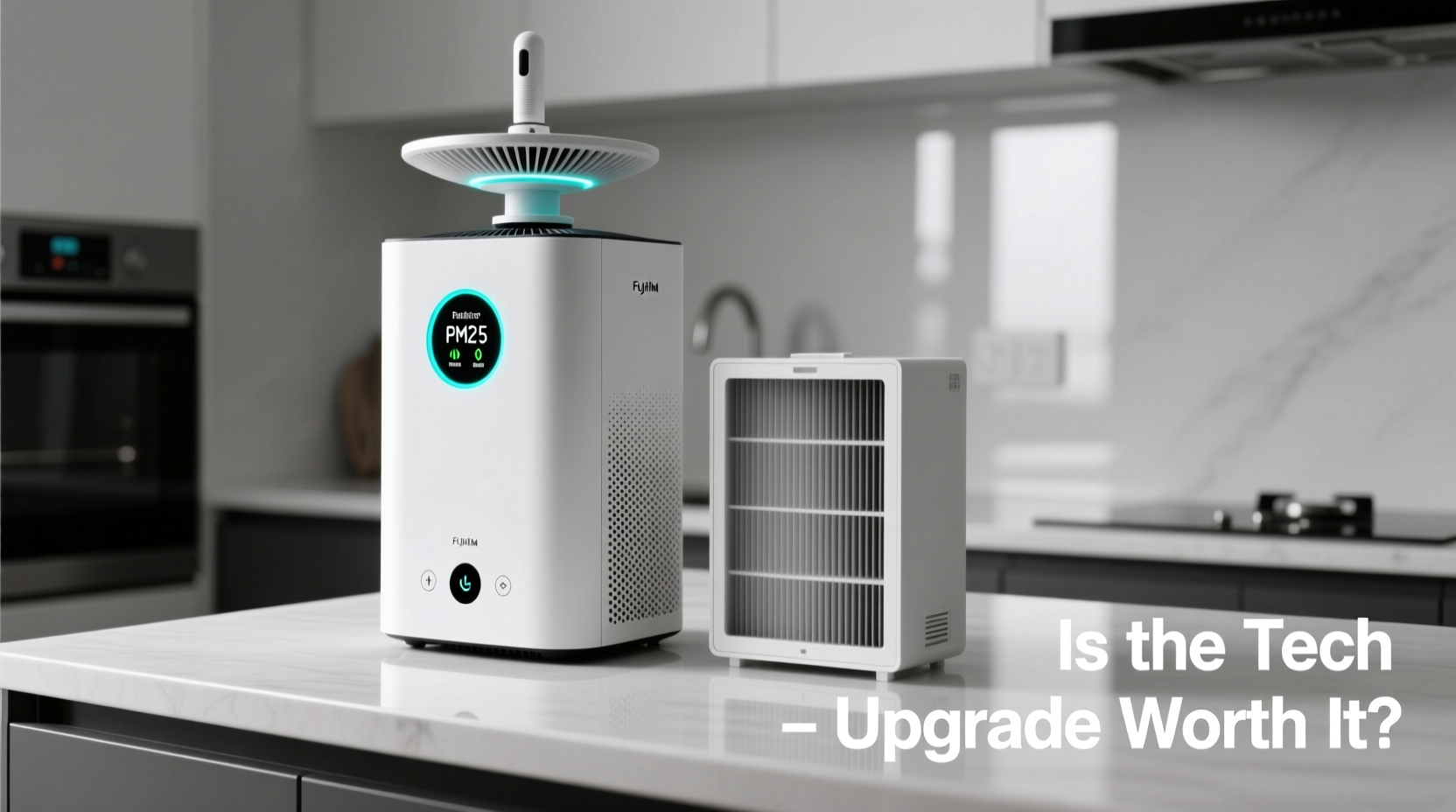
At its core, every air purifier aims to remove contaminants from indoor air—dust, pollen, pet dander, mold spores, smoke, and sometimes even viruses. The key difference lies in how they operate and what additional features they offer.
- Basic Air Filters: Typically use mechanical filtration (like HEPA) or activated carbon to trap particles. They run continuously or on manual settings, with minimal user feedback.
- Smart Air Purifiers: Include sensors, connectivity (Wi-Fi/Bluetooth), mobile apps, automatic mode adjustments, and real-time air quality data. Some integrate with voice assistants like Alexa or Google Assistant.
While both types clean the air, smart models add layers of convenience, insight, and automation that can significantly change how you interact with your device.
Performance Comparison: Cleaning Power vs Intelligence
Cleaning efficiency starts with the filter, not the tech. A high-quality HEPA filter in a basic unit can capture 99.97% of particles as small as 0.3 microns—on par with most smart purifiers. However, where smart models pull ahead is consistency and responsiveness.
Basic units often rely on timers or manual fan speed selection. If conditions change—say, someone lights a candle or it’s high-pollen season—the machine won’t adapt unless you intervene. Smart purifiers, equipped with laser particle sensors and VOC detectors, respond in real time. When air quality drops, they ramp up automatically. Once clean, they scale back to save energy and reduce noise.
Feature Breakdown: What You’re Paying For
To understand the value proposition, let’s dissect the typical upgrades in smart air purifiers:
- Real-Time Air Quality Monitoring: Displays PM2.5, humidity, and sometimes VOC levels via app or LED indicator.
- Remote Control & Automation: Adjust settings from bed or while away using a smartphone.
- Scheduling & Learning Modes: Learns your habits and adjusts operation accordingly (e.g., runs more at night if allergies flare).
- Voice Integration: “Hey Google, turn on the bedroom purifier” adds hands-free convenience.
- Filter Life Tracking: Alerts when it’s time to replace the filter, preventing reduced efficiency.
- Energy Efficiency Optimization: Runs only when needed, reducing long-term electricity costs.
These aren’t just gimmicks. For people with asthma, allergies, or pets, having a system that adapts to changing conditions can mean fewer symptoms and better sleep.
“Smart air purifiers represent a shift from reactive to proactive air management. The data they provide helps users understand their indoor environment in ways previously impossible.” — Dr. Lena Torres, Environmental Health Researcher, MIT Sloan School of Engineering
Cost Analysis: Upfront Price vs Long-Term Value
Basic air purifiers range from $50 to $150. Smart models typically start at $180 and can exceed $400 for premium brands like Dyson, Coway, or Blueair. That’s a significant jump. But cost should be evaluated over time, not just at purchase.
| Factor | Basic Filter | Smart Purifier |
|---|---|---|
| Upfront Cost | $50–$150 | $180–$450 |
| Filter Replacement | $30–$60 every 6–12 months | $50–$100 every 6–12 months |
| Energy Use (annual estimate) | ~60 kWh (if run 24/7) | ~45 kWh (adaptive mode reduces runtime) |
| Lifespan | 3–5 years | 5–7 years (with firmware updates) |
| Health Impact | Moderate improvement with consistent use | Higher due to responsive cleaning and usage insights |
While smart purifiers cost more upfront, their longer lifespan, energy savings, and superior health outcomes can justify the price for many households. Consider this: if improved sleep and reduced allergy medication save you $200 annually, the upgrade pays for itself in under three years.
Real-World Example: The Allergy-Prone Household
The Chen family lives in a suburban home with two dogs, seasonal pollen issues, and a child with mild asthma. They initially used a $90 basic HEPA filter in the living room. While it helped, they noticed their son still had nighttime coughing during spring.
They upgraded to a smart purifier with real-time PM2.5 monitoring and auto-mode. Within days, the app showed spikes in particulate matter every evening—traced to cooking fumes and dog activity. The purifier adjusted fan speed automatically, maintaining cleaner air overnight.
After four weeks, the child’s nighttime symptoms decreased by 70%, confirmed by their pediatrician. The parents appreciated receiving filter replacement alerts and could monitor air quality remotely during wildfire season. Though the $320 price tag stung initially, they now consider it one of their best health investments.
When a Smart Upgrade Makes Sense
Not every home needs a smart purifier. Here’s a checklist to determine if it’s right for you:
- Do you or a family member have allergies, asthma, or respiratory sensitivities?
- Do you want real-time feedback on your indoor air quality?
- Would remote control or scheduling improve your routine?
- Are you willing to pay more upfront for long-term convenience and health benefits?
- Do you live in an area with high pollution, wildfires, or seasonal allergens?
- Do you value integration with smart home systems (Alexa, Google Home)?
If you answered “yes” to three or more, a smart model is likely worth the investment.
Step-by-Step: How to Transition from Basic to Smart
If you're ready to upgrade, follow these steps to maximize value:
- Assess Your Needs: Identify primary concerns—pet dander, smoke, dust, VOCs—and choose a model with appropriate sensors and filters.
- Measure Room Size: Match the purifier’s CADR (Clean Air Delivery Rate) to your room’s square footage. Don’t oversize unnecessarily.
- Research Connectivity: Ensure the app is user-friendly and compatible with your smartphone OS. Check for privacy policies if data collection is a concern.
- Set Up Properly: Place the unit in a central location, away from walls, with good airflow. Avoid corners or behind furniture.
- Calibrate Sensors: Run the purifier in a clean environment first to establish a baseline. Recalibrate periodically as per manufacturer instructions.
- Integrate into Routine: Set schedules (e.g., increase power during sleep hours), enable notifications, and link to voice assistants if desired.
- Monitor & Adjust: Review weekly air quality reports. If spikes occur regularly, investigate sources (e.g., candles, poor ventilation).
This process ensures you get the full benefit of smart functionality—not just automation, but actionable insights.
Frequently Asked Questions
Can a smart air purifier detect viruses or bacteria?
No consumer-grade air purifier can reliably detect specific viruses or bacteria in real time. However, HEPA filters in both basic and smart models can capture airborne particles that may carry pathogens. Some advanced units claim to reduce microbial load through UV-C or ionization, but evidence varies. Always prioritize filtration over unproven tech.
Are smart purifiers secure? Can they be hacked?
Like any IoT device, smart purifiers carry minimal cybersecurity risk. Choose models from reputable brands with regular firmware updates. Avoid connecting to public Wi-Fi. Most devices don’t store sensitive personal data, but review privacy settings in the app to limit data sharing.
Do I still need to clean my home if I have a smart purifier?
Absolutely. Air purifiers complement, but don’t replace, cleaning. Dust, pet hair, and allergens settle on surfaces and must be removed via vacuuming and dusting. A purifier handles airborne particles; you handle the rest. Think of it as teamwork, not substitution.
Final Verdict: Is the Tech Upgrade Worth It?
The short answer: yes—if your needs align with the benefits. A smart air purifier isn’t just a fancier version of a basic filter. It’s a dynamic tool that transforms passive air cleaning into active environmental management.
For those managing health conditions, living in polluted areas, or simply valuing data-driven decisions, the upgrade delivers tangible returns. The ability to see when air quality dips, receive maintenance alerts, and automate responses adds peace of mind that no basic unit can match.
But if you’re in a low-allergen home, on a tight budget, or only need occasional use, a well-chosen basic filter remains effective and economical. Technology should serve your life, not complicate it.
In the end, the choice isn’t about which is “better” overall—it’s about which is better for you. Evaluate your priorities, test the options within your budget, and remember: clean air is valuable, but intelligent air management is transformative.




 浙公网安备
33010002000092号
浙公网安备
33010002000092号 浙B2-20120091-4
Comments
No comments yet. Why don't you start the discussion?