
Indoor air quality has become a growing concern for homeowners, especially in urban areas with high pollution or households managing allergies, asthma, or pets. As a result, air purifiers have moved from niche appliances to essential home devices. But with the rise of smart home technology, a new question emerges: should you invest in a smart air purifier with app connectivity, or is a basic HEPA filter sufficient for your needs?
The answer isn’t always straightforward. While smart features offer convenience and data-driven insights, they come at a higher price and may not deliver tangible health benefits over simpler models. This article breaks down the differences between smart air purifiers and basic filters, evaluates the true value of app connectivity, and helps you determine what’s best for your household.
Understanding the Core Technologies
Before comparing smart versus basic models, it's important to understand the core technologies used in air purification.
Most air purifiers—whether smart or basic—rely on one or more of the following filtration methods:
- HEPA (High-Efficiency Particulate Air) Filters: Capture 99.97% of particles as small as 0.3 microns, including dust, pollen, mold spores, and pet dander.
- Activated Carbon Filters: Absorb gases, odors, and volatile organic compounds (VOCs), making them ideal for homes with cooking smells, smoke, or chemical off-gassing.
- Ionizers & UV-C Lights: Found in some models, these aim to neutralize bacteria or viruses but can produce ozone—a lung irritant—so caution is advised.
The key difference between smart and basic purifiers lies not in their core filtration but in how they operate, monitor air quality, and interact with users.
Smart Air Purifiers: Features and Promises
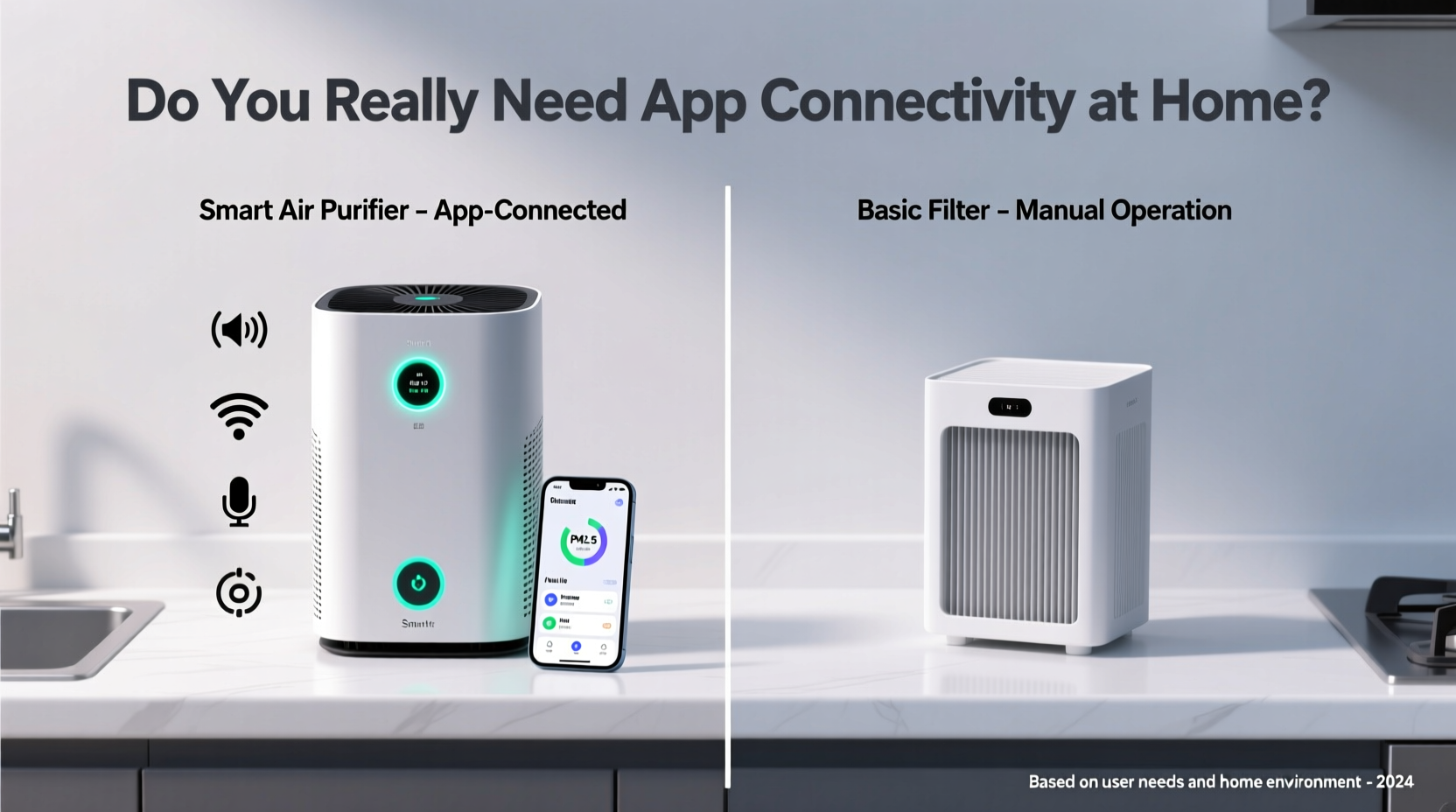
Smart air purifiers integrate Wi-Fi, sensors, and companion apps to provide enhanced functionality. Common features include:
- Real-time air quality monitoring via built-in PM2.5, VOC, or humidity sensors.
- Remote control through smartphone apps, allowing adjustments when away from home.
- Automated mode that adjusts fan speed based on detected air quality.
- Usage history and filter life tracking sent directly to your phone.
- Voice control compatibility with Alexa, Google Assistant, or Siri.
- Geofencing that turns the unit on when you’re nearing home.
Manufacturers often market these features as “health-enhancing” or “essential for modern living.” However, while convenient, many of these capabilities are luxuries rather than necessities.
Basic Air Purifiers: Simplicity and Reliability
Basic air purifiers focus on effective filtration without digital distractions. They typically include manual controls—dials or buttons—for power, fan speed, and timer settings. Despite lacking connectivity, many perform just as well, if not better, than their smart counterparts in particle removal efficiency.
Advantages of basic models:
- Lower cost: Often $100–$200 less than comparable smart units.
- Fewer points of failure: No software bugs, connectivity issues, or outdated apps.
- Easier maintenance: Simple filter replacement reminders (often just an LED light).
- No data privacy concerns: They don’t collect or transmit usage data.
In fact, Consumer Reports testing has shown that several non-smart models outperform premium smart purifiers in CADR (Clean Air Delivery Rate), which measures how quickly a unit cleans the air.
“Filtration effectiveness doesn’t depend on Wi-Fi. A well-designed HEPA system in a basic model can outperform a flashy smart device any day.” — Dr. Lena Patel, Indoor Air Quality Researcher, Johns Hopkins Environmental Health
Do You Really Need App Connectivity?
This is the central question. Let’s assess the practical value of smart features in everyday use.
When App Connectivity Adds Real Value
App-based controls make sense in specific scenarios:
- You want to turn on the purifier before arriving home, especially during allergy season or after renovations.
- You manage multiple units across different rooms and want centralized monitoring.
- You have respiratory conditions and want historical data to correlate symptoms with air quality trends.
- You integrate heavily with a smart home ecosystem and prefer voice or automation triggers.
When It’s Overkill
For most users, app connectivity offers minimal added benefit:
- If the purifier runs continuously on auto-mode, remote access adds little value.
- Many apps provide vague or inaccurate sensor readings due to calibration issues.
- Notifications about “poor air quality” can be alarmist without context.
- Some brands discontinue app support within a few years, rendering smart features useless.
Additionally, relying on an app means depending on stable Wi-Fi, regular software updates, and compatible smartphones—complexity that undermines the simplicity of clean air.
Comparison: Smart vs Basic Air Purifiers
| Feature | Smart Air Purifier | Basic Filter |
|---|---|---|
| Filtration Performance | Varies; depends on HEPA/carbon quality | Often excellent; focused on core function |
| Price Range | $200–$700+ | $80–$250 |
| App & Remote Control | Yes, with notifications and scheduling | No |
| Air Quality Sensors | Yes (PM2.5, VOC, humidity) | Rarely included |
| Maintenance Alerts | Push notifications via app | LED indicator or manual tracking |
| Voice Assistant Support | Yes (Alexa, Google, Siri) | No |
| Data Privacy Risk | Moderate to high (data collection) | None |
| Lifespan & Long-Term Usability | May become obsolete if app discontinued | Reliable; no software dependency |
Mini Case Study: The Johnson Family’s Experience
The Johnsons, a family of four in Denver, purchased a premium smart air purifier for their living room during wildfire season. Excited by the app’s real-time air quality dashboard, they monitored PM2.5 levels daily. Initially, the geofencing feature—turning the unit on automatically when someone was 10 minutes from home—felt futuristic and useful.
However, after six months, the app began crashing frequently. Firmware updates failed, and the sensor started reporting “hazardous” air quality even when windows were closed and no sources of pollution were present. Frustrated, they reset the device multiple times with limited success.
Meanwhile, their older, non-smart HEPA purifier in the bedroom continued running flawlessly with no maintenance beyond biannual filter changes. By year-end, they had disabled the smart unit’s Wi-Fi and used it only as a manual fan. “We paid $300 extra for features we barely use,” said Mark Johnson. “Next time, we’ll go basic.”
Step-by-Step Guide: Choosing the Right Air Purifier
Follow this decision-making process to select the best option for your home:
- Assess Your Air Quality Needs: Are you targeting allergens, smoke, odors, or general dust? This determines whether you need HEPA, carbon, or both.
- Measure Room Size: Match the purifier’s recommended coverage (in square feet) to your room. An undersized unit won’t be effective.
- Determine Usage Patterns: Will it run all day? Only at night? Do you travel often and want remote control?
- Set a Budget: Decide how much you’re willing to spend. Remember to factor in replacement filter costs, which can range from $40–$120 annually.
- Evaluate Smart Features Honestly: Ask: Will I use the app weekly? Do I trust the brand to support it long-term?
- Read Independent Reviews: Look for CADR ratings, noise levels, and long-term reliability reports from sources like Consumer Reports or Wirecutter.
- Make the Purchase: Choose a model with strong filtration, low noise on sleep mode, and transparent filter replacement schedules.
Checklist: What to Look for in Any Air Purifier
- ✅ True HEPA filter (not “HEPA-type”)
- ✅ Activated carbon layer (for odors/VOCs)
- ✅ CADR rating appropriate for your room size
- ✅ Noise level under 50 dB on sleep setting
- ✅ Energy Star certification (for efficiency)
- ✅ Transparent filter replacement cost and availability
- ✅ At least a 1-year warranty
FAQ
Can a basic air purifier improve air quality as well as a smart one?
Yes. Filtration performance depends on filter quality and airflow design, not connectivity. Many basic models match or exceed smart purifiers in particle removal efficiency.
Are smart air purifiers worth the extra cost?
Only if you actively use remote monitoring, automation, or multi-room integration. For most users, the added cost outweighs the marginal convenience.
Do smart purifiers collect personal data?
Yes. Most require account creation and may collect location, usage patterns, and air quality data. Check the manufacturer’s privacy policy before purchasing.
Conclusion
Smart air purifiers offer appealing features, but they aren’t inherently healthier or more effective than basic models. App connectivity provides convenience, not cleaner air. For the majority of households, a well-built, non-smart HEPA purifier delivers the same—or better—results at a lower cost and with fewer technical headaches.
The real priority should be on proven filtration, proper sizing, and consistent maintenance. Whether your purifier has Wi-Fi or not, clean indoor air comes from reliable engineering, not digital bells and whistles.




 浙公网安备
33010002000092号
浙公网安备
33010002000092号 浙B2-20120091-4
Comments
No comments yet. Why don't you start the discussion?