
In an era where digital surveillance blends seamlessly into daily life, smart doorbells have become a staple of modern home security. These devices offer real-time alerts, motion detection, and video recording—features that enhance safety but also raise serious privacy concerns. One of the most critical decisions consumers face is whether to choose a smart doorbell that stores footage locally (on-device or on a home network) or relies on cloud-based storage through a paid subscription. While both options provide convenience, they differ significantly in how they handle personal data, who has access to it, and how long it remains under your control.
Understanding these differences isn’t just about technical preferences—it’s about protecting your family’s privacy, minimizing third-party data exposure, and retaining ownership over what happens in front of your front door.
How Smart Doorbells Work: A Quick Overview
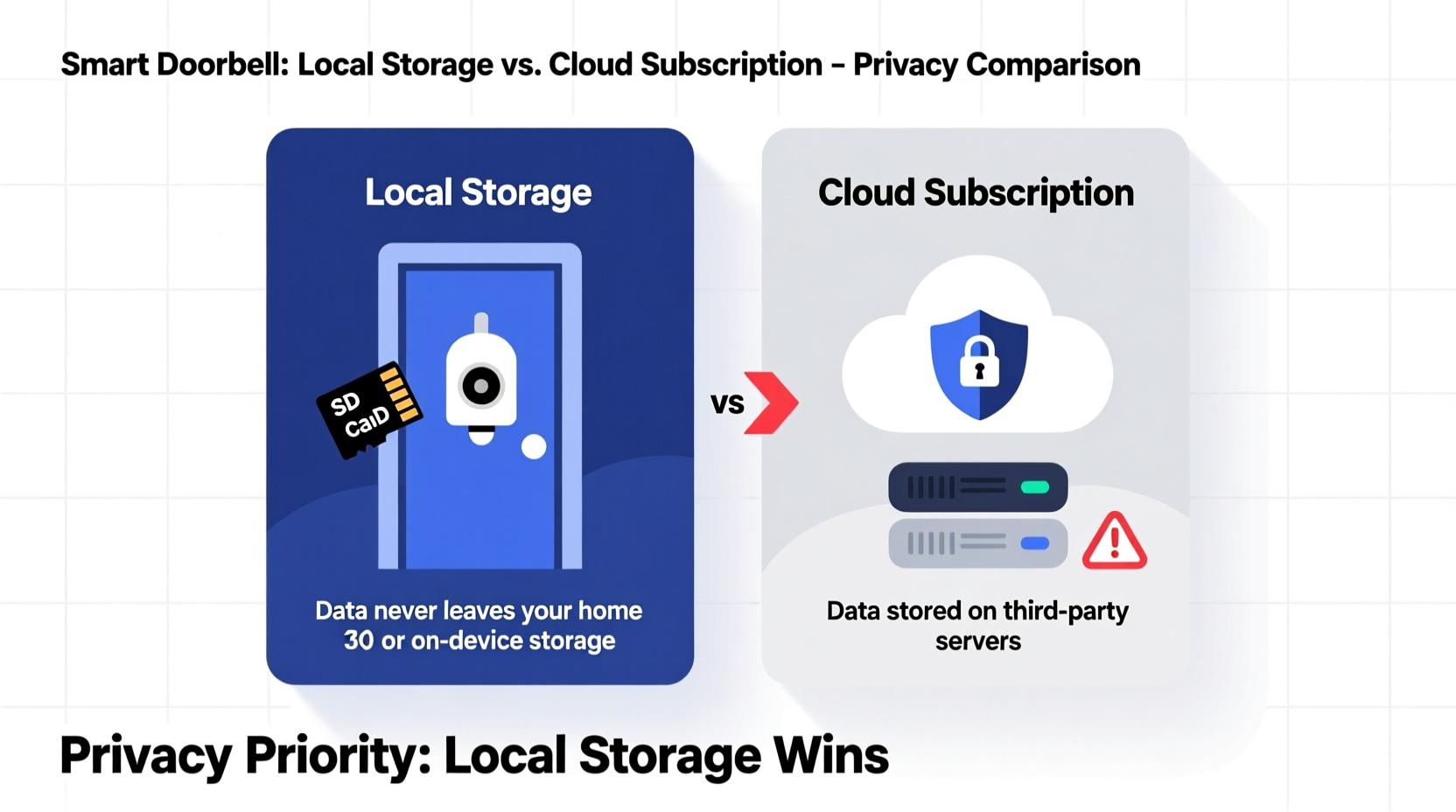
Smart doorbells function by combining a camera, microphone, motion sensor, and Wi-Fi connectivity. When someone approaches your door, the device records video and audio, sends a notification to your smartphone, and allows you to communicate remotely. The key divergence lies in where the recorded footage is stored:
- Local storage: Video is saved directly onto a microSD card inside the doorbell or to a Network Attached Storage (NAS) device within your home network.
- Cloud storage: Footage is uploaded to remote servers managed by the manufacturer or a third-party service provider, typically requiring a monthly or annual subscription.
This distinction affects not only cost and accessibility but also the level of privacy and control you maintain over your recordings.
Privacy Risks of Cloud-Based Smart Doorbells
Cloud storage offers convenience: videos are accessible from anywhere, backed up automatically, and often come with AI-powered features like facial recognition and package detection. However, this ease comes at a cost to privacy.
When video data is sent to the cloud, it passes through multiple systems—your router, the internet, and corporate servers—each representing a potential point of interception or misuse. Security researchers have repeatedly demonstrated vulnerabilities in major brands’ cloud infrastructures. In some cases, hackers have accessed live feeds; in others, customer support staff have been found viewing private footage without consent.
“We’ve seen numerous instances where cloud-stored video was accessed beyond the user’s intent—whether through weak passwords, insider threats, or poor encryption practices.” — Dr. Lena Patel, Cybersecurity Researcher at the Institute for Digital Safety
Moreover, many manufacturers reserve the right in their terms of service to analyze your footage for product improvement, advertising, or even share anonymized data with partners. While labeled “anonymous,” metadata such as timestamps, motion patterns, and neighborhood activity can still be used to build behavioral profiles.
Local Storage: Greater Control, Fewer Third Parties
Doorbell models equipped with local storage keep video entirely within your private network. There’s no upload to external servers, meaning no risk of large-scale data breaches involving millions of users. If your Wi-Fi is secure and your device uses strong encryption, the chances of unauthorized access drop dramatically.
With local storage, you decide when to review footage, how long to keep it, and whether to delete it permanently. You’re not dependent on a company’s infrastructure or subject to sudden changes in pricing or service availability. For example, if a manufacturer discontinues its cloud platform—as Ring did with early versions of its Always-On feature—users relying solely on the cloud could lose access to historical data overnight.
Additionally, local storage aligns better with privacy regulations like GDPR and CCPA, which emphasize data minimization and user sovereignty. Since the data never leaves your property, compliance becomes simpler and more transparent.
Limitations of Local Storage
Despite its advantages, local storage isn’t perfect. It requires manual management: formatting cards, checking capacity, and backing up files. MicroSD cards can fail, especially in outdoor conditions exposed to heat, moisture, or physical tampering. Without redundancy, a single hardware malfunction might erase weeks of recordings.
Some users also miss advanced cloud features like searchable timelines, AI tagging, or integration with voice assistants. Still, for those prioritizing privacy over automation, these trade-offs are often worth accepting.
Comparing Key Factors: Storage Type Breakdown
| Factor | Local Storage | Cloud Subscription |
|---|---|---|
| Data Ownership | You retain full control | Shared with provider; governed by ToS |
| Access Risk | Only via your network/device | Potential for breaches, insider access |
| Encryption | End-to-end possible (device-to-app) | Often encrypted in transit/at rest, but keys may be held by provider |
| Cost Over Time | One-time investment (card/NAS) | Ongoing fees (typically $3–$10/month) |
| Accessibility | Requires being on same network or self-hosted remote access | Available globally via app |
| Reliability | Depends on hardware durability and power | High uptime, but service-dependent |
| Regulatory Compliance | Easier to meet GDPR/CCPA standards | Varies by provider; audits required |
Real-World Example: A Family Reclaims Control
The Thompson family installed a popular cloud-based doorbell in 2021, drawn by glowing reviews and seamless Alexa integration. For months, everything worked smoothly—until they noticed unusual login alerts from unfamiliar locations. After resetting passwords and enabling two-factor authentication, they discovered that while their account hadn’t been breached, the company had recently updated its policy allowing limited internal review of flagged videos for “quality assurance.”
Uncomfortable with the idea that employees might view clips from their porch—even if anonymized—they researched alternatives. They switched to a model supporting local SD card storage and connected it to their home NAS for automatic nightly backups. Though they lost some smart features, they regained peace of mind knowing no one else could access their video history without physically entering their home network.
“We realized we were trading convenience for something far more valuable: control,” said Mark Thompson. “Now we know exactly who sees our footage—just us.”
Action Plan: Choosing the Right Option for Your Privacy Needs
Selecting between local storage and cloud subscriptions should be based on a clear assessment of your priorities. Follow this step-by-step guide to make an informed decision:
- Assess your threat model. Are you concerned about hackers, government surveillance, data mining, or all three? High-risk individuals (e.g., journalists, activists) should prioritize local solutions.
- Review the manufacturer’s track record. Has the brand experienced data breaches? Do they publish transparency reports? Favor companies with independent security audits.
- Check encryption standards. Look for end-to-end encryption (E2EE), especially if using cloud services. Note: Many brands claim E2EE but limit it to specific plans or disable it by default.
- Calculate long-term costs. A $5/month plan adds up to $60/year. Over five years, that’s $300—more than the price of a high-end doorbell with expandable storage.
- Test local access methods. If choosing local storage, ensure you can remotely view recordings securely via a personal VPN or encrypted file-sharing tool.
- Plan for redundancy. Use regular backups (e.g., to an external drive or private cloud) to prevent total data loss from hardware failure.
- Disable unnecessary features. Turn off voice assistants, AI analytics, or social sharing if you don’t need them—they increase attack surface and data collection.
Essential Privacy Checklist Before Buying a Smart Doorbell
- ✅ Does the device support local storage (microSD or NAS)?
- ✅ Is end-to-end encryption available and enabled by default?
- ✅ What data does the company collect beyond video (e.g., IP address, usage logs)?
- ✅ Can you opt out of data sharing for marketing or product development?
- ✅ How long is cloud footage retained after deletion request?
- ✅ Is there a way to fully factory reset the device without relying on the app?
- ✅ Does the brand allow third-party security testing or bug bounties?
Frequently Asked Questions
Can I use both local and cloud storage at the same time?
Yes, some models like certain Eufy and Arlo units support dual storage. This gives you the redundancy of the cloud and the privacy of local access. However, ensure that both streams are independently configurable so you can disable cloud uploads if desired.
Is local storage really safer than the cloud?
In most cases, yes—especially when combined with strong network security. The fewer copies of your data floating across networks, the lower the risk of exposure. That said, poor Wi-Fi passwords or outdated firmware can undermine even local systems.
What happens if my SD card gets stolen?
If someone removes the card from your doorbell, they could potentially access unencrypted footage. To mitigate this, choose models that encrypt stored video with a password or key known only to you. Also consider positioning the doorbell where the card slot isn’t easily reachable.
Final Thoughts: Prioritizing Privacy in a Connected World
Smart doorbells don’t have to compromise your privacy. While cloud subscriptions offer undeniable convenience, they introduce layers of dependency and data exposure that many users overlook. Local storage, though less flashy, puts you back in charge of your own information—where it belongs.
The best choice depends on your comfort level with technology, your willingness to manage hardware, and how much you value autonomy over automation. But one principle remains constant: if you didn’t create the data, you shouldn’t surrender control of it.




 浙公网安备
33010002000092号
浙公网安备
33010002000092号 浙B2-20120091-4
Comments
No comments yet. Why don't you start the discussion?