
In an era where homes are becoming smarter and more connected, digital door locks have evolved beyond simple keypads. Smart locks—especially Wi-Fi-enabled models—are now common in modern homes, offering remote access, voice control, and integration with home automation systems. But with convenience comes concern: are these devices truly secure? Can a hacker unlock your front door from miles away? This article dives into the differences between traditional keypad locks and Wi-Fi smart locks, evaluates their vulnerabilities, and provides practical steps to keep your home safe.
Understanding the Basics: Keypad Locks vs. Smart Locks
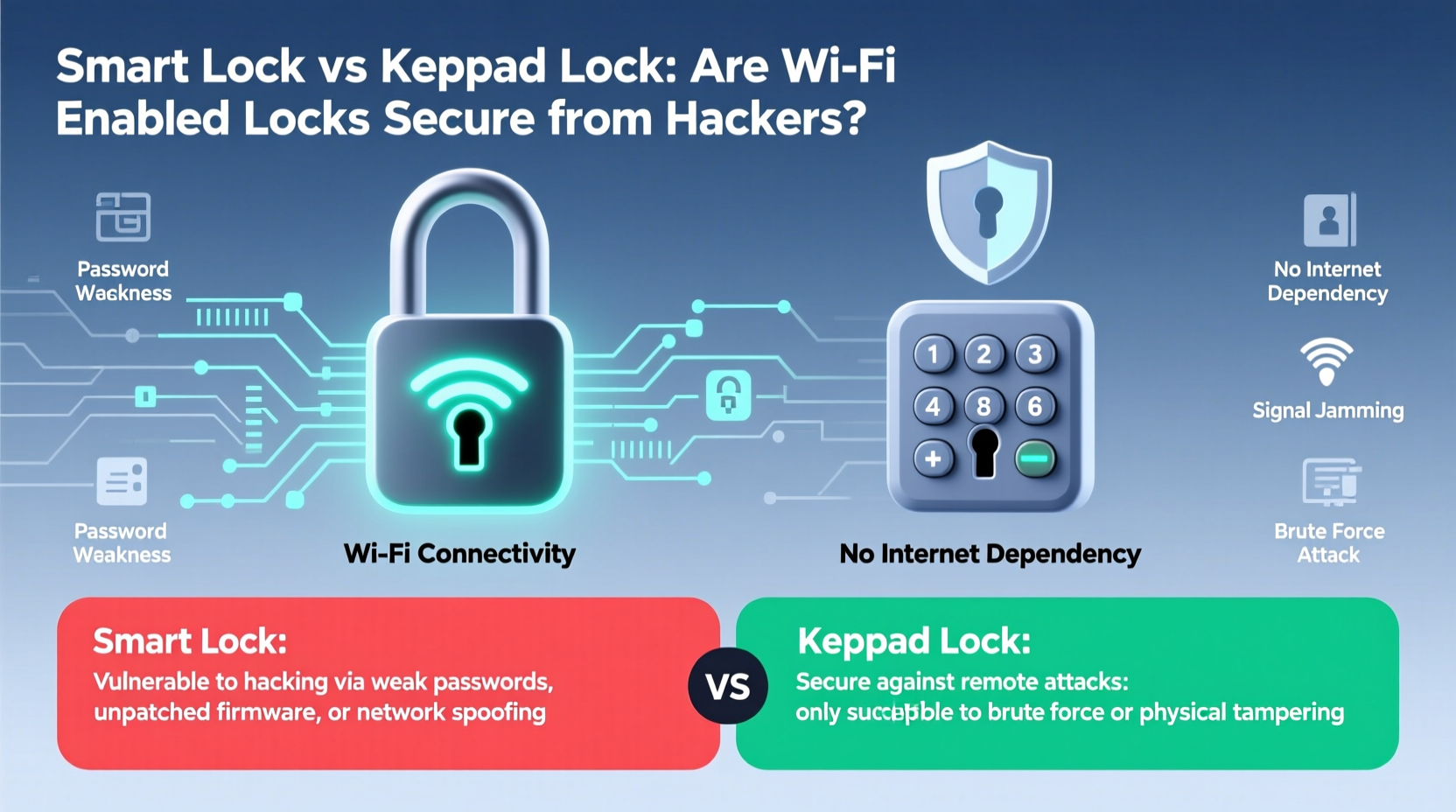
A keypad lock requires a numeric code to unlock the door. These can be standalone mechanical units or electronic models powered by batteries. They do not connect to the internet and typically operate independently of other devices. Their simplicity is both a strength and a limitation—fewer components mean fewer points of failure, but also fewer features.
Smart locks, on the other hand, go beyond PIN entry. Many support Bluetooth, Wi-Fi, or Z-Wave/Zigbee connectivity, allowing users to unlock doors remotely via smartphone apps, receive access logs, grant temporary codes to guests, and integrate with platforms like Amazon Alexa or Apple HomeKit. Some even include built-in cameras or motion sensors.
The critical difference lies in connectivity. While a standard keypad lock operates in isolation, a Wi-Fi smart lock exists on your home network—and potentially, the broader internet. That connection opens new possibilities for convenience but also introduces new attack vectors.
How Hackers Target Smart Locks: Real Threats and Myths
Security fears around smart locks often stem from sensational headlines: “Hacker Unlocks Front Door Remotely!” But what’s real, and what’s exaggeration?
Hacking a smart lock isn't as simple as pressing a button on a laptop. Most successful attacks require specific conditions: proximity to the device, prior knowledge of the network, or exploitation of software flaws. However, several methods have been demonstrated in controlled environments or real-world breaches:
- Bluetooth Sniffing: Attackers within range can intercept communication between your phone and the lock if encryption is weak.
- Wi-Fi Network Intrusion: If your home network is compromised, a hacker could gain access to any connected device—including your smart lock.
- Firmware Exploits: Outdated firmware may contain known vulnerabilities that allow unauthorized access.
- Phishing & Account Takeover: By tricking a user into revealing login credentials, attackers can access the smart lock app and issue unlock commands.
- Replay Attacks: In rare cases, hackers record valid transmission signals and replay them later to mimic authentication.
Despite these risks, widespread smart lock hacking remains uncommon. According to cybersecurity researcher Dr. Lior Frenkel, “Most break-ins still happen through physical means—jimmying windows, finding spare keys, or social engineering. Digital attacks on smart locks are technically possible but rarely the path of least resistance.”
“Smart locks aren’t inherently insecure, but they shift the threat model. You're no longer just defending against lockpicks—you’re also defending your router, your email, and your cloud account.” — Dr. Lior Frenkel, Cybersecurity Researcher at DEFCON IoT Village
Comparing Security: Keypad Locks vs. Wi-Fi Smart Locks
To understand which system offers better protection, it helps to compare them across key security dimensions.
| Feature | Traditional Keypad Lock | Wi-Fi Smart Lock |
|---|---|---|
| Network Connectivity | No internet connection – isolated operation | Connected to Wi-Fi and/or cloud services |
| Remote Access | None | Yes – unlock from anywhere via app |
| Encryption | Limited or none (varies by model) | End-to-end encryption (on reputable brands) |
| Vulnerability to Hacking | Very low – only local brute-force or shoulder surfing | Moderate – depends on network and app security |
| Data Logging | Rarely logs access attempts | Detailed logs of entries, failed attempts, user activity |
| Power Dependency | Battery-powered; failsafe mechanisms vary | Requires power and network; may fail during outages |
| Physical Tampering Risk | High – exposed keypads can be pried or drilled | Moderate – internal electronics harder to bypass quickly |
The table shows a trade-off: smart locks offer advanced monitoring and control, while traditional keypads avoid network exposure entirely. Neither is perfect, but each suits different risk profiles.
When a Keypad Lock Might Be Safer
If you live in an area with high internet-based crime, rely on older networking equipment, or lack the technical know-how to maintain strong digital hygiene, a non-connected keypad lock reduces complexity and potential entry points. It cannot be hacked over the internet because it has no internet interface.
When a Smart Lock Adds Value Without Compromising Security
For tech-savvy homeowners who practice good cyber habits—using strong passwords, enabling two-factor authentication, and keeping firmware updated—a smart lock can actually enhance security. The ability to revoke access instantly, monitor entry logs, and receive alerts when someone tries to force entry provides capabilities far beyond a static PIN pad.
Case Study: A Close Call with a Smart Lock Breach
In 2022, a homeowner in Austin, Texas, reported unusual activity on their smart lock app. At 3:17 a.m., a remote unlock command was issued from a device registered in Eastern Europe. The action failed because the lock required physical rotation after electronic release—a mechanical safeguard—but the alert prompted immediate investigation.
Upon reviewing account history, the owner discovered their email had been accessed through a third-party data breach. Although they used the same password for multiple accounts, including their smart lock provider, two-factor authentication had prevented full takeover. Still, the near-miss highlighted how a single weak link—reused credentials—could jeopardize home security.
After resetting all passwords and enabling authenticator apps, the homeowner switched to a lock using Apple HomeKit Secure Remote Access, which keeps video and command data encrypted end-to-end and doesn’t route through external servers. Since then, no further incidents have occurred.
Best Practices to Secure Your Smart Lock
You don’t have to choose between convenience and safety. With proper configuration, most Wi-Fi smart locks can be used securely. Follow this checklist to minimize risk:
✅ Smart Lock Security Checklist
- Use a unique, strong password for your smart lock account—never reuse passwords from other sites.
- Enable two-factor authentication (2FA) using an authenticator app like Google Authenticator or Authy.
- Keep firmware updated automatically or check monthly for patches.
- Secure your home Wi-Fi with WPA3 encryption and a strong router password.
- Isolate IoT devices by placing smart locks and cameras on a separate network VLAN if your router supports it.
- Disable remote access if you don’t need it—some locks allow local-only mode over Bluetooth.
- Review access logs regularly for suspicious entries or unrecognized users.
- Choose reputable brands such as August, Yale, Schlage, or Level—avoid no-name models from unknown manufacturers.
Step-by-Step: Securing Your Smart Lock in 5 Minutes
- Open your smart lock app and navigate to account settings.
- Change your password to a long, random string stored in a password manager.
- Turn on two-factor authentication using an authenticator app.
- Check for firmware updates under device settings and install if available.
- Log out of unused devices and remove old guest codes.
This quick routine significantly reduces the chances of unauthorized access and should be repeated quarterly.
Frequently Asked Questions
Can someone hack my smart lock from another country?
Possibly, but only if they gain access to your account or home network. Direct hacking of the lock itself over the internet is extremely unlikely due to encryption and authentication layers. The greater risk is credential theft via phishing or data breaches.
Do keypad locks get hacked too?
Not in the digital sense. However, they are vulnerable to physical attacks like brute-forcing common PINs (e.g., 1234), shoulder surfing, or using hidden cameras to capture codes. Regularly changing your PIN and avoiding obvious combinations mitigates this risk.
Which is better: Bluetooth or Wi-Fi smart locks?
Bluetooth locks are generally more secure because they require close proximity to operate. Wi-Fi models offer remote access but increase exposure. For optimal balance, consider a lock that uses Bluetooth for daily use and Wi-Fi only for logging or alerts—without enabling remote unlocking.
Conclusion: Balancing Convenience and Security
The question isn’t whether Wi-Fi smart locks are inherently unsafe—it’s whether you’re managing the associated risks wisely. While traditional keypad locks avoid digital threats altogether, they lack the intelligence and responsiveness that make smart locks valuable. The truth is, most home intrusions won’t come from elite hackers exploiting zero-day vulnerabilities. They’ll come from weak passwords, outdated software, or unsecured networks.
By treating your smart lock like any other critical online account—protecting it with strong credentials, updates, and network safeguards—you can enjoy the benefits of modern access control without sacrificing peace of mind. Technology shifts the battlefield, but vigilance remains the best defense.




 浙公网安备
33010002000092号
浙公网安备
33010002000092号 浙B2-20120091-4
Comments
No comments yet. Why don't you start the discussion?