
In the age of connected homes, smart locks have become a symbol of modern convenience. Among their most appealing features is fingerprint recognition—a biometric method that promises fast, keyless access with a simple touch. But as adoption grows, so do concerns: Can someone spoof your fingerprint? Are these systems vulnerable to hacking? And if the lock fails, what happens to your security? These aren’t hypothetical worries—they’re practical questions every homeowner should answer before installing a biometric smart lock.
Fingerprint-enabled smart locks combine advanced hardware with cloud-connected software, creating a seamless entry experience. Yet this integration introduces new attack vectors that traditional mechanical locks don’t face. Understanding the balance between usability and actual security is essential when choosing a lock that protects not just your door, but your entire household.
How Fingerprint Recognition Works in Smart Locks
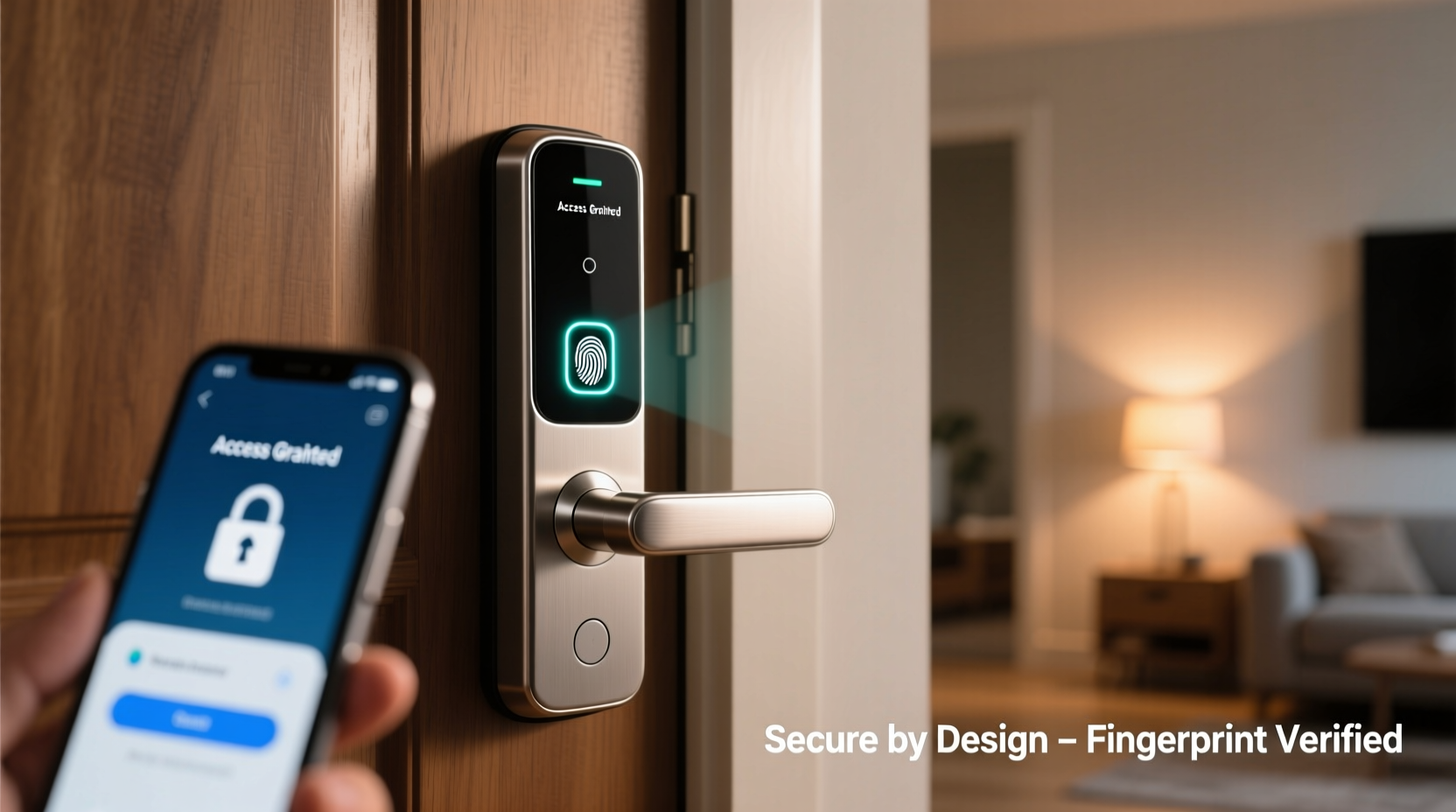
Modern smart locks use capacitive or optical sensors to capture a digital image of your fingerprint. Capacitive sensors—common in high-end models—detect the electrical differences between the ridges and valleys of your skin. Optical sensors take a photograph using light, then analyze patterns via embedded algorithms. Once scanned, the system converts the fingerprint into an encrypted mathematical representation, never storing the actual image.
This template is stored locally on the device or within a secured partition of the lock’s firmware. When you place your finger on the sensor, the lock compares the live scan to its stored templates. If there's a match above a certain threshold, the bolt retracts. The process typically takes under a second and works even with slightly damp or cold fingers, depending on the model.
However, not all implementations are equal. Some budget models rely on less sophisticated algorithms and lower-resolution sensors, increasing the risk of false positives—allowing unauthorized users through—or false negatives, where legitimate users are denied access.
“Biometrics offer convenience, but they should be part of a layered security strategy—not the only layer.” — Dr. Lena Patel, Cybersecurity Researcher at MIT Lincoln Laboratory
Vulnerabilities and Real-World Risks
No security system is infallible, and fingerprint-based smart locks are no exception. While manufacturers tout “military-grade encryption” and “anti-spoofing technology,” real-world testing has revealed several exploitable weaknesses.
Spoofing Attacks Using Fake Fingerprints
Researchers have successfully bypassed many consumer-grade fingerprint sensors using molds made from lifted prints. A latent fingerprint left on a smartphone screen or glass surface can be photographed, inverted, and printed onto transparent film. Coated with graphite or gelatin, this fake \"finger\" can trick some sensors into unlocking the door.
In 2020, a team at Tencent Security demonstrated how a $3 silicone mold could unlock multiple popular smart locks by replicating a user’s fingerprint from a high-resolution photo. While higher-end models now include liveness detection—measuring pulse, temperature, or sweat pores—many mid-tier devices still lack these safeguards.
Data Storage and Privacy Concerns
Where your biometric data is stored matters significantly. Some older or poorly designed locks transmit fingerprint templates over unsecured Bluetooth connections or store them in cloud databases. If those servers are breached, your biometric identity could be compromised permanently—unlike passwords, fingerprints can’t be reset.
Reputable brands like August, Yale, and Schlage encrypt biometric data and keep it on-device. Still, any internet-connected component increases the attack surface. A flaw in the companion app, weak Wi-Fi encryption, or outdated firmware could allow remote exploitation—even without touching the physical lock.
Comparing Security: Biometric vs. Traditional & Code-Based Locks
To assess whether fingerprint smart locks are secure enough, it helps to compare them against alternative access methods. Each has strengths and trade-offs in terms of convenience, durability, and resistance to tampering.
| Lock Type | Convenience | Physical Tamper Resistance | Digital Vulnerability | Fail-Safe Behavior |
|---|---|---|---|---|
| Mechanical Key Lock | Moderate (keys can be lost) | High (resists picking with quality cylinder) | None | Always functional during power failure |
| Keypad Smart Lock | High (no object needed) | Moderate (can be shoulder-surfed) | Medium (PIN brute-force possible) | Battery backup usually provided |
| Fingerprint Smart Lock | Very High (instant access) | Low-Moderate (sensor spoofing risk) | High (if cloud-dependent) | May fail if sensor dirty or battery dead |
The table shows that while fingerprint locks win on convenience, they lag behind in both physical tamper resistance and digital safety unless properly configured. They also depend heavily on power and environmental conditions—cold weather, moisture, or minor cuts can impair recognition accuracy.
Best Practices for Securing Your Biometric Smart Lock
You don’t need to abandon fingerprint technology to stay safe. With proper setup and ongoing maintenance, you can enjoy the benefits while minimizing risks. Here’s a step-by-step guide to maximizing security:
- Purchase from Reputable Brands: Choose locks certified by ANSI/BHMA Grade 1 or 2 standards and reviewed by independent labs like UL or Intertek.
- Enable Multi-Factor Authentication: Pair fingerprint access with a PIN or smartphone verification for critical entries (e.g., at night).
- Limit Admin Privileges: Only register trusted household members as administrators. Avoid adding temporary users permanently.
- Update Firmware Regularly: Manufacturers release patches for known exploits. Enable automatic updates if available.
- Use Strong Network Security: Ensure your home Wi-Fi uses WPA3 encryption and isolate IoT devices on a separate network.
- Clean the Sensor Weekly: Dust and oil buildup reduce accuracy and may force the system to lower sensitivity thresholds, increasing spoofing risk.
- Test Manual Override: Know how to use the emergency key or backup code, and store it securely outside the home (e.g., with a neighbor).
Checklist: Before Installing a Fingerprint Smart Lock
- ✅ Does the lock store biometrics locally, not in the cloud?
- ✅ Is it compatible with your existing deadbolt and door thickness?
- ✅ Does it support encryption (TLS/SSL) for app communication?
- ✅ Can it integrate with your home security system or alarm?
- ✅ Does it have liveness detection (pulse, heat, sweat analysis)?
- ✅ Is there a reliable customer support channel and warranty?
- ✅ Have you read third-party penetration test results or security reviews?
A Real-World Example: When Convenience Led to a Break-In
In suburban Denver, a family installed a budget fingerprint smart lock to simplify access for their teenage children. The model was inexpensive, easy to install, and worked well for months. However, one evening, the mother noticed the lock had unlocked itself twice during the night. No alerts were sent to her phone.
After contacting customer support, she learned the lock used basic optical scanning without liveness detection. Further investigation revealed that her son had jokingly placed a gummy bear impression of his sister’s fingerprint on the sensor earlier that week—and the system had accepted it as valid.
More troubling, forensic analysis showed the lock’s logs could be erased remotely, leaving no trace of unauthorized entries. The family replaced the unit with a Grade 1 ANSI-certified model featuring local storage, AES-256 encryption, and dual-authentication mode. Their experience highlights how seemingly minor design flaws can undermine overall home security.
“Just because a product says ‘smart’ doesn’t mean it’s secure. Consumers must treat biometrics like passwords—protect them accordingly.” — James Wu, Senior Penetration Tester at HackerOne
FAQ: Common Questions About Fingerprint Smart Lock Security
Can someone hack my smart lock remotely using my fingerprint?
Direct remote extraction of your fingerprint from the lock is highly unlikely if the data is stored locally and encrypted. However, hackers could exploit vulnerabilities in the mobile app, cloud service, or home network to trigger unlock commands. This is why network hygiene and regular updates are crucial.
What happens if the sensor breaks or stops recognizing my print?
Most quality locks include backup access methods such as PIN codes, physical keys, or smartphone unlocking via Bluetooth. Always ensure you have at least two alternative entry options and test them monthly.
Is it safe to register multiple fingerprints?
Yes, but limit registration to immediate household members. Every additional fingerprint increases the statistical chance of a false acceptance. Also, remove access immediately when someone moves out or no longer needs entry.
Conclusion: Balancing Innovation and Security
Fingerprint recognition in smart locks represents a significant leap in home automation, offering unmatched ease of use for daily access. However, treating them as inherently secure simply because they use biometrics is a dangerous misconception. Like any digital system, they are only as strong as their weakest link—whether that’s poor encryption, outdated firmware, or inadequate spoof detection.
The safest approach is to view fingerprint smart locks not as standalone security solutions, but as components of a broader defense strategy. Combine them with strong network practices, multi-factor authentication, and regular maintenance. Prioritize models from established brands that publish transparency reports and undergo third-party security audits.
Technology should serve security, not compromise it. By making informed choices today, you can enjoy the convenience of biometric access without sacrificing peace of mind tomorrow.




 浙公网安备
33010002000092号
浙公网安备
33010002000092号 浙B2-20120091-4
Comments
No comments yet. Why don't you start the discussion?