
As the holiday season approaches, homes across neighborhoods begin to glow with festive Christmas lights. While stringing lights brings joy, managing multiple strands manually can be time-consuming and inefficient. Smart plugs offer a modern solution: turning ordinary outlets into intelligent control points that automate your holiday display. With strategic setup and clever scheduling, you can coordinate dozens of light strands seamlessly, reduce energy waste, and ensure your display shines exactly when it should—without lifting a finger.
Why Use Smart Plugs for Christmas Lights?
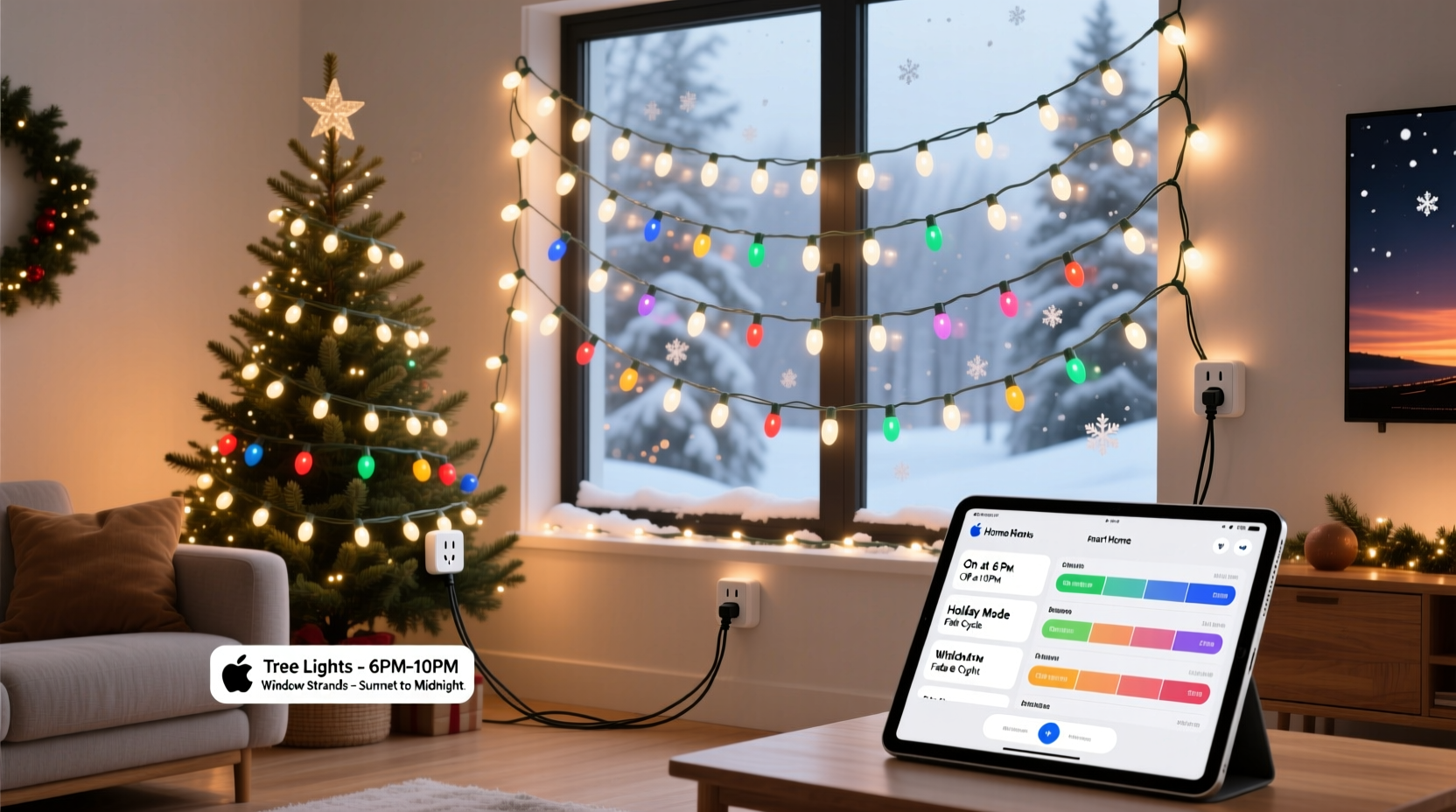
Traditional timers are limited—often mechanical, inaccurate, or difficult to adjust as daylight changes. Smart plugs connect to your home Wi-Fi and integrate with smartphone apps or voice assistants like Alexa and Google Assistant. This allows remote access, precise scheduling, and real-time control from anywhere. For homeowners with multiple light strands spread across different circuits, smart plugs eliminate the need for physical presence while offering granular control over each segment of your display.
Energy efficiency is another key benefit. Many smart plugs include power monitoring features that track how much electricity your lights consume. Over a month-long holiday display, this insight helps avoid unnecessary costs. More importantly, automation ensures lights aren’t left on during daylight hours due to forgetfulness.
Step-by-Step Setup for Coordinated Light Scheduling
To get the most out of your smart plug system, follow this structured approach for connecting and programming multiple light strands.
- Purchase compatible smart plugs: Choose models that support your region’s voltage (typically 120V in North America), have a mobile app, and work with your preferred ecosystem (Apple HomeKit, Google Home, Amazon Alexa).
- Map your light layout: Sketch a simple diagram showing where each strand will go—roofline, tree, railing, etc.—and note which outlet powers each section.
- Plug in and pair each device: Connect one smart plug at a time, following manufacturer instructions to link it via Bluetooth or Wi-Fi. Assign descriptive names during setup.
- Test individual control: From your phone, turn each plug on and off remotely to confirm connectivity and correct labeling.
- Create schedules based on sunset/sunrise: Most smart plug apps allow scheduling relative to local sunrise and sunset times. This ensures your lights activate at dusk regardless of seasonal shifts. <6> Group related devices: If your app supports scenes or groups (e.g., “Outdoor Display”), bundle all exterior lights so they turn on/off together with one command.
- Add exceptions for holidays or events: Schedule special brightness or extended run times for Christmas Eve or New Year’s Day using temporary overrides.
This method transforms what could be a chaotic array of blinking lights into a synchronized, professional-grade display managed effortlessly from your pocket.
Advanced Hacks for Maximum Efficiency and Impact
Beyond basic scheduling, there are several underused techniques that elevate your smart plug setup from functional to exceptional.
Use Sunset-Based Automation Instead of Fixed Times
Relying on fixed clock times means your lights may come on too early in summer-like December afternoons or too late during short winter days. Instead, use dynamic triggers tied to local sunset data. For example, in the Kasa Smart app (TP-Link), you can select “At Sunset” as a trigger condition. The same applies to sunrise for shutdown. This keeps your display perfectly timed throughout the season.
Synchronize Multiple Strands with Delayed Start Sequences
Create visual effects by staggering when each strand turns on. Imagine your roofline lights igniting first, followed by icicle lights five seconds later, then the tree sparkling last. Some platforms like IFTTT (If This Then That) allow custom applets that introduce delays between grouped devices.
“We’ve seen homeowners turn their front yards into mini light shows using staggered smart plug activation—like a wave moving across the house.” — Jordan Lee, Smart Home Lighting Consultant
Leverage Voice Commands for Instant Control
After setup, assign voice shortcuts. Say, “Alexa, turn on Holiday Lights,” to trigger an entire scene. You can also create a “Goodnight” routine that shuts off lights along with other devices. This is especially useful when hosting guests who want to admire the display before bed.
Monitor Energy Usage and Optimize Load Distribution
Overloading a single circuit with multiple high-wattage strands can trip breakers. Use smart plugs with energy monitoring (such as the Wemo Mini or TP-Link KP125) to check cumulative draw. Keep total load under 80% of the circuit’s capacity—usually 15 amps per standard household circuit.
Comparison Table: Smart Plug Features for Holiday Lighting
| Feature | Basic Timer Plug | Wi-Fi Smart Plug | Energy-Monitoring Plug |
|---|---|---|---|
| Remote Access | ❌ No | ✅ Yes | ✅ Yes |
| Sunset/Sunrise Scheduling | ❌ No | ✅ Yes | ✅ Yes |
| Energy Monitoring | ❌ No | ⚠️ Limited | ✅ Detailed |
| Voice Assistant Support | ❌ No | ✅ Yes | ✅ Yes |
| Cost (per unit) | $8–$12 | $15–$25 | $25–$35 |
The table illustrates why investing in higher-tier smart plugs pays off during the holidays. While basic models save money upfront, they lack flexibility and insight needed for complex, multi-strand setups.
Real Example: A Suburban Home’s Automated Light Display
Consider Sarah M., a homeowner in Portland, Oregon, who decorates her two-story house every December. She manages 14 separate light strands—on eaves, trees, walkways, and railings—across six outdoor outlets. In past years, she used mechanical timers, but inconsistent timing and frequent resets frustrated her.
Last year, she installed eight Wi-Fi smart plugs (some controlling dual strands via power strips). Using the Kasa app, she created a “Holiday Display” group set to activate 15 minutes after sunset and deactivate at 11 PM daily. She added a second scene called “Extended Hours” for weekends and Christmas Eve, running until 1 AM.
She also used IFTTT to build a delayed sequence: porch lights came on immediately, followed by rooftop strings after 3 seconds, and tree lights after 6 seconds—creating a cascading effect her neighbors admired. By checking the app’s energy logs, she discovered one old incandescent strand was drawing 4x more power than LED equivalents and replaced it, cutting her monthly lighting cost by 37%.
The result? A reliable, visually engaging display that required zero daily maintenance—and earned her the neighborhood’s “Best Lights” award.
Checklist: Preparing Your Smart Plug Holiday Lighting System
- ☐ Audit all outdoor outlets for GFCI protection and weather resistance
- ☐ Purchase enough smart plugs to cover each independent strand or zone
- ☐ Verify Wi-Fi signal strength near each outlet (use a mesh extender if needed)
- ☐ Name and organize each plug in your app by location
- ☐ Set up sunset-based schedules with consistent start and end times
- ☐ Group devices into scenes (e.g., “Front Yard,” “Indoor Tree”)
- ☐ Test all connections and sequences before full deployment
- ☐ Monitor energy usage during initial operation to detect anomalies
- ☐ Program holiday-specific overrides (e.g., Christmas Eve extended run)
- ☐ Share access with family members for collaborative control
Frequently Asked Questions
Can I connect multiple light strands to one smart plug?
Yes, as long as the total wattage does not exceed the plug’s maximum load (typically 1800 watts for 15A circuits). Use a UL-listed outdoor power strip to safely distribute power to multiple strands. Avoid daisy-chaining cheap extension cords, which can overheat.
What happens if my Wi-Fi goes down?
Most smart plugs lose remote access and scheduled functions during outages. However, some models retain the last known schedule and resume automatically once connectivity is restored. For critical reliability, consider a plug with local execution (like those supporting Matter protocol) or keep a backup mechanical timer for essential circuits.
Are smart plugs safe outdoors in winter?
Only if placed in a weather-protected enclosure. Most smart plugs are not fully waterproof. Use a covered outdoor outlet box or install the plug indoors, feeding the cord through a basement or garage wall. Never expose the plug directly to rain, snow, or ice.
Conclusion: Turn Festive Chaos into Effortless Elegance
Managing multiple Christmas light strands doesn’t have to mean climbing ladders at dusk or forgetting to turn them off before dawn. With smart plug technology, you gain precision, convenience, and creative control over your holiday display. From sunset-synced automation to energy tracking and voice-enabled scenes, these small devices deliver outsized impact.
The initial setup takes less than an afternoon, but the benefits last throughout the season—saving time, reducing stress, and enhancing your home’s festive charm. Whether you’re illuminating a modest porch or orchestrating a neighborhood-favorite spectacle, smart plug hacks make efficient, elegant lighting accessible to everyone.




 浙公网安备
33010002000092号
浙公网安备
33010002000092号 浙B2-20120091-4
Comments
No comments yet. Why don't you start the discussion?