
Controlling your home devices remotely or through voice commands has never been easier—thanks to smart plugs and smart switches. Both offer automation, energy monitoring, and integration with voice assistants like Alexa, Google Assistant, and Apple HomeKit. But while they serve similar purposes, their applications, installation complexity, and long-term benefits differ significantly. Choosing the right one depends on your goals, budget, and technical comfort level.
Whether you're automating a lamp in the living room or upgrading your entire lighting system, understanding the distinctions between smart plugs and smart switches is essential. This guide breaks down each option, compares key features, and helps you make an informed decision for a smarter, more convenient home.
How Smart Plugs Work
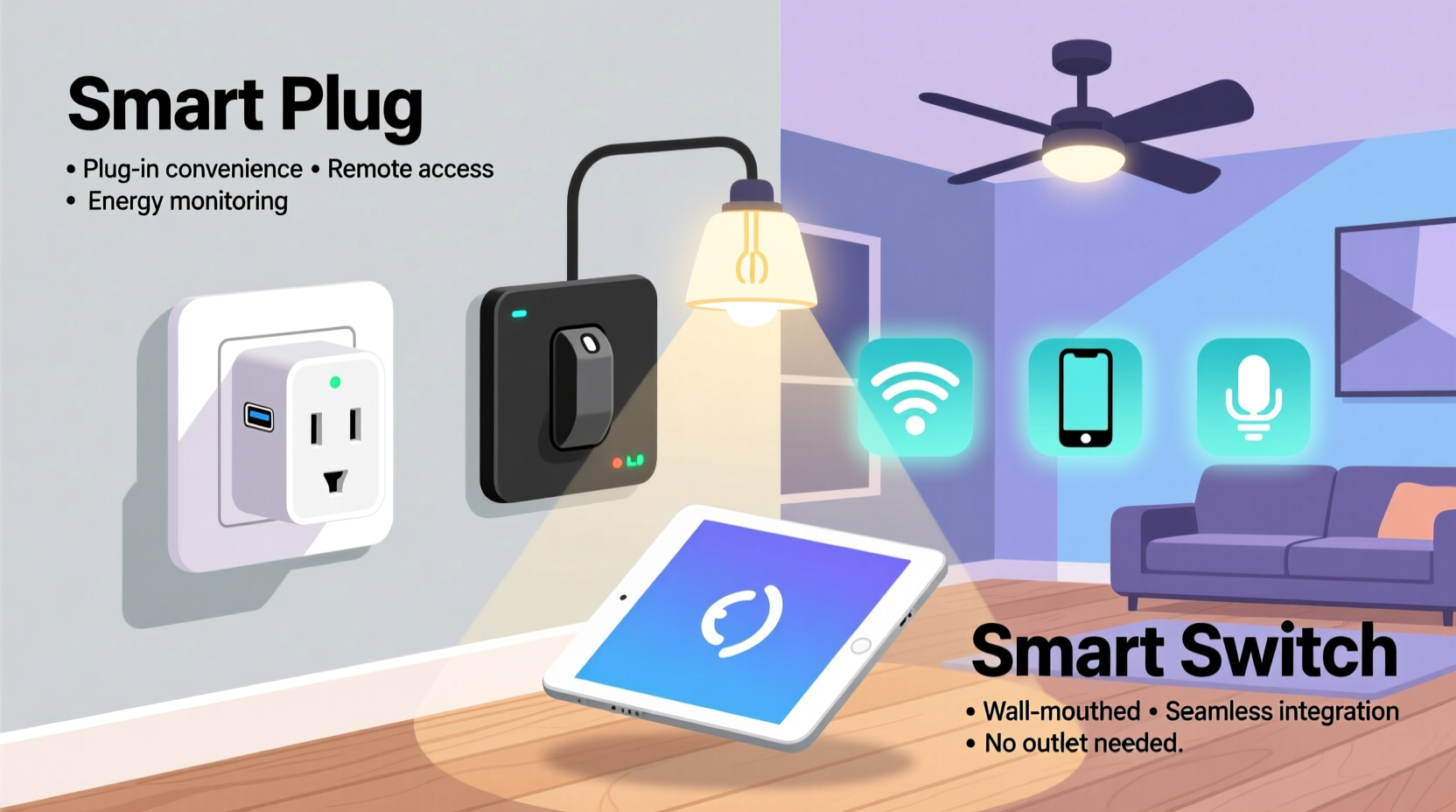
A smart plug is a compact device that fits into a standard wall outlet. You plug your appliance—like a coffee maker, fan, or table lamp—into the smart plug, which then acts as a bridge between the device and your home network. Once connected via Wi-Fi or Bluetooth, you can control the device from a smartphone app or through voice commands.
Most smart plugs support scheduling, remote access, and energy usage tracking. Some even allow grouping multiple plugs for synchronized control. Because they require no wiring, smart plugs are ideal for renters or anyone who wants a non-permanent smart home upgrade.
How Smart Switches Work
Smart switches replace your existing light switches or electrical wall switches. They’re hardwired into your home’s electrical system and control power directly at the source. This means they can manage ceiling lights, exhaust fans, under-cabinet lighting, or even outlets permanently installed in walls.
Unlike smart plugs, smart switches require electrical work during installation. While some models are DIY-friendly, others may need a neutral wire or professional help. However, once installed, they offer seamless integration, no visible hardware (beyond the switch plate), and often support advanced features like dimming, scene control, and multi-way switching.
“Smart switches provide a cleaner, more integrated smart home experience—they disappear into the wall but deliver powerful automation.” — Jordan Lee, Smart Home Systems Engineer
Key Differences Between Smart Plugs and Smart Switches
While both devices bring intelligence to your appliances, several core differences affect usability, safety, and scalability.
| Feature | Smart Plug | Smart Switch |
|---|---|---|
| Installation | Plug-and-play; no tools required | Requires wiring; may need electrician |
| Portability | Highly portable; move between outlets | Fixed location; permanent fixture |
| Power Capacity | Limited (typically up to 15A) | Higher capacity; matches circuit rating |
| Device Control | Controls plug-in devices only | Controls hardwired fixtures (lights, fans) |
| Aesthetics | Bulky; visible on outlet | Clean; blends with wall design |
| Energy Monitoring | Common in mid-to-high-end models | Available in select models |
| Cost | $15–$30 per unit | $30–$70 per switch |
| Voice & App Integration | Yes (Alexa, Google, HomeKit) | Yes (same ecosystems) |
When to Choose a Smart Plug
Smart plugs shine in scenarios where flexibility, simplicity, and temporary automation are priorities. They’re perfect for renters, students, or homeowners who want to test smart home technology without committing to rewiring.
Consider using smart plugs if:
- You want to automate lamps, coffee makers, or holiday decorations.
- You live in a rental and can’t modify wall switches.
- You need to control a single device in a specific outlet.
- You're on a tight budget and want to start small.
- You frequently rearrange furniture and need movable controls.
Many users appreciate the ability to monitor energy usage of high-consumption devices like space heaters or aquarium pumps. With scheduling, you can ensure these run only during off-peak hours, reducing electricity bills over time.
When to Choose a Smart Switch
If you're serious about whole-home automation and have the ability to modify wiring, smart switches are the superior long-term solution. They eliminate the need for bulky adapters and offer a sleek, built-in look that enhances modern interiors.
Opt for smart switches when:
- You want to automate ceiling lights, chandeliers, or recessed lighting.
- You’re renovating or building a new home.
- You desire multi-location control (e.g., top and bottom of stairs).
- You want to integrate with home automation platforms like Home Assistant or Hubitat.
- You prefer physical toggle buttons alongside app control.
Some smart switches also support “scene” activation—pressing the switch twice could dim the lights and play music. These advanced triggers create a truly personalized environment.
Mini Case Study: The Smith Family’s Smart Upgrade
The Smiths recently moved into a 1980s ranch-style home with outdated lighting. They wanted smart control but were unsure whether to go with plugs or switches. After assessing their needs, they adopted a hybrid approach.
In the kitchen, they used smart plugs for countertop appliances—coffee maker, toaster, and blender. This allowed them to schedule morning routines and cut phantom power at night.
In the living room and hallways, they replaced old toggle switches with Lutron Caseta smart switches. These supported dimming and multi-way control, eliminating the need for additional hubs. Voice commands now turn on ambient lighting, and motion sensors shut off lights when rooms are empty.
The result? A balanced system that maximized convenience, saved energy, and preserved aesthetic appeal—all without rewiring the entire house.
Step-by-Step Guide: Installing a Smart Plug
Setting up a smart plug takes minutes and requires no special tools.
- Choose a compatible smart plug based on your region’s voltage and outlet type (e.g., NEMA 5-15 in North America).
- Plug the device into a wall outlet—ensure it’s not overloaded and has space around it for ventilation.
- Download the manufacturer’s app (e.g., Kasa, TP-Link, Wemo, or Meross).
- Connect the plug to Wi-Fi by following in-app instructions. Most require 2.4 GHz networks.
- Test the connection by turning the plug on/off remotely.
- Create schedules or routines, such as turning on a lamp at sunset or powering off a heater after two hours.
- Integrate with voice assistants by enabling the skill in Alexa or Google Home.
Once complete, your device is fully automated and ready for daily use.
Step-by-Step Guide: Installing a Smart Light Switch
Installing a smart switch involves working with household electricity. Turn off power at the breaker before starting.
- Turn off the circuit breaker for the room and verify power is off using a voltage tester.
- Remove the faceplate and unscrew the existing switch from the wall box.
- Identify the wires: typically black (hot), white (neutral), green/bare (ground), and red (traveler for 3-way switches).
- Check compatibility: ensure your model supports your setup (single-pole, 3-way, or multi-location).
- Connect wires to the smart switch using wire nuts or screw terminals as per the manual.
- Secure the switch in the wall box and reattach the faceplate.
- Restore power and test functionality.
- Pair with the app via Bluetooth or Wi-Fi and set up automation rules.
If you’re uncomfortable with any step, consult a licensed electrician. Safety should never be compromised.
Checklist: Choosing Between Smart Plug and Smart Switch
Use this checklist to determine the best fit for your needs:
- ✅ Do I rent or lack permission to modify wiring? → Smart Plug
- ✅ Is the device already plugged into an outlet? → Smart Plug
- ✅ Am I automating ceiling lights or built-in fixtures? → Smart Switch
- ✅ Do I want a clean, invisible smart home setup? → Smart Switch
- ✅ Is there a neutral wire in my switch box? → Required for most smart switches
- ✅ Do I need to control multiple lights from one app? → Either works; switches scale better
- ✅ Am I on a tight budget? → Start with smart plugs
- ✅ Do I want voice control and scheduling? → Both support this
Frequently Asked Questions
Can I use a smart plug with a smart switch?
Yes, but it's usually redundant. If a light is controlled by a smart switch, adding a smart plug offers no added benefit unless you're managing a separate plug-in device in the same room.
Are smart plugs safe to leave on 24/7?
Reputable brands design smart plugs with surge protection, overheating safeguards, and energy-efficient components. As long as you don’t exceed the wattage limit and use them properly, they are safe for continuous use.
Do smart switches work when the internet is down?
Most smart switches still function as manual switches when offline. However, remote access, voice commands, and automation require internet connectivity. Local control via the physical button remains unaffected.
Expert Insight: Balancing Cost and Long-Term Value
“Smart plugs are great entry points, but smart switches deliver higher ROI over time. They reduce clutter, improve reliability, and integrate seamlessly into daily life.” — Maria Tran, Home Automation Consultant
According to industry data, homes with smart switches report higher satisfaction rates due to reliability and aesthetics. While the upfront cost and installation effort are greater, the long-term benefits in usability and energy savings often justify the investment.
Conclusion: Make the Right Choice for Your Lifestyle
Smart plugs and smart switches each have distinct advantages. Smart plugs offer instant, reversible automation with minimal effort—perfect for beginners and temporary setups. Smart switches provide a polished, permanent upgrade ideal for whole-home integration and hardwired lighting systems.
The best approach may not be one or the other, but a strategic combination. Use smart plugs for appliances and decor, and smart switches for primary lighting and permanent fixtures. This hybrid model maximizes flexibility, efficiency, and user satisfaction.




 浙公网安备
33010002000092号
浙公网安备
33010002000092号 浙B2-20120091-4
Comments
No comments yet. Why don't you start the discussion?