
A well-chosen large-capacity briefcase offers the potential to carry everything you need for a productive workday. Yet without a thoughtful organization system, it can quickly become a chaotic jumble of documents, devices, and accessories. The difference between frustration and efficiency often lies not in the bag itself, but in how it’s arranged. By applying smart organizational principles, professionals can transform their briefcase into a streamlined command center that supports focus, saves time, and reflects a disciplined approach to daily responsibilities.
Assess Your Daily Carry Needs
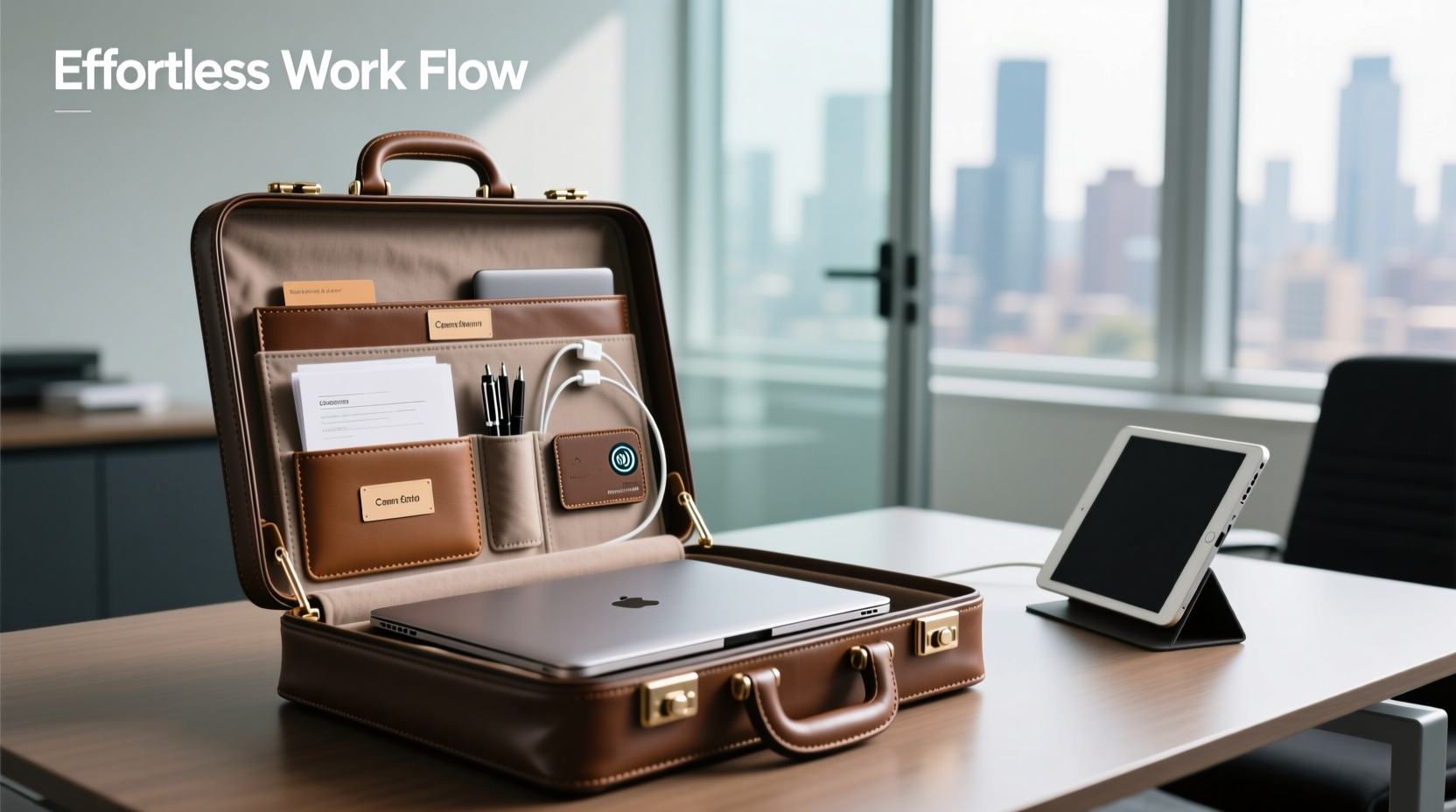
Before arranging your briefcase, conduct an honest inventory of what you actually use each day. Many people pack items “just in case,” leading to unnecessary weight and disorganization. Start by listing essential categories: laptop, notebook, pens, phone charger, business cards, water bottle, lunch container, or presentation materials.
Spend three workdays tracking what you pull out and use. Note anything you carried but never used. This audit reveals patterns and helps eliminate non-essentials. For example, carrying multiple notebooks when one suffices, or packing duplicate chargers, adds bulk without benefit.
Create Dedicated Zones for Categories
Efficient organization relies on compartmentalization. Even if your briefcase has limited internal divisions, you can create functional zones using simple tools like pouches, folders, and dividers. Think of your briefcase as a miniature office with distinct areas:
- Electronics Zone: Keep laptop, tablet, power bank, cables, and earbuds together in padded sleeves or zippered pouches.
- Documents Hub: Use a file folder or document sleeve for contracts, meeting agendas, or printed reports. Label sections clearly.
- Writing & Tools Station: Store pens, highlighters, sticky notes, and small tools (USB drive, tape) in a slim pencil case.
- Personal Essentials Pocket: Reserve a small area for wallet, keys, hand sanitizer, or lip balm—items you access frequently.
This zoning strategy reduces search time and prevents cross-contamination—like ink stains on important papers from loose pens.
Recommended Internal Layout for a 15–17L Briefcase
| Compartment | Purpose | Recommended Contents |
|---|---|---|
| Main Cavity | Primary storage | Laptop/tablet sleeve, large notebook, folded jacket |
| Front Zipper Pocket | Quick-access zone | Phone, transit card, pen, notepad |
| Side Pockets | External convenience | Water bottle, umbrella, calculator |
| Interior Mesh Pouch | Small item containment | Cables, earbuds, USB drives |
| Back Panel Sleeve | Security & transport | Passport, boarding pass, ID wallet |
Use Organizers and Accessories Strategically
Off-the-shelf organizers can dramatically improve functionality. Consider these tools:
- Modular Pouch System: Brands like Peak Design or Muji offer stackable fabric cubes that fit snugly and can be color-coded.
- Document Protectors: Clear poly folders keep papers flat and visible without creasing.
- Cable Management Sleeves: Velcro wraps or silicone bands prevent cord tangling.
- Magnetic Pen Holders: Attach inside flaps to secure writing tools vertically.
The key is choosing organizers that match both your briefcase dimensions and workflow. Avoid overfilling compartments—leave breathing room for adding temporary items like receipts or handouts.
“Organization isn’t about filling every inch—it’s about designing flow. Leave space for the unexpected.” — David Lin, Productivity Consultant at WorkFlow Labs
Implement a Weekly Reset Routine
Even the best system degrades without maintenance. Schedule a 10-minute briefcase reset every Friday afternoon. This ritual ensures clarity going into the next week and prevents buildup of outdated materials.
Step-by-Step Guide: Weekly Briefcase Reset
- Empty completely: Remove all contents onto a clean surface.
- Sort items: Group into categories—electronics, documents, personal, trash.
- Discard: Recycle old receipts, expired coupons, dried-out pens, and crumpled notes.
- Digitalize: Scan important papers and store them in cloud folders labeled by project or date.
- Wipe down: Use a microfiber cloth to clean interior surfaces and remove dust or crumbs.
- Repack essentials: Return only what you’ll likely need next week.
- Inspect gear: Check for frayed cables, low battery on power banks, or worn zippers.
Real-World Example: How a Consultant Streamlined Her Commute
Sarah, a management consultant based in Chicago, was spending up to 15 minutes each morning searching for her passport, client files, or presentation clicker. Her 20L leather briefcase was full—but disorganized. After adopting a zonal system, she introduced three labeled fabric pouches: “Travel,” “Client Meetings,” and “Tech Kit.” She also began using a single digital notebook synced across devices, reducing paper bulk.
Within two weeks, Sarah reported saving nearly an hour per week in prep time. More importantly, she felt more composed entering high-stakes meetings, knowing exactly where every item was located. Her briefcase evolved from a burden to a trusted tool.
Common Pitfalls to Avoid
Even experienced professionals fall into organizational traps. Be mindful of these habits:
- Overpacking “just in case”: Carrying extra shoes, books, or snacks inflates weight and obscures essentials.
- Mixing personal and work items: Without boundaries, gym clothes or grocery lists bury critical documents.
- Neglecting weight distribution: Heavy items should rest closest to your back to maintain balance and reduce strain.
- Ignoring wear and tear: A broken zipper or torn lining compromises organization—repair early.
Do’s and Don’ts of Briefcase Organization
| Do | Don't |
|---|---|
| Label pouches and folders | Let unmarked envelopes accumulate |
| Use slim, rigid folders for important docs | Staple or paperclip sensitive files |
| Charge devices overnight | Carry dead batteries or tangled cords |
| Align items vertically when possible | Stack papers haphazardly |
| Review contents weekly | Ignore crumbs, stains, or odors |
Frequently Asked Questions
How do I prevent my briefcase from becoming too heavy?
Limit total weight to no more than 10% of your body weight. Prioritize digital alternatives—use tablets instead of printed binders, and cloud storage over physical drives. Remove non-essential duplicates and consider leaving secondary items (extra laptop charger, backup notebook) at the office.
What’s the best way to organize cables in a briefcase?
Group similar cables (USB-C, HDMI, charging bricks) into labeled silicone sleeves or small zipper pouches. Use twist ties or retractable cable managers to keep lengths neat. Consider a multi-port travel adapter with built-in cord storage to minimize pieces.
Should I have different briefcase setups for travel vs. office days?
Yes. If your role involves frequent travel, maintain a lightweight “travel mode” configuration with passport, universal adapter, noise-canceling earbuds, and a compact notebook. Swap in heavier office-specific items (large monitor, thick files) only on non-travel days.
Final Thoughts: Turn Your Briefcase Into a Productivity Partner
A large-capacity briefcase isn’t just a vessel for carrying things—it’s an extension of your professional identity and workflow. When thoughtfully organized, it eliminates friction, reduces stress, and signals preparedness. The strategies outlined here aren’t about perfection; they’re about creating a sustainable system that adapts to your evolving needs.




 浙公网安备
33010002000092号
浙公网安备
33010002000092号 浙B2-20120091-4
Comments
No comments yet. Why don't you start the discussion?