
Remote controls are among the most frequently used household items, yet they're also some of the easiest to misplace. Whether it’s the TV remote vanishing into couch cushions or the AC controller disappearing after a quick temperature adjustment, losing remotes disrupts convenience and creates daily frustration. The good news is that with intentional organization and smart habits, you can eliminate the endless search. This guide offers practical, sustainable strategies to keep every remote in your home accounted for and instantly accessible.
Designate a Central Home for All Remotes
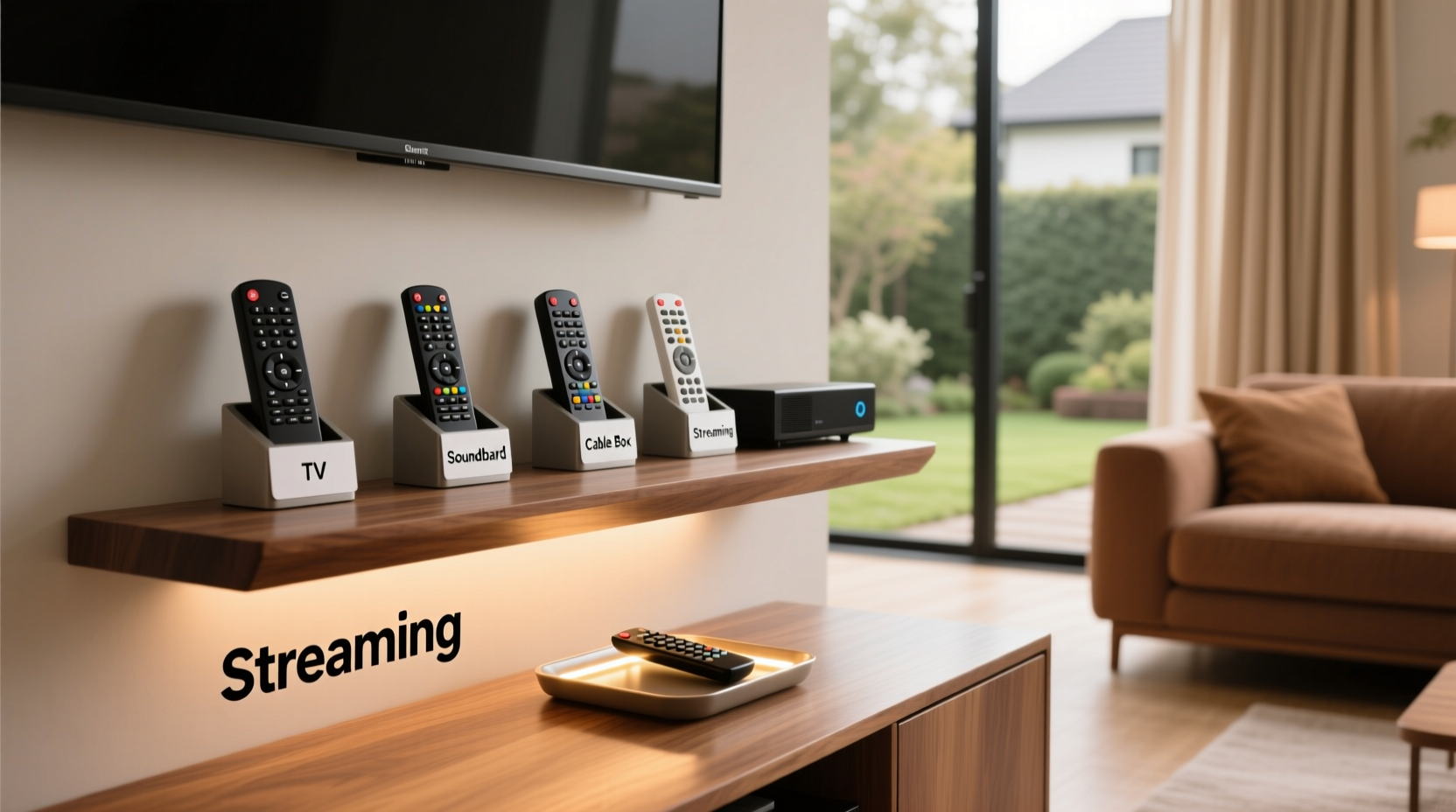
The foundation of any effective system is consistency. Assigning a single, dedicated location where all remotes return after use dramatically reduces clutter and loss. Choose a spot near your primary entertainment area—such as a side table, coffee table drawer, or wall-mounted organizer. The key is visibility and accessibility so family members naturally place remotes back without effort.
A central station works best when everyone in the household respects it. Introduce the system during a family routine moment—like dinner—and explain how it benefits everyone by saving time and reducing stress. Consistency from day one increases long-term adherence.
Use Smart Storage Solutions
Not all storage options are created equal. The right container combines functionality with design, ensuring remotes stay put without looking out of place. Consider these proven options:
- Magnetic Wall Pouches: Mount under shelves or inside cabinet doors using adhesive strips. Ideal for slim remotes.
- Dedicated Remote Caddies: Wooden or fabric organizers with individual slots prevent tangling and damage.
- Furniture with Built-in Compartments: Ottomans, end tables, or media consoles with hidden cubbies offer seamless integration.
- Drawer Dividers: If storing remotes in a drawer, use adjustable dividers to assign each remote its own space.
| Solution | Best For | Pros | Cons |
|---|---|---|---|
| Magnetic Pouch | Minimalist homes, small spaces | Space-saving, invisible when mounted | Limited capacity, not ideal for heavy remotes |
| Tabletop Caddy | Families with multiple devices | Holds several remotes, easy access | Takes up surface space |
| Drawer Organizer | Clean-aesthetic interiors | Keeps remotes hidden and dust-free | Less visible; may be forgotten |
| Wall Hook Strip | Kids’ rooms or shared spaces | Teaches responsibility, visual reminder | May look cluttered if overused |
Create a Labeling System for Multi-Device Households
In homes with several screens and smart devices, confusion arises when remotes look similar. A simple labeling strategy prevents mix-ups and speeds retrieval. Use discreet but clear methods:
- Color-coded stickers (e.g., blue for TV, green for soundbar)
- Small engraved tags attached to lanyards
- Printed labels taped to the back of each remote
This is especially helpful for guests or elderly family members who may struggle to distinguish between nearly identical remotes. Labeling also aids in teaching children which device belongs to which room or function.
“Clear visual cues reduce cognitive load and improve usability, especially in multi-device environments.” — Dr. Alan Reyes, Human Factors & Ergonomics Researcher
Step-by-Step: Building a No-Lose Remote Routine
Adopting new habits takes time. Follow this 30-day plan to embed remote accountability into your household culture:
- Day 1–3: Gather all existing remotes. Clean them and remove dead batteries.
- Day 4–7: Choose and install your preferred storage solution. Place it in the designated zone.
- Day 8–14: Announce the new system. Involve all household members in naming the “Remote HQ.” Post a small sign if needed.
- Day 15–21: Assign one person to gently remind others to return remotes after use. Positive reinforcement works better than criticism.
- Day 22–30: Evaluate effectiveness. Adjust placement or storage type if compliance is low. Celebrate success with a small reward, like choosing the weekend movie.
By the end of the month, returning remotes should feel automatic—much like hanging up a coat or placing keys in a bowl.
Embrace Technology: Smart Alternatives and Trackers
While physical organization is essential, technology offers powerful backup systems. Consider upgrading or augmenting traditional remotes with modern tools:
- Universal Remotes: Consolidate up to six devices into one interface. Brands like Logitech Harmony offer app-based programming and voice control.
- Smartphone Apps: Most modern TVs, streaming boxes, and audio systems support IR-compatible apps (e.g., Samsung SmartThings, Google TV app).
- Bluetooth Trackers: Attach a Tile Mate or Apple AirTag to bulky remotes. When misplaced, trigger a ringtone via smartphone.
For households embracing smart homes, integrating voice assistants like Alexa or Google Assistant allows hands-free control, further reducing reliance on physical remotes.
Mini Case Study: The Thompson Family’s Remote Overhaul
The Thompsons, a family of five in Portland, struggled with constant remote conflicts. Their living room hosted seven different remotes—TV, cable box, Blu-ray player, soundbar, fan, lights, and air conditioner. After one too many arguments over missing controllers, they implemented a dual approach: a walnut remote caddy placed on the coffee table and color-coded stickers for each device.
They also adopted a rule: no remote leaves the living room unless temporarily borrowed (and must be returned within an hour). Within two weeks, searches dropped by 90%. Six months later, only one remote was briefly lost—and was quickly located using a Tile tracker attached to the TV remote.
“It sounds minor, but not yelling ‘Who took the remote?!’ every night has improved our evenings,” said Sarah Thompson. “We actually talk more now.”
Checklist: Never Lose a Remote Again
Use this checklist to implement a foolproof system in your home:
- ✅ Inventory all remotes in your household
- ✅ Designate a single, consistent storage location
- ✅ Invest in a suitable organizer (caddy, pouch, drawer divider)
- ✅ Label each remote clearly (color, text, or icon)
- ✅ Introduce the system to all household members
- ✅ Attach Bluetooth trackers to high-use remotes
- ✅ Consider consolidating with a universal remote or app
- ✅ Review and refine the system monthly for first three months
FAQ
What if someone refuses to follow the system?
Start with empathy. Understand why the behavior persists—is the storage inconvenient? Is there forgetfulness due to routine? Adjust placement or add visual cues. Gentle, consistent reminders work better than enforcement. Lead by example.
Can I use a charging station for remotes?
Yes—especially for rechargeable remotes like those from Roku or Amazon Fire. Charging docks double as storage and ensure remotes are always powered. Just make sure the dock is in your designated zone.
How often should I replace remote batteries?
Check every 3–6 months, depending on usage. Proactively replacing batteries prevents sudden failure and discourages leaving remotes behind due to poor responsiveness.
Final Thoughts: Small Habits, Big Impact
Keeping remotes organized isn’t about perfection—it’s about creating a frictionless environment where everyday tasks flow smoothly. The strategies outlined here combine behavioral psychology, practical design, and smart tech to solve a surprisingly common pain point. What begins as a simple fix often leads to broader improvements in household organization and communication.




 浙公网安备
33010002000092号
浙公网安备
33010002000092号 浙B2-20120091-4
Comments
No comments yet. Why don't you start the discussion?