
For decades, the humble dial thermostat has regulated home temperatures with mechanical simplicity. Turn the knob clockwise, the furnace kicks on. Counter-clockwise, and the heat winds down. It’s intuitive, reliable, and requires no Wi-Fi or app setup. But as homes grow smarter, so do thermostats. Smart models now promise energy savings, remote access, and automated climate control. Yet they come with complexity—setup hurdles, app dependencies, and occasional connectivity hiccups. So, is the automation offered by a smart thermostat truly worth the learning curve compared to a traditional dial model?
The answer isn’t universal. It depends on your lifestyle, technical comfort, heating system, and long-term goals. To help you decide, we’ll break down the real differences in performance, cost, usability, and value.
How Traditional Dial Thermostats Work
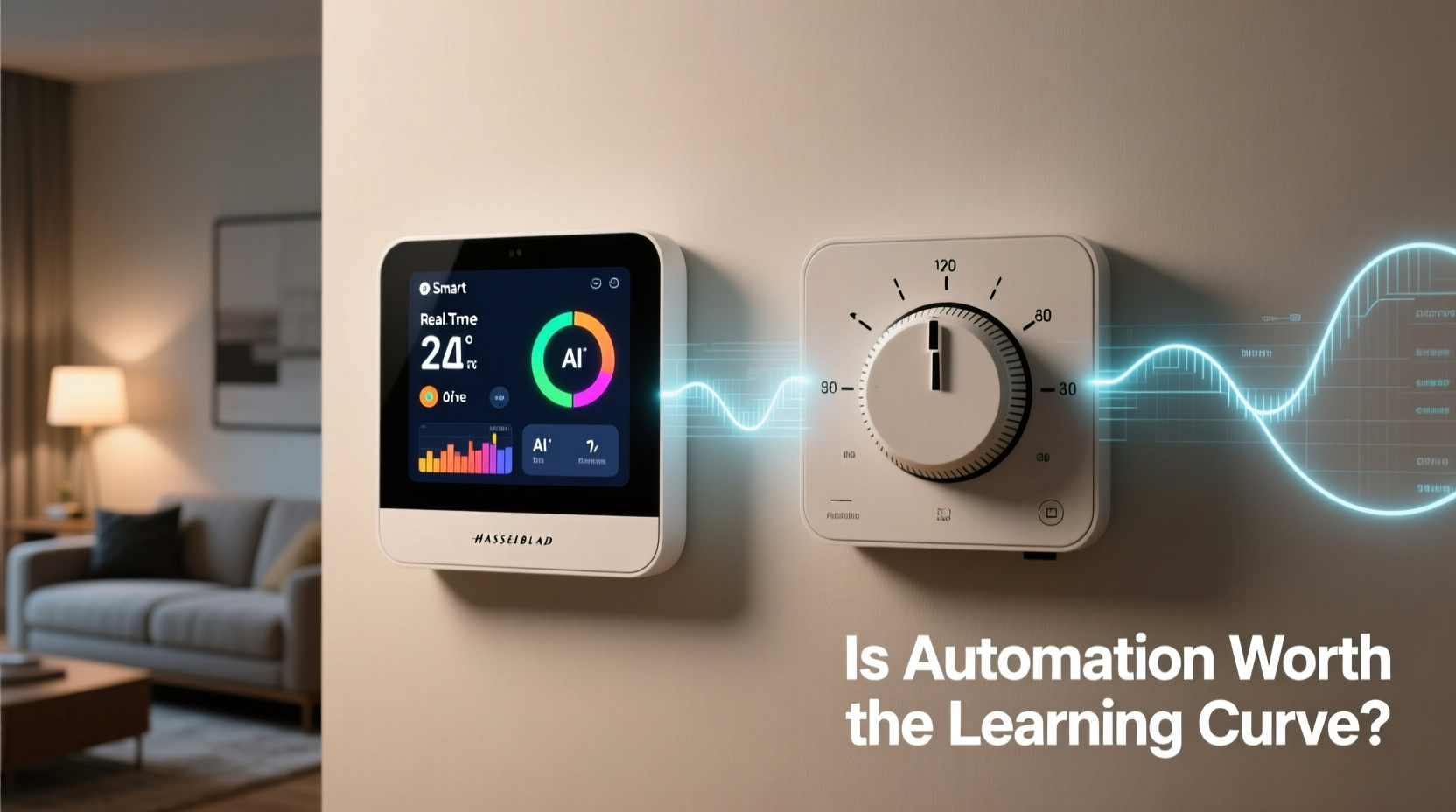
Dial thermostats are analog devices that use a bimetallic coil or mercury switch to detect temperature changes. As the room heats or cools, the metal expands or contracts, triggering the HVAC system to turn on or off. There’s no programming, no digital interface—just manual adjustment.
These units are durable and often last 15–20 years with minimal maintenance. They don’t require batteries or internet access, making them immune to outages or software glitches. For homeowners who maintain a consistent schedule or prefer hands-on control, a dial thermostat can be perfectly adequate.
However, their lack of automation means you’re responsible for every temperature change. If you forget to lower the heat before leaving for work, you pay for it in higher energy bills. No geofencing, no adaptive recovery, no usage reports—just basic function.
Smart Thermostats: Features That Redefine Comfort
Smart thermostats like the Nest Learning Thermostat, Ecobee, or Honeywell Home T9 offer features that go far beyond simple temperature control. These devices connect to your Wi-Fi, integrate with voice assistants, and learn from your behavior to optimize heating and cooling automatically.
- Learning algorithms: Devices like Nest observe your adjustments over a week and begin predicting preferred temperatures based on time and occupancy.
- Remote access: Adjust settings from your phone while at work or on vacation.
- Geofencing: Uses your smartphone’s location to adjust the temperature when you’re heading home.
- Energy reports: Monthly summaries show usage patterns and suggest efficiency improvements.
- Voice control: Compatible with Alexa, Google Assistant, and Siri for hands-free operation.
- Integration with smart home systems: Works alongside smart vents, humidifiers, or security cameras.
Perhaps the most compelling feature is scheduling automation. Instead of manually adjusting the thermostat each morning and night, you set preferences once, and the device handles the rest. Over time, this leads to fewer extreme temperature swings and more consistent indoor comfort.
“Smart thermostats reduce energy waste not just through scheduling, but by understanding human behavior and adapting to it.” — Dr. Linda Chen, Energy Efficiency Researcher at the National Institute of Building Sciences
Comparing Costs: Upfront vs Long-Term Savings
The initial price difference is significant. A basic dial thermostat costs $20–$40. Most smart thermostats range from $100 to $250. Installation may also require professional help if wiring is outdated or incompatible.
But long-term savings can offset the upfront cost. According to the U.S. Department of Energy, programmable and smart thermostats can save up to 10% annually on heating and cooling bills—roughly $131 per year for the average household.
Here’s a simplified cost comparison over five years:
| Thermostat Type | Initial Cost | Installation | Annual Energy Cost | 5-Year Total |
|---|---|---|---|---|
| Traditional Dial | $35 | $0 | $1,310 | $6,585 |
| Smart Thermostat | $150 | $75 (avg. pro install) | $1,179 (10% saved) | $6,195 |
After five years, the smart thermostat saves approximately $390. Factoring in rebates—many utility companies offer $50–$100 incentives for installing energy-efficient models—the break-even point can arrive within two to three years.
Real-World Example: The Miller Family’s Experience
The Millers, a family of four in Minneapolis, replaced their 18-year-old dial thermostat with a Nest Learning Thermostat in early 2022. Both parents work full-time, and the kids are in school. Previously, the house remained heated to 70°F all day, even when empty.
Within two weeks, the Nest learned their routine: lowering the temperature to 62°F during school and work hours, warming the house 30 minutes before arrival, and reducing it again at bedtime. They also used the app to adjust settings during weekend trips.
Their first winter showed a 14% reduction in gas usage compared to the previous year, saving $187. By summer, the same pattern applied to cooling, cutting AC runtime by nearly two hours per day. While the husband initially struggled with the app interface, the wife found the geofencing feature “life-changing” during unpredictable commutes.
“It took about ten days to feel confident using it,” said Tom Miller. “Now I can’t imagine going back. We’re more comfortable, and the house feels responsive, not static.”
Overcoming the Learning Curve
No technology is flawless. Smart thermostats demand a learning investment. Common challenges include:
- Confusing app navigation
- Wi-Fi dropouts disrupting remote access
- Misconfigured schedules leading to overheating or underheating
- Incompatibility with older HVAC systems (e.g., millivolt or line-voltage setups)
However, most issues are temporary. Manufacturers have improved onboarding significantly. Setup wizards guide users through wiring identification, app pairing, and preference setting. Video tutorials and customer support are readily available.
Here’s a step-by-step guide to smooth adoption:
- Verify compatibility: Use online tools (like Nest’s Compatibility Checker) to confirm your HVAC system supports the device.
- Turn off power: Shut off electricity to your furnace/AC at the breaker before removing the old thermostat.
- Label wires: Take a photo and label each wire (R, C, W, Y, G) before disconnecting.
- Mount base and connect: Attach the new baseplate and reconnect wires according to the guide.
- Power up and pair: Restore power, follow in-screen prompts, and download the companion app.
- Set preferences: Input your typical weekday and weekend schedules.
- Allow learning period: Manually adjust temperatures for 5–7 days to train the algorithm.
- Enable automation: Activate features like Auto-Schedule, Eco Modes, and Home/Away Assist.
When a Dial Thermostat Still Makes Sense
Despite the advantages of smart models, there are scenarios where a traditional dial remains the better choice:
- Secondary properties: Cabins, vacation homes, or rental units with infrequent use don’t benefit from automation.
- Technologically hesitant users: Seniors or those uncomfortable with apps may find smart interfaces frustrating.
- Simple HVAC systems: Some radiant heating or older furnaces aren’t compatible with smart thermostats.
- Budget constraints: When replacing a failed unit on a tight budget, a dial model offers immediate, low-cost functionality.
In these cases, the added complexity outweighs the benefits. A dial thermostat isn’t obsolete—it’s appropriately matched to specific needs.
Checklist: Is a Smart Thermostat Right for You?
Before upgrading, ask yourself the following:
- ✅ Do you leave the house regularly (for work, school, travel)?
- ✅ Are you comfortable using smartphone apps and Wi-Fi devices?
- ✅ Is your HVAC system less than 15 years old and low-voltage?
- ✅ Do you want to reduce energy bills without constant manual adjustments?
- ✅ Are you open to a short learning period for long-term convenience?
- ✅ Does your utility company offer rebates for smart thermostat installation?
If you answered “yes” to most of these, automation is likely worth the effort.
Frequently Asked Questions
Can I install a smart thermostat myself?
Yes, if you have a compatible HVAC system and basic DIY skills. Most brands provide detailed video guides. However, if your system lacks a common \"C-wire\" (required for continuous power), you may need an electrician to install one or use a power extender kit.
Do smart thermostats work during power outages?
They lose connectivity and automation during outages but typically retain settings. Once power returns, they resume normal operation. Some models have battery backup for limited functionality.
Will a smart thermostat work with my old furnace?
It depends. Many smart thermostats support conventional forced-air systems, heat pumps, and dual-fuel setups. However, millivolt systems (common in older gas heaters or wall units) are usually incompatible. Always verify compatibility before purchasing.
Conclusion: Embracing Automation Wisely
The shift from a traditional dial to a smart thermostat isn’t just about technology—it’s about rethinking how we interact with our living environments. Automation brings measurable benefits: lower energy bills, enhanced comfort, and greater control. But it also demands a willingness to adapt, learn, and occasionally troubleshoot.
For many households, the learning curve is brief and well worth the long-term payoff. The convenience of walking into a warm home on a winter evening, knowing your system adjusted itself based on your habits, transforms heating from a chore into a seamless experience. And the environmental impact—reduced energy consumption and carbon emissions—adds another layer of value.
That said, there’s no shame in sticking with a dial thermostat if it meets your needs. Technology should serve people, not the other way around. The key is matching the tool to the user, not chasing trends.
If you’re ready to explore smarter climate control, start by checking compatibility, researching rebates, and choosing a model with strong customer support. The future of home comfort isn’t just automated—it’s intelligent, intuitive, and increasingly accessible.




 浙公网安备
33010002000092号
浙公网安备
33010002000092号 浙B2-20120091-4
Comments
No comments yet. Why don't you start the discussion?