
Sleep is a cornerstone of health, influencing everything from cognitive performance to immune function. As awareness grows, more people are turning to wearable technology to understand their sleep habits. Two dominant options—smartwatches and fitness trackers—both promise insights into sleep quality, duration, and stages. But which one delivers better value, accuracy, and usability when it comes to tracking your nightly rest? The answer depends on your priorities, lifestyle, and expectations from your wearable.
While both devices use similar sensors like accelerometers and heart rate monitors, their design, functionality, and data interpretation vary significantly. Understanding these differences helps ensure you invest in a tool that not only tracks sleep effectively but also fits seamlessly into your daily routine.
How Sleep Tracking Works in Wearables
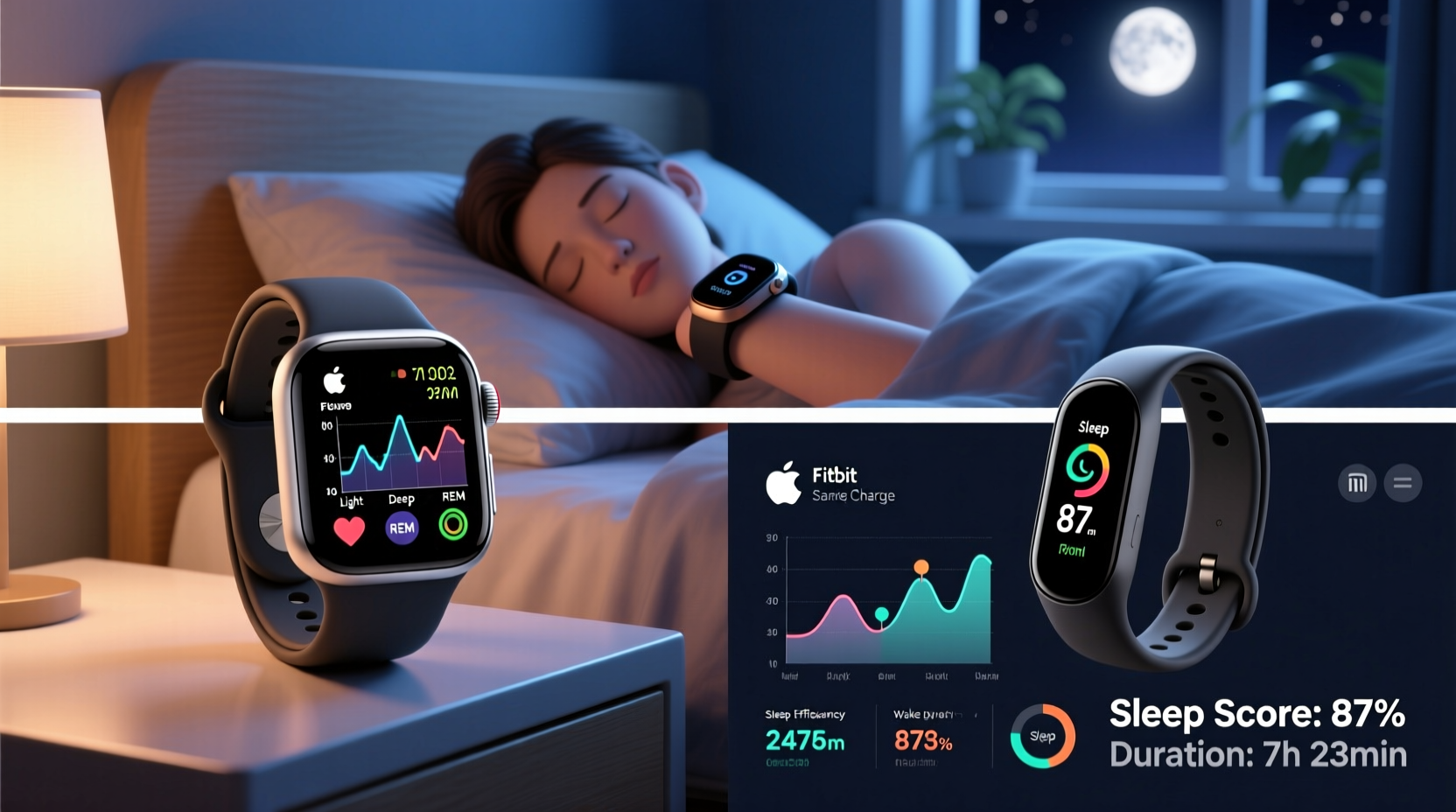
Modern wearables estimate sleep using a combination of motion detection, heart rate variability (HRV), blood oxygen levels (SpO₂), and sometimes skin temperature. These metrics allow devices to infer when you fall asleep, how long you stay in light, deep, or REM sleep, and whether you wake during the night.
Accelerometers detect body movement to distinguish between wakefulness and rest. Minimal movement over a sustained period suggests sleep onset. Optical heart rate sensors monitor changes in pulse and HRV, which shift predictably across sleep stages. Deep sleep typically shows slower, more regular heartbeats, while REM sleep exhibits higher variability, resembling waking patterns.
Some high-end models include SpO₂ sensors to detect potential disruptions such as sleep apnea events by measuring oxygen desaturation during the night. However, it's important to note that consumer-grade devices do not replace clinical polysomnography—the gold standard for sleep analysis—but they offer accessible, longitudinal trends suitable for personal insight.
Smartwatches: Powerhouse Features with Trade-offs
Smartwatches, such as the Apple Watch, Samsung Galaxy Watch, and Garmin Forerunner series, deliver comprehensive health tracking, including detailed sleep analysis. They often sync with robust companion apps that break down sleep architecture, provide sleep scores, and suggest improvements based on behavior patterns.
Advantages of smartwatches include advanced algorithms that integrate multiple biometrics, longer historical data storage, and AI-driven insights. For example, the Apple Watch uses machine learning through its “Sleep Focus” mode to learn user routines and recommend consistent bedtimes. Garmin devices apply Body Battery and Morning Report features to contextualize sleep within overall energy reserves.
However, trade-offs exist. Smartwatches tend to be bulkier and heavier than fitness trackers, which can disrupt sleep for sensitive users. Their batteries usually last 1–2 days, requiring frequent charging—a problem if you forget to charge before bed. Additionally, constant notifications may interfere with sleep hygiene unless Do Not Disturb modes are properly configured.
“Smartwatches offer richer context around sleep by combining activity, stress, and recovery data—but only if used consistently and calibrated correctly.” — Dr. Lena Patel, Sleep Researcher at Stanford Medicine
Fitness Trackers: Simplicity, Comfort, and Longevity
Fitness trackers like the Fitbit Charge series, Xiaomi Mi Band, and Whoop Strap prioritize health metrics over smart features. Their lightweight, minimalist designs make them ideal for 24/7 wear, including overnight.
Because they focus primarily on biometrics, fitness trackers often outperform smartwatches in comfort and battery life. Devices like the Fitbit Sense 2 can last up to six days on a single charge, reducing the risk of missing nights due to dead batteries. The slim profile minimizes disturbance during tossing and turning.
Data presentation is typically streamlined. Fitbit, for instance, provides a Sleep Score (1–100) based on duration, restlessness, and sleep stages. It also identifies sleep patterns over time and flags potential issues like irregular breathing. Whoop goes further by offering Strain and Recovery scores heavily influenced by sleep quality, helping athletes optimize training schedules.
The downside? Limited standalone functionality. Most trackers require a smartphone app for detailed analysis, and fewer support third-party integrations. Some lack onboard displays entirely, making real-time feedback impossible without pulling out your phone.
Comparative Analysis: Key Decision Factors
Choosing between a smartwatch and a fitness tracker isn’t just about sleep—it’s about alignment with your broader goals. Below is a comparison highlighting critical aspects relevant to sleep monitoring.
| Feature | Smartwatch | Fitness Tracker |
|---|---|---|
| Sleep Stage Accuracy | High (multi-sensor fusion, advanced algorithms) | Moderate to High (varies by brand/model) |
| Battery Life | 1–2 days (requires nightly charging) | 5–14 days (less frequent charging) |
| Comfort During Sleep | Moderate (bulkier design may cause discomfort) | High (lightweight, low-profile) |
| Sleep Insights & Feedback | Comprehensive (trends, coaching, integration with other health data) | Targeted (focused on sleep score and recovery) |
| Additional Features | Notifications, apps, GPS, voice assistant | Limited (basic step counting, heart rate) |
| Price Range | $200–$800+ | $80–$400 |
| Clinical Validation | Some models FDA-cleared (e.g., Apple ECG) | Fitbit and Whoop have peer-reviewed studies supporting validity |
This table underscores a fundamental divide: smartwatches excel in integration and versatility, while fitness trackers win in endurance and dedicated health focus.
Real-World Example: Choosing Based on Lifestyle
Consider Sarah, a 34-year-old project manager with chronic insomnia. She wants objective data to identify patterns affecting her rest. She values detailed reports, trend analysis, and actionable suggestions. After trying a basic tracker, she upgrades to a Garmin Venu 3, drawn by its Morning Report feature, which correlates poor sleep with elevated resting heart rate and low hydration levels logged the previous day.
In contrast, Mark, a 28-year-old runner training for a marathon, prioritizes recovery. He wears a Whoop 4.0 solely to monitor sleep efficiency and strain balance. He disables all notifications and appreciates the absence of a screen, which reduces temptation to check messages at night. His decision hinges on consistency and physiological precision—not smart capabilities.
Their stories illustrate that the best device isn’t universally defined. It depends on whether you seek holistic digital integration or focused biometric clarity.
Actionable Checklist: How to Choose the Right Device
Before purchasing, evaluate your needs using this checklist:
- ✅ Determine your primary goal: general wellness insight vs. athletic recovery vs. medical self-monitoring
- ✅ Assess comfort preferences: Can you sleep with a larger watch face?
- ✅ Evaluate battery habits: Are you likely to forget charging nightly?
- ✅ Review data depth needs: Do you want sleep stage estimates or just duration and consistency?
- ✅ Consider ecosystem compatibility: Does it sync with your phone OS and preferred health apps (Apple Health, Google Fit)?
- ✅ Check clinical backing: Look for brands that publish validation studies (e.g., Fitbit’s research collaboration with the NIH)
- ✅ Test wearability: Try wearing a similar-sized device overnight before buying
Common Pitfalls in Sleep Tracking
Even the most advanced device fails if misused. Common mistakes include:
- Inconsistent wear: Removing the device mid-sleep invalidates data.
- Loose fit: Gaps reduce heart rate sensor accuracy.
- Ignoring context: One bad night doesn’t indicate disorder; look for trends over weeks.
- Over-reliance on scores: A \"low\" sleep score may stress you unnecessarily, worsening sleep anxiety.
Devices cannot diagnose conditions like insomnia or sleep apnea. If tracking reveals persistent issues—frequent awakenings, low deep sleep, excessive daytime fatigue—consult a sleep specialist. Wearables are tools for awareness, not substitutes for professional evaluation.
Step-by-Step Guide to Maximizing Sleep Insights
To get the most from your wearable, follow this sequence:
- Wear consistently: Put on the device first thing in the morning and keep it on until the next morning.
- Calibrate settings: Input your average bedtime and wake time in the companion app.
- Enable sleep mode: Activate automatic sleep detection or schedule sleep tracking.
- Review daily summary: Check duration, stages, and disturbances each morning.
- Analyze weekly trends: Use app dashboards to spot improvements or regressions.
- Adjust habits: If deep sleep drops after late caffeine, experiment with earlier cutoff times.
- Sync with other data: Cross-reference poor sleep nights with exercise intensity, alcohol intake, or stress levels.
- Reassess monthly: Decide whether the device still meets your goals or needs replacement.
Frequently Asked Questions
Can wearables accurately detect sleep stages?
They provide reasonable estimates but aren't clinically precise. Studies show moderate correlation with lab-based EEG readings, especially for distinguishing REM and deep sleep. However, they may misclassify light sleep or brief awakenings. Treat stage data as directional, not diagnostic.
Is a smartwatch better than a fitness tracker for sleep apnea detection?
Some smartwatches (like Apple Watch with third-party apps) and trackers (Fitbit with Sleep Apnea Notifications) can flag potential breathing disruptions via SpO₂ dips. But neither diagnoses sleep apnea. They serve as screening tools—if anomalies persist, a formal sleep study is essential.
Do I need to wear my device every night?
For meaningful insights, yes. Occasional tracking offers isolated snapshots. Consistent use reveals patterns, such as weekend oversleeping disrupting circadian rhythm or improved deep sleep after strength training.
Final Recommendation: Match Device to Purpose
If you're deeply integrated into a smart ecosystem, value notifications, and want a multifunctional device, a smartwatch is a strong choice—provided you manage charging and tolerate its size. Models like the Garmin Epix or Apple Watch Ultra deliver exceptional sleep analytics alongside top-tier fitness tracking.
If sleep optimization is your central goal, and you prefer something unobtrusive that stays on your wrist for days, a fitness tracker remains the superior option. Devices like the Fitbit Charge 6 or Whoop 4.0 prioritize biometrics, minimize distractions, and offer proven sleep modeling.
Ultimately, the best wearable is the one you’ll wear consistently and use to inform healthier choices. Technology should empower, not overwhelm. Whether you choose sleek simplicity or smart sophistication, let your sleep data guide small, sustainable improvements—one restful night at a time.




 浙公网安备
33010002000092号
浙公网安备
33010002000092号 浙B2-20120091-4
Comments
No comments yet. Why don't you start the discussion?