
Back pain is one of the most common complaints among office workers, remote employees, and anyone who spends long hours at a desk. The search for relief often leads to ergonomic upgrades—most notably, standing desks or desk converters. But which option truly helps alleviate chronic back discomfort? While both promise improved posture and reduced strain, their effectiveness depends on how they’re used, your physical condition, and your daily habits. This article cuts through the marketing claims to reveal which setup delivers real, lasting relief—and how to use it correctly.
The Root Cause of Desk-Related Back Pain
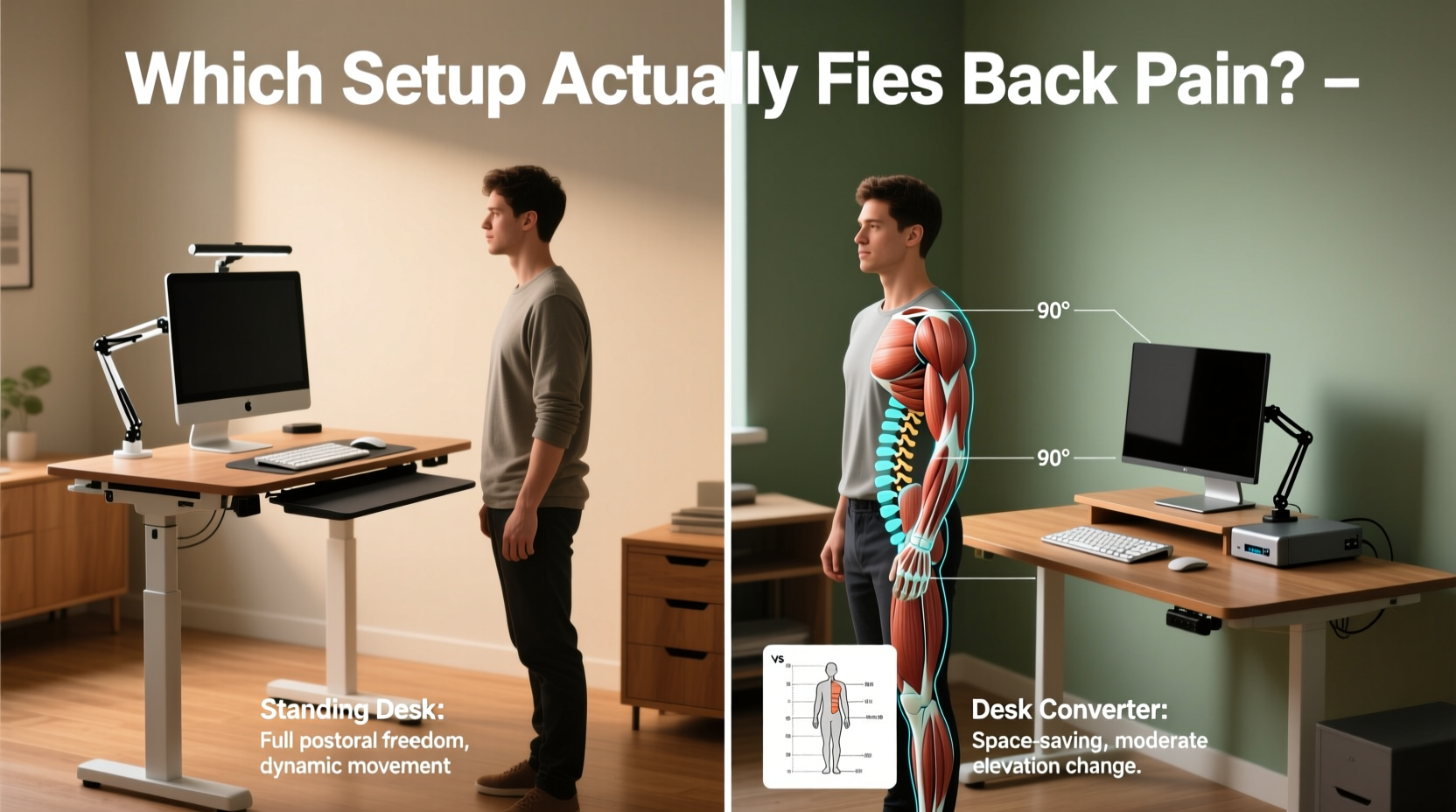
Before comparing equipment, it’s essential to understand what causes back pain in the first place. Prolonged sitting—even in an “ergonomic” chair—leads to muscle imbalances. The glutes weaken, hip flexors tighten, and the lower back bears excessive pressure due to poor lumbar support or slouched posture. Over time, this contributes to disc compression, sciatica, and chronic tension in the thoracic spine.
According to Dr. Elena Torres, a physical therapist specializing in workplace ergonomics:
“Sitting isn’t inherently harmful, but static postures are. Whether you're sitting or standing, staying in one position for more than 30 minutes increases spinal load and reduces circulation to supporting muscles.” — Dr. Elena Torres, DPT, OCS
Movement, not just height adjustment, is the key to prevention. Both standing desks and desk converters can help—but only if integrated into a dynamic work routine.
Standing Desks: Full Integration, Higher Investment
A standing desk replaces your entire workstation with a height-adjustable frame. These range from basic manual crank models to motorized dual-motor systems that save presets and adjust silently.
The primary advantage lies in seamless transitions. With a push of a button, you shift between sitting and standing without disrupting workflow. This encourages frequent posture changes—critical for reducing back strain.
High-quality standing desks also allow precise alignment: monitor at eye level, elbows at 90 degrees, wrists neutral. When properly configured, they reduce forward head posture—a major contributor to upper back and neck pain.
However, drawbacks exist. Poorly adjusted standing desks can worsen pain if users stand too long without support or wear inadequate footwear. Also, full standing desks require dedicated space and represent a higher upfront cost—typically $300–$1,000.
Desk Converters: Flexible Add-Ons for Existing Workstations
A desk converter sits on top of your current desk and lifts your keyboard and monitor to standing height. It’s ideal for those who rent, share workspaces, or want to test standing before investing in a full desk.
These units vary widely in quality. Basic spring-assist models require manual effort and offer limited range. Premium versions use counterbalance systems for smooth transitions and accommodate dual monitors.
One benefit is versatility. You retain your favorite desktop surface while gaining flexibility. For temporary setups or hybrid offices, this modularity is invaluable.
But limitations remain. Most converters reduce usable desktop space, create clutter, and may wobble under heavy loads. More critically, many users install them incorrectly—placing monitors too high or too far, forcing awkward neck angles that contribute to upper back tension.
“I’ve treated patients whose back pain worsened after adding a converter because they stood in place for three hours straight, leaning forward on unstable platforms.” — Dr. Raj Patel, Occupational Medicine Specialist
Comparing Effectiveness: Which Actually Fixes Back Pain?
To determine which solution works better, consider four factors: adjustability, movement frequency, posture support, and long-term sustainability.
| Feature | Standing Desk | Desk Converter |
|---|---|---|
| Height Range | Full sit-to-stand (adjusts entire desk) | Limited by base desk height |
| Ease of Transition | Instant (motorized), encourages frequent shifts | Manual lift required; less likely to change often |
| Stability | High (integrated frame) | Variable (can shake with typing force) |
| Posture Control | Precise alignment possible | Harder to achieve optimal ergonomics |
| Cost | $300–$1,000+ | $100–$500 |
| Best For | Dedicated home offices, chronic pain sufferers | Renters, shared spaces, trial periods |
The data shows that standing desks provide superior ergonomic control and encourage healthier movement patterns. However, a well-chosen converter can still deliver meaningful benefits—if used correctly.
Real-World Example: Sarah’s Journey from Chronic Discomfort to Relief
Sarah, a technical writer in Seattle, struggled with lower back pain for over two years. Her doctor ruled out structural issues but attributed her symptoms to prolonged sitting. She first tried a budget desk converter. Within weeks, she noticed increased neck stiffness—her monitor was now too high, forcing her to tilt her head upward.
She adjusted by placing books under her feet and lowering the screen with risers, but the setup remained unstable. After three months, she upgraded to a dual-motor standing desk. With professional ergonomic guidance, she set up proper alignment: monitor at eye level, wrists straight, anti-fatigue mat underfoot.
More importantly, she adopted a rhythm: 30 minutes sitting, 20 standing, alternating throughout the day. Within six weeks, her morning back stiffness disappeared. “It wasn’t just the desk,” she said. “It was finally being able to move without thinking about it.”
Sarah’s case illustrates a crucial point: the tool matters less than the behavior it enables.
Action Plan: How to Use Either Setup to Reduce Back Pain
Whether you choose a standing desk or a converter, success depends on implementation. Follow this step-by-step guide to maximize benefits and avoid common pitfalls.
- Assess Your Current Posture: Sit naturally and have someone take a side photo. Is your head forward? Is your lower back flat? These signs indicate risk for strain.
- Choose the Right Equipment: If you work full-time from home and have floor space, invest in a height-adjustable desk. If you need portability or are testing the concept, choose a sturdy converter with independent monitor and keyboard trays.
- Set Up for Neutral Alignment:
- Monitor top at or slightly below eye level
- Top of keyboard at elbow height when shoulders are relaxed
- Elbows close to body, forming 90–110 degree angles
- Feet flat on floor or footrest
- Introduce Standing Gradually: Start with 10–15 minutes per hour. Increase over 2–4 weeks. Never go from all-sitting to all-standing overnight—this causes leg fatigue and compensatory postures.
- Use Supportive Accessories: An anti-fatigue mat reduces lower limb strain. A footrest allows periodic weight shifting. Avoid hard floors or thin rugs.
- Move Every 30 Minutes: Set reminders to shift positions. Even better, pair transitions with micro-breaks: stretch, walk to get water, or do shoulder rolls.
- Listen to Your Body: Mild muscle engagement is normal. Sharp pain, numbness, or swelling is not. Adjust or stop if discomfort persists beyond adaptation.
Checklist: Ergonomic Setup Verification
Use this checklist to ensure your workstation supports spinal health:
- ☑ Monitor positioned 20–30 inches from eyes
- ☑ No glare on screen; light source behind or beside you
- ☑ Keyboard tray allows wrists to stay neutral (not bent up or down)
- ☑ Chair provides lumbar support or uses a cushion
- ☑ Feet fully supported (floor or footrest)
- ☑ Standing surface allows forearms to rest parallel to floor
- ☑ Anti-fatigue mat in place (if standing)
- ☑ Position changes occur at least hourly
- ☑ No craning neck to view secondary screens or documents
- ☑ Regular stretching or walking breaks scheduled
Frequently Asked Questions
Can a standing desk cure my existing back pain?
Not alone. A standing desk is a tool—not a treatment. While it can relieve pressure on discs and improve posture, persistent pain should be evaluated by a healthcare provider. Combine ergonomic changes with physical therapy, movement, and strength training for best results.
Is a desk converter good enough for long-term use?
Yes, if it’s high-quality and properly installed. Look for models with independent height adjustment for monitor and keyboard, solid construction, and sufficient weight capacity. Avoid wobbly or cramped designs. For lasting comfort, ensure it integrates smoothly into your daily rhythm.
How long should I stand each day?
There’s no universal rule, but research suggests aiming for 2–4 hours of standing or light activity during an 8-hour workday. Break it into intervals—30–60 minutes of sitting followed by 15–30 minutes of standing—to prevent fatigue. Movement matters more than total standing time.
Final Verdict: What Works Best for Back Pain?
The evidence points clearly to full standing desks as the superior option for resolving and preventing back pain. Their seamless adjustability promotes consistent movement, supports optimal posture, and integrates effortlessly into healthy work habits. That said, a well-selected desk converter can still make a meaningful difference—especially for those with space or budget constraints.
The critical factor isn’t the device itself, but whether it enables regular postural shifts and reduces static loading on the spine. Any setup that keeps you moving, aligned, and aware of your body will yield better outcomes than even the most expensive desk used incorrectly.
As Dr. Torres emphasizes: “The best ergonomic desk is the one you actually use—and change frequently.”
Take Action Today
You don’t need a complete overhaul to start seeing results. Begin by auditing your current workspace using the checklist above. Try standing for 10 minutes every hour—even at your existing desk. Notice how your body responds. Then, decide whether upgrading to a converter or full standing desk aligns with your needs.
Small changes compound. By prioritizing movement over perfection, you build sustainable habits that protect your spine for years to come.




 浙公网安备
33010002000092号
浙公网安备
33010002000092号 浙B2-20120091-4
Comments
No comments yet. Why don't you start the discussion?