
In an era where knowledge work dominates, the tools we use—and how we use them—can significantly influence our ability to concentrate and produce high-quality output. One of the most debated office upgrades in recent years is the shift from traditional sitting desks to standing desks. Advocates claim that standing while working sharpens mental clarity, reduces fatigue, and enhances overall performance. Skeptics argue that prolonged standing can lead to discomfort and distraction. So, which desk setup truly supports better focus and, by extension, greater productivity?
The answer isn’t binary. It depends on individual physiology, work patterns, task types, and proper implementation. This article dives deep into the cognitive and physiological impacts of standing versus sitting, analyzes real-world outcomes, and provides actionable strategies to optimize your workspace for peak concentration and efficiency.
The Cognitive Cost of Posture
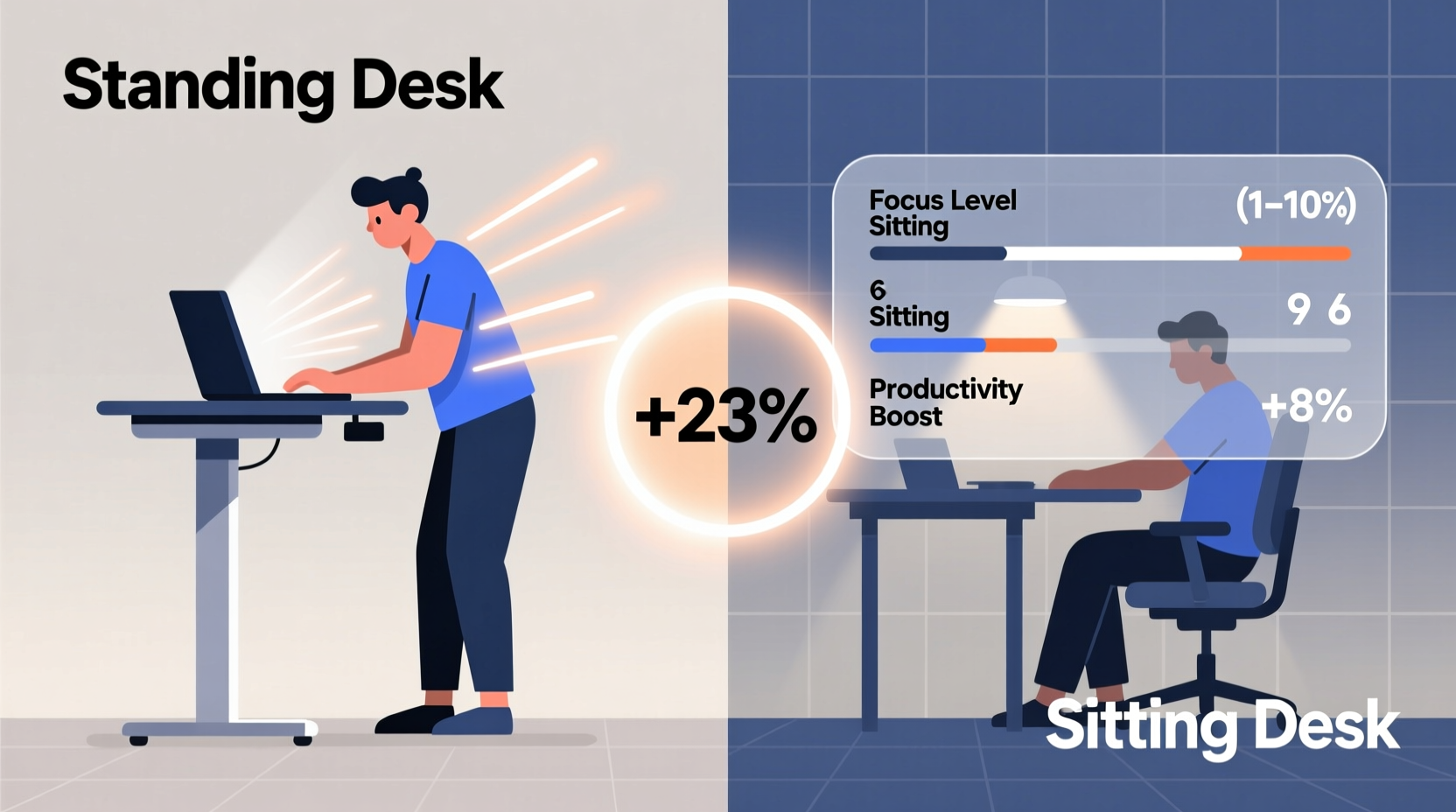
Posture influences not just physical health but also brain function. When you sit for extended periods, blood flow to the brain can decrease slightly due to reduced muscle activity and lower heart rate. This subtle change may contribute to mental sluggishness, especially during afternoon hours when circadian rhythms naturally dip.
Conversely, standing activates postural muscles, increases circulation, and elevates heart rate marginally—by about 10%, according to a 2015 study published in the Journal of Physical Activity and Health. This small cardiovascular boost can enhance oxygen delivery to the brain, potentially improving alertness and reaction time.
However, increased alertness doesn't automatically mean improved focus. Standing too long without breaks can shift attention toward physical discomfort—aching feet, lower back strain, or leg fatigue—which competes with cognitive resources needed for deep work.
Scientific Evidence: What Research Says About Focus and Productivity
A growing body of research has examined how desk type affects cognitive performance. A notable 2016 study conducted at Texas A&M University tracked call center employees over six months, comparing those using standing desks with those using seated ones. The results showed a 46% increase in productivity among the standing desk group—measured by calls handled per day.
Yet, this was a specific environment involving short, repetitive tasks. For knowledge workers engaged in writing, coding, or complex problem-solving, the benefits are less straightforward. A 2020 meta-analysis in Ergonomics concluded that while standing desks improve mood and energy levels, they do not consistently enhance performance on cognitively demanding tasks unless paired with movement or used intermittently.
Another key finding: standing desks reduce sedentary time, which is independently linked to better long-term brain health. Chronic sitting has been associated with thinning in the medial temporal lobe—the region involved in memory formation. Reducing daily sitting time may therefore support sustained cognitive capacity over years.
“Intermittent standing breaks can reset attentional resources and reduce mental fatigue, particularly during prolonged cognitive tasks.” — Dr. Mark Benden, Ergonomics Researcher, Texas A&M University
Comparative Analysis: Standing Desk vs Sitting Desk
| Factor | Sitting Desk | Standing Desk |
|---|---|---|
| Focus Duration (Average) | High for structured tasks; declines after 90+ mins | Moderate; peaks early but may drop due to fatigue |
| Cognitive Load | Low physical demand allows full mental allocation | Some attention diverted to posture/balance |
| Energy Levels | Tends to dip mid-afternoon | Generally higher alertness, especially morning/early PM |
| Physical Discomfort Risk | Lower back pain, poor circulation | Foot, leg, or lower back strain if overused |
| Task Suitability | Ideal for deep work, reading, detailed editing | Better for brainstorming, light tasks, meetings |
| Long-Term Health Impact | Higher risk of metabolic issues, cardiovascular disease | Reduced sedentary risk; potential musculoskeletal strain |
The data suggests that neither desk type is universally superior. Instead, context determines effectiveness. For example, writing a report requiring uninterrupted concentration may be better suited to a seated position, while reviewing emails or participating in video calls might benefit from standing.
Real-World Application: A Day in the Life of a Hybrid Worker
Consider Sarah, a UX designer working remotely. Her day begins at 8:30 AM with a team stand-up meeting. She uses her standing desk during this session, finding that being upright helps her stay engaged and articulate ideas clearly. Afterward, she transitions to a seated position to begin wireframing—a task requiring precision and sustained visual attention.
By 11:00 AM, she feels her energy dipping. She sets a timer, stands up, and spends 20 minutes sketching layout concepts on a whiteboard. Returning to her adjustable desk in standing mode, she reviews her sketches digitally. The physical shift reboots her focus.
After lunch, Sarah tackles user feedback analysis, a mentally taxing process. She opts to sit, minimizing distractions so she can fully immerse herself in the data. Later, during a collaborative brainstorming session, she stands again, noting that the slight increase in arousal state fosters quicker idea generation.
Sarah’s approach exemplifies the optimal model: dynamic movement throughout the day, leveraging both postures strategically. Her productivity isn’t tied to one desk type but to intentional transitions between them.
Optimizing Your Workspace: A Step-by-Step Guide
Maximizing focus and productivity isn’t about choosing sides—it’s about designing a flexible system. Follow this timeline to integrate the best of both worlds:
- Assess Your Work Patterns (Day 1–2): Track your tasks for two days. Note which activities require deep focus, which are routine, and when your energy typically rises or falls.
- Invest in an Adjustable Desk (Day 3): Choose a height-adjustable desk that allows seamless transitions. Ensure your monitor is at eye level in both positions.
- Set Movement Cues (Day 4): Use a timer or app to prompt posture changes every 30–60 minutes. Start with 30 minutes sitting, 15–20 minutes standing.
- Match Posture to Task Type (Ongoing): Sit for reading, writing, coding. Stand for meetings, planning, creative ideation.
- Incorporate Micro-Movements (Daily): While standing, shift weight, stretch, or pace lightly. While sitting, perform seated leg lifts or shoulder rolls.
- Monitor Physical & Mental Feedback (Weekly): Adjust durations based on comfort and concentration levels. Reduce standing time if fatigue increases.
Actionable Checklist for Peak Focus
- ✅ Use an adjustable desk that supports both sitting and standing
- ✅ Align your screen top with eye level in both postures
- ✅ Limit continuous standing to 30–45 minutes
- ✅ Take a 2-minute walking break every hour
- ✅ Perform posture checks: ears over shoulders, shoulders over hips
- ✅ Use anti-fatigue mats if standing frequently
- ✅ Schedule cognitively intense tasks during natural energy peaks
- ✅ Avoid static positions—shift, stretch, or walk regularly
Common Misconceptions Debunked
Several myths persist about standing desks and productivity. One is that “standing all day equals maximum productivity.” In reality, excessive standing leads to physical stress that undermines mental performance. Another myth is that sitting is inherently harmful. While chronic sitting poses health risks, seated work remains essential for tasks requiring fine motor control and minimal distraction.
The goal isn’t to eliminate sitting but to reduce prolonged immobility. Even small movements—like shifting position, stretching, or standing during phone calls—can interrupt sedentary behavior enough to yield cognitive and metabolic benefits.
Frequently Asked Questions
Can standing desks improve concentration immediately?
Some users report feeling more alert within minutes of standing, thanks to increased blood flow. However, true concentration improvements depend on consistent usage patterns and pairing standing with focused work intervals. Immediate gains are often temporary without proper ergonomic alignment and scheduled breaks.
How long should I stand at my desk each day?
There’s no universal rule, but research suggests aiming for 30–60 minutes of standing per hour of seated work. Start with 15–20 minutes per hour and adjust based on comfort. The key is variation, not duration. Listening to your body is more important than hitting arbitrary targets.
Are standing desks worth it for remote workers?
Yes—especially for those spending more than four hours daily at a desk. Remote workers often lack built-in movement (e.g., walking to meetings), making intentional posture changes critical. A standing desk promotes autonomy over work rhythm and supports both physical well-being and mental stamina.
Conclusion: The Best Desk Is the One That Moves
The debate between standing and sitting desks misses a crucial point: the human body and mind thrive on movement, not static positions. Rather than seeking a single “best” desk, the most productive approach is to create a dynamic workspace that encourages regular shifts in posture.
Standing desks can enhance alertness and reduce sedentary risk, making them valuable tools—but only when used wisely. Sitting remains effective for deep, focused work, provided it’s not sustained for hours without interruption. The synergy between the two, guided by task demands and personal rhythm, unlocks the highest levels of concentration and output.
If you’re still relying solely on a fixed-height desk, consider upgrading to an adjustable model. Start small: stand during your next meeting, take a five-minute walk after finishing a major task, or set a reminder to stretch hourly. These micro-changes compound into meaningful gains in both focus and long-term well-being.




 浙公网安备
33010002000092号
浙公网安备
33010002000092号 浙B2-20120091-4
Comments
No comments yet. Why don't you start the discussion?