
A standing desk is a powerful tool for improving posture, boosting energy, and reducing sedentary time throughout the workday. But when your monitor shakes with every keystroke or your coffee threatens to spill from subtle vibrations, the benefits can be overshadowed by frustration. Desk wobble isn’t just annoying—it can disrupt concentration, reduce typing accuracy, and even contribute to long-term discomfort. The good news? Most cases of standing desk instability are fixable with the right approach.
Understanding why your desk wobbles—and how to address each cause—is essential for creating a stable, ergonomic workspace. From structural design flaws to improper setup, several factors contribute to instability. This guide breaks down the root causes and provides practical, tested solutions to eliminate wobble for good.
Common Causes of Standing Desk Wobble
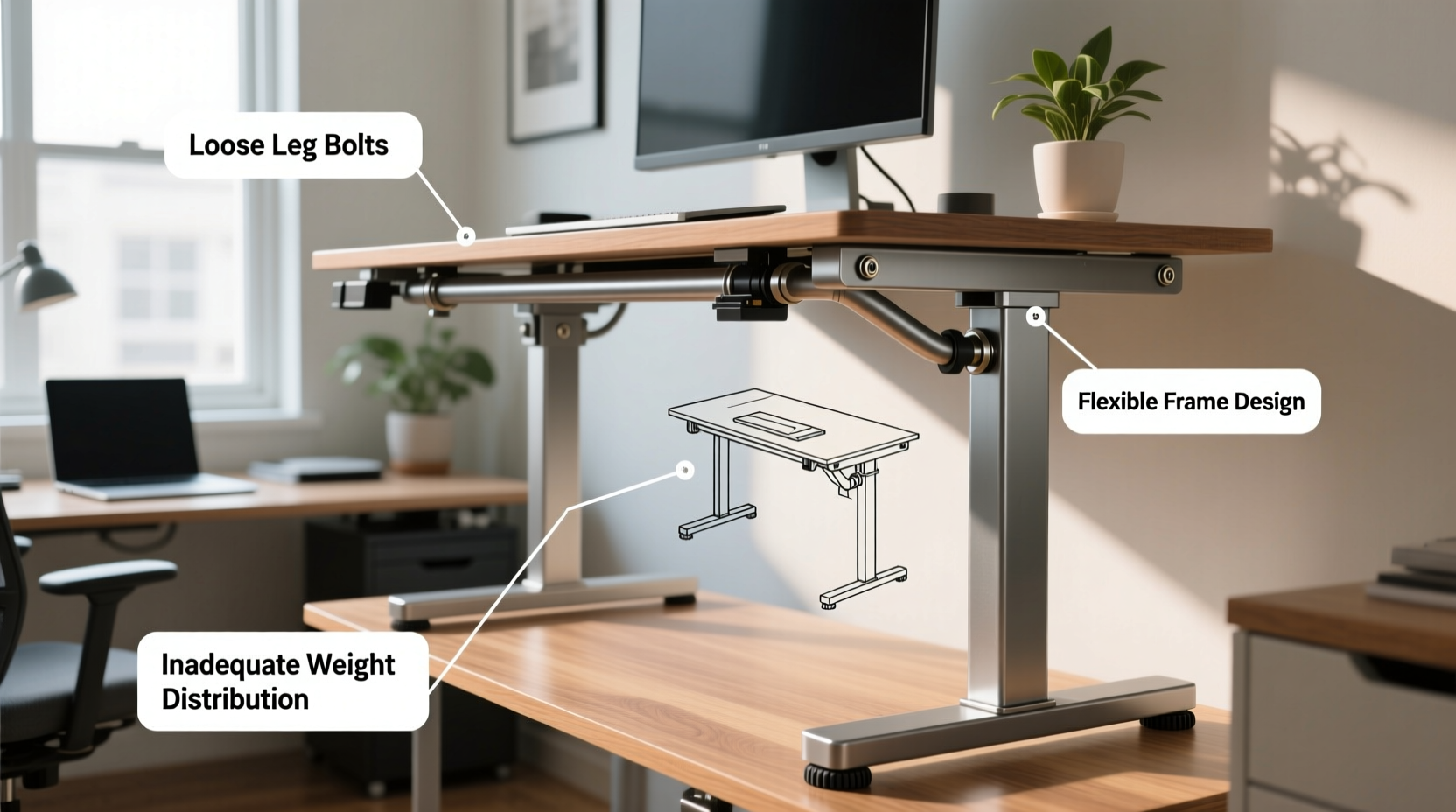
Before applying fixes, it's crucial to identify what’s causing the movement. Wobble typically stems from one or more of the following sources:
- Frame Design and Build Quality: Budget desks often use thinner steel or aluminum in their legs and crossbars, which flexes under load. Dual-motor desks may have stronger frames than single-motor models, but not always.
- Inadequate Base Support: Desks with narrow footprints or widely spaced legs without lateral bracing tend to sway side-to-side, especially at full height.
- Improper Floor Surface: Uneven, soft, or carpeted floors prevent all feet from making full contact, creating instability.
- Overloading the Desktop: Exceeding weight limits or placing heavy items toward the front edge amplifies leverage and increases forward tilt and vibration.
- Loose Fasteners or Poor Assembly: Bolts and screws that weren’t tightened properly during installation can loosen over time, allowing joints to shift.
- Desktop Material and Thickness: Thin particleboard or MDF desktops flex easily, contributing to perceived wobble even if the frame is solid.
Proven Strategies to Reduce or Eliminate Wobble
Fixing desk wobble doesn’t always require buying new equipment. Many improvements can be made with simple adjustments, added accessories, or minor upgrades.
1. Ensure Proper Assembly and Tighten All Connections
The first step is verifying that your desk was assembled correctly. Even a slightly loose bolt in the leg mechanism or mounting plate can create noticeable movement.
- Use a hex key or wrench to check every visible screw and bolt, especially those connecting the legs to the crossbar and the crossbar to the tabletop.
- Pay special attention to motor housing brackets and internal support beams.
- If hardware feels stripped or won’t tighten fully, consider replacing it with higher-grade bolts or using thread-locking compound.
2. Level the Desk on an Even Surface
An unlevel floor is a silent contributor to instability. If one leg hovers slightly due to carpet pile or an uneven tile, the entire structure compensates.
Place a small bubble level across the desktop in multiple directions. If the desk isn’t level:
- Adjust the leveling feet (if your model has them).
- Use furniture shims under the shorter leg(s) to fill gaps.
- Avoid placing the desk across thresholds between rooms where floor heights differ.
3. Add Weight Strategically
Sometimes, a little extra mass improves stability. Adding weight low in the frame counteracts top-heaviness.
Consider placing small sandbags, books, or custom metal weights near the base of the legs or on lower shelves. Avoid placing weight on the desktop unless necessary, as this can increase downward flex.
4. Install a Stabilization Bar or DIY Brace
Many standing desks lack horizontal bracing between the legs, leaving them vulnerable to lateral sway. Aftermarket stabilization bars are available for popular brands like Uplift, Vari, and Flexispot.
If no commercial option exists for your model, you can build a simple brace:
- Cut a piece of wood or aluminum bar to fit snugly between the inner legs.
- Attach with L-brackets and secure bolts.
- Ensure the brace doesn’t interfere with cable management or knee clearance.
“Adding a lateral brace reduced my desk’s side-to-side movement by at least 70%. It’s the single most effective upgrade I’ve made.” — Mark T., Ergonomic Workspace Consultant
Choosing the Right Desktop for Stability
The surface you attach to the frame plays a bigger role in wobble than many realize. A flimsy desktop acts like a diving board, amplifying any movement from below.
When selecting or upgrading a desktop, consider these factors:
| Material | Thickness | Stability Rating | Notes |
|---|---|---|---|
| Particleboard | 1” (25mm) | Poor | Prone to sagging; avoid over 48” span |
| MDF | 1.25” (32mm) | Fair | Better than particleboard but still flexes |
| Plywood (Birch or Maple) | ¾” to 1.5” | Good | Natural strength; resists warping |
| Solid Wood | 1”+ | Excellent | Dense, heavy, and rigid—but costly |
| Steel or Laminate Composite | 1”+ | Excellent | Used in commercial setups; minimal flex |
For maximum rigidity, opt for a thicker desktop (at least 1.25 inches) and limit overhang beyond the frame to no more than 12 inches per side.
Mini Case Study: Fixing a High-Wobble Budget Desk
Jamie purchased a mid-range electric standing desk online for under $300. While functional, the desk exhibited significant wobble at standing height, making video calls distracting and typing uncomfortable. The monitor would tremble when touched, and the whole unit swayed when leaning forward.
After researching solutions, Jamie implemented the following steps:
- Tightened all bolts using a torque wrench to manufacturer specs.
- Installed rubber shims under the back legs to correct a slight slope in the floor.
- Attached a DIY wooden brace cut from 1x4 pine between the front legs.
- Added two 10-lb sandbags suspended from the crossbar.
- Replaced the original 1-inch MDF desktop with a 1.5-inch birch plywood top.
Result: Wobble was reduced by an estimated 85%. Typing felt solid, and the monitor remained still during use. Total cost of upgrades: under $60.
Do’s and Don’ts of Standing Desk Stability
| Do’s | Don’ts |
|---|---|
| Check and retighten bolts every 3–6 months | Ignore persistent creaking or shifting sounds |
| Use a level to ensure even contact with the floor | Place the desk on thick carpet without flattening it first |
| Add a lateral stabilizer bar if available | Overload the desktop beyond manufacturer limits |
| Choose thicker, denser desktop materials | Mount very large monitors far from the back edge |
| Distribute weight evenly across the surface | Assume all standing desks are equally stable out of the box |
FAQ: Common Questions About Standing Desk Wobble
Is some wobble normal in standing desks?
Yes, a small amount of high-frequency vibration (especially during height adjustment) is typical, particularly in lighter-duty models. However, pronounced side-to-side or front-to-back sway at rest is not normal and indicates a fixable issue.
Can I return my desk if it wobbles too much?
Most reputable brands offer a 30-day trial period. If the wobble persists despite proper setup and tightening, contact customer support. Some companies will send stabilizing kits or allow returns if the unit fails basic stability tests.
Are dual-motor desks more stable than single-motor ones?
Not necessarily. While dual motors can improve lifting balance, stability depends more on frame thickness, bracing, and footprint. Some single-motor desks have sturdier designs than cheaper dual-motor alternatives.
Step-by-Step Guide to Diagnose and Fix Desk Wobble
Follow this sequence to systematically eliminate instability:
- Inspect Assembly: Go over every bolt and connection point. Retighten anything loose.
- Level the Desk: Use a bubble level and shims to ensure all legs are grounded.
- Test at Full Height: Raise the desk completely and gently push the corners to assess movement.
- Evaluate the Desktop: Press down on the front edge. If it flexes noticeably, consider upgrading.
- Add Bracing: Install a commercial stabilizer or fabricate a simple crossbar.
- Distribute Weight: Center monitors and peripherals; avoid stacking heavy items on one side.
- Reassess: Repeat the push test. If wobble remains, consider contacting the manufacturer for support.
Conclusion: Take Control of Your Workspace Stability
A shaky standing desk undermines the very purpose of an ergonomic upgrade. But with careful diagnosis and targeted interventions, most wobble issues can be resolved—often without spending hundreds on a replacement. Whether it’s tightening bolts, adding a brace, choosing a sturdier desktop, or simply leveling the floor beneath, each improvement compounds toward a smoother, more professional experience.
Your workspace should support focus, not distract from it. By addressing instability head-on, you’re not just fixing a wobble—you’re investing in comfort, productivity, and long-term well-being.




 浙公网安备
33010002000092号
浙公网安备
33010002000092号 浙B2-20120091-4
Comments
No comments yet. Why don't you start the discussion?