
Deleting your Facebook account from a mobile device is a straightforward process, but it’s one that requires careful consideration. Unlike deactivating your profile, deleting your account permanently removes your data, including photos, posts, messages, and personal information. While Facebook offers temporary deactivation for those who want a break, permanent deletion is irreversible. If you’ve made the decision to leave the platform entirely, this guide walks you through every step using only your smartphone—no computer required.
Understanding Account Deletion vs. Deactivation
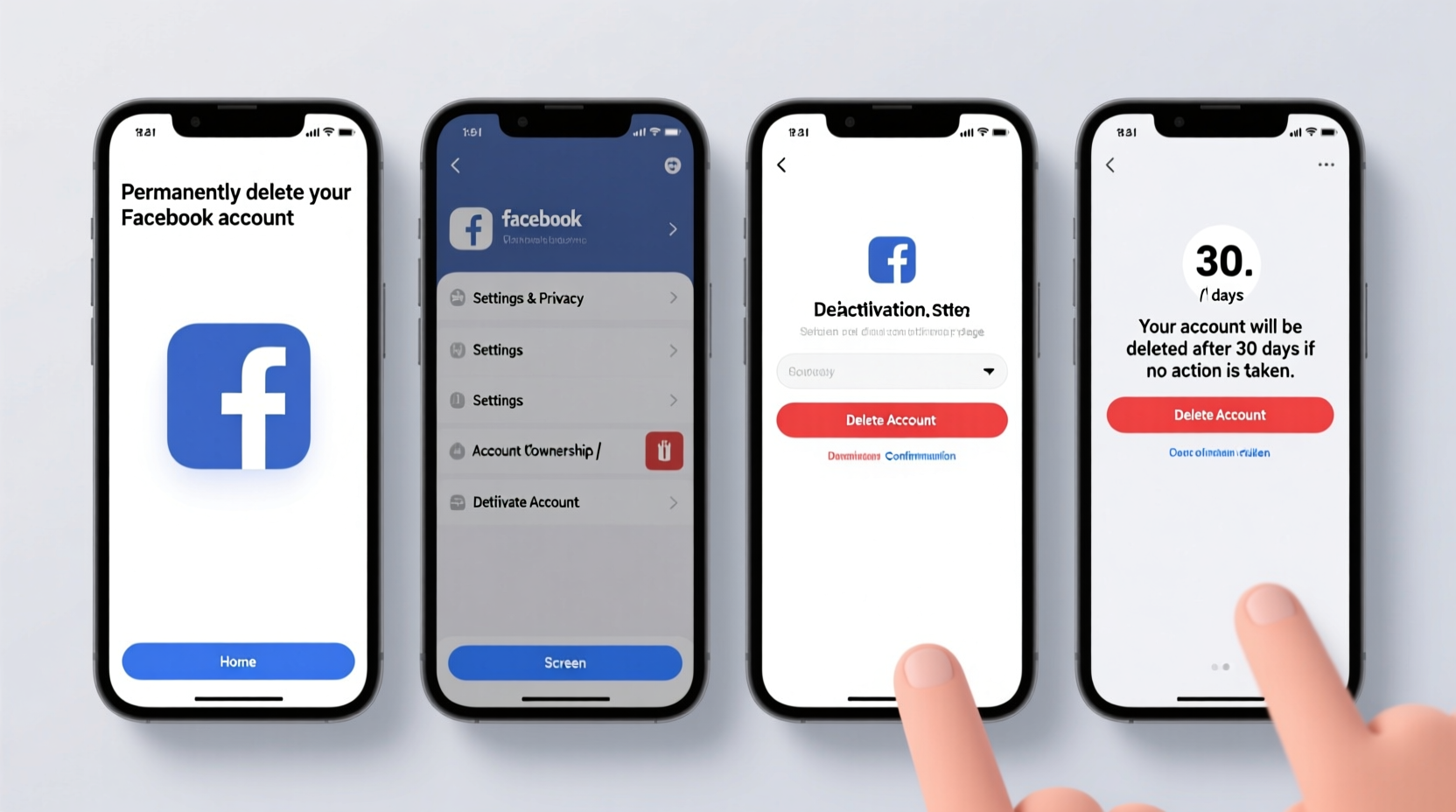
Before proceeding, it's essential to distinguish between deactivating and deleting your Facebook account. Deactivation is like pausing your presence: your profile disappears from view, but all your data remains stored on Facebook’s servers. You can reactivate your account at any time by logging back in.
Deletion, however, is final. Once initiated, Facebook begins removing your information from its systems. This includes:
- Your timeline, photos, videos, and status updates
- Messages sent to friends (though copies may remain in recipients' inboxes)
- Comments on other people’s posts
- Friend lists and group memberships
- Ad preferences and activity logs
Facebook states that the deletion process can take up to 90 days to fully complete, during which time your data is irreversibly purged from backup systems.
“Once you delete your account, there’s no going back. Make sure you’ve backed up anything you want to keep.” — Privacy Rights Clearinghouse
Step-by-Step Guide to Deleting Your Facebook Account via Mobile
The process must be completed through a mobile browser or the Facebook app settings. The native app does not have a direct “Delete Account” button, so you’ll need to access Facebook’s website through your phone’s browser. Follow these steps carefully:
- Open your mobile browser (Chrome, Safari, Firefox, etc.) and go to facebook.com.
- Log in with your email/phone number and password.
- Tap the three-line menu icon (☰) in the top-right corner to open the main menu.
- Scroll down and tap Settings & Privacy, then select Settings.
- Under the Your Facebook Information section, tap Account Ownership and Control.
- Select Deactivation and Deletion.
- Choose Delete Account (not Deactivate), then tap Continue to Account Deletion.
- Select a reason for leaving (optional), then tap Continue.
- Enter your password to confirm identity.
- Tap Permanently Delete Account.
After confirmation, Facebook will display a message stating that your request has been submitted and that your account will be deleted after a 30-day grace period.
What Happens After You Confirm Deletion?
Once you submit the deletion request, Facebook initiates a 30-day waiting period. This serves as a safety net in case you change your mind. During this time:
- Your profile becomes invisible to others.
- You cannot log in or use the account.
- If you attempt to log in, the deletion process will be canceled automatically.
After 30 days, Facebook begins the full removal of your data. According to their policy, it may take an additional 60 to 90 days to erase all information from backup systems. Note that some content, such as messages you sent to friends or comments on others’ posts, may still be visible to them even after deletion.
Data Backup: What You Should Download First
Before initiating deletion, download a copy of your data. Facebook allows users to export photos, posts, messages, and more in a downloadable archive.
To create a backup:
- In the Facebook app or mobile browser, go to Settings & Privacy > Settings.
- Navigate to Your Facebook Information > Download Your Information.
- Choose the data range (e.g., “All of My Data”) and format (HTML or JSON).
- Select media quality (e.g., High for photos).
- Click Create File. Facebook will prepare the archive and notify you when it’s ready to download—usually within a few minutes to hours.
| Data Type | Can Be Downloaded? | Deleted Permanently? |
|---|---|---|
| Photos & Videos | Yes | Yes |
| Posts & Status Updates | Yes | Yes |
| Private Messages | Yes (if included in export) | Only from your side |
| Friends List | Yes | Yes |
| Ads You've Seen | Yes | Yes |
Mini Case Study: Sarah’s Digital Detox Journey
Sarah, a 32-year-old graphic designer from Portland, decided to delete her Facebook account after realizing she spent over two hours daily scrolling through news feeds and targeted ads. She felt increasingly anxious and distracted. After researching privacy concerns and data harvesting practices, she committed to a digital detox.
Using her iPhone, Sarah followed the steps outlined above. She first downloaded her data—over 10 years of memories, event invites, and shared moments. During the 30-day deletion window, she reconsidered once when a friend tagged her in a photo, but remembered her goal: reclaiming mental space.
Three months later, Sarah reports improved focus, better sleep, and stronger real-world relationships. “Deleting Facebook wasn’t just about privacy—it was about prioritizing my well-being,” she says.
Frequently Asked Questions
Can I delete my Facebook account using the mobile app directly?
No, the Facebook app does not include a direct option to delete your account. You must use a mobile browser to access the full website version and navigate to the deletion page under Settings.
Will my messages disappear from other people’s inboxes?
No. While you can download your message history, messages you sent to others remain in their inbox unless they manually delete them. Facebook does not remove your messages from recipients' accounts.
What happens to Messenger after I delete my Facebook account?
If you use Facebook login for Messenger, deleting your account disables Messenger access. However, standalone Messenger accounts (with a separate phone number) may still function. Otherwise, your Messenger profile will be removed along with your Facebook identity.
Final Checklist Before Deletion
- ✅ Back up important photos, posts, and messages
- ✅ Save contact information of close friends linked only through Facebook
- ✅ Log out of third-party apps connected to Facebook
- ✅ Notify key contacts of your departure (optional)
- ✅ Confirm you’re ready for irreversible data loss
Conclusion
Deleting your Facebook account from a mobile phone is a powerful step toward digital minimalism and personal privacy. With just a few taps in your browser, you can initiate a process that frees you from algorithmic feeds, targeted advertising, and constant connectivity. The key is preparation: back up what matters, understand the consequences, and commit to your decision.
Whether motivated by privacy, mental health, or a desire to simplify your online life, taking control of your digital footprint starts with actions like this. If you’ve been considering it, now is the time. Follow the steps, click delete, and step into a less cluttered, more intentional digital future.




 浙公网安备
33010002000092号
浙公网安备
33010002000092号 浙B2-20120091-4
Comments
No comments yet. Why don't you start the discussion?