
Images are among the most powerful tools for communication, branding, and digital discovery. When properly optimized and shared through Google’s ecosystem, they can attract organic traffic, enhance SEO, and increase audience engagement. However, simply uploading a photo isn’t enough. To achieve maximum visibility, every step—from file preparation to sharing strategy—must be intentional and optimized. This guide walks you through a complete, actionable process to ensure your images are seen by the right people at the right time.
1. Prepare Your Image for Maximum Impact
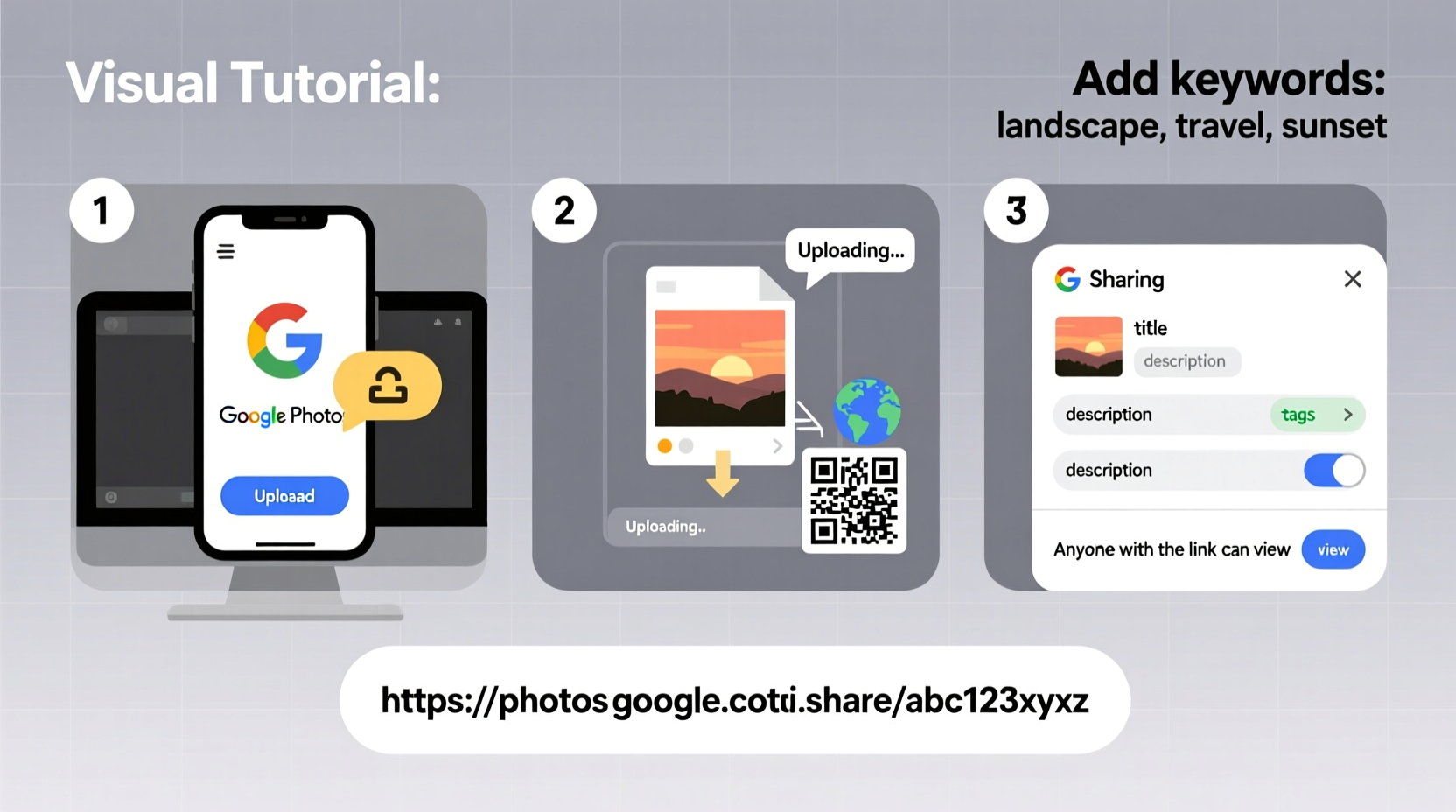
Before uploading, ensure your image is technically and visually ready for public visibility. A well-prepared image performs better in search results and across platforms.
Start with high resolution—ideally between 1500–2500 pixels on the longest side. While smaller images load faster, Google favors higher-quality visuals, especially for indexing in Google Images. Compress the file without sacrificing clarity using tools like TinyPNG or Squoosh.app to keep file sizes under 1MB when possible.
Include relevant metadata such as alt text, title, and description if supported by the platform. Even if not immediately visible, this information strengthens searchability. Use keywords naturally but avoid overstuffing—for example, “homemade chocolate chip cookies on rustic wooden table” works better than “cookies cookies baking recipe food dessert.”
2. Choose the Right Platform for Upload
Google offers multiple services for storing and sharing images. Each has different strengths depending on your goal: search visibility, collaboration, or long-term archiving.
| Platform | Best For | Limits & Notes |
|---|---|---|
| Google Photos | Personal storage, AI-powered search, sharing albums | Limited indexing; free uploads compressed unless using “Original Quality” (paid) |
| Google Drive | Document integration, team collaboration, secure sharing | Files are not indexed in Google Images unless publicly shared and linked from external sites |
| Blogger / Google Sites | SEO-friendly publishing with embedded images | Images uploaded here are more likely to appear in Google Images results |
| YouTube (video thumbnails) | Visibility via video content | Custom thumbnails must be 1280x720 px and under 2MB |
For maximum visibility in search engines, embed your image within a publicly accessible webpage—such as a blog post on Blogger, a Google Site, or an external website that connects to Google Search Console.
“Images published on indexed web pages have up to 8x higher chance of appearing in Google Image Search than those stored privately in cloud services.” — Sarah Kim, Senior SEO Analyst at SearchPilot
3. Step-by-Step: Upload and Optimize on Google
To get your image discovered, follow this structured process:
- Select the right format: Use JPEG for photographs, PNG for graphics with transparency, and WebP for modern, compressed alternatives.
- Rename the file: Include primary keyword(s) separated by hyphens (e.g., “vegan-blueberry-muffins-recipe.jpg”).
- Upload to a public-facing platform: Use Blogger, Google Sites, or a CMS-connected site where Google can crawl the page.
- Add descriptive alt text: Accurately describe what’s in the image for accessibility and SEO (e.g., “Freshly baked vegan blueberry muffins on a white ceramic plate with scattered blueberries.”).
- Write a caption and surrounding content: Context matters. Include natural keyword usage in paragraphs near the image.
- Set image title and size attributes: If editing HTML directly, use descriptive title tags and specify dimensions to prevent layout shifts.
- Publish and submit to Google: Use Google Search Console to request indexing of the page containing your image.
4. Share Strategically for Wider Reach
Uploading is only half the battle. Sharing determines who sees your image and how far it spreads.
When sharing publicly, adjust permissions carefully. In Google Drive or Photos, select “Anyone with the link can view” or make the album fully public if appropriate. Avoid setting links to “Restricted,” as this blocks search engine access.
Embed shared images in relevant discussions. For instance, contribute to Reddit threads, Q&A forums like Quora, or niche communities where visual examples add value. Always follow community rules and avoid spamming.
Link back to your original source whenever possible. If someone uses your image, encourage attribution with a backlink. This boosts domain authority and increases chances of future image discovery.
Mini Case Study: Travel Photographer Gains Global Exposure
Alex Rivera, a freelance travel photographer, wanted his landscape shots to reach a broader audience. He began uploading high-resolution images to a Blogger site he created, titled “Wanderlight Journeys.” Each post featured one photo embedded in an article describing the location, shooting conditions, and gear used.
He named files like “northern-lights-over-tromso-norway.jpg,” added detailed alt text, and submitted sitemaps via Google Search Console. Within three months, several of his images appeared in Google Image Search results for queries like “Tromso aurora borealis photos.” One image was even picked up by a European travel magazine, credited with a link back to his site.
The combination of technical optimization and contextual storytelling turned a simple upload into a visibility success.
5. Monitor, Maintain, and Improve Visibility
Visibility isn’t a one-time achievement—it requires ongoing attention.
Use Google Search Console to monitor performance under the “Enhancements > Images” section. Check which images are indexed, their click-through rates, and top search queries. Identify errors like missing alt text or crawl issues and fix them promptly.
Update older posts with improved images or enhanced descriptions. Google rewards fresh, relevant content. If a seasonal topic (like holiday recipes) is approaching, refresh the associated images and reshare links on social platforms.
📋 Image Optimization Checklist- ✅ File renamed with descriptive, keyword-rich name
- ✅ Image compressed for fast loading (under 1MB preferred)
- ✅ Alt text added and accurate
- ✅ Uploaded to a publicly indexable page
- ✅ Page submitted to Google Search Console
- ✅ Shared on at least two external platforms (social, forum, email)
- ✅ Image dimensions match display size (avoid oversized files)
Frequently Asked Questions
Can Google index images stored in private Google Drive folders?
No. Only publicly shared files or those embedded on websites accessible to Google’s crawlers can be indexed. Private Drive files remain hidden from search results.
How long does it take for an uploaded image to appear in Google search?
Indexing can take anywhere from a few hours to several weeks, depending on site authority, crawl frequency, and whether the page is manually submitted via Search Console. Providing a sitemap speeds up the process.
Is it safe to share high-resolution images online?
Yes, but consider adding a subtle watermark if protecting intellectual property is important. Also, use copyright notices on your site to assert ownership.
Conclusion
Maximizing image visibility on Google goes beyond uploading—it involves strategic preparation, smart platform selection, and consistent promotion. By optimizing file names, leveraging public platforms, embedding images in meaningful content, and monitoring performance, you give your visuals the best chance to be found, shared, and remembered.




 浙公网安备
33010002000092号
浙公网安备
33010002000092号 浙B2-20120091-4
Comments
No comments yet. Why don't you start the discussion?