
The S87 Bluetooth speaker has earned a reputation for delivering crisp sound, long battery life, and rugged portability. Whether you're using it at home, on a picnic, or during a workout, one of its most valuable features is wireless connectivity. But even the best speakers can be frustrating if pairing feels confusing or inconsistent. This comprehensive guide walks you through every stage of connecting your S87 speaker to smartphones, tablets, laptops, and other Bluetooth-enabled devices—without guesswork.
Understanding Bluetooth Compatibility
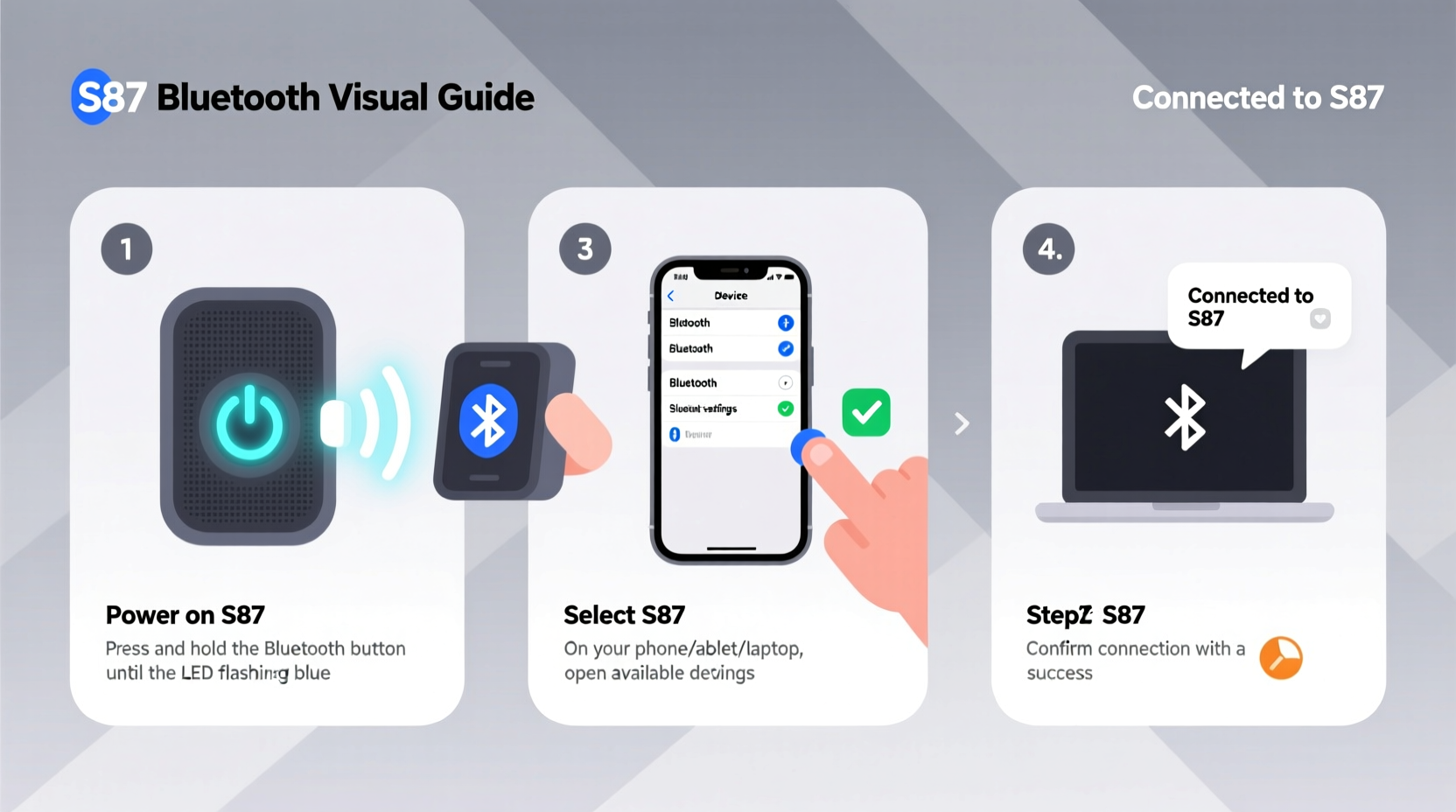
Before attempting to pair your S87 speaker, it's important to confirm compatibility. The S87 typically supports Bluetooth 5.0 or higher, which ensures stable connections, faster pairing, and improved range (up to 33 feet or 10 meters in open space). Most modern smartphones, tablets, and computers released after 2016 support this standard, so backward compatibility isn’t usually an issue.
However, older devices running Bluetooth 4.0 or earlier may experience intermittent disconnections or reduced audio quality. If you're using an older device, consider updating firmware or using a Bluetooth adapter for better performance.
Step-by-Step Guide to Pairing Your S87 Speaker
Follow these clear steps to successfully connect your S87 speaker to any Bluetooth device. This process works universally across iOS, Android, Windows, macOS, and Linux systems.
- Power On the Speaker: Press and hold the power button on the S87 until the LED indicator lights up. You should hear a confirmation tone or see alternating red and blue flashing lights, indicating pairing mode.
- Enable Pairing Mode: If the lights aren’t flashing automatically, press and hold the Bluetooth button (or multifunction play/pause button) for 3–5 seconds until the device enters discoverable mode.
- Turn On Bluetooth on Your Device: Go to Settings > Bluetooth on your phone, tablet, or computer and ensure Bluetooth is enabled.
- Search for Devices: Tap “Scan” or wait for available devices to appear. Look for “S87” or “S87-Speaker” in the list.
- Select the S87: Tap the S87 entry. Some devices may prompt you to confirm with a passcode (usually 0000 or 1234). Enter it if required.
- Confirm Connection: Once paired, the LED on the speaker will turn solid blue, and you’ll hear a chime. Audio playback should now route through the speaker.
If the connection fails, repeat the steps while ensuring no other Bluetooth devices are interfering. Walls, metal objects, and Wi-Fi routers can weaken signals.
Troubleshooting Common Connection Issues
Even with careful setup, problems can arise. Below are frequent issues and how to resolve them quickly.
| Issue | Possible Cause | Solution |
|---|---|---|
| S87 not showing in device list | Not in pairing mode or out of range | Restart speaker, re-enter pairing mode, and move closer to the device |
| Connection drops frequently | Signal interference or low battery | Reduce distance, remove obstacles, charge speaker fully |
| Audio delay (latency) | Codec mismatch or background apps | Close unused apps; use AAC or aptX-compatible devices if supported |
| Pairs but no sound | Incorrect audio output selected | Check device’s sound settings and select S87 as default output |
“Bluetooth stability depends not just on hardware, but on environment and usage habits. A clean, direct line of sight between devices improves reliability by over 60%.” — Dr. Alan Zhou, Wireless Connectivity Engineer
Best Practices for Maintaining Stable Connections
Once paired, maintaining a reliable link enhances your listening experience. Consider these expert-backed strategies:
- Limit Active Bluetooth Devices: Too many connected peripherals can cause channel congestion. Disconnect unused devices.
- Keep Firmware Updated: Check the manufacturer’s website periodically for firmware updates that improve Bluetooth performance.
- Avoid Physical Obstructions: Concrete walls, mirrors, and large electronics can reflect or absorb Bluetooth signals.
- Re-Pair Periodically: Over time, stored device profiles can become corrupted. Remove the S87 from your device’s Bluetooth list and re-pair every few months.
- Use Line-of-Sight Placement: Position the speaker and your device so they face each other without barriers.
Real-World Example: Connecting at a Small Gathering
Imagine hosting a backyard barbecue with friends. You’ve brought your S87 speaker to play music, but when you arrive, your phone won’t connect. Guests are waiting, and frustration builds.
You calmly follow the correct sequence: power on the speaker, enter pairing mode (double-press the Bluetooth button), disable Wi-Fi temporarily to reduce radio interference, and refresh the Bluetooth menu on your iPhone. Within 20 seconds, \"S87\" appears. You tap it, confirm the pairing, and music begins to play clearly across the yard.
Later, a friend wants to play a song from their Android tablet. Instead of struggling, you instruct them to go to Bluetooth settings, forget previous devices, and search again. The speaker reconnects instantly because it supports multi-device memory (stores up to 8 paired devices).
This scenario highlights the importance of knowing your speaker’s behavior and having a reliable process—not relying on luck.
Quick Checklist for Hassle-Free Pairing
Use this checklist before every connection attempt to save time and avoid errors:
- ✅ Charge the S87 speaker above 50%
- ✅ Power on and enter Bluetooth pairing mode (flashing lights)
- ✅ Enable Bluetooth on your device
- ✅ Disable airplane mode and Wi-Fi if experiencing interference
- ✅ Forget old S87 entries in Bluetooth settings if reconnecting
- ✅ Stay within 10 meters (33 feet) of the speaker
- ✅ Confirm audio output selection after pairing
Frequently Asked Questions
Can I connect two S87 speakers together for stereo sound?
Yes, some models support TWS (True Wireless Stereo) pairing. Turn on both speakers and press the TWS button (if available) or hold the Bluetooth button for 5 seconds on both units until they sync. Then pair one to your device—the second will mirror audio automatically.
Why does my S87 disconnect when I lock my phone?
This often happens due to aggressive battery-saving settings. On Android, go to Battery Optimization and set your music app to “Don’t optimize.” On iOS, ensure Background App Refresh is enabled for your audio app.
How do I reset the Bluetooth settings on my S87 speaker?
To reset: Turn the speaker on, then press and hold the Volume Down and Play/Pause buttons simultaneously for 8–10 seconds. The lights will flash rapidly, then turn off. Upon restart, the speaker will be in pairing mode and cleared of all previous connections.
Final Thoughts and Next Steps
Connecting your S87 speaker to any Bluetooth device doesn’t need to be complicated. With the right approach—understanding compatibility, following a consistent pairing routine, and applying preventive maintenance—you can enjoy uninterrupted, high-quality audio anywhere. The key is consistency: treat the pairing process like a ritual, and soon it will become second nature.
Now that you’re equipped with this knowledge, test the connection with multiple devices in different environments. Try pairing with a laptop for video calls, a tablet for audiobooks, or a smart TV for enhanced sound. Each successful link builds confidence and expands the speaker’s utility.




 浙公网安备
33010002000092号
浙公网安备
33010002000092号 浙B2-20120091-4
Comments
No comments yet. Why don't you start the discussion?