
A cluttered closet doesn’t just waste space—it wastes time, energy, and money. Many people own more clothes than they wear regularly, often struggling with decision fatigue every morning. The solution? A capsule wardrobe: a curated collection of versatile, high-quality pieces that mix and match effortlessly. But what if you could design and test this wardrobe before buying a single item? Enter the digital capsule wardrobe.
By digitizing your clothing collection, you can experiment with outfits, identify gaps, avoid duplicate purchases, and maintain a sustainable, intentional approach to fashion—all without stepping into a store. Best of all, you don’t need expensive software. Free apps make it possible for anyone to build, manage, and refine their ideal wardrobe from a smartphone or tablet.
Why Go Digital With Your Capsule Wardrobe?
The traditional capsule wardrobe concept dates back to the 1970s, popularized by London boutique owner Susie Faux and later adopted by designers like Donna Karan. It typically includes 30–40 interchangeable pieces designed to last a season. While effective, physical capsule wardrobes still require trial and error when styling or shopping.
Digitalization takes the concept further. Instead of relying on memory or guesswork, you gain a visual inventory of your clothes, complete with outfit combinations, seasonal tags, and usage tracking. This level of insight helps eliminate impulse buys, reduces overpacking for travel, and supports eco-conscious consumption.
“Digitizing your wardrobe transforms fashion from chaos into clarity. You stop buying based on emotion and start dressing with intention.” — Maya Lin, Sustainable Style Consultant
With no need for professional photography or design skills, free mobile apps now allow users to create accurate digital twins of their closets. These tools support drag-and-drop outfit planning, color coordination, and even weather-based recommendations.
Step-by-Step Process to Build Your Digital Capsule
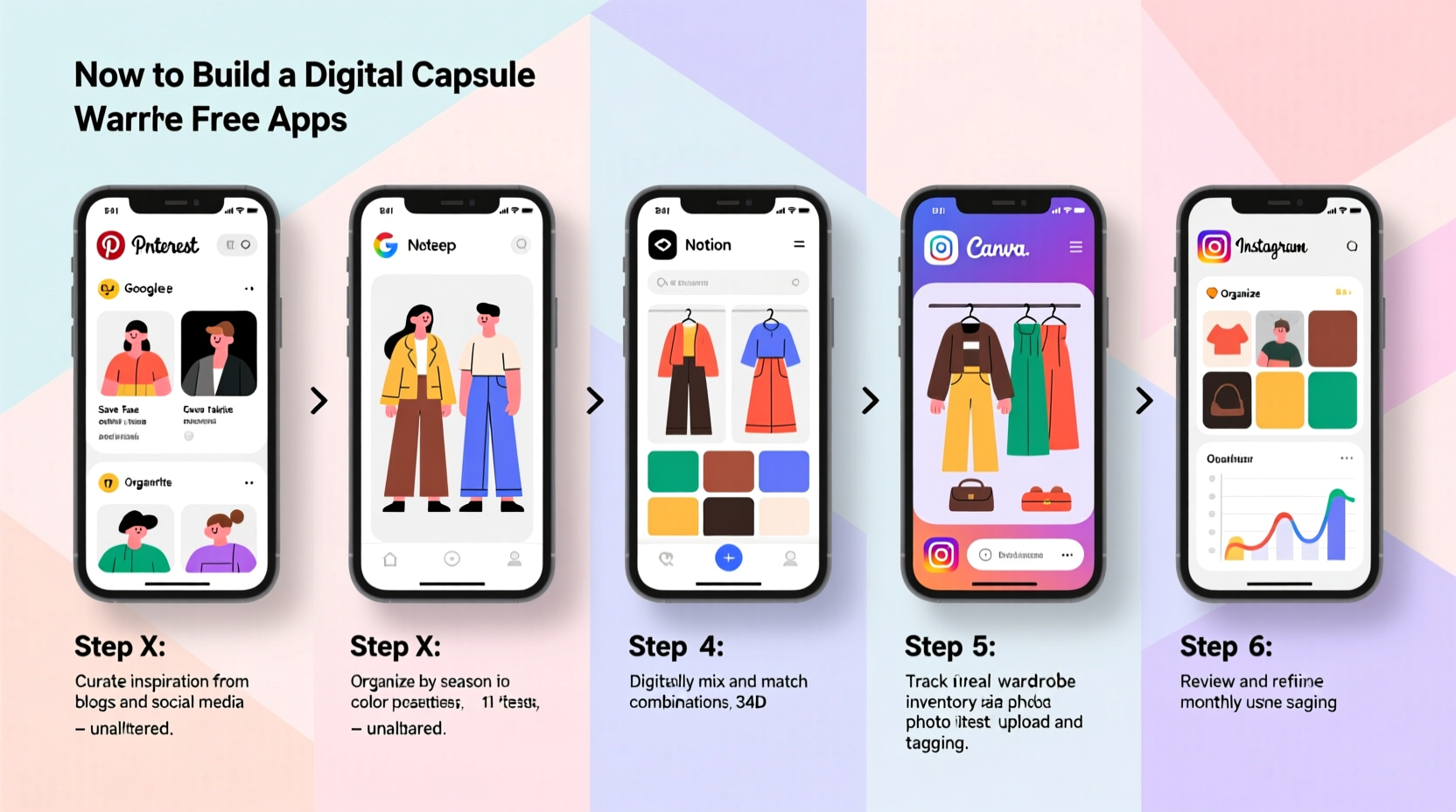
Creating a digital capsule wardrobe isn’t about perfection on day one. It’s an iterative process that improves over time. Follow these steps to build a functional, personalized system using only free tools.
- Declutter and assess your current wardrobe
- Capture images of each clothing item
- Choose a free app to organize your digital closet
- Upload and categorize your items
- Create and save core capsule outfits
- Test, refine, and plan future purchases
Step 1: Declutter Your Physical Wardrobe
Start by pulling everything out of your closet. Sort items into four piles: Keep, Donate/Sell, Repair, and Discard. Ask yourself:
- Have I worn this in the past 6–12 months?
- Does it fit well and make me feel confident?
- Can it be paired with at least three other pieces?
- Is it in good condition (no stains, broken zippers, fading)?
This purge ensures your digital wardrobe reflects reality—not wishful thinking. Only photograph items you’re committed to wearing.
Step 2: Photograph Your Clothing Items
Take clear, consistent photos of each kept piece. Use natural light near a window and hang garments on a plain-colored hanger or lay flat. Avoid shadows and cluttered backgrounds.
Photograph:
- Front and back of tops, dresses, jackets
- Full-length shots of pants, skirts, and shoes
- Flat lays for accessories (scarves, belts, bags)
Name files clearly (e.g., “black_ankle_boots.jpg”, “navy_blazer.jpg”) to simplify uploading later.
Step 3: Choose a Free Wardrobe App
Several free apps offer robust digital closet features. Here are the top options:
| App Name | Platform | Key Features | Limitations |
|---|---|---|---|
| Stylebook | iOS | Outfit planning, weather integration, analytics, closet organization | No Android version; free tier limits photo uploads to 50 items |
| Wardrobe by Cladwell | iOS, Android | Smart recommendations, wear tracking, minimalist interface | Requires account; limited customization in free version |
| Cute Closet | Android | Fully free, easy tagging, outfit creation, laundry tracking | No iOS version; ad-supported interface |
| Fashion Mnsty | iOS, Android | Virtual try-ons, community sharing, size tracking | Interface can feel cluttered; social features optional |
For cross-platform accessibility and full functionality within budget constraints, Wardrobe by Cladwell is recommended as the best starting point.
Step 4: Upload and Categorize Your Items
Open your chosen app and begin uploading photos. Most apps allow bulk import via gallery selection. Once uploaded, tag each item with:
- Category (top, bottom, dress, outerwear, etc.)
- Color
- Season (spring, summer, fall, winter, year-round)
- Occasion (work, casual, formal)
- Material (cotton, wool, synthetic)
Use custom tags like “travel-friendly” or “interview-ready” to enhance searchability. Proper tagging turns your digital closet into a smart database.
Step 5: Design Your Core Capsule Outfits
Aim for 10–15 foundational outfits that reflect your lifestyle. For example, a professional might include:
- Blazer + blouse + tailored pants + loafers
- Sweater + dark jeans + ankle boots
- Sheath dress + cardigan + pumps
In the app, use the “create outfit” feature to combine individual pieces. Save each combination with a label (“Work Monday”, “Weekend Brunch”). Test variations by swapping one element (e.g., changing shoes or layering a jacket).
Review how many times each item appears across outfits. If a shirt only works in one combo, consider whether it pulls its weight.
Step 6: Analyze and Optimize Over Time
After two weeks of daily use, check your app’s analytics (if available). Look for patterns:
- Which items are worn most frequently?
- Which pieces never get used?
- Are there recurring gaps (e.g., missing a neutral cardigan)?
Use this data to refine your capsule. Remove underused items digitally (mark them as “retired”) and note replacements for future ethical purchases.
Mini Case Study: How Sarah Streamlined Her Morning Routine
Sarah, a 34-year-old project manager in Portland, Oregon, spent an average of 18 minutes each morning choosing an outfit. Despite owning over 80 tops and 30 pairs of pants, she felt she “had nothing to wear” twice a week.
She decided to try Wardrobe by Cladwell. Over a weekend, she photographed 65 core items, categorized them, and built 12 go-to outfits for work and weekends. Within a week, she noticed she was repeating combinations unnecessarily.
The app’s “Outfit Frequency” report revealed that 40% of her clothes hadn’t been virtually styled at all. She donated 18 rarely used pieces and added three high-impact basics: a cream silk camisole, a black utility jacket, and gray flannel trousers.
Two months later, Sarah reported cutting her morning routine to 6 minutes and reducing clothing spending by 70%. “Seeing my closet as a system changed everything,” she said. “I finally understand what I actually wear.”
Essential Tips for Long-Term Success
Building a digital capsule is simple, but maintaining it requires discipline. Apply these strategies to keep your virtual wardrobe useful and up to date.
- Sync with laundry cycles: Some apps let you mark items as “in laundry” or “clean.” This prevents double-wearing and simplifies packing.
- Plan weekly outfits in advance: Every Sunday, create 5 saved combos. Reduces decision fatigue during busy mornings.
- Use weather filters: Apps like Stylebook integrate with local forecasts. Get alerts if your planned outfit isn’t suitable for rain or cold.
- Track wear frequency: Note how often you actually wear each piece. Identify “wardrobe ghosts”—items bought with good intentions but never worn.
Checklist: Building Your Digital Capsule in One Weekend
Follow this actionable checklist to complete your digital capsule wardrobe in under 48 hours:
- ☐ Pull out all clothing items and sort into Keep/Donate/Repair piles
- ☐ Clean and prepare garments for photography (remove wrinkles, buttons undone)
- ☐ Take front-facing photos of each kept piece in consistent lighting
- ☐ Download and install Wardrobe by Cladwell (or alternative app)
- ☐ Create account and set wardrobe preferences (season, climate, style goals)
- ☐ Upload photos and assign categories, colors, and seasons
- ☐ Build 10–15 core outfits reflecting real-life needs
- ☐ Label and save each outfit with descriptive names
- ☐ Review analytics after one week of use
- ☐ Schedule monthly maintenance reminders in your calendar
Frequently Asked Questions
Can I create a digital wardrobe without taking photos?
Yes, some apps allow manual entry with text descriptions and emoji-based icons. However, visual accuracy drops significantly. Photos ensure realistic color matching and proportion awareness.
What if I buy new clothes? Do I have to re-do the whole system?
No. Simply take a photo of the new item, upload it to your app, and add it to relevant outfits. The beauty of a digital wardrobe is its flexibility—updates take less than two minutes.
Are these apps really free, or do they lock features behind paywalls?
Most offer a robust free tier. For example, Wardrobe by Cladwell provides full outfit creation and wear tracking at no cost. Premium upgrades typically add AI suggestions or advanced analytics, which are helpful but not essential for a functional capsule.
Final Thoughts: Dress Smarter, Not Harder
A digital capsule wardrobe is more than a tech trend—it’s a modern tool for mindful living. By combining behavioral psychology with accessible technology, you gain control over one of the most repetitive decisions in daily life: what to wear.
You don’t need a minimalist closet or designer labels. You need clarity. And that clarity comes from seeing your wardrobe as a coordinated system, not a storage problem.
The apps are free. The photos take an afternoon. The benefits—time saved, stress reduced, sustainability improved—last for years. Start small. Be consistent. Let your digital closet evolve with your life.




 浙公网安备
33010002000092号
浙公网安备
33010002000092号 浙B2-20120091-4
Comments
No comments yet. Why don't you start the discussion?