
A strong digital presence begins with strategic positioning on professional platforms. Among them, LinkedIn stands out as the premier network for B2B marketing, talent acquisition, and brand authority. For businesses aiming to grow their influence, a well-crafted LinkedIn Company Page is not optional—it's essential. Unlike personal profiles, company pages serve as dynamic hubs for storytelling, thought leadership, and customer engagement. Yet, many brands create a page and leave it underdeveloped, missing opportunities to connect with decision-makers, partners, and potential clients. This guide walks through the practical steps to build and optimize a LinkedIn Company Page that reflects your brand’s value and drives measurable results.
1. Set Up Your Company Page with Precision
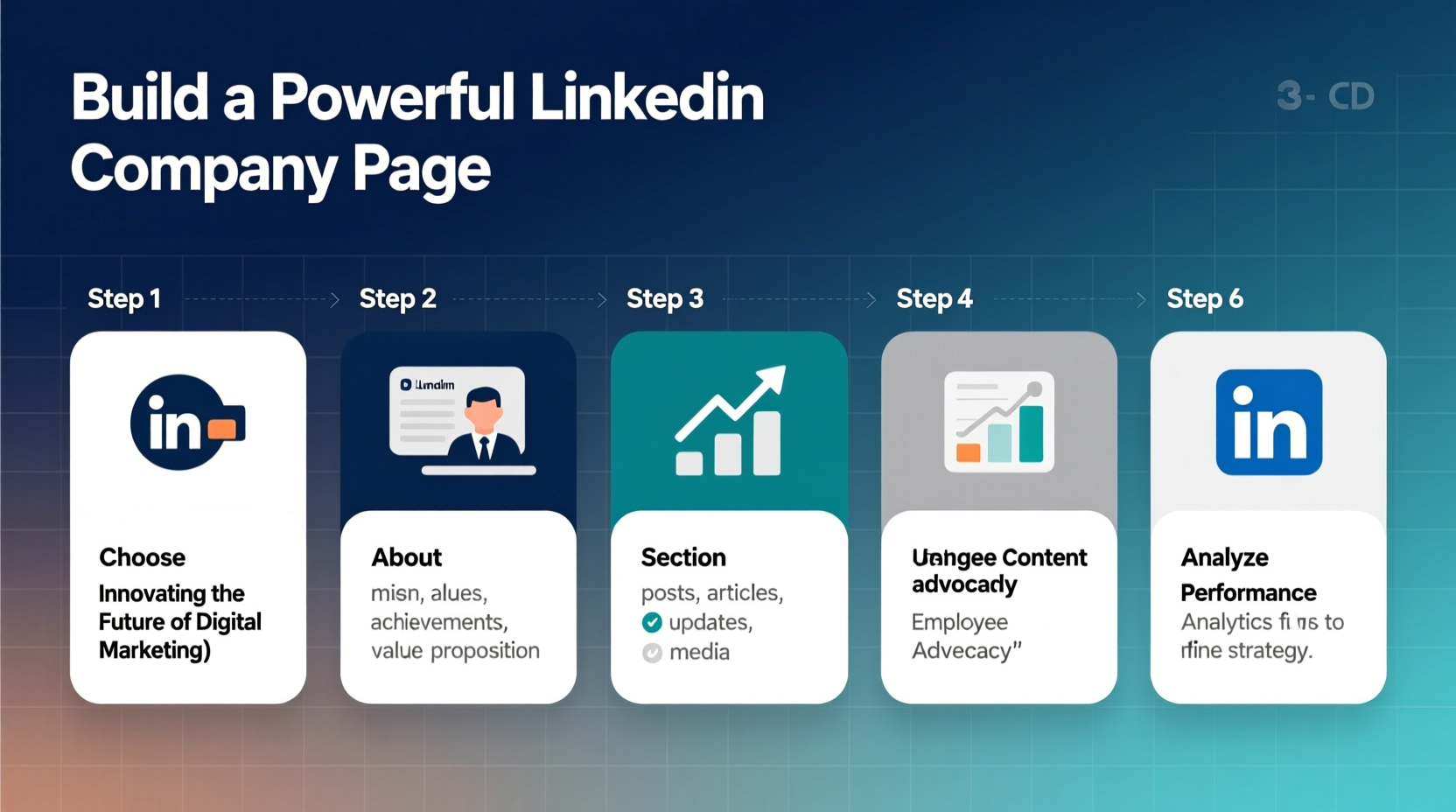
The foundation of any successful LinkedIn presence starts with accurate setup. Begin by logging into your personal LinkedIn account with admin privileges and navigating to “Work” > “Create a Company Page.” Choose the appropriate page type—typically “Company” unless you’re launching a product or educational institution.
Fill in the required fields with care:
- Name: Use your legal business name or widely recognized brand name.
- Website: Link to your official domain. This builds trust and enables verification.
- Industry: Select the most accurate category. Misclassification can affect discoverability.
- Company Size: Be honest. Overstating size can damage credibility.
- Type: Public, private, nonprofit, etc.—this affects how others perceive your operations.
- Location: Add headquarters and regional offices if applicable.
2. Optimize Your Brand Identity Elements
Your visual and textual branding must communicate professionalism and clarity at a glance. LinkedIn users spend seconds deciding whether to follow or ignore your page—make those seconds count.
Profile and Cover Images
The profile logo should be your company’s primary logo—clear, high-resolution (300x300 pixels), and centered. The cover image (1128x191 pixels) is prime real estate. Use it to showcase your mission, highlight a key product, or feature a compelling tagline. Avoid clutter; prioritize readability across devices.
About Section: Tell Your Story Strategically
This is where search engines and visitors get context. Structure your “About” section like this:
- Mission: One sentence defining your purpose.
- Solution: What problem do you solve?
- Differentiator: What makes you unique?
- Audience: Who benefits from your work?
- Call to action: Invite visits, sign-ups, or connections.
“We don’t just sell software—we help healthcare providers reduce administrative burden so they can focus on patients.” — Lena Patel, CEO of MedFlow Systems
Lena’s statement exemplifies how a concise narrative builds emotional resonance and clarity.
3. Publish Consistently to Build Authority
A static page signals inactivity. To stay visible in feeds and search results, publish valuable content regularly. LinkedIn’s algorithm favors pages that engage audiences with meaningful updates.
Content Strategy Checklist
- Post 2–3 times per week minimum
- Mix formats: articles, videos, carousels, polls
- Highlight team achievements and culture
- Share industry insights, not just promotions
- Tag relevant employees in posts to amplify reach
- Use hashtags strategically (2–5 per post)
Focus on topics your target audience cares about—emerging trends, challenges, innovations. A cybersecurity firm might share breach prevention tips; a design agency could post case studies showing creative process and outcomes.
4. Grow Followers and Encourage Engagement
Followers are your organic reach engine. More followers mean broader visibility without paid promotion. But growth shouldn’t be forced—it should be earned through value and invitation.
| Action | Do | Don't |
|---|---|---|
| Inviting Employees | Encourage staff to follow and engage with company posts | Pressure team members or automate fake engagement |
| Partner Outreach | Ask clients and collaborators to follow your page | Spam external contacts with follow requests |
| Promotion | Add LinkedIn link to email signatures, website, and newsletters | Buy followers or use third-party growth services |
Mini Case Study: How GreenCycle Inc. Doubled Engagement in 90 Days
GreenCycle, a mid-sized sustainability consultancy, had a LinkedIn page with 1,200 followers but minimal interaction. They revamped their strategy: posting weekly educational threads on circular economy principles, introducing team members through short video clips, and hosting monthly live Q&A sessions. Within three months, follower count grew to 2,700, and average post engagement increased by 142%. Their lead inquiries from LinkedIn rose by 38%, proving that consistent, human-centered content drives real business outcomes.
5. Monitor Performance and Iterate
LinkedIn provides free analytics through the Admin Dashboard. Access metrics under “Analytics” to track follower growth, demographic insights, and content performance. Focus on these KPIs:
- Impressions: How often your content appears in feeds.
- Engagement Rate: Likes, comments, shares divided by impressions.
- Follower Demographics: Job function, seniority, location—use this to refine messaging.
- Visitor-to-Follower Conversion: Are visitors taking action after landing on your page?
Review data monthly. If video posts outperform text updates, shift focus accordingly. If most followers are in Europe but content targets North America, adjust timing and messaging.
FAQ: Common Questions About LinkedIn Company Pages
Can I have multiple LinkedIn Company Pages for different brands under one parent company?
Yes, if each brand operates independently with distinct products, audiences, and websites. LinkedIn allows multiple pages per organization, but avoid creating duplicate or overly similar pages, which may violate community guidelines.
How do I get the verified badge on my company page?
LinkedIn grants verification (the gray checkmark) to pages representing well-known, authentic organizations. Ensure your website matches your page URL, provide accurate business details, and apply through LinkedIn’s verification form. Government-registered entities and media companies often qualify faster.
Should I run ads on my company page?
Absolutely. Sponsored Content and Message Ads can promote job openings, whitepapers, webinars, or brand campaigns directly to targeted professionals. Start with a modest budget to test messaging before scaling.
Conclusion: Turn Your Page Into a Growth Engine
A LinkedIn Company Page is more than a digital business card—it’s a platform for influence, connection, and opportunity. When built with intention, updated with consistency, and guided by data, it becomes a powerful asset for brand equity and lead generation. The steps outlined here are actionable today, regardless of company size or industry. Begin by auditing your current page. Is the branding sharp? Is the story clear? Are you publishing with purpose?




 浙公网安备
33010002000092号
浙公网安备
33010002000092号 浙B2-20120091-4
Comments
No comments yet. Why don't you start the discussion?