
Smart lighting transforms how we interact with our homes. From adjusting brightness with voice commands to scheduling lights to turn on before you arrive, the benefits are clear. The best part? You don’t need to be an electrician—or even particularly handy—to install them. Most smart lights are designed for DIY installation, requiring no rewiring or complex tools. With a bit of preparation and attention to safety, you can upgrade your lighting system in under an hour per room. This guide walks you through every stage—from choosing the right bulbs to integrating them into your smart home ecosystem.
Understanding Smart Light Types and Compatibility
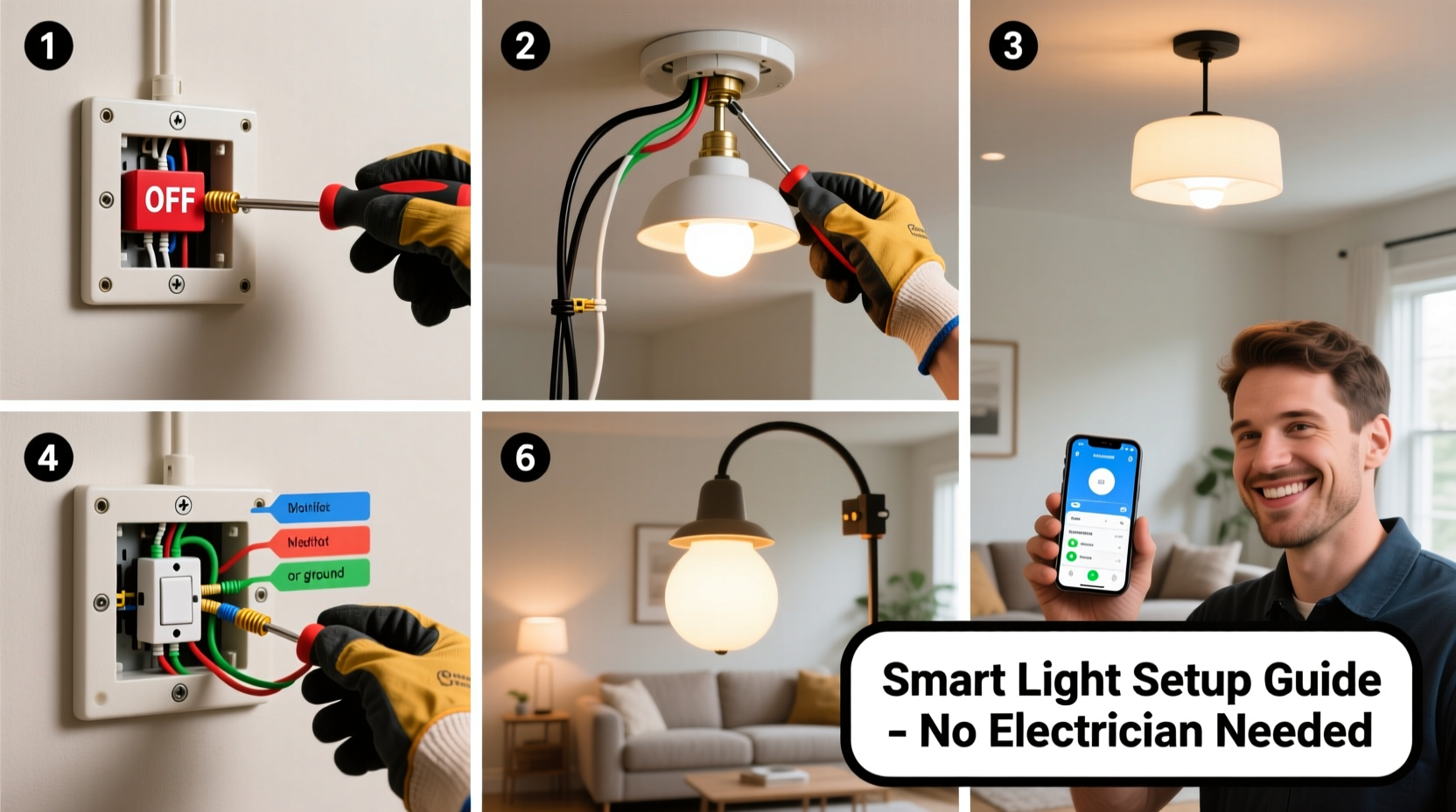
Before picking up a screwdriver, it’s essential to understand the types of smart lights available and which ones suit your existing fixtures. Not all smart bulbs work with every socket or switch, and compatibility affects both performance and safety.
The two primary categories are:
- Screw-in smart bulbs: Replace standard A19 or BR30 bulbs in lamps and ceiling fixtures.
- Smart switches/dimmers: Replace traditional wall switches and control entire circuits.
Each has distinct advantages. Bulbs offer per-light control and color customization but require the fixture’s switch to remain on. Smart switches maintain familiar operation (flipping a wall switch) and work with any bulb type, but they control all lights on the circuit uniformly.
Key Compatibility Factors
Check these three elements before purchasing:
- Voltage: Most homes use 120V AC; confirm your region’s standard.
- Socket Type: E26 (standard in U.S.), E12 (candelabra), GU10, etc.
- Dimmer Compatibility: Not all smart bulbs work with existing dimmer switches—many require line-voltage dimmers or none at all.
“Choosing the wrong bulb type is the most common DIY mistake. Always match the base size and check if the fixture is enclosed.” — Jordan Lee, Home Automation Technician with 12 years of field experience
Essential Tools and Materials
You won’t need a full toolbox, but having the right items ensures a smooth, safe installation. Most components are non-invasive and readily available online or at hardware stores.
| Item | Purpose | Notes |
|---|---|---|
| Smart bulbs or switch | Main component | Buy one first to test connectivity |
| Step ladder | Access ceiling fixtures safely | Ensure stability on level floor |
| Non-contact voltage tester | Confirm power is off | Critical for switch installations |
| Screwdrivers (Phillips and flathead) | Remove faceplates and secure wires | Magnetic tip helps with small screws |
| Smartphone or tablet | Setup and configuration | Must support Bluetooth or Wi-Fi |
| Manufacturer’s app | Pair and control devices | Download before starting |
No special electrical knowledge is required for bulb replacement. However, if you’re installing a smart switch, turning off the correct circuit breaker is non-negotiable. Misidentifying circuits can lead to shocks—even when the wall switch is off.
Step-by-Step Installation: Screw-In Smart Bulbs
Replacing traditional bulbs with smart versions is the simplest upgrade. Follow this sequence to avoid damage and ensure optimal performance.
- Turn off the light switch. Even though the bulb will be unscrewed, this prevents accidental activation during handling.
- Wait 1–2 minutes. Halogen and incandescent bulbs retain heat. Touching them too soon can cause burns.
- Gently remove the old bulb. Rotate counter-clockwise. Do not force it—if stuck, wear gloves for grip.
- Insert the smart bulb. Align and screw in clockwise until snug. Do not over-tighten—this can damage the base or socket.
- Restore power via the switch. The bulb should emit a soft glow or flash, indicating it’s powered.
- Download the brand’s app (e.g., Philips Hue, LIFX, TP-Link Kasa).
- Follow in-app pairing instructions. Most bulbs enter pairing mode when cycled on/off three times.
- Name and group your lights. Assign rooms (e.g., “Living Room Lamp”) for easier voice control.
Real-World Example: Sarah’s Bedroom Upgrade
Sarah wanted to replace her bedside lamps with smart bulbs for reading and wake-up routines. She bought two color-tunable LED bulbs compatible with Alexa. After turning off the switches and letting the old halogens cool, she replaced them carefully. Using the Kasa app, she set a warm white tone for evenings and programmed a sunrise simulation for weekdays. Within 20 minutes, she had full voice and app control—no electrician, no extra wiring.
Installing Smart Switches: A Safe Approach
Smart switches offer greater integration and eliminate the need to leave wall switches on. However, they involve working inside the electrical box. Proceed only if comfortable handling live circuits—with proper precautions.
- Turn off the circuit breaker controlling the switch. Locate it using your home’s panel map or test each until the light goes out.
- Remove the switch cover plate with a screwdriver.
- Use a non-contact voltage tester on the switch terminals. No beep means power is off.
- Unscrew the switch from the box and gently pull it out.
- Take a photo of the wiring. Note wire colors and connections—this aids reassembly.
- Disconnect wires by loosening terminal screws or releasing push-in connectors.
- Connect the smart switch according to manufacturer instructions:
- Black (hot) to load/load line terminal
- White (neutral) to neutral wire—required for most smart switches
- Green or bare copper (ground) to grounding screw
- Fold wires back into the box and secure the switch with mounting screws.
- Reattach the faceplate.
- Restore power at the breaker and test the switch via app and physical toggle.
If your switch box lacks a neutral wire (common in older homes), choose a “neutral-free” smart switch like the Lutron Caseta. These use a tiny amount of current through the bulb to power themselves, making them ideal for retrofitting.
“Never assume the power is off—always verify with a tester. One mistake can result in serious injury.” — Carlos Mendez, Master Electrician and OSHA Safety Trainer
Integration and Automation Setup
Once installed, maximize value by connecting your lights to broader smart systems. Most apps support:
- Voice assistants (Alexa, Google Assistant, Siri)
- Scheduling (e.g., turn on at sunset)
- Geofencing (lights activate when your phone approaches home)
- Scenes (e.g., “Movie Night” dims all lights to 20%)
To link with Alexa:
- Open the Alexa app.
- Go to Devices > Add Device > Light.
- Select your smart bulb brand.
- Follow prompts to discover new devices.
- Assign lights to rooms for precise voice commands (“Alexa, turn on kitchen lights”).
Do’s and Don’ts of Smart Lighting
| Do | Don’t |
|---|---|
| Test one bulb before buying in bulk | Overload circuits with high-wattage smart LEDs |
| Label switches after installation | Ignore firmware updates—these fix bugs and add features |
| Use energy-efficient LEDs (most smart bulbs are LED) | Install outdoor-rated bulbs indoors unless specified |
| Group lights by room for automation | Forget to reset bulbs if selling your home |
FAQ: Common Questions Answered
Can I install smart lights in enclosed fixtures?
Yes, but only if the bulb is rated for enclosed spaces. Many smart LEDs generate heat, and poor ventilation can shorten lifespan. Check product specifications before installation.
What if my smart bulb won’t connect to Wi-Fi?
First, ensure your router is within range—smart bulbs typically have weak antennas. Reboot the router and bulb. Confirm your network is 2.4 GHz (not 5 GHz). Some brands require being on the same Wi-Fi band as the controlling device.
Are smart switches safe for DIYers?
Yes, provided you follow safety protocols: turn off the breaker, verify no voltage, and follow wiring diagrams. If unsure, start with smart bulbs instead. They offer similar convenience without touching wiring.
Final Checklist Before You Begin
Run through this list to ensure readiness:
- ✅ Identified fixture type and bulb base
- ✅ Purchased compatible smart bulbs or switch
- ✅ Downloaded the correct app
- ✅ Turned off power at the source (for switches)
- ✅ Verified presence of neutral wire (if needed)
- ✅ Gathered tools: ladder, screwdriver, voltage tester
- ✅ Read manufacturer instructions fully
Conclusion: Take Control of Your Lighting Today
Installing smart lights is one of the most accessible and rewarding home upgrades you can do yourself. Whether swapping a single bulb or replacing a wall switch, the process is straightforward when approached methodically and safely. You gain convenience, energy efficiency, and enhanced ambiance—all without a service call or hourly labor fee. Millions of homeowners have made the switch successfully, often completing their first installation in less than 30 minutes. Start small: pick one lamp or room, follow the steps outlined here, and experience the immediate benefits. Once you’ve mastered one setup, expanding your smart lighting network becomes second nature.




 浙公网安备
33010002000092号
浙公网安备
33010002000092号 浙B2-20120091-4
Comments
No comments yet. Why don't you start the discussion?