
When it comes to portable retro gaming, two devices stand out in 2024: the Nintendo Switch Lite and the Steam Deck. While both can run emulators, their capabilities, ease of use, and overall performance vary significantly. For gamers looking to relive classic titles from the NES, SNES, Genesis, PlayStation, and beyond, choosing the right device isn’t just about screen size or battery—it’s about compatibility, control layout, software flexibility, and long-term usability. This guide breaks down how each system performs in real-world retro emulation scenarios, helping you make an informed decision based on your priorities.
Hardware Capabilities and Emulation Readiness
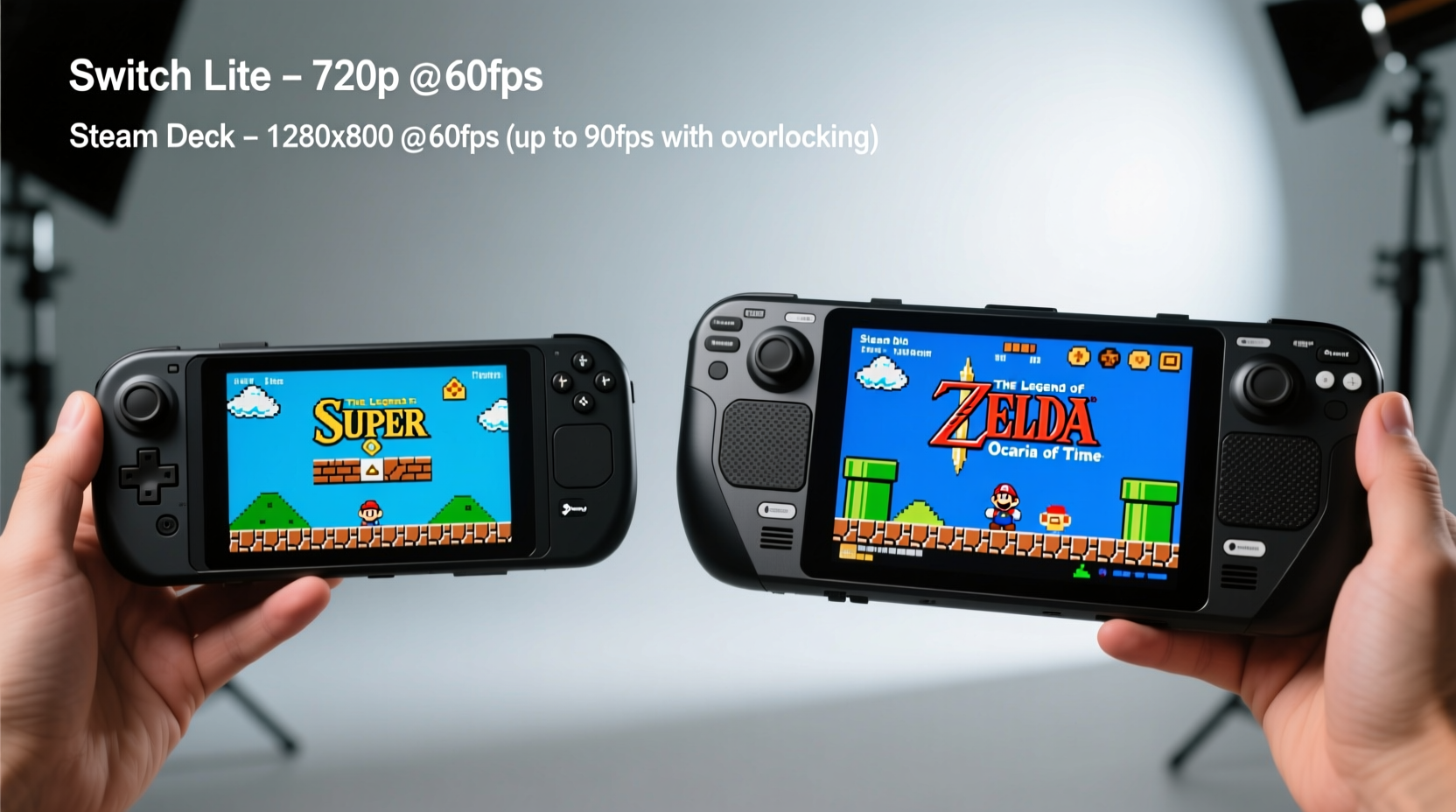
The foundation of any successful emulation experience lies in hardware. The Nintendo Switch Lite, released in 2019, is a compact handheld designed primarily for native Nintendo games. It features a custom NVIDIA Tegra X1 chip, 32GB of internal storage (expandable via microSD), and a 5.5-inch 720p LCD screen. While capable of running many older console emulators through homebrew tools like RetroArch and Lakka, its processing power is limited compared to modern standards.
In contrast, the Steam Deck, launched in 2022 by Valve, uses a much more powerful AMD APU with quad-core Zen 2 CPU and RDNA 2 GPU architecture. It runs full Linux-based SteamOS and supports native x86 applications—making it inherently more versatile for emulation. With options for 64GB eMMC, 256GB NVMe SSD, or 512GB high-speed storage, plus expandable microSD support, the Steam Deck can handle everything from Game Boy Color to PS2 and even early GameCube titles with near-flawless accuracy.
For retro emulation specifically, “retro” typically means systems up to the sixth generation (e.g., Dreamcast, PS2). The Switch Lite handles up to N64 and PS1-level emulation reliably with optimized cores, but struggles with anything requiring dynamic recompilation at scale. The Steam Deck, meanwhile, runs Dolphin (GameCube/Wii), PCSX2 (PS2), and PPSSPP (PSP) smoothly, often at enhanced resolutions.
Emulator Compatibility and Software Flexibility
One of the most critical differences between these devices is software freedom. The Switch Lite runs a locked-down operating system. To install emulators, users must exploit firmware vulnerabilities (such as Fusée Gelée) to gain access to custom firmware (CFW). This process voids warranties, carries risks, and requires technical know-how. Once CFW is installed, popular frontends like Atmosphere and REI-CFW allow launching emulators, but updates are fragile and future-proofing is uncertain.
The Steam Deck, on the other hand, is built for open software. You can natively install EmuDeck—a popular script that automates the setup of RetroArch, DuckStation, RPCS3, Yuzu, and more. It integrates cleanly with the Steam UI, allowing you to organize ROMs into your library with custom artwork and metadata. No jailbreaking required. Updates don’t break functionality, and community support is robust.
Additionally, the Steam Deck supports multiple operating systems. Advanced users can dual-boot Windows or switch to Arch Linux variants like Plasma Mobile or Whip OS for better touch optimization. This level of customization simply doesn’t exist on the Switch Lite.
“Open platforms like the Steam Deck empower users to shape their own gaming experiences without artificial limitations.” — Adrian Stone, Open-Source Gaming Advocate
Controls and Gameplay Experience
Ergonomics matter when playing for extended sessions. The Switch Lite has a fixed form factor with integrated controls—no detachable Joy-Cons. Its buttons are smaller and closer together, which works well for Game Boy-style games but feels cramped during longer playthroughs of SNES or Genesis titles. There’s no rumble, no gyro controls, and no option to attach external controllers unless using Bluetooth (which adds input lag).
The Steam Deck features larger analog sticks, full shoulder bumpers and triggers, a D-pad, and four rear grip buttons. These extras enhance gameplay precision, especially in fighting games or platformers where quick inputs matter. The touchpad can be mapped for extra functions (like save states or fast-forward), and motion controls are supported in select emulators. While bulkier than the Switch Lite, the Steam Deck’s weight distribution makes it comfortable for hour-long sessions.
For purists who prefer original controller layouts, the Switch Lite mimics the Game Boy lineage more authentically—ideal for Pokémon, Metroid, and Zelda: Link’s Awakening. But for broader retro genres, including arcade ports or complex RPGs, the Steam Deck offers superior control mapping and responsiveness.
Performance Comparison Table
| Feature | Switch Lite | Steam Deck |
|---|---|---|
| Max Emulated System | N64 / PS1 (with frame drops) | PS2 / GameCube / Wii (full speed) |
| Screen Resolution | 720p (LCD) | 720p (IPS LCD) |
| Battery Life (Emulation) | 3–5 hours | 2–4 hours (depends on title) |
| Storage Expandability | microSDXC | microSDXC + Internal NVMe |
| Operating System Access | Locked (requires CFW) | Open (Linux-based, modifiable) |
| Controller Customization | Limited (button remapping only) | Full (rear buttons, touchpad, gyro) |
| Setup Difficulty | Advanced (homebrew required) | Beginner-friendly (EmuDeck script) |
| Firmware Update Risk | High (can brick device) | Low (non-invasive mods) |
Battery Life and Portability Trade-offs
Portability is where the Switch Lite shines. Weighing just 275g and slightly smaller than a standard paperback, it slips easily into pockets or bags. Battery life ranges from 3 to 7 hours depending on usage; for retro emulation (especially GBA or DS), expect around 5–6 hours due to lower CPU load.
The Steam Deck weighs approximately 669g—more than double the Switch Lite—and has a footprint closer to a small tablet. While this improves grip and heat dissipation, it reduces pocketability. Battery life under emulation varies widely: light 8/16-bit games last 3–4 hours, while PS2 or GameCube emulation may drain the battery in under 2.5 hours. However, fast charging and USB-C PD support mean you can top up quickly during breaks.
If your priority is picking up and playing during commutes or short breaks, the Switch Lite wins on convenience. But if you're setting up for dedicated retro sessions at home or on a couch, the Steam Deck’s larger screen and better audio output justify the added bulk.
Real-World Example: Emulating Chrono Trigger Across Platforms
Consider a fan wanting to play *Chrono Trigger* (originally on SNES) across both devices. On the Switch Lite, using Snes9x NX via Atmosphere CFW, the game runs at full speed with minor audio hiccups during scene transitions. Save states work, but loading them occasionally crashes the emulator. The small screen makes reading dialogue tiring over time.
On the Steam Deck, the same ROM runs through RetroArch with bsnes-performance core. Audio sync is flawless, shaders enhance color depth, and rewinding helps avoid tough boss fights. The larger screen renders text clearly, and the analog stick allows precise menu navigation. Even better, the user can upscale the output to 1440p when docked to a TV.
This scenario illustrates a broader trend: the Steam Deck not only matches but enhances the retro experience through fidelity, stability, and quality-of-life improvements.
Step-by-Step Setup Guide for Emulation
Here’s how to get started with retro emulation on each device:
- Switch Lite Setup:
- Check your firmware version—if below 13.1.0, proceed with caution.
- Use a payload injector (e.g., TegraRcmGUI) to boot into Hekate.
- Install Atmosphere CFW and fusee-primary.
- Copy NSP emulators (e.g., Delta, EmuNAND) to the SD card.
- Transfer ROMs via USB or network tools.
- Launch emulators from the Homebrew Menu.
- Steam Deck Setup:
- Update SteamOS to latest version.
- Open Desktop Mode and download EmuDeck script.
- Run the installer—it configures RetroArch, ES-DE, and all major emulators.
- Connect external storage if needed.
- Add ROMs to designated folders (e.g., /RetroArch/roms/snes).
- Launch Steam client and view ROMs as games with art and descriptions.
The Steam Deck process takes under 30 minutes with minimal technical knowledge. The Switch Lite method can take hours and carries risk of bricking if done incorrectly.
Checklist: Choosing the Right Device for You
- ✅ Do you want plug-and-play retro gaming? → Choose Steam Deck.
- ✅ Are you nostalgic for Game Boy-style portability? → Consider Switch Lite.
- ✅ Do you plan to emulate PS2, GameCube, or PSP games? → Only Steam Deck delivers reliable performance.
- ✅ Are you uncomfortable with hacking or modifying devices? → Avoid Switch Lite homebrew.
- ✅ Do you value long-term software updates and community support? → Steam Deck is future-proof.
- ✅ Is budget a concern? → Switch Lite starts at $199 used; Steam Deck starts at $349 (LCD model).
Frequently Asked Questions
Can I legally emulate games I own?
Yes, under U.S. fair use doctrine, creating backups of games you physically own is generally considered legal. However, downloading copyrighted ROMs from the internet—even for games you own—is a legal gray area and often violates copyright law. Always source ROMs responsibly.
Does the Steam Deck overheat during long emulation sessions?
Not significantly. Its active cooling fan maintains safe temperatures even during PS2 emulation. In contrast, the Switch Lite lacks a fan and may throttle performance during sustained loads, leading to occasional stuttering.
Can I use my existing Switch Lite SD card for emulation?
Technically yes, but space will be tight. Most homebrew setups require at least 64GB for a decent ROM library. Also, ensure your card is UHS-I rated for faster loading times.
Final Verdict: Which Is Better for Retro Emulation?
The Nintendo Switch Lite holds nostalgic appeal and excels as a dedicated handheld for 8- and 16-bit classics. Its compact design and button layout evoke the golden era of portable gaming. However, its reliance on homebrew, limited processing power, and lack of official support make it a niche choice for technically inclined users.
The Steam Deck, despite being larger and less battery-efficient, is objectively superior for retro emulation. It supports nearly every legacy system with high compatibility, offers intuitive setup, and provides room for growth as new emulators emerge. It transforms into a full retro station with save states, rewind, shaders, and upscaling—all without compromising stability.
Ultimately, the decision hinges on your definition of “portable.” If true pocketability is essential and you mostly play Game Boy or SNES-era titles, the Switch Lite remains viable. But for anyone seeking a comprehensive, hassle-free, and high-performance retro machine, the Steam Deck is the definitive choice in 2024.




 浙公网安备
33010002000092号
浙公网安备
33010002000092号 浙B2-20120091-4
Comments
No comments yet. Why don't you start the discussion?