
The Nintendo Switch OLED model launched in 2021 as an upgraded alternative to the original 2017 Switch. While both consoles share the same internal hardware and performance, one of the most talked-about changes is the screen — especially when used in handheld mode. For players who primarily use their Switch on the go, the question isn't just technical: it's experiential. Is the OLED screen actually better? And more importantly, is the difference *noticeable* during everyday play?
This article breaks down the screen quality differences between the Switch OLED and the original Switch, focusing exclusively on handheld usage. From color accuracy to outdoor visibility, we’ll explore whether the upgrade translates into a meaningful improvement or if it’s subtle enough to be overlooked.
Display Technology: OLED vs LCD
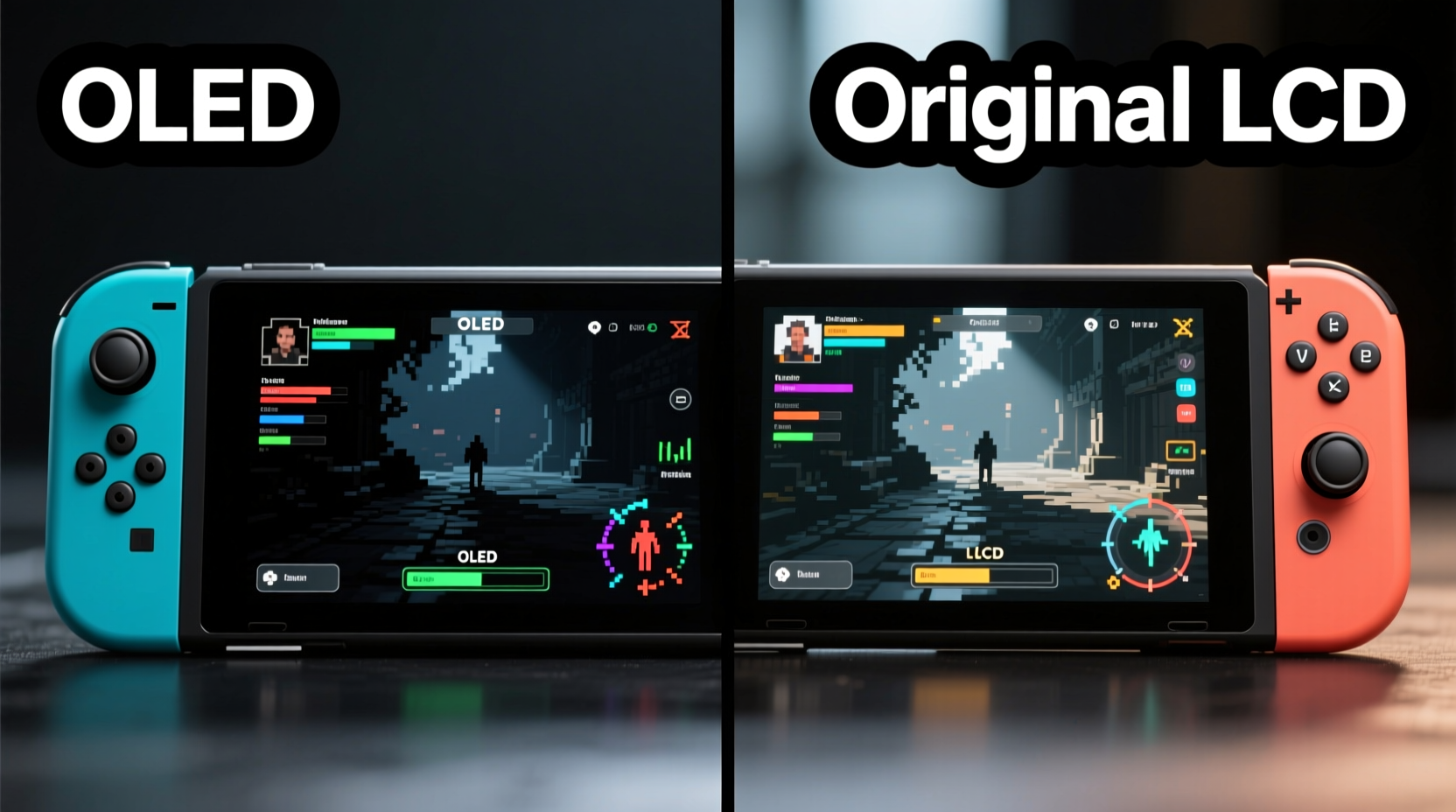
The core difference lies in the panel technology. The original Switch uses an IPS (In-Plane Switching) LCD screen, while the OLED model features — as the name suggests — an Organic Light-Emitting Diode (OLED) display. This distinction affects multiple aspects of visual performance.
LCD screens rely on a backlight to illuminate pixels. Even with advanced IPS panels, this means blacks are never truly black because some light always leaks through. In contrast, OLED pixels emit their own light and can turn off completely, resulting in perfect blacks and infinite contrast ratios. This fundamental shift creates a richer, more dynamic image.
In practical terms, OLED delivers deeper shadows, more vibrant colors, and better viewing angles. When holding the console at different tilts — such as lying back on a couch or playing in sunlight — the OLED maintains clarity and color consistency far better than the original.
Brightness and Outdoor Visibility
A common misconception is that OLED screens are inherently brighter. In reality, the Switch OLED has a peak brightness of around 350 nits, compared to approximately 300 nits on the original model. That’s only a moderate increase, but it’s combined with superior contrast to create a perception of improved clarity outdoors.
However, the original Switch struggles in direct sunlight due to lower contrast and reflectivity. Blacks appear grayish, and details in shadowed areas get washed out. The OLED’s ability to render true blacks makes text and UI elements easier to read under bright conditions, even if absolute brightness hasn’t dramatically increased.
That said, neither model includes an anti-reflective coating, so glare remains an issue. If you frequently play outside — say, during travel or at the park — the OLED offers a clearer experience, but it’s still not ideal without shade or a screen protector.
“OLED doesn’t just improve picture quality — it changes how games feel. Dark scenes become immersive rather than muddy.” — Jordan Lee, Game Reviewer at PortablePlay Magazine
Color Accuracy and Gamut
Nintendo calibrated the OLED model to deliver more saturated and accurate colors. It covers a wider color gamut than the original Switch, particularly in reds and greens. This results in lusher landscapes in games like The Legend of Zelda: Breath of the Wild and more vivid character designs in titles like Super Mario Odyssey.
While the original Switch isn’t dull by any means, its colors can appear slightly flat in comparison, especially when side-by-side. The OLED’s enhanced saturation brings games closer to their intended artistic vision, particularly for developers who designed with high-end displays in mind.
It’s worth noting that oversaturation isn’t an issue here — Nintendo avoided cranking up the intensity to cartoonish levels. Instead, the color tuning feels natural and balanced, enhancing realism without sacrificing charm.
Detailed Comparison: OLED vs Original in Handheld Mode
| Feature | Switch OLED | Original Switch |
|---|---|---|
| Screen Type | OLED | IPS LCD |
| Screen Size | 7 inches | 6.2 inches |
| Resolution | 1280x720 | 1280x720 |
| Brightness (Peak) | ~350 nits | ~300 nits |
| Contrast Ratio | Infinite (true blacks) | Limited (~1000:1) |
| Color Gamut | Wider (improved saturation) | Standard sRGB |
| Viewing Angles | Excellent (minimal color shift) | Good (some fading at extreme angles) |
| Glare Resistance | Moderate (no anti-reflective coating) | Moderate (same limitation) |
The larger 7-inch screen also contributes to the overall improvement. Though resolution remains unchanged, the bigger display spreads the same number of pixels over a slightly larger area, which could theoretically reduce sharpness. However, in practice, the difference in pixel density is negligible, and most users report no loss in clarity — thanks in part to the OLED’s superior contrast and color rendering.
Real-World Example: Commuter Gaming Experience
Consider Alex, a daily commuter who plays his Switch on the train for 45 minutes each way. He upgraded from the original model to the OLED after noticing that gameplay felt “flat” during evening rides. On dimly lit subway cars, the original Switch’s grayish blacks made horror elements in Luigi’s Mansion 3 less effective. Shadows lacked depth, and ambient lighting cues were harder to read.
After switching to the OLED model, Alex found that dark rooms felt genuinely eerie. The contrast made flashlight beams stand out, and enemy silhouettes were easier to spot. Even in brightly lit stations during transfers, the screen remained legible without having to cup his hands around it. The larger screen also reduced eye strain during long sessions.
For him, the screen quality difference wasn’t just noticeable — it changed how he engaged with games. He now recommends the OLED to anyone using the Switch primarily in handheld mode, especially those who value immersion and visual fidelity.
When the Difference Might Not Matter
Despite the advantages, the OLED upgrade may not be transformative for every user. Casual players who mostly enjoy bright, colorful games like Animal Crossing: New Horizons or Super Smash Bros. Ultimate might not perceive a dramatic leap. These titles already look great on the original screen, and their art styles don’t rely heavily on deep contrast or cinematic lighting.
Additionally, if you primarily dock your Switch and play on a TV, the handheld screen becomes secondary. In that case, investing in the OLED model solely for screen quality would be hard to justify unless you also value the improved kickstand, enhanced audio, or extra internal storage.
There’s also a psychological component: once you’ve seen the OLED screen, going back to the original can feel like a downgrade. But if you’ve only ever used the base model, you may not miss what you’ve never experienced.
Step-by-Step: How to Evaluate Screen Quality Yourself
If you’re unsure whether the OLED’s screen stands out to you, follow this simple evaluation process:
- Play in a dark room: Launch a game with dark scenes (e.g., Fire Emblem: Three Houses at night or Cuphead’s inkwell levels). Observe how well blacks are rendered.
- Check color vibrancy: Compare grass, skies, and character outfits in a vibrant title like Super Mario 3D All-Stars. Note if colors pop more on the OLED.
- Test viewing angles: Tilt the console to 45 degrees. Watch for color washout or brightness drop on the original Switch versus the OLED.
- Use both in daylight: Take both models outside or near a window. Read menus and assess readability under ambient light.
- Compare side-by-side: If possible, place both screens next to each other displaying the same scene. The differences will be immediately apparent.
This method removes subjective bias and lets the hardware speak for itself.
Frequently Asked Questions
Does the OLED model have a higher resolution than the original?
No, both the original and OLED Switch feature a 1280x720 resolution in handheld mode. The visual improvements come from the panel type, not resolution.
Can you see the screen better in sunlight with the OLED model?
Slightly. While peak brightness only increases modestly, the OLED’s superior contrast and deeper blacks make content more readable in bright environments, even if glare remains an issue.
Is the larger screen worth it for handheld gaming?
Yes, for most users. The 7-inch display provides a more immersive experience without making the device unwieldy. Combined with better visuals, it enhances comfort during extended play sessions.
Action Checklist: Should You Upgrade?
- ✅ Do you play mostly in handheld mode? → Favors OLED
- ✅ Do you value visual immersion and contrast? → Favors OLED
- ✅ Do you often play in varied lighting conditions? → Favors OLED
- ✅ Do you mainly dock your Switch? → Original may suffice
- ✅ Are you sensitive to price? → Original is $100 cheaper
- ✅ Do you want future-proof hardware? → OLED is newer and likely to be supported longer
Final Verdict: Is the Screen Quality Noticeable?
Yes — the screen quality difference between the Switch OLED and the original is absolutely noticeable in handheld mode, particularly in contrast, color depth, and viewing experience. While resolution remains identical, the OLED’s perfect blacks, richer colors, and larger display combine to create a visibly superior image.
The improvement isn’t just technical; it’s emotional. Games feel more engaging, worlds seem more alive, and UI elements are easier to parse. For players who treat handheld gaming as a primary mode — whether during travel, downtime, or simply lounging at home — the OLED model delivers a tangible upgrade.
That said, it’s not a mandatory upgrade for everyone. If you rarely use handheld mode or are satisfied with your current setup, the original Switch remains a capable device. But if you're buying new or prioritize screen quality, the OLED model is the clear choice.




 浙公网安备
33010002000092号
浙公网安备
33010002000092号 浙B2-20120091-4
Comments
No comments yet. Why don't you start the discussion?