
Indie games have become the beating heart of modern gaming—creative, innovative, and often designed with portability in mind. As handheld gaming surges in popularity, two devices stand out: Nintendo’s Switch OLED and Valve’s Steam Deck. Both promise high-quality portable experiences, but when it comes to indie titles, the differences matter. Performance, control precision, screen quality, and access to libraries shape how these games feel in practice. Choosing between them isn’t just about hardware—it’s about how your favorite indie adventures play in your hands.
Display and Visual Fidelity: How Indie Aesthetics Shine
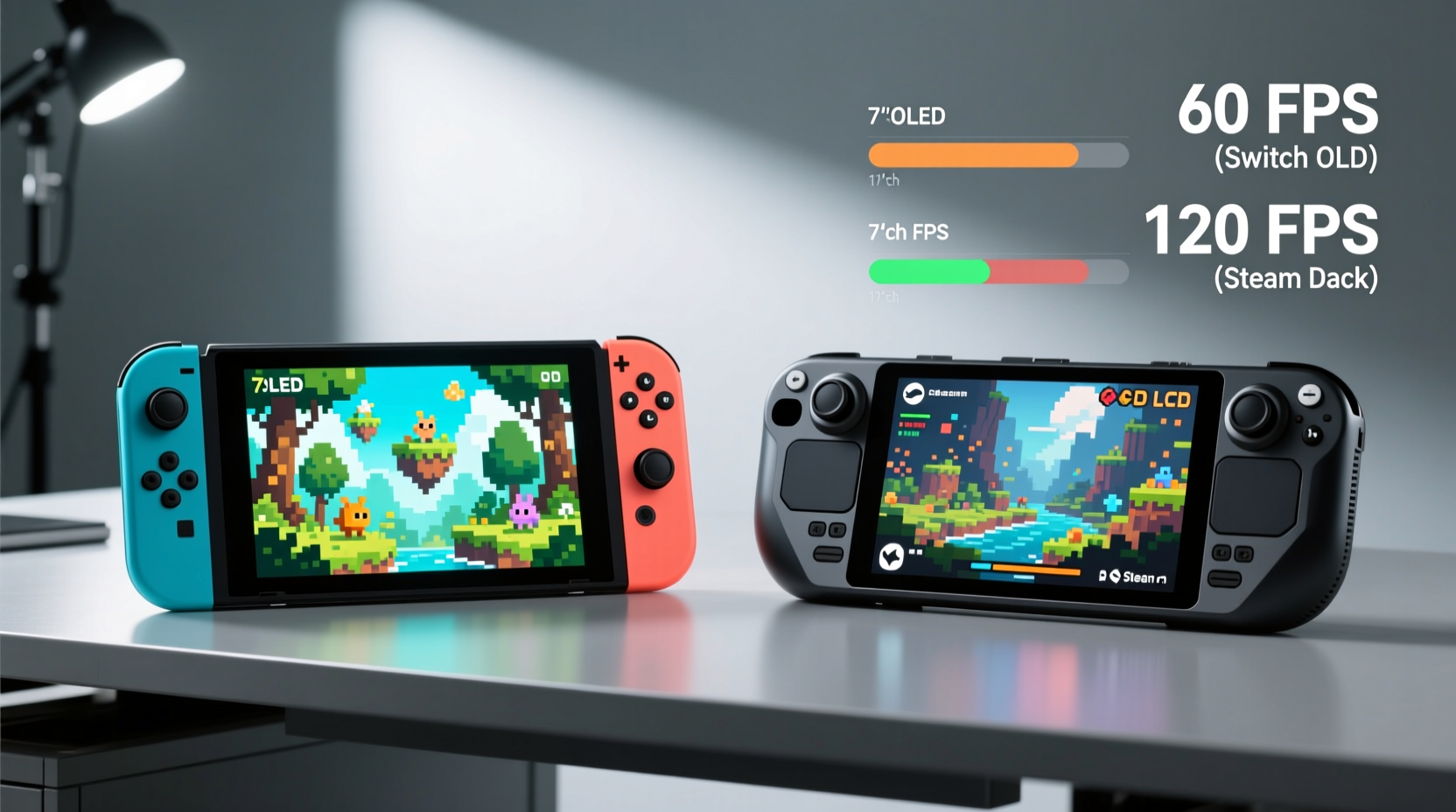
The visual presentation of indie games can make or break their charm. Titles like Hades, Dead Cells, or Celeste rely on crisp art direction and fluid animation. Here, the Switch OLED holds a distinct advantage in color vibrancy and contrast thanks to its OLED panel. Blacks are deep, colors pop, and text remains readable even in bright environments. The 7-inch screen provides ample space without making the device unwieldy.
In contrast, the Steam Deck uses an LCD panel, which while bright and functional, lacks the same level of contrast. However, it compensates with higher resolution—1280x800 compared to the Switch OLED’s 720p. This means sharper pixel density, especially noticeable in detailed indie pixel art or UI-heavy strategy games like Into the Breach or Wargroove.
For games that prioritize atmosphere—such as Oxenfree II or Gris—the Switch OLED's richer blacks and more natural color grading enhance immersion. But for titles demanding clarity at small scales, the Steam Deck’s extra pixels give it an edge.
Performance and Frame Rate Consistency
Performance is where the Steam Deck begins to pull ahead—especially for indie games built with PC architecture in mind. The Switch OLED runs on custom NVIDIA hardware limited to around 1 TFLOP of computing power. Most indie games run well, but many are locked at 30fps due to optimization constraints. Some, like Sekiro: Shadows Die Twice (Cloud) or ports of Bloodstained: Ritual of the Night, struggle with stuttering or inconsistent frame pacing.
The Steam Deck, powered by a custom AMD APU (4 CPU cores, 8 GPU cores), delivers approximately 1.6 TFLOPs. While not vastly more powerful, its x86 architecture allows native execution of most indie PC titles without emulation overhead. Games like Returnal (via cloud), Disco Elysium, or Tomb Raider: Definitive Edition run smoother, often hitting 40–60fps depending on settings. Even older indie gems benefit from upscaling and improved texture filtering.
Valve’s Proton compatibility layer has been instrumental in expanding what the Steam Deck can run. Over 90% of top indie titles on Steam work out of the box, with performance profiles easily adjustable through the OS. In contrast, the Switch relies entirely on developer-published ports, which may be delayed or never arrive.
“Indie developers increasingly target PC first. That makes the Steam Deck a natural extension of that ecosystem.” — Jordan Lee, Game Optimization Analyst at FrameTime Labs
Game Library and Accessibility
This is perhaps the most decisive factor. The Switch boasts an excellent curation of indie titles, many of which launch simultaneously on Nintendo eShop due to strong developer relations. Games like Untitled Goose Game, SteamWorld Dig 2, and Shovel Knight feel tailor-made for the platform. However, availability is selective—some critically acclaimed indies (Outer Wilds, ULTRAKILL) are absent due to technical or licensing hurdles.
The Steam Deck, by virtue of running full SteamOS, gives access to the entire Steam catalog—over 50,000 games, including thousands of indie titles. You’re not limited to curated releases. Want to play Hyper Light Drifter modded with widescreen support? Done. Prefer The Outer Worlds with community patches? Possible. Even early access games like Lethal Company or Palworld run smoothly.
Additionally, the Steam Deck supports external storage via microSD and NVMe SSDs, allowing users to carry hundreds of indie games. The Switch OLED, despite supporting microSD, restricts expansion speed and lacks backward compatibility beyond digital purchases.
| Feature | Switch OLED | Steam Deck |
|---|---|---|
| Native Indie Game Count | ~1,200–1,500 (curated) | 10,000+ (full Steam library) |
| Average Frame Rate (Indie Titles) | 30fps (locked in many cases) | 40–60fps (adjustable) |
| Resolution | 720p (handheld) | 1280x800 (native) |
| Storage Expandability | microSDXC (UHS-I only) | microSDXC + NVMe SSD slot |
| Mod Support | No | Yes (full file access) |
Ergonomics and Control Precision
Controls define how connected you feel to a game. The Switch OLED features symmetrical analog sticks, tactile face buttons, and responsive shoulder triggers. Its Joy-Con design allows flexibility—detachable for multiplayer or tabletop mode—but introduces potential stick drift issues over time. For twin-stick shooters like Enter the Gungeon or fast platformers like Cuphead, precision varies based on grip and thumbstick calibration.
The Steam Deck takes inspiration from traditional PC controllers. Larger analog sticks, hall-effect sensors (on newer models), trackpad inputs, and gyro aiming offer greater customization. Shoulder buttons are wider and easier to reach during extended sessions. For games requiring keyboard-like input—such as PowerWash Simulator or Factorio—the on-screen keyboard and customizable button mappings reduce friction.
However, the Steam Deck is heavier (about 669g vs. 420g) and bulkier. Holding it one-handed for long periods becomes tiring. The Switch OLED fits comfortably in smaller hands and excels as a true pocketable device. For commuters or travelers prioritizing portability, this remains a major advantage.
Battery Life and Real-World Usage
Battery longevity directly impacts how much gameplay you get on the go. The Switch OLED averages 4.5 to 9 hours depending on brightness and game intensity. Lightweight indie titles like Stardew Valley or Downwell can stretch toward the upper end, while graphically denser ports like Hollow Knight: Silksong (when available) consume more power.
The Steam Deck typically lasts 2–4 hours under full load (60fps, max brightness). However, adjusting settings—reducing resolution via FSR, capping FPS at 30 or 40, lowering brightness—can extend playtime to 6+ hours for less demanding indie games. Using flight mode further improves efficiency.
In practical terms, if you're playing during a daily commute or short flights, the Switch OLED wins for plug-and-play reliability. But if you're at home or near charging options, the Steam Deck’s performance flexibility makes it more versatile for longer indie marathons.
Mini Case Study: Playing Hades Across Devices
Alex, a freelance designer and avid indie gamer, regularly plays Hades during transit. He owns both systems and rotates based on context. On subway rides, he prefers the Switch OLED—lightweight, instant boot, and vibrant visuals make each escape attempt visually satisfying. At weekends, he switches to the Steam Deck, enabling mods like rebalanced difficulty and widescreen support, enhancing replay value. “The core gameplay is identical,” he says, “but the Steam Deck lets me tailor the experience. On the go, nothing beats the Switch’s polish.”
Step-by-Step Guide: Optimizing Indie Game Performance on Steam Deck
To get the best indie experience on the Steam Deck, follow these steps:
- Launch Settings: Open the Quick Menu (hold Steam button) and adjust performance limits before launching any game.
- Cap Frame Rate: Set FPS limit to match the game’s native output (e.g., 30fps for retro titles).
- Adjust Resolution: Use FSR scaling to lower internal resolution while maintaining sharpness.
- Reduce Background Processes: Disable Bluetooth and Wi-Fi if offline play is sufficient.
- Enable Auto-Suspend: Prevent battery drain when paused or idle.
- Verify Game Files: Right-click game > Properties > Installed Files > Verify Integrity to fix glitches.
- Customize Controls: Remap buttons for comfort, especially for games originally designed for mouse/keyboard.
These adjustments can transform a choppy 20fps experience into a smooth, battery-efficient session.
Frequently Asked Questions
Can the Steam Deck run all indie games available on Steam?
Most can run, but not all. Valve maintains a compatibility rating (Verified, Playable, Unsupported). Over 70% of popular indie titles are Verified. Some early access or poorly optimized games may require manual tweaking.
Is the Switch OLED better for multiplayer indie games?
Yes, in specific contexts. Local wireless play with Overcooked! 2 or Snipperclips is seamless using detachable Joy-Cons. The Steam Deck requires additional controllers for local multiplayer, making impromptu sessions less convenient.
Do indie developers optimize differently for each platform?
Absolutely. Many studios use Unity or Godot engines that export easily to Switch with Nintendo’s SDK. Others build natively for PC and later consider console ports. Valve provides extensive documentation for Steam Deck optimization, encouraging developers to test performance early.
Final Verdict: Which System Suits Your Indie Gaming Style?
The answer depends on what kind of indie player you are. If you value simplicity, portability, and a polished ecosystem with strong first-party indie support, the Switch OLED is unmatched. It’s ideal for casual play, travel, and family-friendly co-op. The screen looks stunning, setup is effortless, and battery life is reliable.
But if you crave depth, freedom, and the ability to play—and modify—any indie title released on PC, the Steam Deck is the superior choice. Its performance headroom, expansive library, and customization options empower players to shape their experience. Yes, it’s heavier and demands more tinkering, but the payoff is unparalleled access to the full breadth of indie innovation.
Ultimately, the Steam Deck offers better indie game performance across the board—higher frame rates, sharper visuals, broader compatibility, and future-proof expandability. The Switch OLED counters with superior ergonomics and immediacy. For many, owning both may be the ultimate solution: convenience for on-the-go fun, power for deep dives.




 浙公网安备
33010002000092号
浙公网安备
33010002000092号 浙B2-20120091-4
Comments
No comments yet. Why don't you start the discussion?