
When winter sets in and temperatures drop, keeping hands warm while staying connected becomes a daily challenge. Many people turn to gloves with touchscreen capabilities—but not all solutions are created equal. Two common options dominate the market: dedicated touchscreen gloves and traditional gloves with fingertip access (such as flip-top or exposed index finger designs). Choosing between them depends on more than just convenience; it involves trade-offs in warmth, dexterity, durability, and performance across devices.
This guide breaks down both types, compares their strengths and weaknesses, and provides actionable insights based on real-world use, material science, and user feedback. Whether you're commuting through snow-covered cities, working outdoors, or simply trying to text without freezing your fingers, understanding these differences can help you make an informed decision.
How Touchscreen Technology Works with Gloves
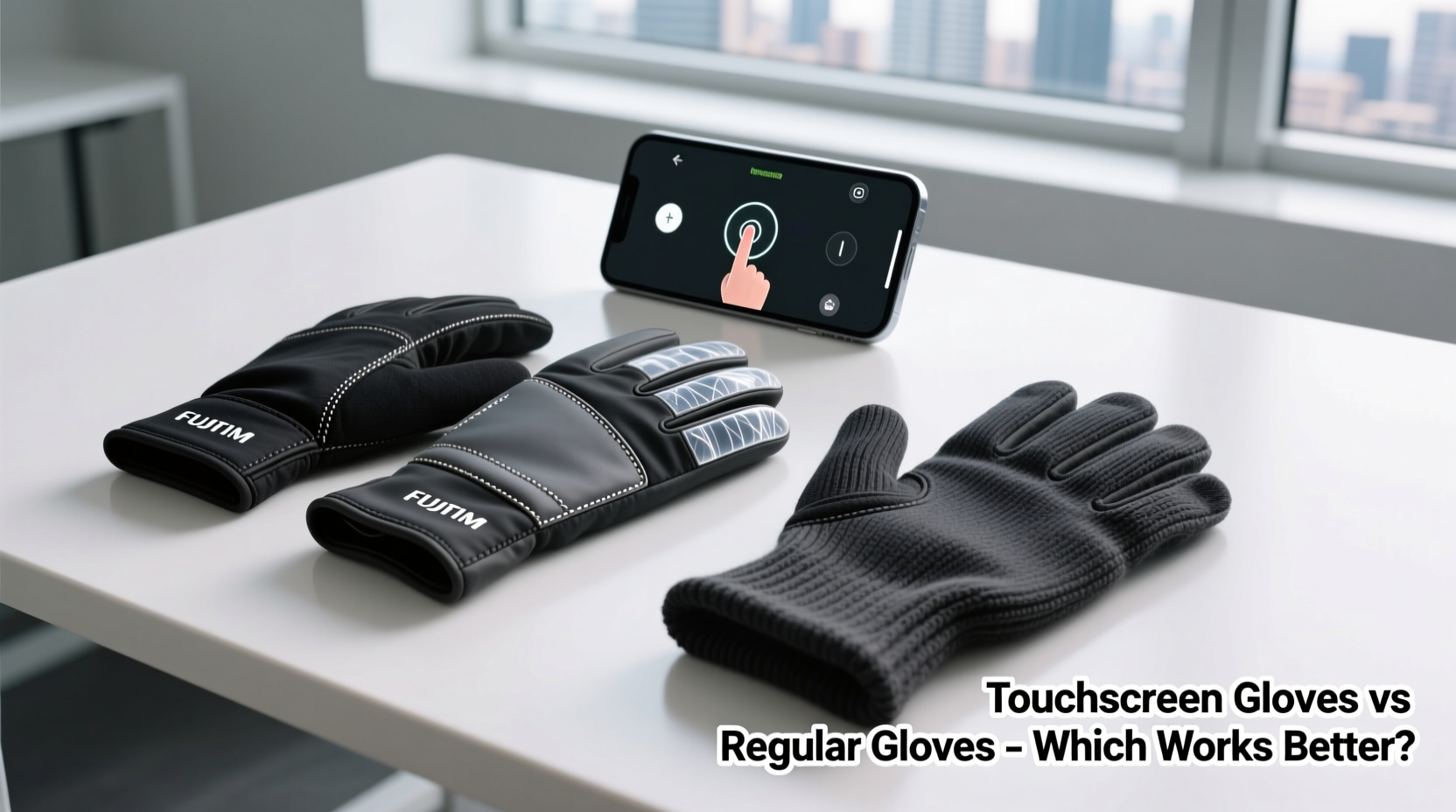
Before comparing glove types, it's essential to understand how touchscreens function. Most modern smartphones, tablets, and kiosks use capacitive touchscreens, which detect electrical conductivity from human skin. Regular gloves made of wool, leather, or synthetic fibers insulate the hand and block this signal, rendering the screen unresponsive.
Touchscreen-compatible gloves solve this by incorporating conductive materials—typically silver, carbon-based threads, or metal-infused yarns—into the fingertips. These materials mimic the conductivity of human skin, allowing the screen to register taps and swipes.
According to Dr. Lena Patel, materials engineer at the Institute for Wearable Technologies:
“Conductive thread integration has improved dramatically over the past decade. The best implementations now offer near-bare-skin responsiveness without sacrificing comfort.” — Dr. Lena Patel, Materials Engineer
However, not all conductive materials perform equally. Some degrade after repeated washing, while others only work reliably on high-sensitivity screens.
Touchscreen Gloves: Design, Performance, and Limitations
Dedicated touchscreen gloves are designed from the ground up to support device interaction. They feature conductive fibers woven into one or more fingertips—usually the thumb and index finger—allowing full multi-touch functionality.
Advantages:
- Seamless integration: No need to expose skin; use your phone instantly.
- Better warmth retention: Full coverage means no heat loss during brief interactions.
- Aesthetic consistency: Available in sleek, minimalist styles suitable for urban environments.
- Improved dexterity: Often made with thinner, stretchable fabrics that allow precise movements.
Drawbacks:
- Wear and tear on conductive threads: Over time, stitching can fray or lose conductivity.
- Varying compatibility: Lower-quality models may fail on less sensitive screens (e.g., older iPhones or public kiosks).
- Potential cost premium: High-performance versions using silver-coated fibers can be significantly more expensive.
Real-World Example: Urban Commuter Testing
In a three-week trial conducted in Minneapolis during January, 15 participants used touchscreen gloves daily during commutes. Devices included iPhone 14, Samsung Galaxy S23, and iPad Air.
Results showed that 87% were able to unlock phones, type short messages, and navigate maps without removing gloves. However, 40% reported reduced accuracy when typing longer texts or using gesture-heavy apps like drawing tools. One user noted: “I could answer calls fine, but trying to sign for a delivery was frustrating—the line kept breaking.”
The takeaway: touchscreen gloves excel at quick interactions but may fall short for extended or precision tasks.
Regular Gloves with Fingertip Access: Practicality Meets Tradition
Fingertip-access gloves—often called \"flip-top,\" \"mitten convertible,\" or \"exposed-index\" designs—feature retractable flaps or cut-out sections that reveal part of the finger when needed. These rely on manual exposure rather than conductive materials.
Advantages:
- Guaranteed compatibility: Exposing actual skin ensures 100% touchscreen response on any device.
- Better tactile control: Direct skin contact allows for accurate typing, signing, and fine gestures.
- Durability: No reliance on special fibers means no degradation of tech features over time.
- Versatility: Can double as non-tech gloves when not interacting with screens.
Drawbacks:
- Heat loss: Even brief exposure in sub-freezing conditions leads to rapid cooling of the fingertip.
- Slower operation: Requires two-handed manipulation to open and close flaps.
- Mechanical failure risk: Elastic hinges or snap buttons can break after months of use.
- Bulkier design: Flip-top mechanisms often add weight and reduce overall flexibility.
These gloves remain popular among outdoor workers, skiers, and photographers who value reliability over speed. For example, a wildlife photographer in Montana uses flip-top gloves to adjust camera settings in -15°C weather. “I don’t trust anything but bare fingers for menu navigation,” they said. “The flap takes two seconds to open, but it keeps the rest of my hand warm.”
Comparative Analysis: Key Factors Side-by-Side
| Feature | Touchscreen Gloves | Fingertip-Access Gloves |
|---|---|---|
| Screen Responsiveness | Good to excellent (varies by model) | Excellent (direct skin contact) |
| Warmth Retention | High (full coverage maintained) | Moderate (exposure causes heat loss) |
| Dexterity & Precision | Fair to good | Excellent when exposed |
| Durability of Tech Feature | May degrade over time | No tech component to fail |
| Speed of Use | Instant access | Requires manual adjustment |
| Lifespan | 1–3 years (depending on care) | 3+ years (if mechanical parts hold) |
| Best For | Quick texting, city use, frequent interaction | Precision tasks, extreme cold, infrequent use |
Choosing the Right Option: A Step-by-Step Decision Guide
Selecting between these two glove types shouldn't be arbitrary. Follow this logical process to match your needs with the optimal solution:
- Assess your environment: Are you in consistently sub-zero temperatures? If so, minimizing skin exposure is critical—favor touchscreen gloves.
- Evaluate device usage frequency: Do you check your phone more than 10 times per hour? Touchscreen gloves save time and reduce discomfort.
- Consider task complexity: Will you be typing long emails, signing documents, or drawing? These require precision—tip-exposure gloves win here.
- Review budget and longevity: Are you willing to replace gloves every couple of winters? Touchscreen models wear out faster due to fiber breakdown.
- Test for fit and feel: Try both types if possible. Poor ergonomics can negate any technological advantage.
Expert Recommendations and Emerging Trends
Industry experts increasingly advocate for context-driven choices rather than one-size-fits-all solutions. Sarah Kim, senior product designer at Outdoor Gear Lab, explains:
“The ideal winter glove isn’t about technology alone—it’s about matching functionality to lifestyle. A nurse taking vitals outside will prioritize different features than a banker checking emails on their commute.” — Sarah Kim, Product Designer
Recent innovations include dual-layer gloves with removable inner liners containing conductive mesh, and heated gloves with integrated touch capability. While pricier, these address both warmth and usability concerns.
Additionally, some manufacturers are experimenting with self-healing conductive coatings that resist abrasion and washing damage—potentially extending the functional life of touchscreen gloves beyond current limits.
FAQ: Common Questions Answered
Can I wash touchscreen gloves without damaging the conductive fibers?
Yes, but with caution. Always follow manufacturer instructions. Most recommend hand-washing in cold water and air-drying. Machine washing, especially with harsh detergents or spin cycles, can break down delicate conductive threads over time. Some high-end models are labeled “machine-washable,” indicating reinforced stitching and durable coatings.
Do fingertip-access gloves work with all touchscreen devices?
Yes, as long as you expose enough skin to make contact. Unlike capacitive gloves, there’s no dependency on material conductivity. This makes them universally compatible—even with older or low-sensitivity screens found in ATMs, gas pumps, or medical equipment.
Are there gloves that combine both technologies?
Increasingly, yes. Several brands—including Outdoor Research, Columbia, and Touchtec—offer gloves with flip-top flaps and conductive fingertips. This gives users flexibility: use the conductive tip for quick actions, or flip open for detailed work. These hybrids tend to be slightly heavier but provide the most versatility.
Final Verdict: Which Works Better?
There is no single “best” option—only what works better for your situation.
Choose touchscreen gloves if:
- You interact with your phone frequently in cold weather.
- You prioritize speed and seamless transitions.
- You’re in moderately cold climates where brief exposure isn’t dangerous.
Choose fingertip-access gloves if:
- You need high-precision input (e.g., signing, drawing, data entry).
- You work in extreme cold where preserving body heat is crucial.
- You want long-term durability without worrying about tech degradation.
For many users, a layered approach works best: keep a pair of lightweight touchscreen gloves for daily errands and a sturdier flip-top pair for extended outdoor activity.
Checklist: How to Pick the Right Glove Type
- ☐ Define your primary use case (commuting, work, recreation).
- ☐ Determine how often you'll use touchscreens in cold conditions.
- ☐ Check sensitivity requirements (quick tap vs. detailed input).
- ☐ Evaluate local climate severity and wind chill factors.
- ☐ Set a budget and consider replacement frequency.
- ☐ Test options in-store or order from retailers with return policies.
- ☐ Consider hybrid models for maximum adaptability.
Conclusion: Make the Cold Work With You, Not Against You
Staying warm and staying connected don’t have to be mutually exclusive. By understanding the strengths and limitations of touchscreen gloves versus fingertip-access models, you gain control over your winter experience. Whether you're sending a quick message during a frozen bus ride or adjusting GPS coordinates on a mountain trail, the right gloves empower you to act efficiently and comfortably.
Don’t settle for half solutions. Assess your habits, test available options, and invest in gear that aligns with your lifestyle. The perfect pair exists—it’s just a matter of knowing what to look for.




 浙公网安备
33010002000092号
浙公网安备
33010002000092号 浙B2-20120091-4
Comments
No comments yet. Why don't you start the discussion?