
Ticket transfers on Ticketmaster are designed to be seamless, allowing fans to share access to events with friends or resell tickets securely. But when the system fails—when the “Send” button does nothing, invites bounce back, or recipients can’t claim tickets—it creates stress, especially as event dates approach. While many users assume a bug in the app is to blame, the reality is often more nuanced. From account mismatches to regional restrictions, multiple factors can interfere with successful transfers. Understanding these underlying causes is key to resolving the issue quickly and getting tickets where they need to go.
Common Causes of Ticketmaster Transfer Failures
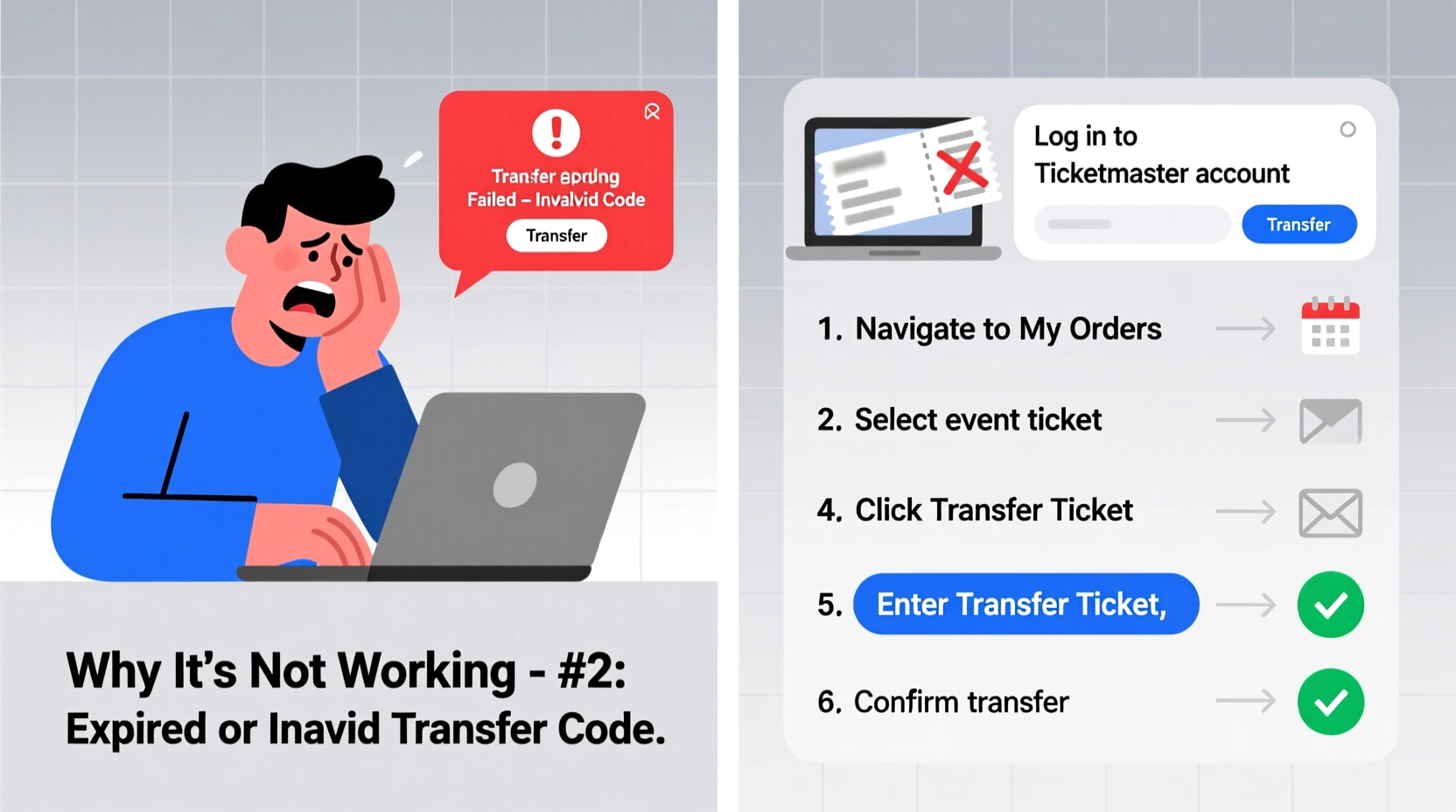
Ticketmaster’s transfer system relies on precise coordination between sender, recipient, and backend verification processes. When any part of this chain breaks down, the transfer stalls. The most frequent culprits include:
- Recipient hasn’t accepted the invite: Ticketmaster requires recipients to accept invitations within a set timeframe. If they don’t check their email or app notifications, the transfer remains pending.
- Email or account mismatch: Sending to an email not linked to an active Ticketmaster account will cause failure. Even a typo—like “gmaill.com” instead of “gmail.com”—can derail the process.
- Transfer window restrictions: Some events disable transfers after a certain date or only allow one transfer per ticket.
- Geolocation blocks: International transfers may be blocked due to venue policies or resale regulations in certain countries.
- App or browser cache issues: Outdated data stored in your browser or mobile app can prevent the transfer interface from loading correctly.
Step-by-Step Guide to Fixing a Stuck Transfer
When a transfer isn’t working, follow this structured approach to identify and resolve the problem:
- Verify the recipient’s account status: Ask them to confirm they have a Ticketmaster account using the exact email you’re sending to. They should log in at ticketmaster.com or via the app.
- Check transfer eligibility: Go to “My Tickets,” select the event, and view transfer options. If the option is grayed out or missing, the tickets may no longer be transferable.
- Resend the transfer invitation: Cancel the pending transfer and start over. Ensure you're using Wi-Fi (not cellular data) and a stable connection.
- Clear app or browser cache: On mobile, go to app settings and clear cached data. In browsers, clear cookies and site data for ticketmaster.com.
- Try a different device: Attempt the transfer from a desktop browser if you were using the app, or vice versa.
- Contact support with transaction details: If all else fails, have your order number, event name, and screenshots of the error ready before reaching out.
Do’s and Don’ts of Ticketmaster Transfers
| Do | Don't |
|---|---|
| Confirm the recipient has a verified Ticketmaster account | Send tickets to unverified or generic email addresses (e.g., info@company.com) |
| Use the same email the recipient uses to log in | Assume the transfer went through without confirmation |
| Complete transfers well before the event date | Wait until the day before the event to send tickets |
| Enable two-factor authentication for added security | Share login credentials to bypass transfer limits |
| Check event-specific transfer rules in the listing details | Ignore warnings about non-transferable tickets |
Real Example: Why Sarah Couldn’t Send Her Concert Tickets
Sarah bought two tickets to a summer music festival and tried transferring one to her friend Mark the night before the event. She entered his email, clicked “Send,” but received no confirmation. Panicked, she refreshed the page repeatedly, only to see the ticket still listed under her name.
The issue? Mark had never created a Ticketmaster account with that email. He assumed receiving the ticket would automatically create one. After calling support, Sarah learned she needed Mark to first sign up. Once he did, she resent the transfer—and it worked instantly. The delay wasn’t due to a glitch, but a lack of awareness about Ticketmaster’s account requirement.
This scenario plays out thousands of times daily. Ticketmaster doesn’t create accounts for recipients; it only sends invitations to existing ones.
“Ticket transfers fail not because the system is broken, but because users misunderstand the prerequisites. The biggest hurdle is ensuring the recipient already has a valid, logged-in account.” — Jordan Lee, Customer Experience Lead at a Major Live Events Platform
Advanced Troubleshooting: When Basic Fixes Don’t Work
If you’ve followed standard steps and still can’t transfer tickets, consider these deeper technical and policy-related factors:
- Browser extensions interfering: Ad blockers or privacy tools like Ghostery may prevent Ticketmaster’s JavaScript from executing properly. Disable them temporarily during the transfer process.
- Two-factor authentication (2FA) conflicts: If your account uses 2FA, ensure you can receive codes promptly. Delays in code delivery can time out the transfer session.
- Event-specific lockouts: High-demand events (e.g., Taylor Swift, NFL playoffs) often restrict transfers entirely or limit them to Fan-to-Fan resale only.
- Account suspension or flagging: Accounts suspected of bot activity or bulk purchasing may have transfer privileges suspended without notice.
- Regional geo-blocking: Users attempting to send tickets from the U.S. to someone in Europe may encounter blocks based on licensing agreements.
Checklist: Before You Initiate a Ticketmaster Transfer
- ✅ Confirm the tickets are transferable (check “My Tickets”)
- ✅ Verify the recipient has a Ticketmaster account with the email you’ll use
- ✅ Ensure both accounts are verified (email and phone)
- ✅ Check that the event hasn’t passed the transfer deadline
- ✅ Use a stable internet connection and updated app/browser
- ✅ Avoid peak traffic times (e.g., right after presales)
Frequently Asked Questions
Why does my Ticketmaster transfer say “pending” forever?
A “pending” status means the recipient hasn’t accepted the invitation. They must log into their Ticketmaster account and approve the transfer. If they don’t act within 48 hours, the request expires. Encourage them to check spam folders and enable Ticketmaster notifications.
Can I cancel a transfer and send it to someone else?
Yes, as long as the original transfer is still pending. Go to “My Tickets,” find the pending transfer, and select “Cancel.” Once canceled, you can initiate a new transfer to a different email. Completed transfers cannot be reversed.
What if the recipient never gets the transfer email?
First, confirm the email was entered correctly. Then, have the recipient check spam, junk, and promotions folders. If still missing, resend the transfer. If the issue persists, contact Ticketmaster support with the order ID and recipient email for backend verification.
Conclusion: Take Control of Your Ticket Transfers
Ticketmaster transfer issues are rarely due to random glitches—they stem from predictable technical, behavioral, or policy-related factors. By verifying recipient accounts, understanding transfer windows, and using clean devices and connections, most problems can be avoided or resolved quickly. Don’t wait until the last minute to send tickets. Proactive planning, attention to detail, and familiarity with the platform’s rules turn frustrating experiences into smooth transactions. Whether you're sharing concert seats or passing along game-day access, mastering the transfer process ensures your plans stay on track.




 浙公网安备
33010002000092号
浙公网安备
33010002000092号 浙B2-20120091-4
Comments
No comments yet. Why don't you start the discussion?