
In an era where high-resolution screens dominate homes and handheld devices alike, the allure of ultra HD streaming is undeniable. Crisp details, vibrant colors, and cinematic immersion make 4K content a favorite among videophiles. However, not every viewer has unlimited bandwidth or a gigabit internet connection. For many, especially those on metered data plans or slower networks, choosing between ultra HD and standard definition (SD) isn’t just about visual preference—it’s a practical decision involving data consumption, cost, and performance.
This article breaks down the real-world differences between ultra HD and SD streaming, focusing on data usage, video quality, device compatibility, and network demands. Whether you're deciding how to optimize your home entertainment setup or trying to stretch your mobile data across a week of commutes, understanding these trade-offs empowers smarter media consumption.
Understanding Video Resolution: What \"Ultra HD\" and \"SD\" Actually Mean
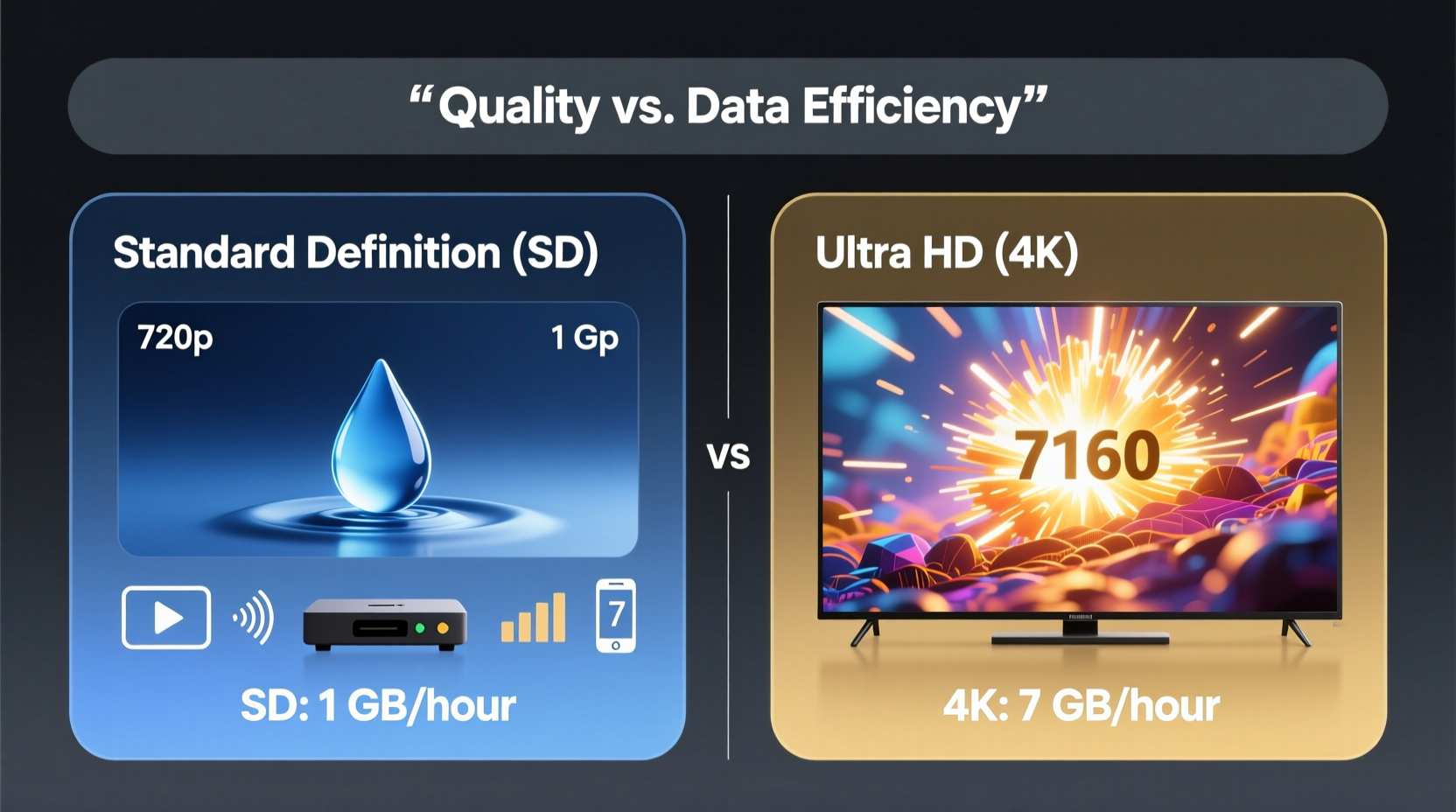
Video resolution refers to the number of pixels displayed on screen, typically expressed as width x height. The more pixels, the sharper and more detailed the image—provided the display and source material support it.
- Standard Definition (SD): Typically 480p (720x480 pixels). Common in older broadcasts and low-bandwidth streaming.
- High Definition (HD): 720p (1280x720) or 1080p (1920x1080), now considered baseline for most modern content.
- Ultra High Definition (Ultra HD or 4K): 3840x2160 pixels—four times the resolution of 1080p.
The jump from SD to Ultra HD is massive—not just in pixel count, but in the infrastructure required to deliver that content smoothly. While Ultra HD offers stunning clarity, particularly on large screens or when viewed up close, its benefits diminish on small displays or at typical viewing distances.
“Resolution matters most when it aligns with viewing context. A 4K stream on a 5-inch phone may offer negligible visual gain but four times the data load.” — Dr. Lena Patel, Media Technology Researcher, Stanford University
Data Consumption: How Much Bandwidth Do You Really Need?
Streaming quality directly impacts data usage. Higher resolutions require more data to maintain smooth playback and detail fidelity. Below is a comparison of average hourly data consumption across common streaming tiers:
| Streaming Quality | Avg. Data Usage (per hour) | Recommended Internet Speed |
|---|---|---|
| Standard Definition (SD) – 480p | 0.7 – 1.2 GB | 3–5 Mbps |
| High Definition (HD) – 720p/1080p | 1.5 – 3 GB | 5–8 Mbps |
| Ultra HD (4K) – 2160p | 6 – 15 GB | 25+ Mbps |
These figures vary by platform and compression technology. For example, Netflix uses adaptive bitrate streaming, adjusting quality dynamically based on connection speed. Still, 4K consistently demands significantly more bandwidth than lower resolutions.
Consider this: watching two hours of 4K content daily could consume over 300 GB per month—enough to exceed many residential data caps or exhaust a mobile plan in days. In contrast, SD streaming under the same schedule uses less than 60 GB monthly, leaving room for browsing, gaming, and downloads.
Quality Trade-Offs: Is Ultra HD Always Worth It?
While Ultra HD promises superior image quality, its real-world value depends on multiple factors beyond raw resolution.
Screen Size and Viewing Distance
The human eye can only perceive increased detail if the screen is large enough and close enough. On a 65-inch TV viewed from 6 feet away, 4K delivers noticeable improvements in texture and depth. But on a 10-inch tablet held at arm’s length, the difference between 1080p and 4K is often imperceptible.
Content Source and Encoding
Not all 4K content is created equal. Some platforms upscale HD footage to 4K, which enhances no actual detail. True native 4K, filmed or rendered at that resolution, reveals finer textures—like individual strands of hair or fabric weaves—but only if the encoding is high-bitrate and free of compression artifacts.
Display Capabilities
Your device must support HDR (High Dynamic Range), wide color gamut, and sufficient processing power to render 4K properly. Many budget 4K TVs lack the panel quality or backlighting to showcase the format’s full potential, making the investment less impactful.
Audio and Ecosystem Integration
Higher-resolution video often pairs with advanced audio formats like Dolby Atmos. If your sound system doesn’t support immersive audio, part of the premium experience is lost—even if the picture looks sharp.
“Perceived quality is a combination of resolution, color accuracy, contrast, and motion handling—not just pixel count.” — Mark Tran, Senior Engineer at AVTest Labs
Practical Scenarios: When to Choose SD vs Ultra HD
Let’s examine three real-life situations to illustrate how context shapes the optimal streaming choice.
Case Study: The Remote Worker with a Limited Data Plan
Sarah lives in a rural area with capped broadband (300 GB/month) and works remotely. She streams documentaries during lunch breaks and watches one movie nightly. By default, her smart TV streams in 4K, consuming ~12 GB per film. At five movies weekly, that’s nearly 240 GB—before work uploads, Zoom calls, or kids’ online classes.
After switching to 1080p for movies and SD for daytime shows, Sarah reduces her weekly streaming usage to under 50 GB. The visual downgrade is minor on her 50-inch screen from 8 feet away, and she regains reliable internet for essential tasks.
Case Study: The Urban Apartment Dweller with Gigabit Fiber
James has a 75-inch OLED TV, 1 Gbps fiber, and subscribes to multiple 4K streaming services. He values cinematic experiences and owns a surround-sound system. For him, Ultra HD is justified—his environment maximizes the format’s strengths. Data isn’t a concern; quality is paramount.
Case Study: The Commuter Using Mobile Data
Lena takes the train for 90 minutes each way and streams episodes to pass the time. Her phone supports 4K playback, but her carrier limits high-speed data to 15 GB/month. Streaming at 4K would burn through her allowance in less than three hours. By selecting SD (480p), she extends her viewing to over 20 hours monthly without throttling.
Step-by-Step Guide: Optimizing Your Streaming Settings
You don’t have to choose once and for all between SD and Ultra HD. Most platforms allow granular control. Follow this guide to tailor your settings:
- Assess your internet plan: Check your monthly data cap and typical usage. If you’re near the limit, prioritize lower resolutions.
- Determine your primary devices: Are you watching on a large TV or a smartphone? Adjust expectations accordingly.
- Visit streaming service settings: Platforms like Netflix, Hulu, and Disney+ let you set video quality preferences.
- Select data-saving options: Enable “Save Data” or “Low Data Mode” for mobile apps. This defaults to SD or 720p.
- Use manual quality selection: On some platforms, you can lock resolution per profile or device.
- Monitor usage monthly: Review your ISP bill or app-specific data reports to spot trends.
- Adjust seasonally: During high-usage months (e.g., holidays), temporarily reduce quality to avoid overage fees.
Checklist: Making the Right Streaming Choice
Use this checklist before committing to a streaming quality level:
- ✅ Is my internet speed stable enough for 4K? (Test at speedtest.net)
- ✅ Does my device actually benefit from 4K resolution?
- ✅ Am I on a metered or capped data plan?
- ✅ Is the content natively 4K, or upscaled?
- ✅ Do I have alternative ways to enjoy high-quality video (e.g., physical media, downloads)?
- ✅ Can I adjust settings automatically based on network type (Wi-Fi vs. cellular)?
Frequently Asked Questions
Does streaming in SD really look bad on modern screens?
On smaller screens or at normal viewing distances, SD (480p) may appear soft but is often acceptable for dialogue-heavy content like talk shows or news. For action films or nature documentaries, the lack of detail becomes more apparent. However, modern compression and upscaling algorithms help mitigate quality loss on newer displays.
Can I switch between SD and Ultra HD easily?
Yes. Most streaming platforms allow you to change video quality in account settings. Some even offer per-playback adjustments. For example, YouTube lets you manually select resolution (e.g., 480p, 1080p, 2160p) during playback. Smart TVs and streaming sticks also support dynamic adjustment based on detected bandwidth.
Is there a middle ground between SD and Ultra HD?
Absolutely. 1080p HD offers a strong balance—significantly better than SD with only moderate data use (~2–3 GB/hour). For viewers with mid-tier internet (25–100 Mbps) and data caps under 500 GB/month, 1080p is often the sweet spot between quality and efficiency.
Conclusion: Balancing Quality, Cost, and Practicality
The debate between ultra HD and standard definition streaming isn’t about which is objectively better—it’s about alignment with your lifestyle, infrastructure, and priorities. Ultra HD delivers a premium experience, but only when supported by capable hardware, fast internet, and unconstrained data. For others, especially those managing limited resources, SD or HD offers a pragmatic compromise without sacrificing enjoyment.
Technology should serve convenience, not complicate it. By understanding the true costs and benefits of each format, you gain control over your digital experience. Whether you're optimizing for data savings, visual fidelity, or seamless performance, informed choices lead to smarter, more satisfying streaming.




 浙公网安备
33010002000092号
浙公网安备
33010002000092号 浙B2-20120091-4
Comments
No comments yet. Why don't you start the discussion?