
Choosing the perfect Christmas tree has long been a blend of excitement and uncertainty. Will it fit under the ceiling? Is it too wide for the corner? Does the color complement the room? Traditionally, these questions were answered only after hauling a tree home, setting it up, and often realizing it was the wrong choice. But now, augmented reality (AR) is transforming holiday decorating by allowing users to preview virtual Christmas trees in their actual living spaces using just a smartphone or tablet.
With AR technology becoming increasingly accessible through popular apps and built-in device features, families can make informed decisions before stepping foot in a tree lot. This not only saves time and reduces stress but also enhances the joy of decoration by ensuring every element fits seamlessly into the home environment.
How Augmented Reality Works for Home Decor
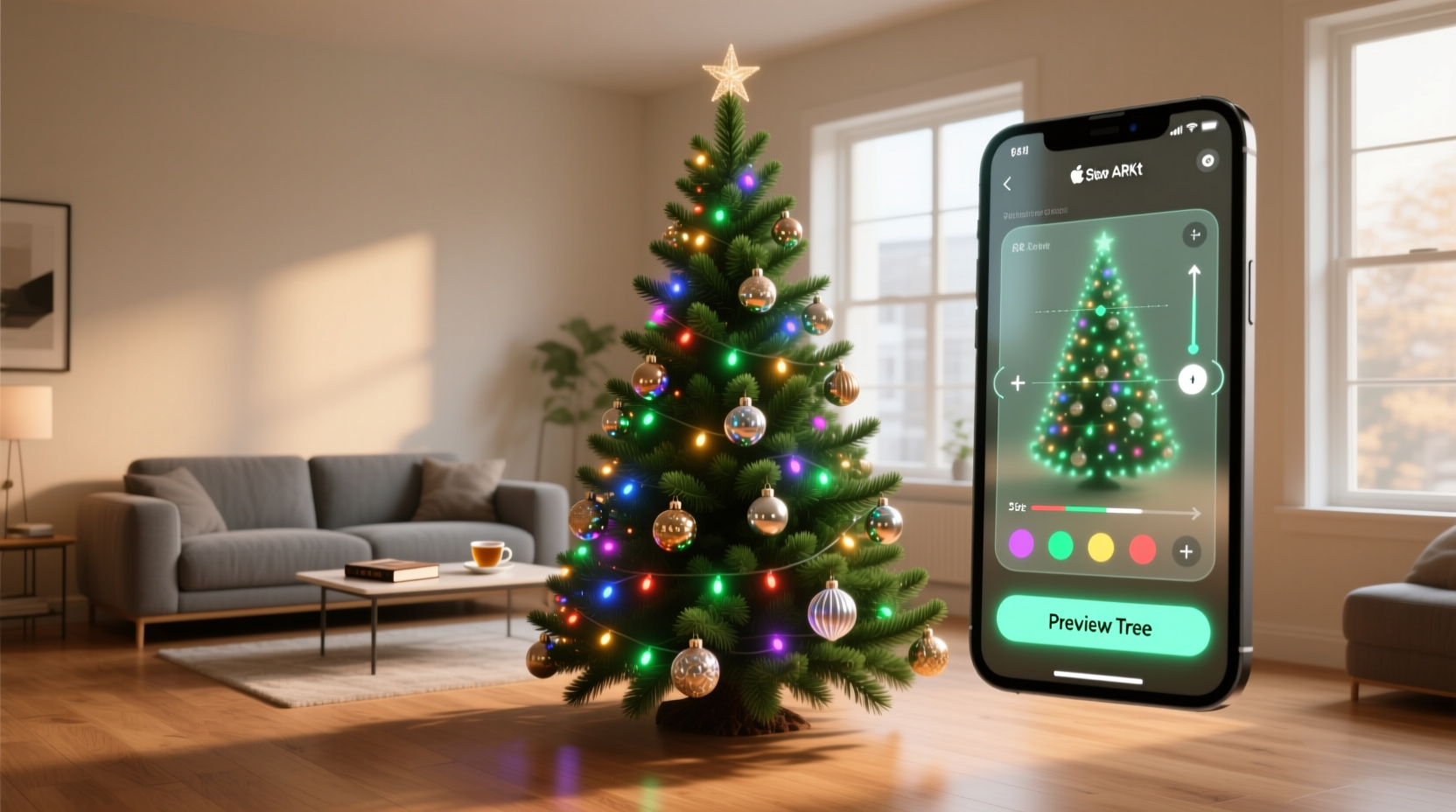
Augmented reality overlays digital content onto the real world through a device’s camera. Unlike virtual reality, which creates an entirely simulated environment, AR integrates 3D models into physical spaces in real time. For Christmas tree shopping, this means placing a life-sized, photorealistic tree model directly into your living room view on screen—complete with realistic lighting, shadow effects, and accurate proportions.
The process relies on spatial mapping. Devices equipped with AR capabilities—such as most modern iPhones and Android phones—use sensors and cameras to understand the dimensions of a room. They detect floors, walls, furniture, and obstacles, then anchor the virtual object accordingly. When you move around, the perspective shifts naturally, giving the illusion that the tree is actually there.
This technology isn’t limited to basic shapes. High-end AR apps render trees with fine detail: needle texture, branch spread, light reflections on ornaments, and even subtle sway effects. Some models allow users to toggle between different types—flocked, pre-lit, artificial vs. real-looking—and adjust height and width sliders for precision.
Top AR Apps That Let You Preview Christmas Trees
Several consumer-friendly apps offer AR-powered furniture and decor visualization, many of which include Christmas trees during the holiday season. Here are the most effective options currently available:
| App Name | Platform | Tree Customization | Key Features |
|---|---|---|---|
| Amazon Shopping | iOS, Android | Yes – multiple styles | Preview artificial trees from Amazon catalog; measure against real furniture |
| Wayfair | iOS, Android | Limited seasonal models | Accurate scale rendering; works well with other holiday décor |
| Home Depot App | iOS, Android | Basic previews | Includes in-store inventory; good for matching real product SKUs |
| IKEA Place | iOS, Android | No dedicated trees, but user-uploaded models possible | Precise scaling; excellent spatial tracking |
| Google Lens (via Search) | Android, iOS | Basic 3D models | Search “Christmas tree 3D” and place via AR—free and fast |
While none of these apps were built solely for Christmas trees, they leverage existing AR frameworks designed for home furnishing. The Amazon app, for instance, allows shoppers to browse its extensive selection of artificial trees and instantly project them into their space. Users can rotate the tree, walk around it virtually, and even see how tinsel reflects ambient light.
“AR is no longer a novelty—it's a necessity for informed home purchases. Visualizing a tree before buying reduces return rates and increases customer satisfaction.” — Lena Park, Retail Technology Analyst at GadgetInsight
Step-by-Step Guide: How to Preview a Christmas Tree Using AR
Using AR to preview a tree takes less than five minutes and requires no technical expertise. Follow this simple workflow:
- Choose Your App: Download a compatible AR shopping app like Amazon, Wayfair, or Home Depot from your device’s app store.
- Open the AR Feature: Navigate to a Christmas tree product page and tap “View in Your Room” or a similar AR button.
- Scan Your Space: Point your camera at the floor where you plan to place the tree. Move slowly to let the app detect surface boundaries.
- Select a Tree Model: Choose from various sizes, colors, and styles—flocked, slim, full, pre-lit, etc.
- Place and Adjust: Tap the screen to position the tree. Use pinch gestures to resize if allowed, or switch models for better fit.
- Walk Around and Evaluate: Move your device around the virtual tree to check sightlines from different angles—couch, hallway, dining area.
- Compare Options: Save screenshots of different models side-by-side or invite family members to view through shared links.
- Make a Decision: Once satisfied, proceed to purchase within the app or note the specs for in-store shopping.
This method eliminates common pitfalls such as buying a 9-foot tree for an 8-foot ceiling or selecting a wide-profile tree that blocks a doorway. It also helps coordinate with existing décor—testing whether a silver-frosted tree complements gold-trimmed curtains, for example.
Real-Life Example: The Johnson Family’s Stress-Free Tree Hunt
The Johnsons, a family of four in Portland, Oregon, used to spend entire weekends searching for the right Christmas tree. In past years, they’d bring home a Douglas fir only to realize it shed excessively, or buy a pre-lit artificial tree that overwhelmed their small apartment.
This year, they decided to try AR. Using the Amazon app, they scanned their living room one evening. Within minutes, they tested three virtual trees: a 7.5-foot classic evergreen, a 6-foot slim white flocked model, and a 7-foot pre-lit spruce with warm white LEDs.
By viewing each option from the kitchen and couch, they quickly ruled out the tallest model—it nearly touched the ceiling fan. The flocked version looked elegant but clashed with their navy-blue sofa. The spruce, however, stood at the ideal height, fit comfortably beside the entertainment unit, and its soft glow enhanced the room’s ambiance.
They purchased the spruce directly through the app, scheduled delivery, and assembled it two days later—exactly as expected. No surprises, no returns, and no wasted trips.
“It felt like magic,” said Sarah Johnson. “We made a decision together, saw it work in our space, and trusted the result. I’ll never shop for a tree the old way again.”
Benefits Beyond Convenience
The advantages of using AR extend beyond avoiding a too-tall tree. For environmentally conscious households, AR reduces impulse buys and unnecessary transportation. Fewer trial-and-error purchases mean fewer trees returned, less fuel burned driving to lots, and reduced packaging waste.
For people with mobility challenges or busy schedules, AR offers inclusive access to seasonal traditions. Elderly individuals or parents with young children can participate fully in tree selection without physical strain.
Retailers also benefit. Companies report higher conversion rates and lower return volumes when customers use AR tools. According to a 2023 Shopify retail study, products viewed in AR are 27% more likely to be purchased and 25% less likely to be returned.
Additionally, AR supports sustainable shopping habits. By visualizing durability, material quality, and long-term fit, consumers are more inclined to invest in higher-quality, reusable artificial trees rather than disposable real ones.
Common Challenges and How to Overcome Them
While AR technology is powerful, it’s not flawless. Some users encounter issues such as inaccurate scaling, poor lighting matching, or difficulty anchoring objects. These are typically due to environmental factors rather than app limitations.
- Problem: The tree appears to float or sink into the floor.
Solution: Rescan the floor slowly, keeping the camera level. Avoid highly reflective or dark surfaces that confuse depth sensors. - Problem: Colors look different in person than on screen.
Solution: Compare the AR preview under multiple lighting conditions and cross-reference with customer photos online. - Problem: Limited tree models in-app.
Solution: Use Google Search + AR: type “3D Christmas tree” and select “View in 3D” to place generic models not tied to specific retailers.
Checklist: Preparing for Your AR Tree Preview
Maximize accuracy and usability with this quick checklist before launching your AR session:
- ✅ Charge your phone or tablet fully
- ✅ Clean your camera lens
- ✅ Clear the intended tree area of clutter
- ✅ Note ceiling height and nearby furniture measurements
- ✅ Have a list of preferred tree characteristics (height, color, lit/unlit)
- ✅ Invite household members to join the decision-making
- ✅ Take screenshots of top contenders for comparison
Frequently Asked Questions
Can I use AR to preview real Christmas trees?
Most AR apps focus on artificial trees sold through retail platforms. However, you can use a generic 3D evergreen model via Google Search to estimate size and shape. While it won’t replicate the exact texture of a real-cut tree, it gives a reliable sense of proportion.
Do I need special equipment?
No. Any modern smartphone or tablet with a rear-facing camera and AR compatibility (iOS 11+ or Android with ARCore support) will work. Most devices released after 2018 meet these requirements.
Will the AR preview show how lights reflect in the room?
Advanced apps like Amazon and Wayfair simulate light diffusion and sparkle effects based on room brightness. While not identical to real-world shimmer, they provide a close approximation of how illuminated trees affect ambiance.
Conclusion: A Smarter Start to the Holiday Season
Augmented reality is redefining how we prepare for the holidays—not with guesswork, but with confidence. Previewing a Christmas tree in your living room using AR blends innovation with tradition, making the experience more inclusive, efficient, and enjoyable.
Whether you're decorating a cozy studio or a spacious family home, taking a few minutes to visualize your tree can prevent disappointment and enhance the festive atmosphere from day one. With intuitive apps, realistic rendering, and instant feedback, the future of holiday planning is already here.




 浙公网安备
33010002000092号
浙公网安备
33010002000092号 浙B2-20120091-4
Comments
No comments yet. Why don't you start the discussion?