
Venmo has become a go-to app for splitting bills, paying friends, or handling small transactions. But when it stops working—whether payments fail, the app crashes, or money doesn’t go through—it can disrupt your daily routine. The good news is that most Venmo issues are fixable with the right approach. Whether you're facing connection errors, declined transactions, or login troubles, understanding the root causes and knowing how to respond makes all the difference.
Common Reasons Why Venmo Isn’t Working
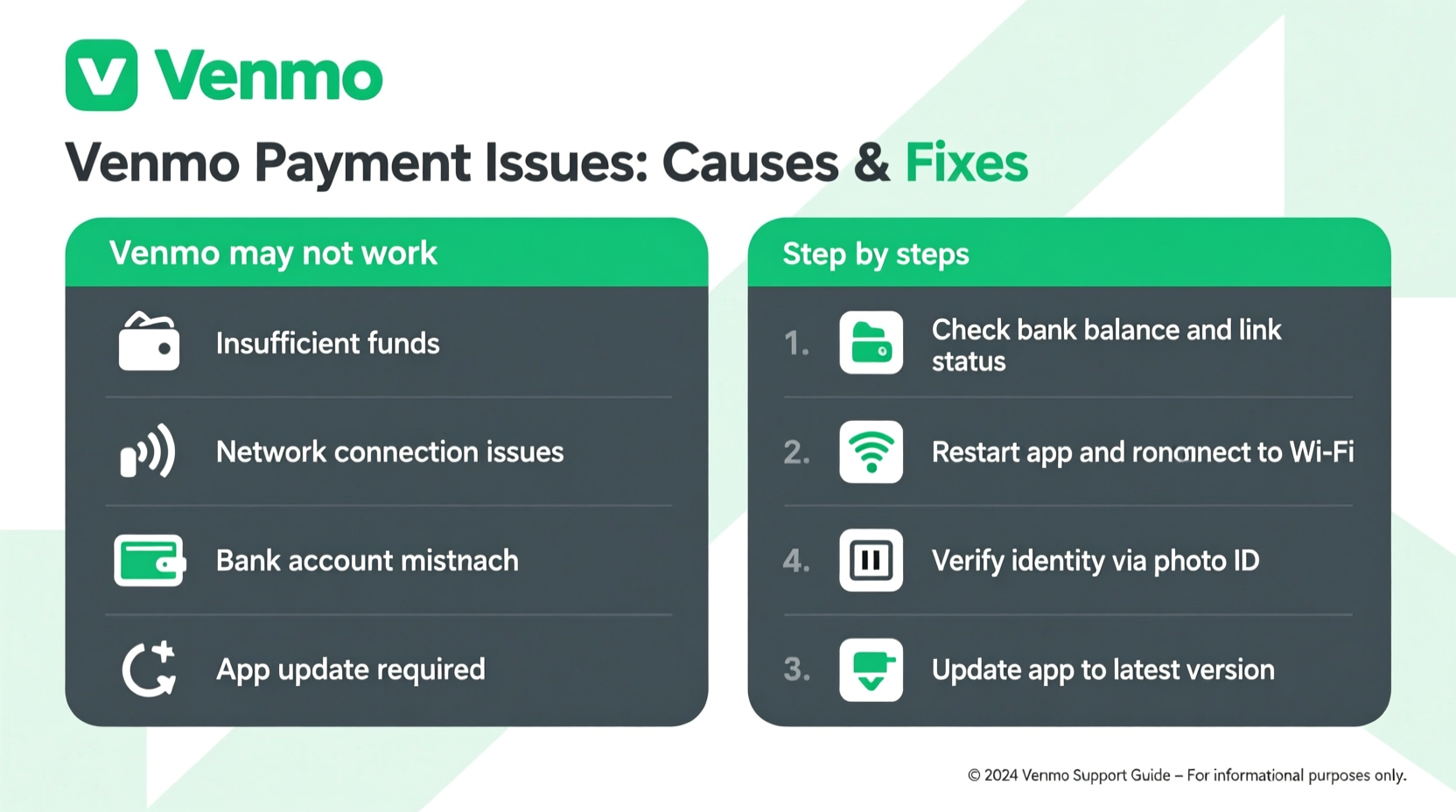
Venmo’s functionality depends on multiple factors: your internet connection, device settings, account status, bank integration, and even regional server performance. When something goes wrong, it's often due to one of these common culprits:
- Unstable Internet Connection: Venmo requires consistent connectivity. A weak Wi-Fi signal or spotty data can interrupt transactions.
- Outdated App Version: Older versions may have bugs or compatibility issues with current operating systems.
- Bank or Card Issues: Expired cards, insufficient funds, or bank-imposed restrictions can block payments.
- Account Verification Delays: Unverified accounts face transaction limits and may be temporarily restricted.
- Server Downtime: Though rare, Venmo occasionally experiences backend outages affecting users globally.
- Security Locks: Suspicious activity can trigger automatic locks or two-factor authentication loops.
Step-by-Step Guide to Fix Venmo Payment Issues
When Venmo isn't processing payments, follow this structured troubleshooting process to identify and resolve the issue efficiently.
- Check Your Internet Connection
Switch between Wi-Fi and mobile data to confirm connectivity. Try loading a website to test stability. - Restart the Venmo App
Close the app completely from your phone’s recent apps menu and reopen it. - Update the App
Visit the App Store (iOS) or Google Play Store (Android) and ensure you’re running the latest version. - Verify Your Account Status
Go to Settings > Identity Verification in the app. Complete any pending verification steps if prompted. - Review Payment Method
Tap “Wallet” and confirm your default payment source is active and funded. Remove and re-add the card if needed. - Clear Cache (Android Only)
Go to Settings > Apps > Venmo > Storage > Clear Cache. This resolves many performance glitches. - Reinstall the App
If problems persist, uninstall and reinstall Venmo. Log back in with your credentials. - Contact Support
If nothing works, submit a request via Help & Feedback in the app settings.
Do’s and Don’ts When Troubleshooting Venmo
| Do’s | Don’ts |
|---|---|
| ✅ Use strong Wi-Fi or LTE when making payments | ❌ Attempt repeated payments after a decline |
| ✅ Verify your identity early to avoid limits | ❌ Share login codes or recovery links |
| ✅ Monitor linked bank accounts for holds or reversals | ❌ Ignore security alerts or verification requests |
| ✅ Keep app updated automatically | ❌ Use third-party apps claiming to “boost” Venmo access |
| ✅ Enable two-factor authentication | ❌ Save passwords in unsecured notes apps |
Real Example: How Sarah Fixed Her Frozen Venmo Account
Sarah tried paying her roommate $75 for groceries but received an error: “Payment failed.” She retried twice, only to see a temporary lock on her account. Confused, she checked her email and found a message from Venmo flagging “unusual login activity.” It turned out she’d logged in from a new device without completing two-factor authentication.
She followed these steps:
- Opened the email from Venmo and confirmed the login was hers.
- Used the verification code sent to her phone to unlock the account.
- Navigated to Settings and reviewed her trusted devices.
- Removed old entries and added her current phone.
Within minutes, her account was restored. She successfully resent the payment using a verified bank transfer. The key was acting quickly and avoiding repeated attempts, which could have extended the lockout period.
“Users often panic and keep retrying failed transactions, which triggers automated fraud safeguards. A brief pause and methodical review usually resolves the issue faster.” — Mark Tran, Fintech Support Specialist at Digital Wallet Watch
Checklist: Is Your Venmo Ready for Smooth Transactions?
Use this quick checklist to ensure your Venmo account runs without hiccups:
- ☑ App updated to the latest version
- ☑ Stable internet connection confirmed
- ☑ Primary payment method is valid and selected
- ☑ Account fully verified (photo ID submitted if requested)
- ☑ Two-factor authentication enabled
- ☑ No pending bank confirmation codes (e.g., micro-deposits)
- ☑ Device date/time set automatically
- ☑ No unauthorized logins in recent activity
Frequently Asked Questions
Why does Venmo say my payment failed even though I have money?
A failed payment doesn’t always mean insufficient funds. It could be due to a temporary hold from your bank, an expired card, or a mismatch in billing information. Check your linked payment method details under “Wallet” and contact your bank if needed.
Can I use Venmo if my bank isn’t supported?
Venmo supports most U.S. banks and credit unions. If your bank isn’t listed, you won’t be able to link it directly. However, you can use a supported debit card or transfer funds via a compatible service like Plaid. Always verify eligibility on Venmo’s official bank list.
How long does it take to fix a frozen Venmo account?
Most account freezes last less than 24 hours if resolved promptly. If identity verification is required, uploading documents through the app typically results in approval within 3 business days. Immediate support is available for urgent cases via in-app chat.
Conclusion: Stay Ahead of Venmo Issues Before They Disrupt You
Venmo’s convenience comes with the responsibility of maintaining a healthy account setup. Most issues stem from preventable oversights—like outdated apps, weak connections, or incomplete verification. By staying proactive, regularly reviewing your settings, and responding calmly to errors, you can avoid most disruptions. The tools to fix Venmo problems are already in your hands: the app itself, your bank’s support line, and Venmo’s help center. Don’t wait for a payment to fail before ensuring everything’s in order.




 浙公网安备
33010002000092号
浙公网安备
33010002000092号 浙B2-20120091-4
Comments
No comments yet. Why don't you start the discussion?