
For students, researchers, journalists, and professionals attending lectures or meetings, capturing every word with clarity is essential. The rise of digital tools has made it easier than ever to record spoken content—but choosing the right device can make a significant difference in audio fidelity, ease of use, and long-term reliability. While smartphones come equipped with built-in voice recording apps, dedicated digital voice recorders have long been trusted for high-quality audio capture. So, when it comes to preserving clear lecture notes, which tool truly performs better?
This article examines the strengths and limitations of both options, focusing on microphone sensitivity, background noise handling, file formats, battery life, and practical usability in academic settings. By the end, you’ll understand not only which device captures clearer audio but also under what conditions each excels.
Audio Quality: The Core Difference
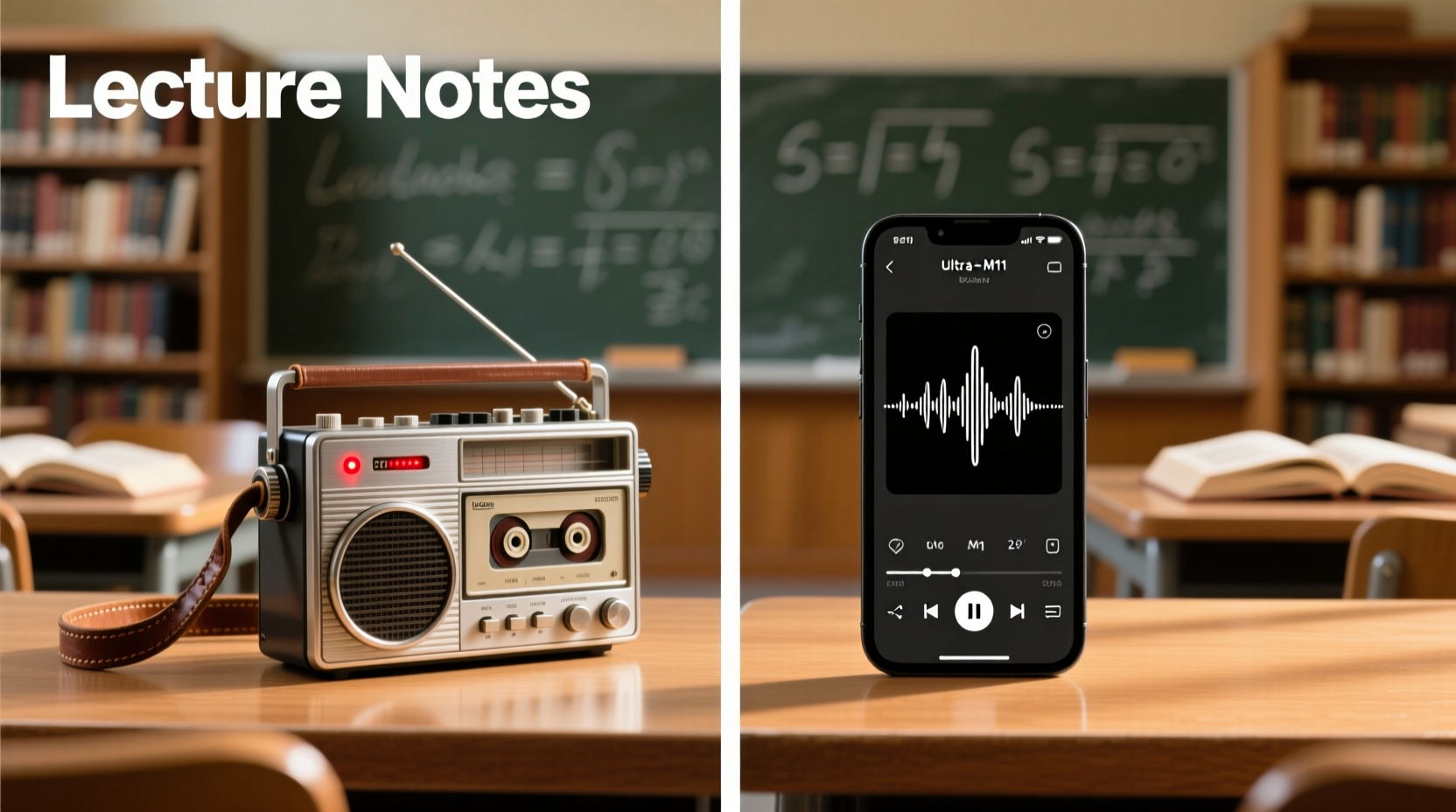
The most critical factor in choosing between a voice recorder and a smartphone audio app is sound quality. This doesn’t just mean volume—it refers to clarity, frequency range, dynamic response, and how well ambient noise is filtered.
Dedicated voice recorders typically feature directional microphones optimized for speech capture. Many models offer stereo recording, adjustable gain control, and noise reduction algorithms specifically tuned for indoor environments like classrooms or conference rooms. High-end devices support lossless formats such as WAV at 44.1kHz/16-bit or higher, ensuring minimal compression artifacts.
In contrast, smartphone microphones are designed for general-purpose use—phone calls, video messages, music playback, and casual recordings. While modern smartphones boast impressive hardware, their omnidirectional mics tend to pick up more background noise from all directions. Most default voice recording apps save files in compressed formats like M4A or AMR, sacrificing some fidelity for smaller file sizes.
Microphone Sensitivity and Directionality
Voice recorders often allow users to adjust microphone sensitivity manually. This means you can increase gain in quiet rooms or reduce it in loud auditoriums to prevent distortion. Some models even include X/Y stereo mic configurations that enhance spatial accuracy, making it easier to distinguish overlapping speakers.
Smartphones lack this level of control. Although third-party apps may offer basic gain adjustments, they’re limited by the physical placement and design of the phone’s internal mics. For example, placing your phone face-down blocks one mic, drastically reducing input quality.
“Directional mics on dedicated recorders outperform smartphone arrays in any environment with moderate background noise.” — Dr. Alan Prescott, Audio Engineering Lecturer, MIT Media Lab
Battery Life and Reliability During Long Sessions
Lectures, seminars, and conferences can last several hours. Battery endurance becomes crucial when you can’t risk a mid-session shutdown.
Digital voice recorders are engineered for extended operation. Models like the Olympus WS-853S or Zoom H1n can run for over 50 hours on standard AA batteries. Even rechargeable units often exceed 20 hours per charge. Because these devices perform one primary function, power management is highly efficient.
Smartphones, however, must balance multiple processes—screen display, connectivity, notifications, and background apps—all of which drain the battery quickly. A continuous recording session lasting two hours might consume 15–25% of a phone’s battery, depending on model and settings. Worse, an incoming call or low-power mode could interrupt the recording without warning.
| Device Type | Avg. Recording Time | Power Source | Risk of Interruption |
|---|---|---|---|
| Dedicated Voice Recorder | 20–60 hours | AA/AAA or internal Li-ion | Very Low |
| Smartphone (Default App) | 4–8 hours* | Internal Battery | High (calls, alerts, crashes) |
*Assumes no other usage; actual time varies based on screen-on time and network activity.
User Experience and Practicality
Convenience plays a major role in real-world decision-making. Smartphones win in accessibility—everyone carries one, and launching a recording app takes seconds. However, ease of access doesn’t always translate to effective results.
Voice recorders require carrying an additional device, which some users find inconvenient. Yet once used, many appreciate the simplicity: press one button to start, LED indicators show status, and files auto-save with timestamps. No pop-up notifications, no accidental screen locks, no fear of running out of storage mid-recording.
Smartphone apps vary widely in functionality. Built-in apps like Voice Memos (iOS) or Sound Recorder (Android) are simple but limited. Third-party alternatives such as RecForge II (Android) or Just Press Record (iOS) offer advanced features like cloud sync, transcription integration, and higher bitrates. But relying on third-party software introduces complexity—subscriptions, permissions, and potential bugs.
Storage and File Management
Voice recorders usually come with expandable storage via microSD cards (up to 128GB or more), allowing hundreds of hours of uncompressed audio. Files are organized into dated folders, making retrieval straightforward.
Smartphones rely on internal memory, which fills up fast with photos, videos, and apps. Running out of space during a key lecture is a common frustration. Cloud-based saving helps, but requires Wi-Fi or data—a limitation in large lecture halls where connectivity is spotty.
Real-World Example: A Graduate Student’s Dilemma
Sophia, a second-year neuroscience graduate student at the University of Toronto, relied solely on her iPhone’s Voice Memos app for recording lectures. She found it convenient at first, but after missing key explanations due to poor audio quality in a noisy classroom, she decided to investigate alternatives.
She tested a Sony ICD-PX470 voice recorder during a week of intensive seminars. Despite its compact size, the directional mic clearly captured the professor’s voice even when seated in the back row. Background chatter from adjacent tables was significantly reduced compared to her phone’s recordings.
More importantly, during a three-hour guest lecture, her phone dropped the recording twice—one due to a notification interruption, another because the screen timed out. The voice recorder ran uninterrupted the entire time. After transcribing both sets of notes, Sophia estimated she retained 35% more usable content from the recorder’s files.
She now uses both devices: her phone for quick memos and informal discussions, and the voice recorder for formal lectures and interviews.
When Each Option Excels: A Strategic Guide
Neither device is universally superior. Their effectiveness depends on context, environment, and user priorities.
Choose a Voice Recorder When:
- You need maximum audio clarity in noisy or large rooms.
- Lectures exceed 90 minutes or occur back-to-back.
- You frequently transcribe recordings and require clean, uncompressed files.
- Reliability is non-negotiable (e.g., legal interviews, thesis defenses).
- You want automatic file naming and folder organization.
Choose a Smartphone Audio App When:
- You already own a recent-model phone and don’t want extra gear.
- You need instant sharing—emailing or messaging clips immediately after class.
- You use AI-powered apps that integrate with transcription services (e.g., Otter.ai).
- Recordings are short (<30 mins) and taken in quiet environments.
- You value multi-functionality over pure audio quality.
Step-by-Step: Optimizing Your Lecture Recording Setup
Whether you choose a voice recorder or smartphone app, follow these steps to get the clearest possible results:
- Position the device correctly: Place it on a desk, angled toward the speaker, about 1–3 feet away. Avoid pockets, bags, or obstructed surfaces.
- Test beforehand: Do a 30-second test recording and play it back to check volume levels and background noise.
- Use external mics if possible: Lavalier (lapel) mics dramatically improve clarity, especially for smartphones. Many voice recorders support external mic inputs.
- Select the right format: Choose WAV or FLAC for archival quality, or MP3 at 192kbps or higher for balanced size and clarity.
- Name files immediately: Rename recordings with course code, date, and topic (e.g., “PSY201_2024-04-10_Cognitive_Bias”) to avoid confusion later.
- Back up regularly: Transfer files to a computer or cloud service daily to prevent data loss.
Frequently Asked Questions
Can I use Bluetooth headphones to record lectures?
Generally not recommended. Most Bluetooth codecs introduce latency and compress audio heavily, resulting in lower quality than wired or built-in mics. Wired earbuds with a microphone can work in a pinch but still underperform dedicated recorders.
Do voice recorders work well with online lectures?
Yes, but with caveats. When recording audio output from a laptop or tablet, connect the recorder line-in using a 3.5mm cable for best results. Simply holding the recorder near the speaker leads to echo and distortion. Alternatively, use screen recording software with audio capture.
Are expensive voice recorders worth it for students?
For most students, mid-range models ($50–$100) like the Olympus VN-733PC or Sony ICD-TX660 offer excellent value. High-end recorders (Zoom, Tascam) are better suited for podcasters or field researchers needing studio-grade fidelity.
Final Recommendation and Action Plan
If your priority is capturing **clearer lecture notes**, a dedicated voice recorder consistently outperforms smartphone audio apps—especially in challenging acoustic environments. Its superior microphones, longer battery life, focused interface, and reliable file handling make it the smarter investment for serious learners.
That said, modern smartphones are remarkably capable, particularly when paired with premium recording apps and external accessories. For casual note-takers or those on a tight budget, optimizing your phone’s setup can yield acceptable results.
Ultimately, the best tool is the one you use consistently and effectively. Consider starting with a trial period: record the same lecture using both methods, then compare the outputs side by side. Listen for intelligibility, background distractions, and ease of transcription. Let real-world performance guide your choice.




 浙公网安备
33010002000092号
浙公网安备
33010002000092号 浙B2-20120091-4
Comments
No comments yet. Why don't you start the discussion?